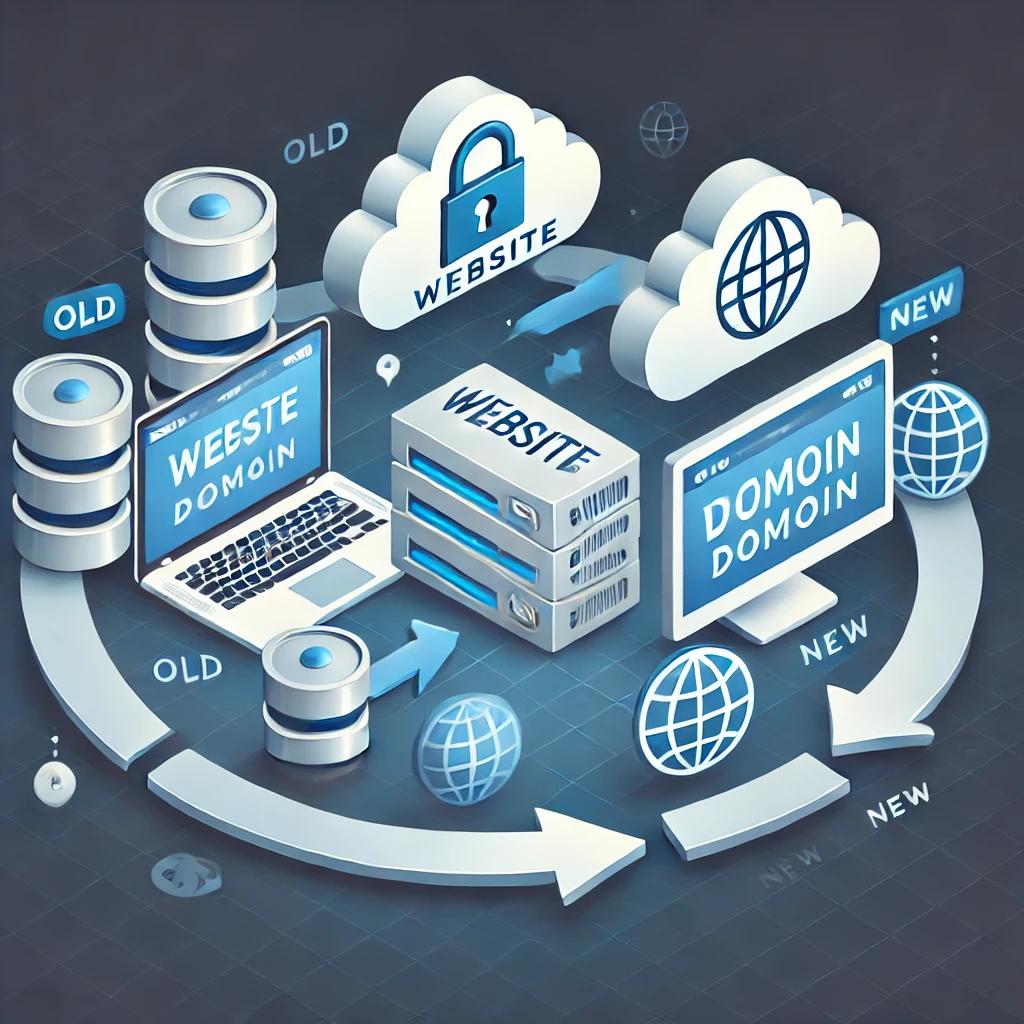
Website and domain migration can be a daunting task—but when done right, it boosts your performance, improves security, and positions your brand for long-term success. In this detailed guide, we’ll walk you through every step, risk, and solution involved in the process.
Understanding Website and Domain Migration
Website migration refers to moving your website from one environment to another—this could be a change in hosting, platform (e.g., from Wix to WordPress), domain name, or structure.
Domain migration, on the other hand, is the process of changing the domain name of your website (e.g., from myoldsite.com to mynewsite.com) while maintaining all content, traffic, and SEO value.
Understanding the difference is key to planning an effective and secure transition.
Why Website and Domain Migration is Important
There are several strategic reasons why businesses consider website and domain migration:
- Security enhancements
Security enhancements involve upgrading your website’s defense systems to prevent future cyber threats. This includes implementing stronger firewalls, enabling two-factor authentication, patching known vulnerabilities, and securing file permissions. These measures reduce the risk of hacking, data breaches, and malware infections, ensuring a safer experience for both site owners and visitors.
- Performance improvements
Performance improvements refer to optimizing your website to load faster and run more smoothly. Techniques may include compressing images, minifying code, using content delivery networks (CDNs), and enabling caching. A faster site leads to better user experience, lower bounce rates, and higher conversion rates.
-
 Rebranding or business name change
Rebranding or business name change typically requires updating your website’s design, logos, domain name, and messaging to reflect your new identity. This process ensures consistency across all pages, preserves your existing SEO rankings, and helps customers recognize and trust your updated brand.
- Switching to a better CMS or host
Switching to a better CMS or host means migrating your website to a more reliable content management system (like moving from Joomla to WordPress) or to a faster, more secure hosting provider. This change can significantly improve your site’s speed, security, flexibility, and scalability, making it easier to manage and grow your online presence.
- Merging multiple websites
Merging multiple websites involves combining content, functionality, and branding from two or more sites into a single, unified platform. This is often done to consolidate resources, simplify management, and strengthen your domain authority, helping improve visibility and performance in search engines.
- Improving SEO structure
Improving SEO structure focuses on reorganizing your website’s architecture, URLs, meta tags, and content hierarchy to make it more search engine–friendly. This includes optimizing internal linking, ensuring mobile responsiveness, improving page speed, and using proper schema markup. The result is better rankings, more traffic, and a higher return on investment from your online presence.
Each of these goals requires a tailored migration plan to preserve site integrity and user trust.
Pre-Migration Planning Checklist
Failing to plan means planning to fail. Before migrating your site, follow this comprehensive checklist:
- Backup your entire website (files + database)
Backup your entire website (files + database) is the first and most critical step before any migration. It involves creating a complete copy of all your website files—such as images, themes, plugins—and the full database, which contains all your content, user data, and settings. This backup acts as a safety net, allowing you to restore your site quickly if anything goes wrong during the migration process.
- Audit your existing content and structure
Audit your existing content and structure means reviewing every part of your current website to identify what’s working, what’s outdated, and what needs improvement. This includes analyzing page performance, user engagement, broken links, and duplicate content. The goal is to clean up unnecessary clutter and ensure only valuable, optimized content is carried over.
- Make a list of all active URLs
Make a list of all active URLs to ensure that every important page on your current site is accounted for. This list is vital for setting up proper 301 redirects after migration, so users and search engines are seamlessly directed to the new versions of pages. It also helps protect your SEO rankings by avoiding broken links or lost traffic.
- Set clear migration goals and KPIs
Set clear migration goals and KPIs by defining what you want to achieve through the migration—such as better performance, improved SEO, enhanced user experience, or a new brand image. Key performance indicators (KPIs) like bounce rate, organic traffic, page speed, and conversion rates help you measure the success of the migration and track improvements over time.
- Choose the right time to migrate (avoid peak traffic periods)
Choose the right time to migrate (avoid peak traffic periods) to minimize disruption. Migrations should be done during low-traffic hours or days to reduce the impact on users and business operations. This approach helps avoid downtime during critical hours and gives the technical team breathing room to handle issues without pressure.
- Inform your team and stakeholders
Inform your team and stakeholders well in advance to ensure everyone is aligned and prepared. This includes developers, content creators, marketers, customer support, and business leaders. Keeping everyone in the loop ensures smooth coordination, fewer surprises, and quicker response to any problems during or after the migration.
Choosing the Right Hosting and Platform
Your choice of web hosting provider and CMS platform has a massive impact on website performance and scalability. Here’s what to consider:
- Speed and server response time
Speed and server response time refer to how quickly your hosting server responds to a request and delivers your website content to users. Faster response times lead to quicker page loads, which improves user experience, reduces bounce rates, and boosts SEO rankings. A quality host optimizes speed with powerful hardware, caching technology, and minimal downtime.
- Security features (firewalls, SSL, malware scanning)
Security features (firewalls, SSL, malware scanning) are essential for protecting your website and user data. A good host provides built-in firewalls to block malicious traffic, SSL certificates to encrypt data transmission, and malware scanning tools to detect and remove harmful code. These features reduce the risk of hacking, data breaches, and blacklisting by search engines.
- Technical support availability
Technical support availability means having access to a knowledgeable support team whenever issues arise. Whether you encounter downtime, errors, or configuration problems, 24/7 support ensures your website stays operational and secure. Quick, reliable help is especially critical for businesses that rely heavily on their online presence.
- Data center location (affects SEO and loading times)
Data center location (affects SEO and loading times) plays a significant role in your website’s performance and visibility. Hosting your site closer to your target audience results in faster loading times due to reduced latency. Additionally, search engines may favor sites hosted within the same region as the users they serve, positively impacting local SEO.
- Compatibility with your existing tech stack
Compatibility with your existing tech stack ensures your hosting environment supports all the technologies, platforms, plugins, or frameworks your website uses. Whether it’s a specific CMS (like WordPress or Magento), programming language (like PHP or Python), or third-party tools (like caching systems or CDNs), seamless compatibility prevents conflicts and makes development, maintenance, and upgrades easier.
Always test your new hosting environment before going live.
SEO Considerations During Migration
SEO can suffer drastically if the migration is mishandled. Keep these steps in mind:
- 301 Redirects: Ensure every old URL redirects to its new counterpart
301 Redirects: Ensure every old URL redirects to its new counterpart to preserve your website’s SEO authority and provide a seamless user experience. A 301 redirect is a permanent redirection from an old URL to a new one, ensuring that visitors and search engines are automatically taken to the correct page. This prevents broken links, retains your backlink value, and helps maintain your rankings during and after migration.
- Update internal links to reflect the new structure
Update internal links to reflect the new structure so that all hyperlinks within your site point to the correct pages in the new setup. This includes links in menus, footers, blog posts, and call-to-action buttons. Leaving outdated internal links can confuse users, create crawl errors, and harm your SEO performance.
- Retain metadata (titles, descriptions, alt tags)
Retain metadata (titles, descriptions, alt tags) to maintain your current SEO strength. Page titles and meta descriptions influence how your pages appear in search engine results, while alt tags improve accessibility and image SEO. Carrying over this data ensures your optimization efforts aren’t lost during the transition and helps search engines understand your content properly.
- Submit your new sitemap to Google Search Console
Submit your new sitemap to Google Search Console to inform Google of your updated site structure. A sitemap is a file that lists all the important URLs on your website. Submitting it ensures faster and more accurate indexing, helping search engines crawl your new pages effectively and update their records quickly.
- Monitor traffic dips and keyword rankings
Monitor traffic dips and keyword rankings after migration to detect any potential issues early. It’s common to see slight fluctuations, but significant or prolonged drops may indicate broken links, missed redirects, or indexing problems. Use tools like Google Analytics and Google Search Console to track performance, identify problems, and make necessary adjustments to recover or improve your visibility.
Maintaining your SEO value is just as important as technical accuracy.
Data Backup and Security Protocols
Never migrate without creating complete backups. This includes:
- Website files (HTML, PHP, CSS, JS, media, etc.)
Website files (HTML, PHP, CSS, JS, media, etc.) are the core components that make up your website’s appearance, structure, and functionality. HTML files define the content layout, PHP files manage dynamic server-side actions (like contact forms or logins), CSS controls the visual styling, and JavaScript (JS) adds interactivity. Media files such as images, videos, and downloadable documents are also essential. Backing up all these files ensures your site can be fully restored or moved without loss of design or features.
- MySQL or database dumps
MySQL or database dumps contain all the dynamic content and configurations stored in your website’s database—such as blog posts, user data, product listings, plugin settings, and more. A MySQL dump is a full export of this data in a structured format, typically used for restoring or migrating your site. Without this, even if your website files are intact, your site won’t function properly.
- Email accounts and configurations
Email accounts and configurations include all the email addresses associated with your domain (e.g., [email protected]), along with their passwords, forwarding rules, storage settings, and client configurations (IMAP/POP3/SMTP). During a migration or backup, preserving these ensures continued email communication and prevents data loss from important business correspondence.
-
 DNS zone records
DNS zone records are the technical settings that tell the internet where to find your website, email servers, and other services tied to your domain. These records include A records (IP address), MX records (email routing), CNAMEs, TXT records (used for verification and security like SPF/DKIM), and more. Backing up and properly configuring your DNS records during migration ensures your website loads correctly and emails are delivered without interruption.
Also implement security layers such as:
- Firewalls
Firewalls act as a protective barrier between your website and malicious traffic. They filter incoming and outgoing data based on pre-set security rules, blocking harmful requests, brute-force attacks, and suspicious IP addresses. Web Application Firewalls (WAFs), in particular, protect against threats like SQL injection, cross-site scripting (XSS), and other common exploits, ensuring only safe traffic reaches your server.
- Malware scanners
Malware scanners continuously monitor your website for malicious code, hidden scripts, or suspicious changes in files and databases. These scanners detect known and unknown threats, alert you in real-time, and often offer automatic cleanup or quarantine features. Regular scanning helps prevent data theft, blacklisting by search engines, and website defacement.
- Two-Factor Authentication
Two-Factor Authentication (2FA) adds an extra layer of security to your website login process. In addition to a username and password, users must provide a second factor—usually a temporary code sent to their phone or generated by an app. This makes it much harder for attackers to gain access, even if they’ve stolen your login credentials.
- SSL Certificates
SSL Certificates encrypt the data exchanged between your website and its visitors, turning it into unreadable code for anyone trying to intercept it. This protects sensitive information like passwords, credit card numbers, and personal details. SSL also helps boost trust, displays the padlock icon in browsers, and is a confirmed ranking factor for Google, making it essential for both security and SEO.
These precautions ensure zero data loss or compromise.
Step-by-Step Migration Process
Here’s a standard workflow for a seamless migration:
- Clone your existing website
Clone your existing website by creating an exact copy of your current site, including all files, plugins, themes, and the database. This cloned version allows you to prepare for migration without affecting the live website. It serves as the foundation for testing and making updates safely before going live on the new environment.
- Set up the new environment (host, CMS, domain)
Set up the new environment (host, CMS, domain) by preparing the server or hosting platform where your cloned site will reside. This involves installing the correct content management system (like WordPress), configuring the new domain or subdomain, and ensuring the environment matches your current technical setup for compatibility.
- Test the cloned version on a staging URL
Test the cloned version on a staging URL to make sure everything works as expected. A staging URL is a private test site where you can review the design, features, plugins, performance, and mobile responsiveness without impacting your live site. This step helps identify any bugs or issues in a risk-free setting.
- Verify URL structures, media files, and database connectivity
Verify URL structures, media files, and database connectivity to ensure that all links point to the correct locations, images and videos display properly, and dynamic content pulls from the database as intended. This step is essential for maintaining SEO consistency and ensuring the migrated site functions like the original.
- Push the new version live
Push the new version live by replacing the old site with the updated one or directing the domain to the new server. This marks the official migration, making the improved site visible to the public. It should be done during low-traffic hours to reduce disruption.
- Setup 301 redirects and update DNS records
Set up 301 redirects and update DNS records to ensure users and search engines are directed to the correct pages. 301 redirects help retain SEO value by pointing old URLs to their new counterparts. Updating DNS records (such as A records or CNAMEs) points your domain to the new hosting provider, allowing traffic to reach the new server.
- Test again post-launch for errors or broken links
Test again post-launch for errors or broken links by thoroughly checking the live site. This includes testing contact forms, navigation menus, checkout processes, mobile responsiveness, and internal links. Monitoring tools and manual QA should be used to catch anything missed during staging, ensuring a smooth and error-free user experience.
Having a rollback plan is essential if things go wrong.
Domain Change: How to Do It Safely
Changing domains affects your brand visibility and search engine trust. Follow these steps:
- Register your new domain and configure DNS
Register your new domain and configure DNS by purchasing the new domain name through a trusted registrar and setting up the appropriate DNS records (like A, CNAME, and MX). This step ensures your new domain is fully functional and connected to your hosting server. Proper DNS configuration is essential for directing traffic, loading your website correctly, and enabling email services.
- Notify Google of address change via Search Console
Notify Google of address change via Search Console to help preserve your SEO rankings during a domain migration. Google Search Console allows you to officially inform Google that your website has moved to a new domain. This speeds up the reindexing process, ensures your search engine rankings are transferred, and reduces the risk of lost traffic or broken indexing.
- Setup 301 redirects from old to new URLs
Setup 301 redirects from old to new URLs so that anyone visiting your previous domain is automatically redirected to the correct pages on your new domain. This preserves user experience, transfers SEO authority, and ensures that all inbound links continue to deliver value without returning “404 Not Found” errors.
- Inform users via email and website banners
Inform users via email and website banners to maintain transparency and trust. Send an announcement email to your subscribers explaining the change, and display a banner or popup notification on your old website. Letting visitors know about the domain switch reduces confusion and reassures them that it’s still your trusted brand.
- Update branding materials (logos, emails, social media)
Update branding materials (logos, emails, social media) to reflect the new domain and business identity. This includes changing your logo (if needed), updating your email addresses (e.g., from [email protected] to [email protected]), revising contact information on your website, and modifying your handles and links on platforms like Facebook, LinkedIn, and Instagram. A consistent brand image helps reinforce trust and improves recognition across all channels.
Retain ownership of your old domain to catch traffic and prevent misuse.
Post-Migration Testing & Optimization
After migration, perform thorough testing:
- Browser and mobile compatibility
Browser and mobile compatibility ensures your website looks and functions correctly across all major web browsers (like Chrome, Firefox, Safari, and Edge) and mobile devices (iOS and Android). This testing checks layout responsiveness, font rendering, button functionality, and interactive elements to provide a consistent and user-friendly experience regardless of how visitors access your site.
- Broken link detection
Broken link detection involves scanning your entire website for hyperlinks that lead to missing pages, outdated resources, or incorrect URLs. Broken links not only frustrate users but also harm your SEO rankings. Identifying and fixing these links helps maintain a smooth navigation experience and ensures search engines can properly crawl and index your site.
- Speed and performance optimization
Speed and performance optimization is the process of fine-tuning your website to load quickly and run efficiently. This includes compressing images, minimizing CSS/JavaScript files, leveraging browser caching, enabling lazy loading, and optimizing server response times. A faster website improves user satisfaction, boosts engagement, and positively impacts search engine rankings.
- Security scanning for any vulnerabilities
Security scanning for any vulnerabilities detects weaknesses in your site’s code, plugins, themes, or configurations that hackers could exploit. These scans identify issues like outdated software, unsafe scripts, open ports, and potential malware. Addressing these vulnerabilities strengthens your site’s defenses and reduces the risk of attacks or data breaches.
- Update Google Analytics and tracking tools
Update Google Analytics and tracking tools to ensure accurate data collection after any changes or migrations. This includes updating your tracking IDs, verifying tag placements, and checking integrations with platforms like Google Tag Manager, Facebook Pixel, or conversion tracking tools. Proper setup allows you to continue monitoring visitor behavior, performance metrics, and conversion rates without interruption.
Ensure a smooth user experience from day one.
Communicating Changes to Users and Stakeholders
A successful migration also means managing communication. Here’s how:
- Send out email notifications
Send out email notifications to inform your existing subscribers, customers, and users about the changes made to your website—such as a domain switch, redesign, or new features. This communication builds trust, reduces confusion, and keeps your audience engaged. A clear, professional email should explain what changed, why it was done, and what users should expect moving forward.
- Update your blog and social media channels
Update your blog and social media channels to reflect your website updates and rebranding efforts. This includes publishing blog posts about the transition, updating profile bios, changing URLs in social media accounts, and posting announcements. Keeping your content channels aligned ensures consistent messaging and helps redirect traffic to the updated site.
- Inform partners and affiliates
Inform partners and affiliates so they can update their records, promotional materials, or referral links. This is especially important if your website URL has changed, as outdated links may stop working or misdirect traffic. Proactive communication strengthens business relationships and ensures continuity in affiliate marketing and external collaborations.
- Respond promptly to user feedback or bug reports
Respond promptly to user feedback or bug reports after the launch or migration. Visitors may experience glitches, broken links, or usability issues you didn’t catch during testing. Quickly acknowledging and resolving these concerns demonstrates professionalism, improves user experience, and prevents long-term damage to your site’s reputation and performance.
Clear communication = user trust and improved engagement.
Common Mistakes to Avoid
Avoid these costly pitfalls:
- Skipping backups
Skipping backups is one of the most critical mistakes during a website migration. Without a full backup of your files, database, email configurations, and DNS settings, you risk permanent data loss if something goes wrong. A proper backup ensures you can quickly restore your original site in case of errors, failed transfers, or data corruption during the process.
- Not setting up redirects
Not setting up redirects can lead to broken links, 404 errors, and a major drop in search engine rankings. When old URLs aren’t redirected to their new counterparts using 301 redirects, users and search engines won’t find your content, resulting in lost traffic, poor user experience, and a significant hit to your SEO value and backlink equity.
- Neglecting SEO tracking
Neglecting SEO tracking means failing to monitor keyword rankings, organic traffic, and crawl stats during and after the migration. Without this data, you won’t know if your migration negatively impacted your visibility or discoverability. Using tools like Google Analytics and Google Search Console ensures you catch any issues early and can take corrective action.
- Migrating during peak traffic
Migrating during peak traffic can disrupt user experience and lead to lost revenue or customer trust. If users encounter downtime, errors, or broken pages during busy hours, they’re more likely to abandon the site and not return. Scheduling migrations during off-peak times minimizes disruption and allows your team to handle any problems without added pressure.
- Ignoring security setups
Ignoring security setups leaves your newly migrated site vulnerable to attacks. Failing to reconfigure firewalls, reinstall SSL certificates, update admin credentials, or scan for vulnerabilities can open the door to malware infections, data breaches, or spam injections. Security should be a top priority before, during, and after migration to protect both your business and your users.
Always follow a tested migration strategy rather than rushing the process.
Why Choose FixHackedSite for Website and Domain Migration
At FixHackedSite, we specialize in secure, error-free migrations that maintain your SEO, protect your data, and ensure site availability. Our services include:
- Comprehensive pre-migration analysis
Comprehensive pre-migration analysis involves thoroughly evaluating your current website before initiating the migration process. This includes assessing your content, URL structure, database size, plugins or extensions, SEO performance, hosting environment, and technical dependencies. The goal is to identify potential risks, incompatibilities, and opportunities for improvement, ensuring a smooth and strategic transition with minimal disruption.
- Zero downtime migrations
Zero downtime migrations are designed to keep your website fully accessible to users throughout the entire migration process. By using advanced techniques such as staging environments, DNS pre-propagation, and traffic syncing tools, the transition occurs behind the scenes—ensuring that visitors experience no interruptions, errors, or slowdowns.
- Full backup and rollback plans
Full backup and rollback plans provide a critical safety net in case anything goes wrong during the migration. This includes a complete copy of your website files, database, email configurations, and DNS settings. If the new setup fails or experiences unexpected issues, you can immediately roll back to the original version with minimal data loss and service interruption.
- Security-first approach with malware scans
Security-first approach with malware scans means prioritizing website protection throughout the migration process. Pre- and post-migration scans are performed to detect any hidden threats, backdoors, or malicious code. Combined with firewall setups and secure credential handling, this approach ensures your new environment is clean, compliant, and safe from cyberattacks.
- 24/7 support from migration experts
24/7 support from migration experts ensures that you have professional assistance at every step—before, during, and after the migration. Whether you’re facing technical errors, DNS delays, SEO concerns, or user experience issues, expert teams are available around the clock to troubleshoot problems quickly and keep your migration on track. This continuous support provides peace of mind and a smoother overall process.
Whether you’re switching hosts, rebranding, or starting fresh—we handle it all for you.
Final Thoughts
Website and domain migration isn’t just a technical task—it’s a strategic move that can define the success of your online presence. With proper planning, expert support, and attention to detail, you can migrate your digital assets safely and efficiently.
Trust FixHackedSite to get it done right the first time.