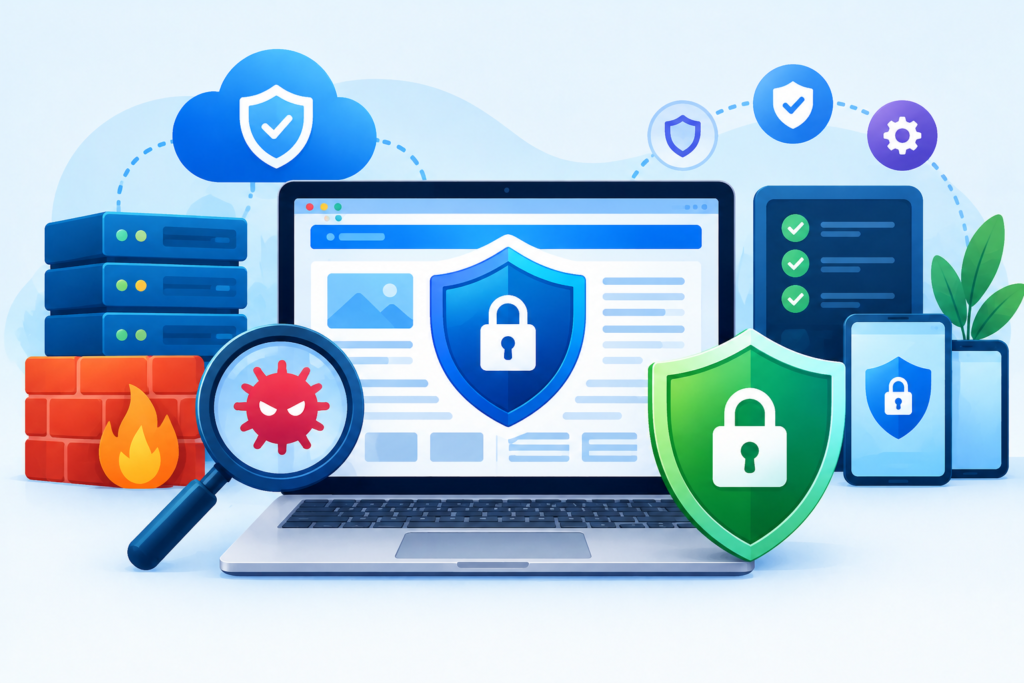
Website Hardening is the process of strengthening your website’s security by reducing vulnerabilities, securing servers, applications, databases, and user access while protecting against malware, ransomware, hackers, and cyberattacks. Discover proven website hardening techniques, industry best practices, and expert recommendations to build a secure, reliable, and high-performing website.
Introduction
Cybersecurity has become one of the most important aspects of managing a successful website. Whether you operate a small business website, an eCommerce store, a corporate portal, or a large enterprise application, cybercriminals continuously search for weaknesses they can exploit. Every day, automated bots scan millions of websites looking for outdated software, weak passwords, exposed databases, insecure plugins, and vulnerable server configurations. Even a minor security weakness can allow attackers to inject malware, steal confidential information, redirect visitors to malicious websites, or completely take control of your online presence.
Website Hardening is the proactive process of reducing these security risks before attackers can exploit them. Instead of reacting after an attack has occurred, website hardening focuses on strengthening every component of your hosting environment, website application, and supporting infrastructure. This includes securing the server, operating system, databases, user accounts, content management system (CMS), plugins, APIs, backups, and network configuration. By implementing multiple layers of protection, businesses significantly reduce their exposure to cyber threats while improving website stability, performance, and visitor trust.
At FixHackedSite, we believe that prevention is always more cost-effective than recovery. A properly hardened website not only protects valuable business data but also helps maintain search engine visibility, safeguards customer information, supports regulatory compliance, and minimizes costly downtime. Throughout this guide, you’ll learn practical website hardening strategies, industry best practices, common mistakes to avoid, and proven techniques recommended by trusted organizations such as the Google Search Central Security Documentation, OWASP, NIST, and CISA.
What Is Website Hardening?
Website Hardening is the process of improving the security of a website by reducing its attack surface and eliminating vulnerabilities that cybercriminals commonly exploit. Instead of relying on a single security tool or firewall, hardening involves implementing multiple layers of security controls across every part of the website ecosystem. These controls work together to prevent unauthorized access, detect suspicious activity, minimize risks, and protect sensitive business and customer information.
Every website consists of multiple components, including the hosting server, operating system, web server software, programming language, databases, content management system, plugins, themes, APIs, and third-party integrations. Each component introduces potential security risks if not configured or maintained properly. Website hardening focuses on securing each layer individually while ensuring they work together as a comprehensive defense strategy.
According to the OWASP Top 10, many successful cyberattacks result from common security weaknesses such as broken access control, insecure software configurations, outdated components, injection vulnerabilities, weak authentication, and poor security monitoring. Similarly, Google Search Central’s Website Security Documentation recommends maintaining updated software, implementing HTTPS, securing user authentication, and monitoring websites regularly to protect visitors and search rankings.
Website hardening is not a one-time task. Cyber threats evolve continuously, making regular security updates, vulnerability assessments, monitoring, and maintenance essential. Businesses that invest in ongoing website hardening significantly reduce the likelihood of malware infections, ransomware attacks, data breaches, search engine blacklisting, and operational downtime.
Why Website Hardening Is Essential for Every Business
Modern businesses rely heavily on their websites to generate leads, process transactions, communicate with customers, and build brand credibility. As websites become more valuable, they also become more attractive targets for cybercriminals. Attackers no longer focus solely on large enterprises; automated attack tools now scan millions of websites every day regardless of company size. Small businesses are often targeted because they typically have fewer security resources and weaker defenses.
The consequences of a compromised website extend far beyond temporary downtime. Malware infections can damage your reputation, expose sensitive customer information, interrupt business operations, reduce search engine rankings, and lead to significant financial losses. If customer payment information or personal data is stolen, businesses may also face legal liabilities, regulatory penalties, and long-term reputational damage.
Website hardening provides a proactive solution by implementing security measures before vulnerabilities are exploited. Strong authentication, regular software updates, secure server configurations, encrypted communications, malware monitoring, access control, web application firewalls, and automated backups work together to create multiple layers of defense. Even if attackers bypass one security control, additional protections reduce the likelihood of a successful compromise.
Beyond security, website hardening also improves business continuity and customer confidence. Visitors are more likely to trust websites that use HTTPS encryption, demonstrate secure browsing, and consistently remain available without malware warnings or suspicious redirects. Search engines also prioritize secure websites, making website hardening an important part of long-term SEO and digital growth.
Understanding the Modern Website Threat Landscape
The cybersecurity landscape changes rapidly as attackers develop increasingly sophisticated methods to exploit website vulnerabilities. Automated attack frameworks continuously scan the internet for websites running outdated software, insecure plugins, exposed administrative interfaces, weak passwords, and known vulnerabilities. Many attacks occur within hours of a new security flaw becoming publicly known, making timely updates and proactive monitoring critical.
One of the most common threats is malware injection. Cybercriminals exploit vulnerable websites to upload malicious code that redirects visitors to phishing pages, displays unwanted advertisements, steals login credentials, mines cryptocurrency, or infects visitors’ devices. Malware often remains hidden for extended periods, allowing attackers to continue exploiting compromised systems while causing significant damage to search engine rankings and user trust.
Credential attacks are another growing concern. Attackers frequently use automated bots to perform brute-force attacks or credential stuffing, where usernames and passwords leaked from unrelated data breaches are tested against websites. Without strong password policies and Multi-Factor Authentication (MFA), administrator accounts become easy targets. Once attackers gain administrative access, they can modify website files, install malware, create hidden administrator accounts, or steal sensitive customer data.
Other common threats include SQL injection, Cross-Site Scripting (XSS), Cross-Site Request Forgery (CSRF), Remote Code Execution (RCE), Distributed Denial-of-Service (DDoS) attacks, insecure APIs, misconfigured cloud services, exposed backups, insecure file permissions, and vulnerable third-party software. A comprehensive website hardening strategy addresses these risks by implementing layered security controls, continuous vulnerability management, regular security testing, and proactive monitoring.
Key Components of an Effective Website Hardening Strategy
Website hardening is most effective when it follows a structured, layered approach rather than relying on a single security solution. Every website consists of multiple interconnected components, and each one must be secured individually to minimize overall risk. A successful hardening strategy begins with identifying all assets, understanding potential attack vectors, and implementing controls that reduce vulnerabilities while maintaining website performance and usability.
The first component is server security. This involves disabling unnecessary services, keeping the operating system updated, using secure server configurations, limiting open ports, enabling firewalls, and applying the principle of least privilege to user accounts. Server-level security forms the foundation of website protection because compromised infrastructure can bypass application-level defenses.
The second component is application security. This includes regularly updating your CMS, plugins, themes, frameworks, and libraries, removing unused software, validating user input, securing APIs, implementing HTTPS encryption, and using a Web Application Firewall (WAF). Application security reduces the risk of attacks such as SQL injection, XSS, and remote code execution.
The third component is continuous monitoring and maintenance. Website hardening is not complete after initial implementation. Businesses should perform regular vulnerability scans, monitor security logs, test backups, review user accounts, audit file permissions, and conduct periodic security assessments. Continuous monitoring helps detect suspicious activity early, allowing organizations to respond before attackers can cause significant damage.
Server Hardening Best Practices for Maximum Security
Your web server is the foundation of your website’s security. If the server is compromised, attackers can bypass many application-level protections and gain direct access to sensitive files, databases, and user information. Server hardening focuses on securing the operating system, web server software, network services, and system configurations to minimize vulnerabilities and reduce the attack surface.
One of the first steps in server hardening is keeping the operating system and installed software fully updated. Security patches address newly discovered vulnerabilities that attackers actively exploit. Delaying updates can leave your website exposed to known threats for weeks or even months. Configure automatic security updates where appropriate, or establish a routine maintenance schedule to ensure critical patches are applied promptly. Trusted resources such as Google Search Central Security Documentation, NIST Cybersecurity Framework, and CISA Cybersecurity Resources all emphasize the importance of timely patch management.
Another essential practice is minimizing unnecessary services. Many servers come with default applications, services, and ports that are never used but remain enabled. Every unnecessary service increases the number of potential entry points for attackers. Disable FTP if Secure File Transfer Protocol (SFTP) is available, close unused ports, remove default applications, and uninstall software that no longer serves a purpose. A lean server environment is easier to manage, performs better, and presents fewer opportunities for exploitation.
Proper firewall configuration is equally important. Firewalls should only allow required inbound and outbound traffic while blocking unauthorized access attempts. Combine network firewalls with Web Application Firewalls (WAFs) to filter malicious traffic before it reaches your website. A WAF can help defend against SQL injection, Cross-Site Scripting (XSS), bot attacks, and other common web threats. Limiting SSH access to trusted IP addresses, changing default administrative ports where appropriate, and disabling direct root login further reduce exposure to unauthorized access attempts.
File permissions also play a significant role in server security. Files and directories should follow the principle of least privilege, meaning users and applications receive only the permissions they genuinely require. Avoid granting write permissions unnecessarily, particularly within publicly accessible directories. Sensitive configuration files should never be accessible through the web browser, and directory listing should always be disabled to prevent attackers from browsing your server’s file structure.
Finally, secure communication between clients and the server by enforcing HTTPS across the entire website. Install a valid SSL/TLS certificate, redirect all HTTP traffic to HTTPS, enable HTTP Strict Transport Security (HSTS), and disable outdated SSL/TLS protocols. Encryption protects sensitive information during transmission and builds trust with both users and search engines. Combined with regular server audits and continuous monitoring, these practices establish a strong security foundation for long-term website protection.
Securing Your CMS, Plugins, and Themes

Content Management Systems (CMS) such as WordPress, Joomla, and Drupal simplify website management, but they are also among the most frequently targeted components of a website. Their popularity makes them attractive targets for cybercriminals, especially when outdated software, vulnerable plugins, or poorly developed themes are involved. Properly securing your CMS environment is one of the most effective ways to reduce website vulnerabilities.
Keeping the CMS core updated should always be a top priority. Software developers regularly release security patches to fix newly discovered vulnerabilities, improve stability, and enhance protection against emerging threats. Websites running outdated versions remain vulnerable to publicly documented exploits that attackers can automate. Before applying updates, create verified backups and test changes in a staging environment whenever possible to avoid compatibility issues.
Plugins and extensions require equal attention. While plugins add valuable functionality, each additional component increases the website’s attack surface. Install plugins only from reputable developers with a proven history of regular maintenance and security updates. Remove inactive or unused plugins completely rather than simply deactivating them, as dormant plugins can still contain exploitable vulnerabilities. Review installed plugins periodically to ensure they remain actively supported and compatible with the latest CMS version.
Themes should be selected with the same level of scrutiny. Poorly coded or abandoned themes may contain security flaws that compromise the entire website. Download themes only from trusted marketplaces or official repositories, avoid pirated or “nulled” themes, and keep all templates updated. Custom themes should follow secure coding practices and undergo periodic security reviews to identify potential weaknesses.
Administrator accounts deserve special protection. Delete unused administrator accounts, avoid generic usernames such as “admin,” and assign users only the permissions necessary for their responsibilities. The principle of least privilege reduces the potential damage if an account is compromised. Enable Multi-Factor Authentication (MFA) wherever possible, require strong password policies, and review user access regularly to remove accounts that are no longer needed.
Finally, protect sensitive CMS files by restricting access to configuration files, disabling file editing within the administrative dashboard when appropriate, preventing directory browsing, and implementing security headers. Regular vulnerability scans, malware detection, file integrity monitoring, and activity logging provide additional visibility into suspicious behavior. A well-maintained CMS environment significantly reduces the likelihood of successful attacks while ensuring long-term stability and performance.
Strengthening Authentication, Password Security, and Access Control
Authentication serves as the gateway to your website’s administrative functions, making it one of the most critical components of website hardening. Even the most secure server and application can be compromised if attackers obtain valid administrator credentials. Strengthening authentication mechanisms dramatically reduces the risk of unauthorized access and account compromise.
Strong password policies are the first line of defense. Passwords should be long, unique, and difficult to guess, combining uppercase and lowercase letters, numbers, and special characters. More importantly, passwords should never be reused across multiple websites or services. Password managers make it easier to generate and store complex credentials securely, eliminating the temptation to use weak or repeated passwords.
Multi-Factor Authentication (MFA) provides an additional security layer by requiring users to verify their identity through a second authentication factor, such as a mobile authentication application or hardware security key. Even if an attacker steals a password through phishing or data breaches, MFA significantly reduces the likelihood of unauthorized access. Security authorities consistently recommend enabling MFA for all administrator accounts and privileged users.
Access control should follow the principle of least privilege. Every user should receive only the permissions necessary to perform their assigned responsibilities. Avoid granting administrator access to users who only require content editing or basic website management capabilities. Regularly review user roles, remove inactive accounts, and immediately revoke access when employees or contractors no longer require website permissions.
Login security can be strengthened further by limiting login attempts, implementing CAPTCHA protections, monitoring failed authentication attempts, and restricting administrative access to trusted IP addresses where practical. Security logging enables administrators to detect suspicious login activity quickly and investigate potential intrusion attempts before they escalate into full-scale compromises.
Finally, educate all users about phishing attacks, credential theft, and social engineering techniques. Human error remains one of the leading causes of security incidents. Regular awareness training combined with technical security controls creates a comprehensive authentication strategy that protects both users and website infrastructure.
Website Hardening Tools and Continuous Security Monitoring
Website hardening does not end once security controls have been implemented. Cyber threats continue evolving, software changes frequently, and new vulnerabilities emerge every week. Continuous monitoring ensures that security measures remain effective while allowing organizations to detect and respond to suspicious activity before significant damage occurs.
Security monitoring begins with vulnerability scanning. Automated scanners regularly inspect websites for outdated software, insecure configurations, exposed services, weak SSL/TLS implementations, missing security headers, and known vulnerabilities. Scheduling scans on a regular basis allows businesses to identify risks early and prioritize remediation before attackers exploit them.
Malware scanning provides another essential layer of protection. Modern malware can remain hidden for extended periods while stealing information, injecting spam content, or redirecting visitors to malicious websites. Continuous malware monitoring helps identify unauthorized file modifications, malicious code injections, and suspicious behavior before search engines or visitors discover the compromise.
File integrity monitoring compares current website files against trusted baseline versions. Unexpected file modifications may indicate malware infections, unauthorized administrator activity, or successful exploitation attempts. Administrators receive alerts whenever critical files change unexpectedly, enabling rapid investigation and remediation.
Log monitoring also plays a crucial role in website security. Server logs, authentication logs, firewall logs, and application logs contain valuable information about attempted attacks, failed login attempts, suspicious requests, and unusual user behavior. Reviewing these logs regularly helps identify emerging attack patterns and supports incident response efforts.
Finally, maintain reliable backup and disaster recovery procedures. Automated backups should be stored securely in multiple locations and tested regularly to ensure successful restoration. Backups provide the final safety net when preventive controls fail, allowing businesses to recover quickly from ransomware attacks, accidental data loss, or major security incidents. Combined with ongoing security assessments, regular patch management, and continuous monitoring, these practices create a resilient website capable of withstanding today’s evolving cyber threats.
Creating a Long-Term Website Hardening Strategy
Website hardening should never be viewed as a one-time project. Cyber threats evolve continuously, new vulnerabilities are discovered every day, and attackers constantly develop more advanced techniques to bypass security controls. A website that is secure today may become vulnerable tomorrow if it is not actively maintained. For this reason, organizations should adopt a long-term website hardening strategy that focuses on continuous improvement rather than occasional fixes.
The first step in building a sustainable security strategy is creating a documented security policy. This policy should outline how software updates are managed, who has administrative access, how passwords are created and maintained, how backups are stored, and how security incidents are handled. Having clear procedures ensures consistency across the organization and reduces the likelihood of human error. Every employee or contractor who interacts with the website should understand their security responsibilities and follow established best practices.
Routine maintenance is another critical element of long-term website hardening. Schedule regular updates for the operating system, CMS, plugins, themes, web server software, and third-party libraries. Before deploying updates to a live environment, test them in a staging environment to identify compatibility issues. Remove unused plugins, inactive themes, old user accounts, and unnecessary software that may introduce security risks. A clean and well-maintained environment is much easier to secure than one filled with outdated or abandoned components.
Regular security assessments should also become part of your maintenance schedule. Conduct vulnerability scans, penetration testing, malware scans, file integrity monitoring, and configuration reviews on a recurring basis. These assessments help identify new weaknesses before attackers exploit them. Organizations handling sensitive customer information should also consider independent security audits to validate the effectiveness of their security controls and compliance efforts.
Employee awareness plays a major role in long-term security. Many successful cyberattacks begin with phishing emails, weak passwords, or accidental disclosure of sensitive information. Providing ongoing cybersecurity awareness training helps employees recognize suspicious activity, avoid social engineering attacks, and report potential security incidents promptly. Even the strongest technical controls can be undermined by human error if security awareness is neglected.
Organizations should also develop a comprehensive incident response plan. This plan should define how security incidents are detected, contained, investigated, resolved, and documented. Knowing exactly what actions to take during a cyberattack minimizes downtime and helps preserve valuable forensic evidence. Include contact information for key personnel, backup restoration procedures, communication plans, and post-incident review processes.
Monitoring industry developments is equally important. Trusted organizations such as Google Search Central, OWASP, NIST, and CISA regularly publish updated security guidance, vulnerability alerts, and best practices. Staying informed about emerging threats allows businesses to strengthen defenses proactively rather than reacting after an attack occurs.
Finally, remember that website hardening is an investment in business continuity, customer trust, and long-term success. A secure website experiences fewer disruptions, protects sensitive information more effectively, maintains stronger search engine visibility, and inspires greater confidence among visitors. Organizations that commit to continuous website hardening are far better prepared to defend against evolving cyber threats while supporting sustainable digital growth.
Advanced Website Hardening Techniques for Enhanced Protection
Basic security measures such as strong passwords, software updates, and regular backups are essential, but modern cyber threats often require a more advanced, layered defense strategy. Organizations that manage sensitive customer information, online payments, or business-critical applications should go beyond standard security practices and implement advanced website hardening techniques. These additional controls help defend against sophisticated attacks while improving overall resilience.
One highly effective technique is implementing a Web Application Firewall (WAF). A WAF filters incoming traffic before it reaches your website, identifying and blocking malicious requests such as SQL injection, Cross-Site Scripting (XSS), Remote Code Execution (RCE), and brute-force login attempts. Unlike traditional network firewalls, a WAF is specifically designed to protect web applications and can stop many attacks before they ever reach your server.
Another important security enhancement is enabling Content Security Policy (CSP). CSP is an HTTP response header that instructs browsers which resources are allowed to load on your website. This significantly reduces the risk of Cross-Site Scripting attacks by preventing unauthorized scripts from executing. Other valuable security headers include X-Frame-Options, X-Content-Type-Options, Referrer-Policy, and Permissions-Policy, all of which strengthen browser-level protection.
Organizations should also encrypt sensitive information both in transit and at rest. HTTPS protects data during transmission, while database encryption safeguards stored customer information. Sensitive credentials, API keys, and authentication tokens should never be stored in plain text. Instead, use secure encryption methods and centralized secrets management solutions.
Network segmentation provides another valuable layer of protection. Public-facing web servers should be isolated from internal systems, databases, and administrative services. If attackers compromise one system, segmentation limits their ability to move laterally throughout the network. Combined with intrusion detection systems (IDS), intrusion prevention systems (IPS), and endpoint monitoring, this creates a stronger defense against advanced persistent threats.
Businesses should also perform regular penetration testing to identify weaknesses before attackers do. Ethical security professionals simulate real-world attacks to evaluate security controls, uncover hidden vulnerabilities, and recommend improvements. Penetration testing complements automated vulnerability scanning by identifying complex attack paths that automated tools may overlook.
Finally, implement centralized security logging and Security Information and Event Management (SIEM) solutions where appropriate. Collecting logs from servers, applications, firewalls, authentication systems, and cloud services enables faster threat detection and more effective incident response. Advanced website hardening is about creating multiple overlapping layers of security that work together to reduce risk and improve resilience.
Website Hardening for WordPress Websites
WordPress powers a significant percentage of websites worldwide, making it one of the most frequently targeted content management systems. Its popularity attracts both legitimate developers and cybercriminals. Fortunately, WordPress can be extremely secure when configured and maintained properly. A comprehensive website hardening strategy specifically tailored for WordPress dramatically reduces security risks while maintaining flexibility and performance.
The first priority is keeping the WordPress core updated. Every update contains bug fixes, performance improvements, and security patches that address newly discovered vulnerabilities. Running outdated versions exposes websites to publicly known exploits that attackers actively scan for. Enable automatic security updates where appropriate while testing major releases before deploying them to production environments.
Plugins require careful management because they are one of the most common sources of WordPress vulnerabilities. Install plugins only when necessary, choose reputable developers with active maintenance histories, and remove unused plugins completely rather than simply deactivating them. Every inactive plugin left on the server increases the attack surface.
Themes deserve the same level of attention. Avoid downloading themes from untrusted sources or using pirated (“nulled”) themes, as they frequently contain hidden malware or malicious code. Select themes from trusted developers, apply updates regularly, and remove unused themes from the server. Custom themes should follow secure coding standards and undergo periodic security reviews.
Protecting the WordPress login page is equally important. Change the default administrator username, enforce strong password requirements, enable Multi-Factor Authentication (MFA), limit failed login attempts, and use CAPTCHA to prevent automated brute-force attacks. Restrict access to administrative pages where practical and regularly review user accounts to remove unnecessary privileges.
Disable the built-in file editor if your workflow does not require it. Prevent directory browsing, secure the wp-config.php file, restrict file permissions, and disable PHP execution inside upload directories to reduce opportunities for malicious code execution. Regular malware scanning, file integrity monitoring, and automated backups further strengthen your WordPress environment.
A well-maintained WordPress website can be highly secure. Security depends not only on the platform itself but also on disciplined maintenance, responsible plugin management, strong authentication practices, and continuous monitoring.
Website Hardening for eCommerce Websites
eCommerce websites process highly sensitive information, including customer accounts, payment details, shipping information, and order histories. Because of the valuable data they store, online stores are frequent targets for cybercriminals seeking financial gain. Website hardening is therefore essential for protecting customer trust, maintaining compliance, and ensuring uninterrupted business operations.
The foundation of eCommerce security is HTTPS encryption across every page of the website. Customers should never submit personal or payment information through unencrypted connections. Secure SSL/TLS certificates encrypt communication between visitors and the server, protecting sensitive information from interception.
Payment security should follow industry-recognized standards such as the Payment Card Industry Data Security Standard (PCI DSS). Whenever possible, use trusted third-party payment gateways rather than storing payment card information directly on your servers. Tokenization, encryption, and secure payment processing significantly reduce risk while simplifying compliance obligations.
Customer account protection is another priority. Require strong passwords, encourage Multi-Factor Authentication, monitor login activity, and implement account lockout policies after repeated failed login attempts. Automated bot protection helps prevent credential stuffing and account takeover attacks that commonly target online stores.
Inventory management systems, customer databases, order processing applications, and administrative dashboards should all follow the principle of least privilege. Employees should receive only the permissions necessary for their roles, and administrative access should be reviewed regularly. Audit logs should record critical administrative actions to support incident investigations if suspicious activity occurs.
Backups are especially important for eCommerce businesses because downtime directly impacts revenue. Automated daily backups should include databases, customer information, product catalogs, and website files. Backup restoration procedures should be tested periodically to ensure rapid recovery during emergencies.
Finally, continuously monitor website performance, malware activity, security alerts, and unusual purchasing behavior. Fraud detection systems, web application firewalls, vulnerability scanning, and regular penetration testing provide additional layers of protection that help safeguard both customers and business operations.
Common Website Hardening Mistakes to Avoid
Even organizations that invest in cybersecurity can unknowingly introduce vulnerabilities through poor security practices or overlooked configurations. Website hardening is only effective when every layer of the website ecosystem is managed consistently. Avoiding the following common mistakes can significantly reduce your risk of cyberattacks and improve your overall security posture.
1. Delaying Software Updates
One of the biggest security mistakes is postponing updates for your operating system, CMS, plugins, themes, web server software, or third-party libraries. Cybercriminals actively monitor newly disclosed vulnerabilities and often begin exploiting them within hours of public release. Running outdated software gives attackers an easy entry point.
Always establish a routine patch management process, test updates in a staging environment, and apply critical security patches as soon as possible.
2. Using Weak or Reused Passwords
Weak passwords remain one of the most common causes of website compromises. Passwords such as “admin123,” “password,” or company names can often be guessed through automated attacks.
Every administrator should use a long, unique password stored in a trusted password manager. Password reuse across multiple accounts should always be avoided, and Multi-Factor Authentication (MFA) should be enabled whenever possible.
3. Installing Too Many Plugins
Every plugin introduces additional code that must be maintained and secured. Installing unnecessary plugins increases the attack surface and creates more opportunities for vulnerabilities.
Only install plugins that provide genuine business value, keep them updated, and completely remove any plugin that is no longer required.
4. Ignoring Backup Testing
Many organizations create backups but never verify that they can actually restore them. A corrupted or incomplete backup is nearly useless during a security incident.
Schedule regular restoration tests to ensure backup files are complete, accessible, and capable of restoring your website quickly after an attack.
5. Giving Everyone Administrator Access
Granting excessive permissions increases security risks significantly. Employees, freelancers, or contractors should only receive the minimum level of access necessary to perform their responsibilities.
Review user accounts regularly and immediately remove access for former employees or inactive users.
6. Failing to Monitor Security Logs
Ignoring security logs allows suspicious activity to continue unnoticed. Failed login attempts, unusual traffic spikes, unexpected file modifications, and unauthorized administrative actions often appear in logs before a major compromise occurs.
Implement continuous monitoring and review logs regularly to identify threats early.
7. Not Using HTTPS Everywhere
Some websites encrypt only login or checkout pages while leaving the rest of the website accessible through HTTP.
Modern best practice is to enforce HTTPS across the entire website, redirect HTTP traffic automatically, and enable HTTP Strict Transport Security (HSTS).
8. Treating Security as a One-Time Task
Perhaps the biggest mistake is believing website hardening is complete after initial implementation.
Cybersecurity requires continuous monitoring, regular maintenance, vulnerability scanning, employee awareness training, and ongoing improvements. Security is an ongoing process, not a single project.
Website Hardening Best Practices Summary
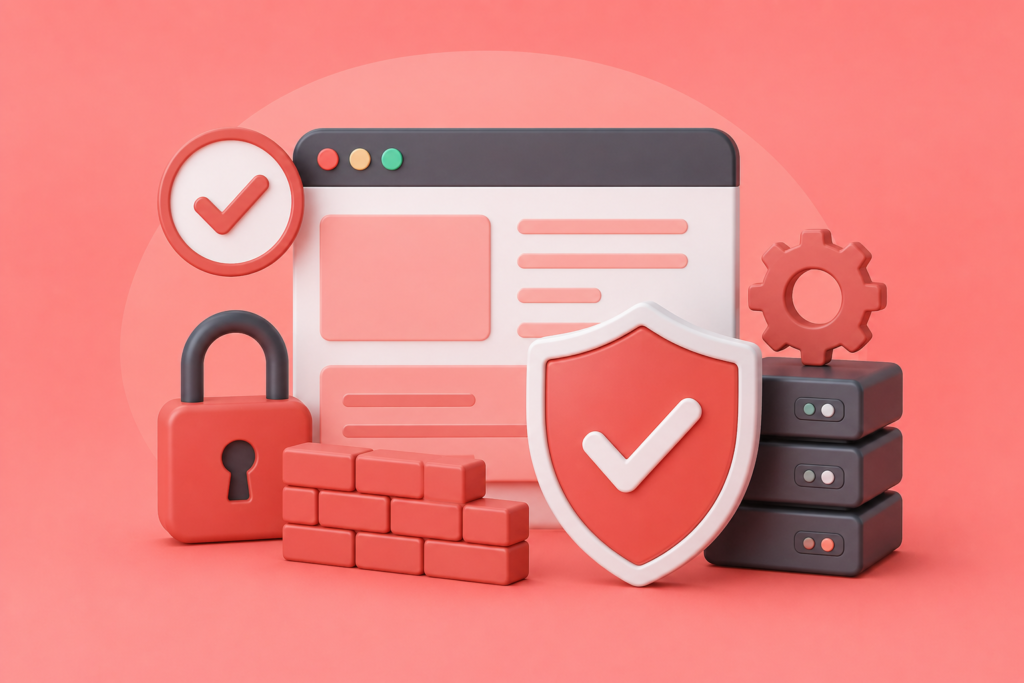
Building a secure website requires multiple layers of protection working together rather than relying on one security tool. The following best practices summarize the most important website hardening principles discussed throughout this guide.
- Keep the operating system, CMS, plugins, themes, frameworks, and software fully updated.
- Remove unused plugins, themes, applications, and user accounts.
- Enforce HTTPS across the entire website.
- Enable Multi-Factor Authentication (MFA) for administrator accounts.
- Use strong, unique passwords managed through secure password managers.
- Follow the Principle of Least Privilege for all user accounts.
- Install and properly configure a Web Application Firewall (WAF).
- Perform regular vulnerability scans and penetration testing.
- Monitor server logs, authentication logs, and file integrity continuously.
- Maintain automated off-site backups and test restoration procedures regularly.
- Secure databases and encrypt sensitive information.
- Disable unnecessary services, ports, and server features.
- Implement modern HTTP security headers.
- Protect APIs using authentication and rate limiting.
- Train employees to recognize phishing and social engineering attacks.
- Develop and maintain an incident response plan for security events.
Following these best practices creates multiple defensive layers that significantly reduce the likelihood of successful cyberattacks while improving business continuity and customer confidence.
Frequently Asked Questions
1. What is website hardening?
Website hardening is the process of strengthening a website’s security by reducing vulnerabilities, improving server and application configurations, implementing secure authentication, and continuously monitoring for threats. The objective is to minimize the attack surface and prevent unauthorized access, malware infections, and data breaches.
2. How often should website hardening be performed?
Website hardening should be viewed as an ongoing process rather than a one-time task. Software updates, vulnerability scans, malware checks, security audits, and access reviews should be performed regularly. Security monitoring should ideally operate continuously.
3. Does website hardening improve SEO?
Yes. Secure websites are more likely to maintain strong search engine visibility because they avoid malware warnings, browser security alerts, and prolonged downtime. HTTPS encryption also contributes to user trust and supports modern search engine recommendations.
4. Can small businesses benefit from website hardening?
Absolutely. Small businesses are frequently targeted because attackers often assume they have weaker security controls. Website hardening helps protect customer information, maintain business operations, and reduce financial losses regardless of company size.
5. Is installing a security plugin enough?
No. Security plugins provide valuable protection but represent only one layer of website security. Effective website hardening also includes server security, secure configurations, software updates, access control, backups, vulnerability management, and continuous monitoring.
6. How does a Web Application Firewall help?
A Web Application Firewall (WAF) filters incoming website traffic and blocks malicious requests before they reach your application. It helps defend against SQL injection, Cross-Site Scripting (XSS), brute-force attacks, bot traffic, and other common web threats.
7. Why are regular backups important?
Backups provide a reliable recovery option if your website experiences malware infections, ransomware attacks, accidental file deletion, hardware failure, or other security incidents. Regularly tested backups reduce downtime and support faster recovery.
8. What is the biggest website security risk?
The biggest risks typically include outdated software, weak passwords, poor access control, vulnerable plugins, server misconfigurations, and lack of ongoing maintenance. Most successful attacks exploit preventable weaknesses rather than highly sophisticated techniques.
Conclusion
Website hardening is one of the most effective investments any organization can make to protect its digital assets. Rather than waiting for a cyberattack to expose vulnerabilities, businesses should adopt a proactive approach that strengthens every layer of their website infrastructure. From secure server configurations and software updates to strong authentication, Web Application Firewalls, continuous monitoring, and reliable backups, each security control contributes to a comprehensive defense strategy.
A well-hardened website not only reduces the likelihood of successful cyberattacks but also improves operational reliability, protects customer information, strengthens search engine visibility, and builds long-term trust. As cyber threats continue to evolve, organizations that commit to ongoing security maintenance will always be better positioned than those relying on reactive recovery efforts.
At FixHackedSite, we understand that every website has unique security requirements. Whether you need professional website hardening, malware removal, vulnerability assessments, security monitoring, or expert guidance on protecting your online business, taking proactive action today can help prevent costly security incidents tomorrow.
Want to Implement This Easily?
Prompt Text:
You are an expert consultant. Based on the blog post titled “Website Hardening”, provide a step-by-step, practical implementation guide. Include tools, best practices, common mistakes to avoid, and advanced tips. Assume the reader wants to implement everything discussed in this article effectively.
Want our help implementing this?
Visit our contact page and speak with our security experts: