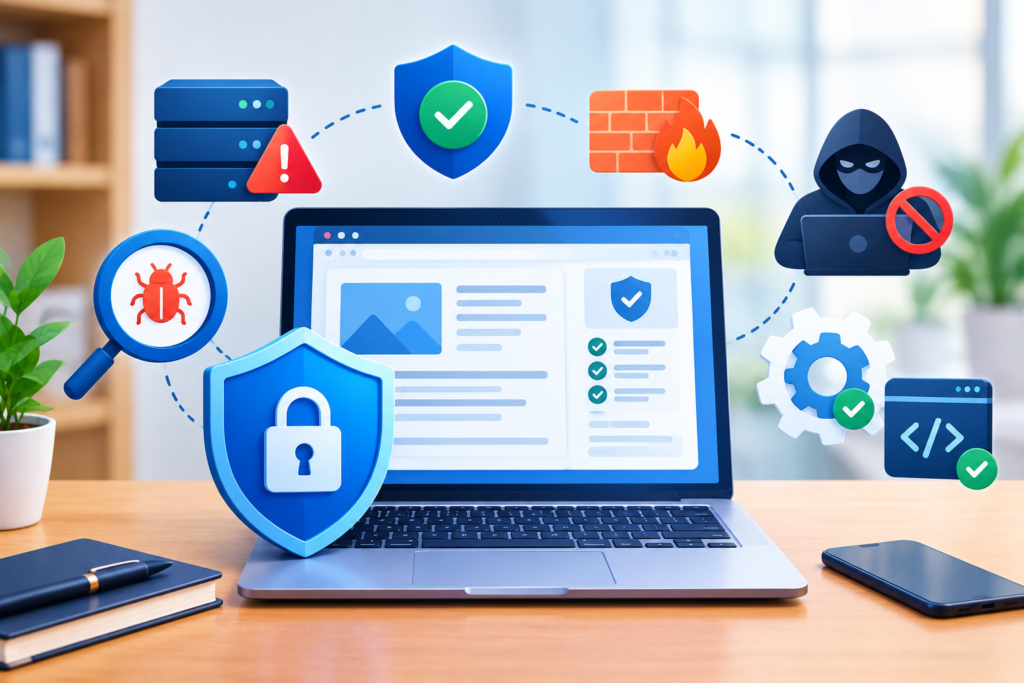
Website Vulnerability is one of the biggest risks facing businesses today. Learn how to identify, assess, prevent, and remediate website vulnerabilities using industry best practices, security frameworks, and proactive monitoring to protect your website from cyber threats and data breaches.
Introduction
Modern websites are constantly targeted by cybercriminals looking for weaknesses they can exploit. From outdated software and insecure plugins to misconfigured servers and vulnerable code, every website has potential entry points that attackers actively search for. A single overlooked vulnerability can lead to malware infections, stolen customer information, website defacement, search engine blacklisting, financial losses, and long-term reputational damage. Understanding Website Vulnerability is therefore essential for every business, developer, and website owner.
Whether you operate a small business website, an online store, a membership platform, or a corporate portal, website security should never be treated as an afterthought. Attackers increasingly rely on automated bots that scan millions of websites every day for common weaknesses. These attacks require little human intervention, meaning even small websites become targets simply because they exist online. Investing in proactive vulnerability management is significantly less expensive than recovering from a successful cyberattack.
At FixHackedSite, we believe prevention is the strongest form of cybersecurity. This comprehensive guide explains what website vulnerabilities are, how attackers exploit them, the most common security weaknesses, effective prevention strategies, vulnerability assessment techniques, monitoring practices, and long-term security improvements. By following industry-recognized standards and implementing practical security measures, you can significantly reduce your website’s exposure to cyber threats while building trust with visitors and search engines.
Understanding Website Vulnerability
A Website Vulnerability is any weakness within a website, web application, hosting environment, server configuration, plugin, theme, database, or software component that attackers can exploit to gain unauthorized access or disrupt normal operations. Vulnerabilities vary widely in severity, ranging from minor information disclosures to critical flaws that allow complete server compromise. Every website contains multiple interconnected technologies, meaning a weakness in just one component may expose the entire system.
Website vulnerabilities often arise from human error, outdated software, insecure coding practices, poor access management, weak authentication, or improper server configurations. Many organizations focus heavily on building features and improving user experience while unintentionally overlooking essential security measures. As websites grow more complex through third-party integrations, APIs, cloud services, and external scripts, the number of potential attack surfaces increases significantly. Proper vulnerability management requires continuous monitoring rather than one-time security checks.
Understanding vulnerabilities also means recognizing that security is an ongoing process rather than a single solution. New threats emerge daily, software updates introduce changes, and attackers constantly develop new exploitation techniques. Organizations that regularly perform vulnerability assessments, patch software promptly, follow the OWASP Top 10, and implement secure development practices are better equipped to defend against evolving cyber threats. Continuous education, monitoring, and proactive maintenance form the foundation of a resilient website security strategy.
Why Website Vulnerabilities Are Increasing Every Year
Cybercrime has become one of the fastest-growing global industries, making websites attractive targets regardless of their size. Automated scanning tools continuously search the internet for outdated software, exposed administration panels, vulnerable plugins, weak passwords, and misconfigured servers. Unlike targeted attacks of the past, today’s cybercriminals frequently rely on automation, allowing them to compromise thousands of websites simultaneously with minimal effort.
The increasing adoption of content management systems, third-party plugins, cloud services, APIs, JavaScript libraries, and external integrations has significantly expanded website attack surfaces. Every additional component introduces another potential vulnerability if not properly maintained. Businesses often install numerous plugins or extensions to improve functionality without evaluating their security history, update frequency, or developer reputation. Over time, abandoned or poorly maintained software becomes an easy target for attackers.
Another major factor contributing to rising vulnerabilities is delayed software maintenance. Many organizations postpone updates because they fear compatibility issues or website downtime. Unfortunately, attackers closely monitor newly released security patches because they reveal previously undisclosed vulnerabilities. Once vendors publish updates, attackers quickly reverse-engineer the fixes to identify websites that remain unpatched. Following secure maintenance recommendations from the Cybersecurity and Infrastructure Security Agency (CISA) and the National Institute of Standards and Technology (NIST) helps organizations stay ahead of evolving threats while strengthening their overall security posture.
Common Types of Website Vulnerabilities
Website vulnerabilities appear in many different forms, each targeting specific weaknesses within applications, servers, databases, or user interactions. Some vulnerabilities allow attackers to steal sensitive information, while others enable complete system compromise or malware installation. Understanding the most common categories helps organizations prioritize security improvements more effectively.
One of the most well-known vulnerabilities is SQL Injection, where attackers manipulate database queries to access, modify, or delete sensitive information. Another critical threat is Cross-Site Scripting (XSS), which injects malicious scripts into webpages viewed by visitors. Cross-Site Request Forgery (CSRF) tricks authenticated users into performing unintended actions, while Remote Code Execution (RCE) vulnerabilities enable attackers to execute arbitrary code directly on servers. Additional risks include insecure file uploads, authentication bypasses, broken access controls, insecure deserialization, XML External Entity (XXE) attacks, and server-side request forgery (SSRF).
Many organizations also overlook infrastructure vulnerabilities such as exposed administrative panels, weak SSL/TLS configurations, directory listing, insecure cloud storage permissions, default credentials, and improperly configured web servers. The OWASP Web Security Testing Guide provides comprehensive methodologies for identifying these weaknesses during security assessments. Understanding these vulnerability categories enables organizations to implement targeted security controls that significantly reduce overall cyber risk.
The Most Common Causes of Website Vulnerabilities
Most website vulnerabilities originate from preventable mistakes rather than sophisticated hacking techniques. Poor development practices, delayed maintenance, weak operational procedures, and inadequate security awareness collectively create opportunities for attackers. Understanding these root causes enables businesses to implement preventive controls before vulnerabilities become exploitable.
Outdated content management systems remain one of the leading causes of website compromise. Website owners frequently delay updating WordPress, Joomla, Drupal, plugins, themes, or custom software due to concerns about compatibility or downtime. Unfortunately, outdated software often contains publicly documented vulnerabilities that attackers actively exploit. Weak passwords, reused administrator credentials, missing multi-factor authentication, insecure hosting environments, and excessive user permissions further increase attack opportunities. Even simple configuration mistakes such as enabling directory browsing or leaving development files publicly accessible can expose sensitive information.
Another major contributor is insecure software development. Developers sometimes prioritize rapid deployment over secure coding practices, resulting in insufficient input validation, insecure authentication, poor session management, and inadequate error handling. Organizations should integrate security throughout the software development lifecycle by following the OWASP Secure Coding Practices and secure development recommendations published by Google Developers. Building security into every development phase dramatically reduces future remediation costs while improving overall resilience.
How Cybercriminals Discover Website Vulnerabilities
Most successful cyberattacks begin with reconnaissance rather than direct exploitation. Attackers invest considerable effort in collecting information about websites before attempting to compromise them. Automated reconnaissance tools rapidly identify technologies, software versions, exposed services, open ports, and publicly accessible files that may reveal security weaknesses. This information helps attackers select the most effective exploitation techniques.
Modern vulnerability scanners continuously crawl the internet searching for websites running outdated software, vulnerable plugins, exposed databases, unsecured APIs, and misconfigured cloud resources. Search engine indexing, public code repositories, leaked credentials, DNS records, metadata, error messages, and forgotten subdomains all provide valuable intelligence. Attackers frequently combine multiple information sources to build a complete profile of a target website before launching an attack.
Social engineering also plays an important role in vulnerability discovery. Attackers may trick employees into revealing credentials, exploit phishing emails, abuse password reset mechanisms, or manipulate support staff into granting unauthorized access. Combining technical reconnaissance with human-focused attacks significantly increases success rates. Organizations should regularly perform vulnerability assessments, penetration testing, employee security awareness training, and continuous monitoring to identify weaknesses before malicious actors discover them.
Website Vulnerability Assessments: Why Regular Testing Matters
A website vulnerability assessment systematically identifies security weaknesses before attackers exploit them. Unlike reactive incident response, vulnerability assessments provide organizations with a proactive approach to cybersecurity by uncovering risks early. Regular testing helps prioritize remediation efforts, reduce attack surfaces, and maintain compliance with industry security standards.
Professional vulnerability assessments examine websites, applications, APIs, servers, databases, hosting configurations, SSL certificates, authentication mechanisms, third-party integrations, and network infrastructure. Automated scanners efficiently detect known vulnerabilities, while manual testing identifies complex logic flaws that automated tools may overlook. Combining both approaches provides the most comprehensive understanding of a website’s security posture.
Regular assessments should not be limited to annual audits. Significant website updates, plugin installations, server migrations, software releases, infrastructure changes, or newly disclosed vulnerabilities should trigger additional security testing. Following the NIST Cybersecurity Framework encourages continuous risk assessment, vulnerability management, detection, response, and recovery activities that strengthen organizational cybersecurity over time.
Automated vs Manual Website Vulnerability Testing

Website vulnerability testing generally falls into two categories: automated scanning and manual security assessment. Both approaches play essential roles in identifying security weaknesses, but each has distinct advantages and limitations. Organizations that combine automated efficiency with human expertise achieve significantly better security outcomes than relying on either method alone.
Automated vulnerability scanners rapidly evaluate thousands of files, configurations, software versions, and known security signatures within minutes. These tools efficiently detect outdated software, missing security headers, SSL issues, exposed directories, weak encryption, and publicly known vulnerabilities. Automated scanning is ideal for routine monitoring because it provides consistent results while covering large environments quickly. However, scanners primarily identify known vulnerabilities and may produce false positives or miss complex business logic flaws.
Manual security testing complements automation by evaluating how real attackers think and operate. Experienced penetration testers examine authentication workflows, privilege escalation opportunities, authorization controls, API security, session management, input validation, and application logic. Human testers can identify vulnerabilities that automated scanners cannot detect, including chained attack scenarios and custom application weaknesses. Combining scheduled automated scans with periodic manual penetration testing creates a comprehensive security strategy capable of defending against both common and advanced cyber threats.
Website Vulnerability Management: Building a Continuous Security Process
Identifying vulnerabilities is only the first step in protecting a website. Effective cybersecurity requires a structured website vulnerability management process that continuously discovers, prioritizes, remediates, and monitors security weaknesses throughout the website’s lifecycle. Cyber threats evolve daily, making vulnerability management an ongoing responsibility rather than a one-time project. Organizations that adopt a proactive security strategy significantly reduce the likelihood of successful cyberattacks and minimize the impact of newly discovered vulnerabilities.
A mature vulnerability management program begins with maintaining a complete inventory of all digital assets. This includes websites, web applications, APIs, databases, servers, plugins, themes, third-party integrations, and cloud resources. Regular vulnerability scans should be scheduled to identify newly introduced weaknesses, while software updates and security patches should be deployed promptly based on risk severity. High-risk vulnerabilities that allow remote code execution, privilege escalation, or sensitive data exposure should receive immediate attention, whereas lower-risk issues can be addressed according to a structured remediation plan. Organizations should also verify that vulnerabilities have been successfully fixed through follow-up testing rather than assuming remediation efforts were effective.
Continuous monitoring further strengthens vulnerability management by detecting suspicious activities before they escalate into major security incidents. Security logs, intrusion detection systems, file integrity monitoring, endpoint protection, and threat intelligence feeds provide valuable insights into potential attacks. Businesses should also establish documented incident response procedures, conduct regular security awareness training, and review security policies periodically to ensure they remain effective against emerging threats. A disciplined vulnerability management program transforms cybersecurity from a reactive exercise into a continuous process of improvement, helping organizations maintain stronger defenses while protecting customer trust and business continuity.
Securing Content Management Systems Against Website Vulnerabilities
Content Management Systems (CMS) such as WordPress, Joomla, Drupal, Magento, and other popular platforms have made website creation more accessible than ever. However, their widespread adoption also makes them attractive targets for cybercriminals. Attackers constantly search for outdated installations, vulnerable plugins, poorly coded themes, and weak administrator credentials. A secure CMS environment requires consistent maintenance, careful software selection, and proactive monitoring to reduce the risk of exploitation.
One of the most effective security measures is keeping the CMS core, plugins, extensions, and themes fully updated. Software vendors regularly release security patches that address newly discovered vulnerabilities. Delaying these updates leaves websites exposed to publicly documented exploits that attackers actively target using automated scanning tools. Administrators should remove unused plugins and themes, install software only from trusted developers, enforce strong authentication with multi-factor authentication (MFA), limit administrator accounts, and regularly review user permissions. File editing within the CMS dashboard should be disabled whenever possible, and unnecessary services or modules should be removed to reduce the attack surface.
CMS security should also extend beyond software updates. Secure hosting environments, web application firewalls, malware scanning, backup automation, file integrity monitoring, and activity logging all contribute to a stronger defense. Administrators should periodically review installed components to ensure they remain actively maintained by their developers and replace abandoned extensions with supported alternatives. Security hardening configurations—including disabling directory browsing, restricting XML-RPC where appropriate, protecting administrative login pages, and implementing rate limiting—further reduce exposure to common attacks. A well-maintained CMS environment dramatically lowers the likelihood of website compromise while improving long-term reliability and performance.
Protecting Websites Through Secure Development Practices
Website security begins long before deployment. Secure software development practices reduce vulnerabilities during the design and coding phases, preventing many security issues from reaching production environments. Organizations that integrate security into every stage of development build more resilient applications while lowering remediation costs and improving customer confidence. Rather than treating security as an afterthought, development teams should incorporate secure coding principles into their daily workflows.
Secure development starts with proper requirements gathering and threat modeling. Developers should identify sensitive data, define trust boundaries, evaluate potential attack vectors, and establish appropriate security controls before writing code. Throughout development, input validation, output encoding, secure authentication, proper authorization, parameterized database queries, secure session management, encryption of sensitive information, and comprehensive error handling should become standard practices. Code reviews and peer reviews provide additional opportunities to identify security weaknesses before deployment, while automated security testing within CI/CD pipelines helps detect vulnerabilities early in the development lifecycle.
Security should remain a priority after deployment through continuous testing, regular code audits, dependency management, and timely patching of third-party libraries. Development teams should also maintain detailed documentation, establish secure configuration management procedures, and periodically review security architecture as business requirements evolve. Building security into software from the beginning not only reduces cyber risk but also improves application stability, compliance, maintainability, and long-term operational efficiency.
Website Vulnerability Prevention Best Practices
Preventing website vulnerabilities is considerably more effective and less costly than recovering from a successful cyberattack. Although no website can ever be completely immune to threats, implementing layered security controls significantly reduces the opportunities available to attackers. A defense-in-depth approach combines technical safeguards, operational processes, and employee awareness to create multiple barriers against exploitation.
Strong authentication serves as one of the most fundamental security controls. Administrators should enforce unique passwords, require multi-factor authentication for privileged accounts, disable unused accounts, and apply the principle of least privilege to all users. Web servers should use secure configurations, HTTPS encryption, properly configured security headers, firewall protection, malware scanning, and regular backups. Sensitive files should never be publicly accessible, while administrative interfaces should be protected through IP restrictions, VPN access, or additional authentication layers. Organizations should also establish patch management processes that ensure software updates are tested and deployed without unnecessary delays.
Security awareness is equally important because human error remains a leading cause of website compromise. Employees should receive regular training on phishing prevention, password security, social engineering, secure data handling, and incident reporting procedures. Routine vulnerability assessments, penetration testing, backup verification, disaster recovery planning, and continuous monitoring should become standard operational practices rather than occasional activities. Organizations that combine technical security with educated personnel create a far stronger defense against both automated attacks and targeted cyber threats.
Website Vulnerability Monitoring and Continuous Threat Detection
Website security does not end after vulnerabilities are patched. New threats emerge every day, software environments constantly change, and attackers continually develop new techniques to bypass security controls. This is why continuous website vulnerability monitoring is essential for maintaining a secure online presence. Instead of relying solely on periodic scans, organizations should establish real-time monitoring systems capable of identifying suspicious behavior before it develops into a serious security incident.
Effective monitoring combines several layers of security technology. Server logs should be reviewed regularly to identify unusual login attempts, privilege escalation, unexpected file modifications, excessive database queries, and abnormal traffic patterns. File Integrity Monitoring (FIM) solutions can immediately detect unauthorized changes to website files, while Web Application Firewalls (WAFs) filter malicious traffic before it reaches the application. Security Information and Event Management (SIEM) platforms aggregate logs from multiple systems, making it easier to correlate suspicious activities and identify coordinated attacks. Automated alerts ensure administrators receive immediate notification whenever critical events occur, allowing faster investigation and response.
Continuous monitoring should also include vulnerability intelligence feeds that notify organizations when newly discovered vulnerabilities affect their software stack. Combined with automated patch management, malware scanning, endpoint protection, and intrusion detection systems, continuous monitoring provides early warning against both known and emerging threats. Businesses that actively monitor their websites significantly reduce response times, minimize business disruption, and improve their overall cybersecurity resilience.
Common Mistakes That Leave Websites Vulnerable

Many successful cyberattacks exploit simple mistakes rather than advanced hacking techniques. Understanding these common errors helps website owners strengthen their defenses before attackers discover weaknesses. Even organizations with strong security investments can unknowingly expose themselves if fundamental best practices are ignored.
One of the most common mistakes is delaying software updates. Website owners often postpone updating their CMS, plugins, themes, or server software due to compatibility concerns. Unfortunately, attackers closely monitor newly released security patches because they reveal vulnerabilities affecting outdated systems. Another frequent mistake is using weak or reused passwords for administrator accounts. Without multi-factor authentication, compromised credentials provide attackers with immediate access to critical systems. Organizations also frequently install unnecessary plugins, fail to remove abandoned extensions, expose administrative panels publicly, and neglect regular backup verification.
Configuration errors create additional security risks. Publicly accessible configuration files, unrestricted file upload functionality, excessive user permissions, disabled logging, insecure cloud storage permissions, and poor server hardening all increase the attack surface. Many businesses also fail to perform regular vulnerability assessments or penetration testing, allowing weaknesses to remain undiscovered for extended periods. Treating cybersecurity as an ongoing operational process rather than a one-time setup dramatically reduces these risks and helps maintain a stronger security posture over time.
Best Practices Summary
Protecting a website from vulnerabilities requires continuous attention, disciplined maintenance, and a proactive security mindset. While no organization can eliminate every possible risk, following proven cybersecurity best practices significantly reduces the likelihood of successful attacks and minimizes the impact of emerging threats.
The most effective strategy begins with keeping all software—including operating systems, content management systems, plugins, themes, frameworks, and third-party libraries—fully updated. Strong authentication using unique passwords and multi-factor authentication should protect privileged accounts, while least-privilege access controls limit unnecessary permissions. Regular vulnerability scanning, manual penetration testing, secure coding practices, encrypted communications, Web Application Firewalls, malware detection, secure backups, and continuous monitoring together create multiple layers of defense that protect websites from a broad range of attack techniques.
Organizations should also establish documented vulnerability management processes that include routine assessments, incident response planning, backup testing, employee security awareness training, and continuous improvement. Security should become an integral part of website operations rather than an isolated technical task. Businesses that consistently apply these best practices build stronger resilience against evolving cyber threats while protecting customer trust, business reputation, and long-term operational success.
Frequently Asked Questions
1. What is a website vulnerability?
A website vulnerability is a security weakness within a website, web application, server, database, plugin, or software component that attackers can exploit to gain unauthorized access, steal information, install malware, or disrupt services.
2. How do hackers find website vulnerabilities?
Hackers commonly use automated scanning tools, vulnerability databases, search engines, reconnaissance techniques, leaked credentials, and social engineering to identify exploitable weaknesses before launching attacks.
3. How often should a website be scanned for vulnerabilities?
Websites should ideally be monitored continuously and scanned at least monthly. Additional vulnerability assessments should be performed after major software updates, server migrations, plugin installations, infrastructure changes, or newly disclosed security vulnerabilities.
4. Can small business websites become hacking targets?
Yes. Automated attacks scan millions of websites regardless of company size. Small business websites are often targeted because they may have outdated software, weaker security controls, or fewer dedicated cybersecurity resources.
5. What is the difference between vulnerability scanning and penetration testing?
Vulnerability scanning automatically identifies known security weaknesses, while penetration testing involves experienced security professionals actively attempting to exploit vulnerabilities to evaluate real-world security risks.
6. How can website vulnerabilities be prevented?
Prevention includes regular software updates, secure coding practices, strong authentication, Web Application Firewalls, continuous monitoring, vulnerability assessments, secure hosting, encrypted communications, employee security awareness training, and ongoing maintenance.
7. Does HTTPS eliminate website vulnerabilities?
No. HTTPS encrypts communications between users and the website but does not prevent software vulnerabilities, insecure code, weak authentication, malware infections, or server misconfigurations.
8. Why is continuous vulnerability management important?
New vulnerabilities are discovered every day. Continuous vulnerability management helps organizations identify, prioritize, remediate, and monitor security weaknesses before attackers can exploit them.
Conclusion
Website vulnerabilities represent one of the most significant cybersecurity challenges facing modern organizations. As websites become increasingly complex through cloud infrastructure, APIs, third-party integrations, and dynamic applications, the attack surface continues to expand. Businesses that rely solely on reactive security measures often discover vulnerabilities only after attackers have already caused damage. A proactive approach that combines secure development, regular vulnerability assessments, continuous monitoring, timely patch management, and employee awareness provides far stronger protection against today’s evolving threat landscape.
At FixHackedSite, we understand that effective cybersecurity requires more than simply removing malware after an incident occurs. Long-term protection depends on identifying weaknesses before attackers exploit them, implementing proven security controls, and maintaining continuous vigilance through ongoing monitoring and maintenance. By adopting the strategies outlined throughout this guide, organizations can strengthen their security posture, protect valuable digital assets, maintain customer trust, and build resilient websites capable of withstanding evolving cyber threats.
Want to Implement This Easily?
Prompt
You are an expert consultant. Based on the blog post titled “Website Vulnerability”, provide a step-by-step, practical implementation guide. Include tools, best practices, common mistakes to avoid, and advanced tips. Assume the reader wants to implement everything discussed in this article effectively.
Call to Action
Want our help implementing this? Just reach out to us via our website contact form: https://fixhackedsite.com/contact-us/