
Learn how to plan and execute a Website Migration safely while protecting SEO rankings, organic traffic, website data, URLs, redirects, security, performance, analytics, and search visibility.
Introduction
A Website Migration is one of the most technically sensitive projects a website owner can undertake. Whether you are moving to a new hosting provider, changing your domain, switching content management systems, restructuring URLs, upgrading infrastructure, moving from HTTP to HTTPS, or rebuilding an existing website, the process can affect far more than the files stored on a server. A poorly planned migration can influence crawling, indexing, organic visibility, page speed, analytics, conversions, security, internal linking, and the overall user experience.
For businesses that depend on organic search traffic, migration risk is particularly important. A website may appear visually perfect after launch while silently developing problems such as broken redirects, incorrect canonical URLs, missing pages, blocked resources, duplicate URLs, inaccurate analytics tracking, or accidental noindex directives. These problems can remain unnoticed until search traffic, leads, or sales begin to decline. Google recommends preparing the new website, testing it thoroughly, mapping old URLs to new URLs, implementing appropriate redirects, and monitoring the old and new URLs during the transition.
At FixHackedSite, website migrations should be approached as controlled technical projects rather than simple file transfers. A successful migration should preserve valuable content and search signals while improving the website’s reliability, security, maintainability, and performance. This guide explains the process from planning and auditing through backups, hosting preparation, URL mapping, SEO preservation, testing, DNS changes, and launch preparation.
What Is Website Migration and Why Does It Matter?
Website migration is the process of moving a website from one technical environment, domain, platform, structure, or infrastructure to another. The term can describe several different scenarios. A business might change hosting providers while keeping exactly the same URLs, move from one CMS to another, change its domain name, restructure its URL paths, migrate from HTTP to HTTPS, or combine several of these changes into one project. Because each type of migration introduces different risks, identifying the exact scope is the first important step.
Google distinguishes between migrations where public URLs change and infrastructure changes where URLs remain the same. For example, changing hosting providers without changing URLs is primarily an infrastructure migration, while changing from one domain to another is a URL-changing site move. Google provides separate guidance for these situations because the technical and SEO considerations are different.
A migration matters because a website is an interconnected system. Search engines rely on URLs, redirects, internal links, canonical signals, sitemaps, and server responses. Visitors rely on navigation, forms, images, scripts, page speed, and reliable functionality. Marketing platforms depend on tracking codes and landing pages. Email systems depend on DNS records. Developers depend on databases, application configurations, server versions, and APIs. Changing one component can therefore affect several others.
The safest approach is to treat migration as change management. Before making changes, establish what currently works, what must remain unchanged, what is intentionally being improved, and what could break. This baseline becomes the reference point for testing. It also makes troubleshooting significantly easier because the team can compare the new environment against documented information from the old environment.
Google’s guidance recommends changing one major element at a time where practical. If a business changes its domain, CMS, design, URL structure, and infrastructure simultaneously, it becomes much harder to determine which change caused a subsequent problem. Separating major changes can make the migration easier to troubleshoot and can reduce unnecessary uncertainty.
When Should You Consider a Website Migration?
There are many legitimate reasons to migrate a website, and not every migration indicates that something is wrong. One of the most common reasons is hosting infrastructure. A website may have outgrown its current server, experienced unreliable uptime, encountered resource limitations, or required infrastructure with better scalability. Moving to a more suitable hosting environment can solve these problems, provided the destination server is correctly configured before public traffic is redirected.
Another reason is a CMS or platform change. Businesses sometimes migrate because their current platform no longer supports their content, ecommerce, integration, performance, or operational requirements. A platform migration can also become necessary when an outdated system creates excessive maintenance requirements or depends on unsupported software. However, moving platforms should not mean blindly copying every existing problem. The new environment should preserve valuable functionality while eliminating unnecessary technical debt.
Domain changes are another significant migration scenario. A company might rebrand, acquire another business, consolidate multiple websites, or move to a domain that better represents its organization. Domain migrations are particularly sensitive because potentially every public URL changes. Google recommends creating an accurate mapping between old and new URLs and implementing permanent redirects when URLs change.
A migration can also be appropriate when security or infrastructure requirements change. For example, a business may need a modern hosting environment, better access controls, improved backup procedures, updated server software, stronger monitoring, or a more maintainable application architecture.
However, migration should not automatically be treated as the solution to every website problem. If the existing website can be repaired, hardened, and optimized effectively, a complete migration may introduce unnecessary risk. The correct question is not simply, “Should we migrate?” It is, “What problem are we solving, and is migration the safest and most effective way to solve it?”
Website Migration Planning: Build a Strategy Before Making Changes
The most reliable migrations begin with planning rather than implementation. Before changing production infrastructure, establish the project’s scope, responsibilities, dependencies, deadlines, testing criteria, communication process, and rollback procedure. A migration plan should identify what is changing, what is staying the same, and what must be verified before the new environment becomes publicly accessible.
Start by documenting the existing website. Record important URLs, page types, databases, files, media, forms, integrations, DNS records, SSL configuration, analytics systems, third-party applications, plugins, themes, APIs, scheduled tasks, and server-level settings. The purpose is not merely documentation. It is to create a reliable inventory that can later be compared with the migrated environment.
The plan should separate migration tasks from optimization tasks. For example, transferring a website to a new server is one task, while redesigning its navigation is another. Updating outdated content is another. Improving performance is another. Combining all of these activities during a single migration increases the number of variables involved.
Google’s current site-move guidance recommends preparing and testing the new website before the move. For large websites, Google also recommends considering a smaller test migration when technically practical. This approach can expose problems before they affect the entire website.
A strong migration plan should also contain a rollback strategy. Define what conditions would trigger a rollback, who can authorize it, how DNS would be restored, which backup would be used, and how the original environment would be preserved. A rollback procedure is not a sign that the project is expected to fail. It is a professional safeguard against unexpected infrastructure, compatibility, or deployment problems.
Create a Complete Website Inventory Before Migration
A website inventory provides a structured view of everything that exists on the current website. It should include important URLs, page types, content, media, downloadable resources, forms, applications, integrations, and other assets that need to survive the migration. For SEO-focused projects, the inventory should also identify important organic landing pages, high-value content, canonical URLs, indexability, internal links, and pages receiving external backlinks.
Do not assume that an XML sitemap contains every URL that matters. Some valuable pages may receive traffic or backlinks without appearing in the current sitemap. Server logs, analytics data, CMS exports, crawling tools, and Search Console data can provide additional evidence about URLs that users and search engines actually access.
Google recommends including embedded content such as images, videos, JavaScript, and CSS in site-move planning because these resources also have URLs that may need to be moved or preserved. This is particularly important for websites where images contribute substantial organic visibility or where JavaScript controls important functionality.
The inventory should identify whether each important URL will be:
- Preserved at the same address
- Moved to a new address
- Consolidated into another page
- Updated before migration
- Retired because it no longer serves a useful purpose
Avoid deleting pages simply because they appear old. A page with little recent traffic may still have valuable backlinks, historical relevance, or an important position in the website’s internal architecture. Conversely, copying every obsolete page into the new system can preserve unnecessary technical debt.
A useful migration inventory can include columns for the current URL, page type, HTTP status, organic traffic, conversions, backlinks, canonical URL, indexability, new URL, redirect requirement, priority, and testing status. This creates a practical control document that can be used before, during, and after launch.
Protect Your Website With a Verified Backup
A complete backup should be created before significant migration work begins. Depending on the platform, this may include the database, website files, uploaded media, themes, plugins, application configuration, server settings, custom code, environment variables, scheduled tasks, DNS information, and other critical components.
Do not rely on a backup that exists only on the same server being migrated. If the server fails, the backup could become inaccessible at the exact moment it is needed. Maintain an independent copy and, for important websites, consider keeping more than one recovery point.
The most important word in backup planning is verified. A backup file is not automatically a usable recovery system. Test whether it can actually be restored. A corrupted archive, incomplete database export, missing media directory, incorrect file permissions, or incompatible database version can turn a seemingly successful backup into a failed recovery attempt.
A test restoration is especially valuable for larger websites. Restore the backup in an isolated environment and confirm that the website loads, the database functions correctly, media files are available, forms work, and critical administrative functions operate as expected.
Security should also be reviewed during this stage. Migration projects frequently involve privileged credentials, including administrator accounts, database users, SFTP credentials, SSH keys, API keys, and application secrets. Avoid transferring unnecessary credentials into the new environment. Review who has access, remove accounts that are no longer required, and rotate sensitive credentials where appropriate.
The goal should be:
Backup → Verify → Test Restore → Prepare → Migrate
rather than:
Backup → Assume It Works → Migrate
That distinction can determine whether an unexpected migration failure becomes a manageable incident or a prolonged outage.
Prepare the New Hosting Environment Correctly
When the migration involves changing hosting infrastructure, prepare the destination environment before directing public traffic toward it. Google recommends preparing the new infrastructure, uploading the website, testing it, and then changing DNS so the domain points to the new environment.
Begin by confirming that the destination server supports the website’s technical requirements. Depending on the application, this could include PHP, Node.js, Python, database versions, server modules, operating system requirements, memory limits, storage, cron jobs, file permissions, and specific extensions.
Compatibility problems can remain hidden until production traffic reaches the new environment. A CMS may work correctly on the original server but fail on the new host because a required extension is unavailable, a database version differs, file permissions are incorrect, or a server variable has changed.
Performance should also be evaluated. Review server response times, caching, compression, database performance, CDN configuration, image delivery, resource loading, and application-level caching. However, avoid making excessive unrelated changes during the migration. Stability should come first.
A staging environment is extremely useful because it allows the team to test the new infrastructure without exposing unfinished changes to visitors. Test important URLs, forms, authentication, ecommerce functionality, APIs, media, JavaScript, CSS, and database operations before changing production DNS.
Security controls should also be tested. Make sure administrative access is appropriately protected, unnecessary services are disabled, software is updated, permissions are reasonable, and monitoring is available. At the same time, remember that migration-only restrictions must be reviewed before launch. A staging environment may contain password protection, blocked crawling, or noindex directives that must not accidentally remain on the production website.
Preserve Website Structure, Content, and SEO Signals
A successful migration involves much more than moving the visible design. The website’s underlying search signals should also be reviewed. Important elements include page content, title tags, headings, internal links, canonical URLs, XML sitemaps, structured data, image URLs, language annotations, and other technical signals.
When URLs can remain unchanged, keeping the existing URL architecture can simplify the migration considerably. When URLs must change, create a precise old-to-new URL mapping before launch. Google recommends mapping existing URLs to corresponding new URLs and updating URL references on the new site.
Canonicalization is particularly important when multiple URLs can represent similar or duplicate content. Google’s documentation explains that canonicalization is the process of selecting the representative URL for a group of duplicate or very similar pages. canonicalization
During migration, canonical URLs should be reviewed carefully so that they reference the intended version of each page. Google identifies redirects, rel="canonical" annotations, and sitemap inclusion as signals that can help indicate canonical preferences, although Google ultimately determines the canonical URL itself.
Internal links should also be updated. If the new website contains thousands of links pointing to old URLs, users may experience unnecessary redirects and search engines may need to follow additional hops. Updating internal links directly to their final destinations creates a cleaner site architecture.
For multilingual websites, review language and regional annotations as well. If URLs change, those references may need to be updated to the new URLs. Google specifically recommends updating hreflang annotations during a site move where applicable.
Build an Accurate Old-to-New URL Mapping
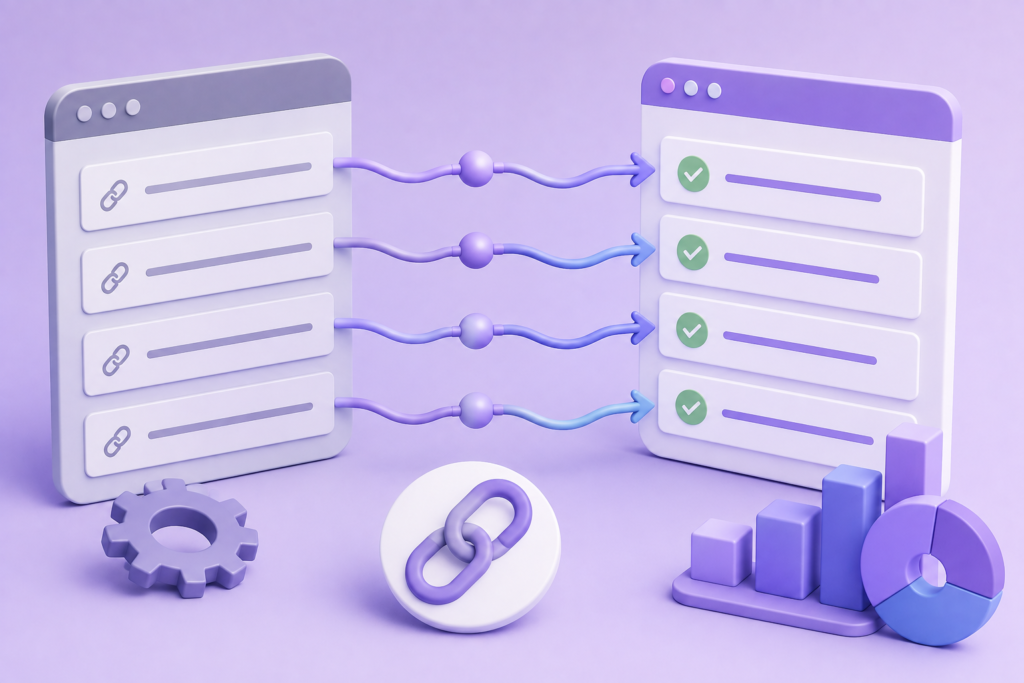
URL mapping is one of the most important parts of any migration involving URL changes. It creates a direct relationship between the website’s old addresses and their appropriate new destinations.
The destination should preserve the original page’s intent whenever possible. An old service page should normally redirect to its equivalent service page. An old product should redirect to the corresponding product or appropriate replacement. An article should generally redirect to its updated or equivalent article.
Avoid redirecting large numbers of unrelated URLs to the homepage. Google specifically warns that sending many unrelated old URLs to one irrelevant destination can confuse users and may cause those pages to be treated as soft 404s.
A practical URL mapping document can include:
| Migration Element | Recommended Information |
|---|---|
| Old URL | Existing public address |
| New URL | Final destination |
| Page Type | Article, product, service, category, etc. |
| HTTP Status | Existing response |
| Redirect | 301, 308, or other appropriate response |
| Organic Traffic | Historical search traffic |
| Backlinks | Important referring URLs |
| Priority | High, medium, or low |
| Status | Pending, tested, approved |
| Notes | Migration-specific details |
High-value URLs deserve special attention. These include pages generating organic traffic, leads, sales, backlinks, or important internal navigation.
Google recommends using server-side permanent redirects such as 301 or 308 when technically possible for URL-changing migrations. It also recommends avoiding unnecessary redirect chains. Instead of sending visitors through several intermediate URLs, the old address should ideally redirect directly to the final destination.
For example:
Old URL → Final URL
is preferable to:
Old URL → Temporary URL → Another URL → Final URL
A clean mapping strategy makes the migration easier to test and reduces unnecessary complexity after launch.
Test the New Website Before Going Live
Pre-launch testing should simulate the conditions visitors and search engines will encounter after the migration. Testing only the homepage is not sufficient. Every important page template should be evaluated.
Test representative examples of:
- Homepage
- Service pages
- Product pages
- Category pages
- Blog posts
- Author pages
- Contact pages
- Forms
- Search functionality
- Media files
- PDFs
- Account areas
- Checkout functionality
- API-dependent features
- Third-party integrations
Technical testing should verify HTTP status codes, internal links, canonical URLs, robots directives, XML sitemaps, structured data, images, CSS, JavaScript, forms, authentication, database functionality, and important integrations.
SEO testing should confirm that valuable pages are indexable and that no unexpected noindex directives are present. Also verify that canonical URLs point to the intended pages and that the XML sitemap contains the correct production URLs.
Google’s Search Essentials provide the core technical and spam-related guidance for websites seeking visibility in Google Search. Search Essentials
Staging environments deserve particular attention because they are frequently configured differently from production. Password protection, robots directives, development URLs, temporary canonical tags, or noindex settings can accidentally survive deployment.
Performance testing should also be included. Google’s Core Web Vitals provide standardized measurements for important aspects of user experience, including loading performance, responsiveness, and visual stability. Core Web Vitals
Test both desktop and mobile experiences. Migration can unexpectedly alter image delivery, JavaScript execution, fonts, caching, layout dimensions, or server response times.
Finally, conduct a manual review. Automated crawlers are excellent at finding technical patterns, but a human reviewer can notice confusing navigation, missing content, broken forms, visual inconsistencies, or functionality that technically loads but does not work as intended.
Apply Google’s People-First and E-E-A-T Principles to Migration Content
A migration project is primarily technical, but the content carried into the new environment still needs to serve users effectively. Moving low-quality or outdated content without reviewing it can preserve problems that should have been addressed during the project.
Google’s guidance emphasizes helpful, reliable, people-first content rather than content created primarily to manipulate rankings. helpful, reliable, people-first content
This means migration should be treated as an opportunity to review whether important pages genuinely satisfy their intended audience. Content should be accurate, useful, clearly organized, and supported by appropriate expertise where necessary.
The concept of E-E-A-T refers to Experience, Expertise, Authoritativeness, and Trustworthiness. Google explains that E-E-A-T itself is not a single ranking factor, while also emphasizing that these qualities can help its systems identify useful and trustworthy information.
For a website migration, practical E-E-A-T improvements can include preserving accurate author information, maintaining trustworthy business information, reviewing outdated claims, ensuring important pages have clear ownership or authorship where appropriate, and avoiding unsupported claims.
Migration should also not become an excuse to rewrite every page solely because someone believes fresh wording will automatically improve rankings. Google’s guidance explicitly states that content should primarily be created for people and that there is no preferred word count that guarantees better rankings.
The goal should be better content and a better website, not simply more content.
This approach also reduces the temptation to stuff pages with secondary keywords, create multiple near-duplicate pages, or produce unnecessary content variations. Search engines have become increasingly capable of understanding topical relevance without requiring every possible keyword variation to appear repeatedly.
Prepare DNS, SSL, Email, and Third-Party Integrations
DNS should be treated as a critical part of migration planning rather than a final technical afterthought. Before changing DNS records, document the current configuration and identify every service that depends on the domain.
These may include:
- Website hosting
- CDN
- APIs
- Payment gateways
- Analytics
- Advertising platforms
- Verification records
- Authentication systems
- Marketing automation
- Monitoring services
- Customer support tools
- Subdomains
SSL/TLS configuration should be ready before production traffic is directed toward the new server. Verify certificate coverage, HTTPS behavior, redirects, subdomains, and mixed-content issues.
If the project includes an HTTP-to-HTTPS migration, treat it as a URL-changing migration and follow the appropriate Google guidance rather than assuming it is simply a server configuration change. Google includes HTTP-to-HTTPS changes among examples of site moves involving URL changes.
Email is another area that can be overlooked. Review MX, SPF, DKIM, DMARC, and other DNS records before making changes. A website migration should not accidentally interrupt business email.
Third-party integrations should be tested before launch. Analytics systems, advertising pixels, CRM forms, payment processors, webhooks, APIs, cookie-consent systems, reCAPTCHA, social integrations, and authentication platforms may depend on specific domains or URLs.
A website migration is not complete simply because the homepage loads. The surrounding digital ecosystem must continue to function.
Establish a Controlled Migration Launch Plan
The final launch should be treated as a scheduled technical event with a defined sequence of actions and verification points. Select a migration window when traffic is reasonably manageable and the technical team is available to respond to unexpected problems.
Google recommends timing migrations during lower-traffic periods when possible because fewer users are exposed to potential problems and server resources can be available for increased crawling.
Before launch, establish a temporary change freeze where appropriate. Avoid allowing multiple teams to make unrelated production changes while the migration is underway. A last-minute content or database change can create differences between the source and destination environments.
A typical launch sequence may include:
- Create and verify the final backup.
- Confirm the destination server.
- Synchronize the latest website files and database.
- Confirm SSL/TLS.
- Activate required redirects.
- Verify canonical URLs.
- Verify robots directives.
- Publish the correct XML sitemap.
- Update DNS where required.
- Test critical URLs.
- Verify forms and integrations.
- Confirm analytics tracking.
- Monitor server logs.
- Begin post-launch SEO monitoring.
The exact sequence depends on the migration type, but every action should have an owner and a verification step.
Do not immediately make unrelated design, content, or SEO changes after launch. The first objective is to establish a stable baseline. If several major variables change simultaneously, diagnosing a ranking or conversion problem becomes much more difficult.
Google notes that temporary fluctuations in search visibility can occur during a site move while Google recrawls and reindexes the changed URLs. Therefore, a migration should be monitored patiently rather than judged solely by the first few hours of search performance.
Implement Permanent Redirects Correctly After a Website Migration
When a migration changes existing URLs, redirects become one of the most important mechanisms for connecting the old website with the new one. A redirect tells browsers and search engines that a requested URL has moved somewhere else. For a permanent migration, the goal is to guide both users and search engines from the old address to the most relevant new destination while preserving as much continuity as possible.
For most permanent URL changes, 301 redirects are commonly used. A 308 redirect can also communicate a permanent move. Google’s documentation explains that permanent redirects are a strong signal that the destination should represent the old URL. Redirects and Google Search The implementation should occur at the server or infrastructure level whenever practical rather than relying unnecessarily on client-side JavaScript.
Redirects should be mapped according to relevance. If an old article has a substantially equivalent replacement, send visitors directly to that article. If a product has been replaced by another product, the replacement may be appropriate. If content has genuinely disappeared and no relevant alternative exists, the correct response may be different from simply redirecting everything to the homepage. Google specifically cautions against redirecting large numbers of unrelated URLs to a single destination because those URLs can potentially be interpreted as soft 404s. Site Moves with URL Changes
Avoid redirect chains whenever possible. For example, an old URL should ideally go directly to its final destination rather than passing through several intermediate URLs. A chain such as Old URL → Previous URL → Temporary URL → Final URL adds unnecessary complexity and can create additional latency. Redirect loops are even more serious because they prevent the requested page from loading altogether.
After implementation, crawl the old URL set and verify the HTTP responses. Check that important URLs return the intended permanent status, that destinations are correct, and that no loops or unnecessary chains exist. Keep the old redirect rules available for an appropriate period after migration rather than removing them immediately after launch. Google recommends maintaining redirects for as long as possible, generally for at least one year for site moves involving changed URLs. Site Moves with URL Changes
Protect Organic Rankings and Search Visibility During Migration
One of the biggest concerns surrounding migration is the possibility of losing organic rankings. While no migration can guarantee that rankings will remain completely unchanged, careful technical execution can substantially reduce unnecessary disruption. The most important principle is to preserve the relationship between the old website and the new website rather than treating the new site as an unrelated property.
Begin by identifying your most valuable organic landing pages before migration. These pages may generate significant traffic, leads, sales, or assisted conversions. They may also have strong backlink profiles or important positions within the internal linking structure. These pages should receive priority during URL mapping, content verification, redirect testing, and post-launch monitoring.
Do not unnecessarily change the content, intent, URL, internal links, metadata, and page structure of high-value pages at the same time. If a migration is also a redesign project, separate unavoidable changes from optional improvements. A sudden ranking decline becomes much harder to diagnose when a page has simultaneously changed its URL, title, content, headings, internal links, structured data, and template.
Google explains that temporary fluctuations can occur during site moves because search engines need to crawl and process the new URLs. Site Moves with URL Changes Therefore, short-term movement should not automatically be interpreted as migration failure.
Preserving search visibility also requires updating the new site’s internal signals. Internal links should point directly to new URLs. Canonical tags should reference the appropriate production URLs. XML sitemaps should contain the new URL set. Structured data should use the correct URLs. Image references should work correctly. If the site uses alternate language versions, those references should also be updated.
External backlinks require a different approach because you generally cannot modify another website’s content yourself. However, identify important referring domains and high-value links pointing to old URLs. After migration, contact the most important referring websites and request that they update their links to the new URLs where appropriate. Even when an old backlink continues to work through a redirect, a direct link to the final destination provides a cleaner long-term structure.
The objective is not to manipulate rankings through migration. It is to ensure that the technical signals, content relevance, and user experience that made the old website valuable are carried forward responsibly.
Monitor Indexing, Search Console, Analytics, and Performance After Launch
Launching the migrated website is the beginning of the monitoring phase, not the end of the project. Search engines need time to discover, crawl, process, and index the new URLs. During this period, website owners should closely monitor technical signals and compare the new environment against the baseline established before migration.
Google Search Console is one of the most useful tools for this process. Review indexing reports, crawl-related information, search performance, sitemap processing, security issues, and URL-level inspection. Google’s official documentation provides guidance through Search Console, including tools that can help website owners understand how Google interacts with their websites.
Submit the updated XML sitemap after the migration when appropriate. The sitemap should contain the preferred, canonical production URLs rather than old URLs that have been permanently redirected. Google explains that submitting a sitemap can help it discover URLs, although inclusion in a sitemap does not guarantee indexing. Sitemaps Overview
Compare organic traffic against the pre-migration baseline, but do not rely on traffic alone. Examine impressions, clicks, indexed pages, landing pages, conversions, crawl activity, server responses, and important keyword groups. A traffic decline could result from many causes, including technical indexing problems, seasonal changes, tracking failures, algorithmic changes, content changes, or normal migration processing.
Analytics validation is equally important. Confirm that pageview or event tracking works on the new environment. Test important conversion actions such as contact forms, purchases, registrations, phone clicks, downloads, or quote requests. A website can maintain organic rankings while appearing to lose business performance simply because tracking broke during migration.
Server logs can provide another valuable layer of evidence. They can show which URLs search-engine crawlers are requesting, which responses are being returned, and whether crawlers are repeatedly hitting old or broken URLs. For larger websites, log analysis can reveal patterns that ordinary browser testing cannot.
Monitor performance as well. Google’s Core Web Vitals provide standardized measurements for loading, responsiveness, and visual stability. Compare the new site’s performance with the previous environment and investigate substantial regressions rather than assuming they are unavoidable.
Secure and Optimize the New Website After Migration
A migration creates an opportunity to improve security, but it can also introduce new security risks if configuration is transferred without review. The destination environment should therefore receive a dedicated security audit after launch. Do not assume that the new server is secure simply because the application itself was previously secure.
Start with administrative access. Review administrator accounts, hosting accounts, database users, SSH or SFTP access, API credentials, application secrets, and third-party integrations. Remove unnecessary accounts and permissions. Where appropriate, rotate credentials that were shared during the migration process.
Review the software stack as well. Confirm that the CMS, plugins, themes, frameworks, libraries, server software, and dependencies are supported and appropriately updated. Avoid installing unnecessary components simply because they existed on the old server. Every additional component creates another potential maintenance and security responsibility.
File and directory permissions should also be checked. Sensitive configuration files should not be publicly accessible. Backup archives should not accidentally be placed in public directories. Development files, database dumps, temporary files, debug logs, and configuration exports should not remain exposed after deployment.
HTTPS should be fully operational. Test both HTTP and HTTPS behavior and verify that insecure versions redirect correctly where appropriate. Check for mixed-content warnings caused by images, scripts, stylesheets, fonts, or other resources still being loaded through insecure URLs.
The website should also be monitored for unusual activity after migration. Authentication failures, unexpected administrator accounts, abnormal server requests, suspicious file changes, and unexplained redirects can indicate compromise or configuration problems.
Security is especially important when the migration follows a website incident. In that situation, simply copying the old environment can reproduce the original vulnerability. A better approach is to identify the original attack surface, remove compromised components, rotate credentials, update software, validate files, and establish stronger controls before considering the migration complete.
The new environment should ultimately be more secure and more maintainable than the old one, not merely a duplicate of it.
Common Mistakes During Website Migration

One of the most common migration mistakes is starting implementation without creating a detailed inventory. Teams sometimes transfer files and databases first and only afterward discover that important URLs, integrations, media files, or DNS records were never accounted for. A migration should begin with documentation rather than assumptions.
Another frequent problem is failing to test redirects. Developers may create a basic redirect rule and assume that everything works. In reality, some URLs may produce loops, incorrect destinations, temporary redirects, or chains. Large sites can contain thousands of URL patterns, so systematic crawling is much more reliable than testing only a handful of pages manually.
A particularly damaging mistake is redirecting every old page to the homepage. This may appear convenient, but it does not preserve the contextual relationship between old and new content. Google warns against redirecting many unrelated URLs to one destination. Site Moves with URL Changes
Another mistake is forgetting internal links. Redirects may make old links continue functioning, but internal links should ideally be updated to the final URLs. Leaving thousands of internal references pointing to old addresses adds unnecessary hops and makes the site’s architecture less efficient.
Staging restrictions are another common source of problems. Developers may correctly use noindex, password protection, or robots restrictions during testing but accidentally deploy those settings to production. Google specifically identifies accidental blocking and noindex directives as issues that can interfere with crawling and indexing during site moves. Site Moves with URL Changes
Some businesses also change too many things at once. A domain change, redesign, CMS migration, URL restructuring, content rewrite, navigation overhaul, and performance project may all happen simultaneously. While combining projects can sometimes reduce implementation time, it makes diagnosis much more difficult.
Another serious mistake is failing to maintain a verified backup. A backup that has never been tested is not enough for a high-risk migration. Similarly, teams sometimes forget to document DNS settings, email records, analytics configurations, API credentials, or third-party integrations before making changes.
Finally, many businesses stop monitoring immediately after launch. Migration problems may appear hours or days later as search engines recrawl the site. A proper migration requires continued observation until the new environment demonstrates stable technical and business performance.
FAQs
What is the biggest SEO risk during a website migration?
The biggest SEO risks usually involve broken URL relationships, incorrect redirects, accidental indexing restrictions, lost content, incorrect canonical URLs, missing internal links, and significant changes to the website’s structure or content. When URLs change, an accurate old-to-new URL mapping and relevant permanent redirects are particularly important.
How long does a website migration take?
The timeline depends heavily on website size and complexity. A small brochure website may require relatively little preparation, while a large ecommerce platform with thousands of URLs, databases, integrations, and multiple environments can require extensive planning and testing. The actual DNS switch may take minutes, but the complete migration project can take weeks or longer when auditing, development, testing, and monitoring are included.
Can a website migration cause a temporary ranking drop?
Yes. Search engines need to crawl and process the new URLs, and temporary fluctuations can occur during this process. Google explicitly notes that ranking fluctuations may happen after a site move. Site Moves with URL Changes A short-term change does not automatically indicate that the migration failed.
Should old URLs remain accessible after migration?
If old URLs have been permanently replaced, they should generally redirect to their appropriate new destinations rather than simply disappearing. Maintaining relevant permanent redirects helps users and search engines reach the corresponding new pages. Google recommends keeping redirects in place for as long as possible and generally at least one year for URL-changing site moves. Site Moves with URL Changes
Should every old URL redirect to the homepage?
No. Redirect destinations should be relevant to the original URL. Redirecting unrelated URLs to the homepage can create a poor user experience and may result in those URLs being treated as soft 404s. If no appropriate replacement exists, the correct handling should be evaluated on a page-by-page basis.
Do I need to update my XML sitemap after migration?
Yes, when URLs have changed. The sitemap should reflect the new preferred URLs. Google recommends ensuring that the new site’s sitemap contains the appropriate URLs and that old sitemap references are not unnecessarily maintained as the primary URL set. Sitemaps Overview
Should I change the website design during migration?
You can, but combining major design changes with migration increases the number of variables that can affect performance and search visibility. When possible, separate major changes or document them carefully so problems can be identified quickly.
How can I tell whether my migration was successful?
Evaluate multiple indicators rather than one metric. Check website availability, redirects, indexing, organic impressions, clicks, landing pages, conversions, analytics tracking, crawl activity, server errors, page speed, Core Web Vitals, forms, integrations, and security. A successful migration is one where the new environment performs its intended business and technical functions reliably.
Best Practices Summary for a Successful Website Migration
A successful migration should follow a structured, evidence-based process rather than relying on assumptions. Begin with a complete audit of the current website. Document important URLs, content, traffic, conversions, backlinks, integrations, DNS records, analytics, security controls, and infrastructure requirements.
Create a verified backup before changing production systems. Store recovery data independently and test restoration where possible. Prepare the destination server before changing DNS, and verify that the new environment supports the application’s technical requirements.
When URLs change, create a detailed old-to-new URL map. Use relevant permanent redirects and avoid unnecessary redirect chains. Do not redirect unrelated pages to the homepage simply for convenience. Update internal links, canonical URLs, XML sitemaps, structured data, and other URL-dependent signals.
Use a staging environment for testing. Check functionality, forms, navigation, media, databases, APIs, redirects, robots directives, canonical tags, structured data, mobile usability, and performance. Before launch, confirm that temporary staging restrictions will not accidentally reach production.
Follow Google’s official Search Essentials and create content that follows helpful, reliable, people-first content. These principles help keep the migration focused on user value rather than search-engine manipulation.
After launch, monitor the website continuously. Use Google Search Console to review search performance and indexing information. Submit the updated sitemap, inspect important URLs, monitor errors, and compare performance with your pre-migration baseline.
Do not panic over every short-term ranking fluctuation. Search engines may need time to process the new URLs. However, significant or sustained problems should be investigated systematically. Check redirects, indexability, canonicalization, server responses, content changes, analytics, internal links, and technical configuration before assuming that a migration itself is the only cause.
Finally, use the migration as an opportunity to improve the website’s long-term reliability. Remove unnecessary software, strengthen access controls, improve backup procedures, review performance, eliminate outdated technical debt, and document the new infrastructure.
A high-quality migration should leave the website stable, secure, accessible, measurable, search-friendly, and easier to maintain than before.
Final Conclusion
A Website Migration is not simply the process of transferring files from one server to another. It is a coordinated technical transition involving infrastructure, URLs, content, SEO signals, databases, DNS, security, analytics, integrations, performance, and user experience.
The safest migrations begin with preparation. Audit the existing environment, identify valuable URLs and content, create verified backups, prepare the destination infrastructure, map URLs accurately, test redirects, preserve important SEO signals, and establish a clear launch and rollback process.
Once the migration is live, continue monitoring. Check indexing, search visibility, organic traffic, conversions, server errors, redirects, analytics, performance, and security. If something changes unexpectedly, investigate the underlying technical cause instead of immediately making additional changes that could make diagnosis more difficult.
Google’s official guidance consistently emphasizes preparation, testing, relevant redirects, updated internal signals, sitemap management, monitoring, and allowing time for search engines to process site moves. Site Moves with URL Changes
At FixHackedSite, a migration should ultimately be viewed as an opportunity to create a stronger website foundation. When the process is planned carefully, tested methodically, and monitored after launch, businesses can move their websites while minimizing unnecessary disruption and establishing a more reliable environment for future growth.
The objective is simple: move the website without losing what already works, fix what does not, and build a stronger technical foundation for what comes next.
Want to Implement This Easily?
Prompt Text:
You are an expert consultant. Based on the blog post titled “(Website Migration)”, provide a step-by-step, practical implementation guide. Include tools, best practices, common mistakes to avoid, and advanced tips. Assume the reader wants to implement everything discussed in this article effectively.
Call to Action:
Want our help implementing this? Just reach out to us via our website contact form: Contact Us