
Website Hardening is the process of strengthening a website against malware, hacking, unauthorized access, vulnerabilities, brute-force attacks, data theft, and other security threats through layered technical protection.
Introduction
A website is one of the most valuable digital assets a business can own. It may handle customer information, administrator accounts, payment transactions, business data, marketing campaigns, proprietary content, third-party integrations, and search-engine traffic. When security weaknesses exist within any of these areas, attackers may exploit them to gain unauthorized access, inject malicious code, redirect visitors, steal information, or disrupt normal operations. Website Hardening provides a proactive approach to reducing those risks by strengthening the website, hosting environment, applications, accounts, and supporting infrastructure.
Website security should never be treated as a single installation or one-time configuration. A security plugin, firewall, SSL certificate, or malware scanner can provide useful protection, but none of these controls can address every possible vulnerability. Effective hardening combines multiple defensive layers, including secure authentication, software updates, access restrictions, safe file permissions, server protection, encrypted communication, application security, monitoring, backups, and recovery planning. The objective is to make unauthorized access more difficult while limiting the potential impact if an individual security control is bypassed.
For businesses that depend on their websites for visibility, leads, sales, publishing, or customer relationships, security also affects trust and reliability. A compromised website can display malicious content, create unwanted redirects, trigger browser warnings, damage a brand’s reputation, expose sensitive information, and potentially interfere with search visibility. FixHackedSite helps place website security in a broader context where prevention, detection, recovery, and ongoing protection work together. The strongest security strategy is not simply about responding to attacks; it is about making the website more resilient before an incident occurs.
What Is Website Hardening and Why Does It Matter?
Website hardening is the systematic process of reducing vulnerabilities and strengthening the security controls surrounding a website. It can involve the content management system, plugins, themes, applications, databases, server configuration, administrator accounts, hosting control panel, APIs, file permissions, network services, and third-party integrations. Rather than depending on one defensive product, hardening establishes multiple layers that make unauthorized access more difficult and help contain damage if an attacker succeeds in compromising one component.
The central concept behind hardening is attack-surface reduction. Every unnecessary plugin, inactive account, exposed service, outdated application, weak password, writable directory, forgotten API credential, or unprotected endpoint can create additional opportunities for abuse. A hardened website therefore starts by identifying what exists and determining whether every component is necessary. Google recommends checking websites for vulnerabilities and specifically highlights issues such as cross-site scripting, SQL injection, and open directory permissions when discussing malware prevention. Prevent Malware Infection
Website hardening matters because preventing an incident is generally less disruptive than recovering from one. A successful compromise can require malware investigation, file restoration, password resets, security reviews, search-engine remediation, customer communication, and potentially forensic analysis. Hardening cannot guarantee that a website will never be attacked, but it can reduce the number of weaknesses available to attackers and improve the organization’s ability to detect and recover from suspicious activity. A mature security strategy therefore combines prevention, detection, response, and recovery.
Understanding the Website Attack Surface
The attack surface represents the collection of components, interfaces, accounts, services, and technologies that could potentially be targeted by an attacker. For a modern website, this surface can be considerably larger than the public homepage. It may include login forms, administrator dashboards, APIs, databases, hosting panels, FTP or SFTP accounts, email accounts, plugins, themes, JavaScript libraries, third-party integrations, development environments, subdomains, DNS configurations, and cloud services.
One of the biggest mistakes website owners make is focusing only on what visitors can see. An attacker may never interact with the homepage. Instead, they may search for an outdated plugin, vulnerable extension, exposed database service, weak administrator account, forgotten development installation, or publicly accessible backup. This is why an effective hardening assessment should begin with an inventory. Identify every domain, subdomain, application, user account, integration, software component, server service, and administrative access method associated with the website.
Reducing the attack surface means removing or restricting anything that does not need to be publicly accessible or operational. Unused plugins should be removed, inactive accounts should be reviewed, unnecessary services should be disabled, and administrative interfaces should receive stronger protection. This approach follows the principle of least exposure: every component should have a legitimate purpose, and every accessible component should have an appropriate security control. Once the attack surface is understood, security teams can prioritize high-risk weaknesses instead of applying random configuration changes.
Keeping WordPress, Plugins, Themes, and Software Updated
Outdated software is a major security concern because vulnerabilities discovered in older versions may eventually become publicly documented and targeted. Content management systems, plugins, themes, libraries, frameworks, server packages, and databases all require ongoing maintenance. When security updates are delayed, an otherwise healthy website can remain exposed to weaknesses that could have been addressed through a supported release.
A reliable patch-management process begins with maintaining an accurate software inventory. Record the WordPress version, active plugins, inactive plugins, themes, PHP version, database version, server software, security tools, and important integrations. Components that are no longer maintained should receive particular attention because an abandoned plugin or theme may never receive a security fix for newly discovered vulnerabilities. Replacing unsupported components is often safer than continuing to depend on them.
However, updating a production website should be handled carefully. A technically correct update can still cause compatibility problems if themes, plugins, custom code, or integrations depend on older functionality. Maintain current backups, test important changes where practical, review update notes, and verify the website after significant upgrades. A strong maintenance process balances security, compatibility, stability, and recovery readiness. The goal is not simply to keep clicking an update button; it is to maintain every component through a controlled and documented lifecycle.
Strengthening Administrator Accounts and Authentication
Administrator accounts provide powerful access and should therefore receive some of the strongest protections available. A compromised administrator account can allow an attacker to modify content, install malicious software, create new accounts, change configurations, access sensitive information, or interfere with security controls. The first step in hardening administrative access is to identify every privileged account and determine whether each one is still necessary.
Strong, unique passwords should be used for every privileged account, and passwords should never be reused across unrelated systems. Multi-factor authentication adds another layer by requiring an additional verification factor beyond the password. Where appropriate, organizations can also use login rate limiting, suspicious-login alerts, session controls, IP restrictions, and administrative access policies. The objective is to make credential-based attacks substantially harder while improving visibility into unusual authentication activity.
Least-privilege access is equally important. Not every person who edits website content needs full administrator privileges. Developers, editors, writers, support staff, contractors, and administrators should receive only the permissions required for their responsibilities. When a person leaves a project, their access should be removed promptly. Periodic access reviews can also identify dormant accounts and excessive permissions. If one account is compromised, restricting its privileges can significantly reduce the attacker’s ability to move deeper into the website environment.
Securing Website Files and Directory Permissions
File permissions control which users and processes can read, write, modify, or execute website files. Incorrect permissions can create opportunities for unauthorized modification, malicious uploads, code injection, or disclosure of sensitive information. Important configuration files deserve particular attention because they may contain database credentials, API keys, application secrets, or other information that should never be exposed publicly.
A hardened website should follow the principle of least privilege when assigning file and directory permissions. Files should not be writable by everyone when only one application process needs write access. Directories should not be publicly browsable unless there is a legitimate reason. Backup files, temporary files, logs, configuration files, and development artifacts should also be reviewed to ensure they cannot accidentally become accessible through the public website.
Google specifically recommends avoiding open directory permissions as part of its malware-prevention guidance. Prevent Malware Infection However, permission changes should be performed carefully because overly restrictive settings can break legitimate website functionality. The correct configuration depends on the hosting environment, operating system, web server, application architecture, and deployment process. Effective hardening therefore means applying appropriate permissions, not simply making every file as restrictive as possible.
Protecting Websites With HTTPS and Secure Communication
HTTPS protects communication between a visitor’s browser and the website through encryption provided by TLS. It is particularly important for login pages, account areas, payment processes, forms, administrative interfaces, and any feature that transmits sensitive information. Google identifies HTTPS as part of its technical guidance for website owners and recommends using secure connections. Google Search Essentials
Correct HTTPS implementation involves more than installing a certificate. Website owners should ensure that important resources load securely, HTTP requests are appropriately redirected, certificates are valid, and mixed-content problems are resolved. Internal links, canonical references, sitemaps, structured data, and other technical signals should consistently reflect the intended secure version. Google also explains how website owners can use HTTPS and redirects when consolidating duplicate URL versions. Consolidate Duplicate URLs
HTTPS does not prevent every form of hacking. It does not automatically stop vulnerable plugins, stolen credentials, malicious uploads, SQL injection, or compromised administrator accounts. Instead, it protects the communication layer and prevents attackers from easily reading or altering traffic in transit. For that reason, HTTPS should be considered one component of a layered website security architecture, alongside authentication, application security, server hardening, monitoring, backups, and vulnerability management.
Protecting Databases, Configuration Files, and Sensitive Information
The database is often one of the most valuable components within a website environment. Depending on the application, it may contain customer information, user accounts, website content, orders, configuration details, session information, or other business data. Unauthorized database access can therefore have consequences far beyond a simple website defacement. Database security should be treated as a central part of Website Hardening.
Database accounts should have only the privileges required by the application. If an application needs to read and write specific data, it should not automatically receive unrestricted administrative access to the entire database server. External database access should also be restricted unless it is genuinely required by the architecture. Strong authentication, appropriate network controls, secure credentials, and careful privilege management can significantly reduce unnecessary exposure.
Configuration files also require protection because they may contain credentials, secret keys, API tokens, and database connection details. Sensitive information should not be unnecessarily embedded in publicly accessible files or exposed through source repositories. Production error messages should also be configured carefully because verbose errors can reveal file paths, software details, database information, or other technical data. Secure configuration aims to minimize information exposure while preserving sufficient logging for legitimate monitoring and troubleshooting.
Building a Reliable Backup and Recovery Strategy
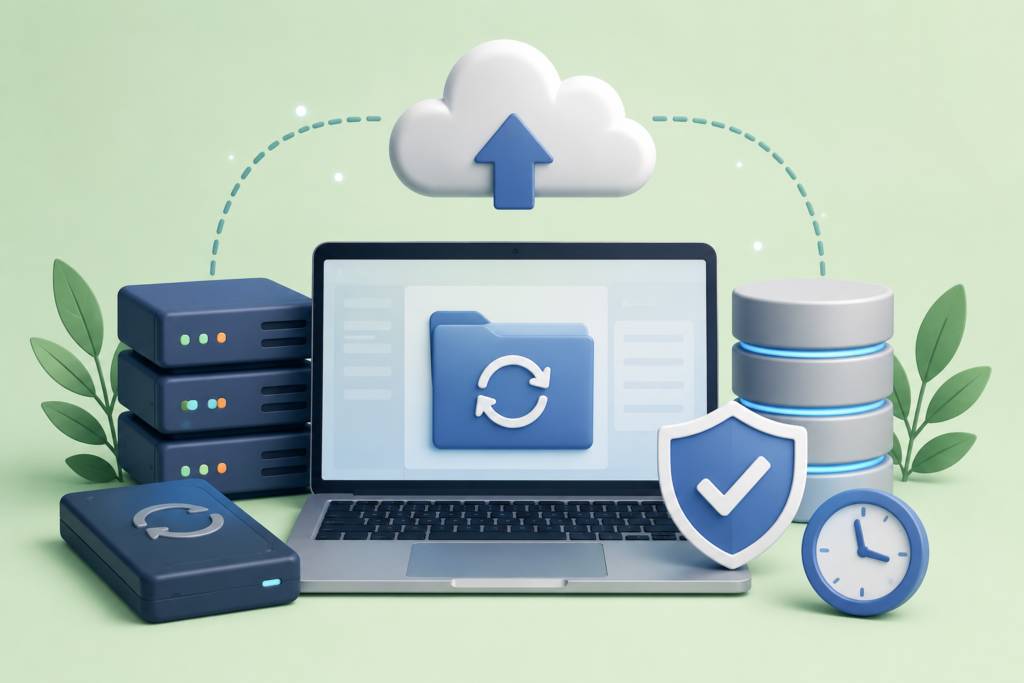
Backups are essential because security controls can fail. A website may be compromised by an unknown vulnerability, damaged by an administrator mistake, affected by a hosting failure, or corrupted during an update. A reliable backup provides an additional path to recovery, but simply having a backup file is not enough. The backup must be complete, trustworthy, accessible, and capable of being restored.
A robust backup strategy should include website files, databases, important configuration information, and other business-critical assets. Backups should be automated where practical so that recovery does not depend entirely on manual processes. They should also be stored separately from the production environment. If an attacker gains control over the production server and can delete or encrypt every backup stored beside it, the backup strategy may fail at the exact moment it is needed most.
Restoration testing is one of the most overlooked parts of backup management. Periodically restore a backup in a controlled environment and verify that the website functions correctly. Confirm that databases are complete, media files are present, configurations work, and critical integrations can be restored. A backup that has never been tested is an assumption rather than a proven recovery mechanism. Resilience comes from knowing that recovery works before an emergency happens.
Using Firewalls, Malware Monitoring, and Security Monitoring
Firewalls can help identify and restrict suspicious traffic before it reaches vulnerable application components. Depending on the architecture, protection may be provided by a network firewall, web application firewall, hosting provider, server configuration, CDN, or specialized security platform. Different layers address different risks, which is why organizations should avoid treating any single firewall as a complete website-security solution.
Monitoring is equally important. Website owners should be able to identify suspicious administrator logins, unexpected file modifications, newly created accounts, unusual traffic patterns, malicious redirects, unexpected scripts, and other abnormal behavior. Malware scanning can help identify suspicious files, but scanning should be combined with monitoring because an attack can happen between scheduled scans. A strong detection strategy looks for changes and patterns rather than depending on one periodic inspection.
Google provides dedicated documentation covering security issues and website abuse, including malware and unwanted software. Security and Spam Issues The practical objective is to create a security lifecycle in which threats are prevented where possible, detected quickly when they occur, investigated carefully, and addressed at their source. Visibility reduces response time, and faster response can reduce the potential damage caused by an intrusion.
Hardening Hosting, Server, and Network Configuration
Website security does not stop at the content management system. The underlying hosting environment can introduce vulnerabilities even when the website itself is configured correctly. Server software, operating systems, databases, control panels, network services, administrative interfaces, and remote-access mechanisms all contribute to the website’s overall security posture.
Start by identifying which server services are actually necessary. Unused services and exposed ports can increase the attack surface without providing meaningful business value. Administrative access should be restricted wherever possible, and secure communication protocols should be preferred. Google recommends secure file-transfer mechanisms such as SSH and SFTP rather than insecure protocols such as Telnet and FTP when discussing malware prevention and website security. Prevent Malware Infection
Server software should also be maintained through a structured patching process. This includes the operating system, web server, PHP runtime, database engine, control panel, security packages, and other infrastructure components. Hosting architecture should be considered as well. Shared hosting, managed WordPress hosting, virtual private servers, dedicated servers, containers, and cloud environments have different security characteristics. Effective hardening therefore depends on the actual architecture rather than following a universal checklist without understanding the environment.
Preventing Common Web Application Vulnerabilities
Application vulnerabilities can allow attackers to manipulate website behavior, access unauthorized data, execute unwanted actions, or inject malicious content. Common examples include cross-site scripting, SQL injection, broken access control, insecure file uploads, authentication weaknesses, and unsafe handling of user-controlled input. Google specifically identifies vulnerabilities such as cross-site scripting and SQL injection as issues website owners should check for when protecting against malware. Prevent Malware Infection
Input validation is a fundamental defensive practice. Applications should never automatically trust information submitted through forms, URLs, cookies, APIs, or other external sources. Data should be validated according to its expected format and purpose. Database queries should use safe parameterized mechanisms rather than constructing queries from untrusted strings. Output should also be appropriately escaped according to its context so that user-controlled data cannot unexpectedly become executable browser content.
Secure development should extend beyond individual vulnerabilities. Authorization should be enforced on the server side, sensitive operations should require appropriate permissions, file uploads should be restricted, error messages should avoid unnecessary information disclosure, and security testing should occur throughout development. A security plugin cannot repair insecure custom application logic. Application security begins with the code and architecture themselves, supported by testing, monitoring, patching, and appropriate infrastructure controls.
Securing APIs, Forms, Uploads, and Third-Party Integrations
Modern websites frequently connect to external platforms. Payment providers, CRM systems, email platforms, analytics tools, marketing applications, shipping systems, social networks, authentication providers, and other APIs can expand functionality while also increasing the number of credentials and data pathways that require protection.
APIs should use appropriate authentication and authorization controls and should expose only the information and functionality that clients genuinely require. Rate limiting can help reduce automated abuse, while logging can help identify unusual requests. API keys and tokens should be protected carefully and removed when no longer needed. Permissions should be reviewed periodically rather than allowing third-party applications to retain broad access indefinitely.
File uploads deserve special attention because attackers may attempt to upload executable or malicious content. Upload functionality should validate file types, control file sizes, use appropriate storage locations, and prevent uploaded content from being executed as server-side code where execution is unnecessary. Forms should also be protected against automated abuse and malicious input. Every third-party integration should have a clear purpose, a responsible owner, controlled credentials, and minimum necessary permissions.
Security Headers, Browser Controls, and Defensive Configuration
Security headers provide instructions to browsers about how website resources should be handled. Depending on the application’s requirements, relevant controls can include Content Security Policy, Strict-Transport-Security, X-Content-Type-Options, Referrer-Policy, and appropriate framing restrictions. These mechanisms can strengthen browser-side defenses and reduce exposure to certain categories of attacks.
Content Security Policy can be particularly useful because it allows website owners to define which sources are permitted to load scripts, styles, frames, images, and other resources. However, a policy that is copied without understanding the website’s architecture can break legitimate functionality. Analytics platforms, payment systems, embedded content, advertising tools, customer-support widgets, and other third-party resources may require carefully defined permissions.
Security headers should therefore be introduced through a controlled testing process. Review current resource dependencies, implement policies carefully, monitor violations, and progressively strengthen restrictions. Headers should complement rather than replace secure coding, authentication, patch management, firewall protection, and monitoring. Browser security controls are another defensive layer, helping reduce the impact of attacks that reach the client side of the application.
Common Website Hardening Mistakes
One of the most common mistakes is believing that installing a security plugin automatically makes a website secure. Security plugins can provide valuable functionality, but they cannot compensate for weak passwords, compromised hosting credentials, vulnerable custom code, outdated software, excessive permissions, insecure third-party integrations, or poor recovery procedures. Security requires multiple layers working together.
Another mistake is making aggressive configuration changes without testing. Restrictive file permissions can break applications. Firewall rules can block legitimate visitors. Security headers can prevent required resources from loading. Removing suspicious files without understanding the infection can also destroy useful evidence while leaving the original vulnerability unresolved. Security changes should therefore be documented, tested, and introduced carefully.
The final mistake is treating hardening as a one-time project. Websites evolve continuously. New plugins are installed, new users receive access, APIs are connected, hosting environments change, software becomes outdated, and new vulnerabilities are discovered. A website that was secure six months ago may no longer have the same security posture today. Continuous security maintenance is therefore essential. Regular reviews, patching, monitoring, account audits, backups, and vulnerability assessments help ensure that protections continue to match the website’s current environment.
Best Practices Summary for Long-Term Website Security
A successful Website Hardening strategy begins with visibility. Create an inventory of domains, subdomains, applications, plugins, themes, software versions, administrator accounts, hosting services, APIs, databases, and external integrations. Identify unnecessary components and remove them. Then assess the remaining attack surface according to risk, giving priority to weaknesses that could result in unauthorized access, sensitive-data exposure, malware installation, or complete administrative compromise.
Preventive controls should then be implemented systematically. Keep software updated, use strong authentication, enable multi-factor authentication where appropriate, restrict privileges, secure file permissions, protect databases, use HTTPS, limit unnecessary server exposure, secure APIs, validate uploads, and deploy appropriate browser security controls. Google’s Search Essentials provide official guidance covering technical requirements, spam policies, and key best practices for websites appearing in Google Search. Search Essentials
Finally, build resilience through monitoring and recovery. Maintain independent backups, test restoration, monitor administrator activity, review file changes, investigate suspicious events, and maintain an incident-response procedure. Security should also be implemented without unnecessarily harming usability or performance. Google’s page experience guidance encourages website owners to consider the overall experience rather than focusing on a single ranking signal. Page Experience The strongest website is one that is secure, maintainable, observable, recoverable, and trustworthy.
Website Hardening Checklist
- Keep the CMS updated.
- Update plugins, themes, libraries, and server software.
- Remove unused components.
- Remove inactive administrator accounts.
- Use strong and unique passwords.
- Enable multi-factor authentication.
- Apply least-privilege access.
- Secure sensitive configuration files.
- Review file and directory permissions.
- Use HTTPS across the website.
- Protect databases from unnecessary external access.
- Restrict unnecessary server services.
- Use secure administrative and file-transfer protocols.
- Protect APIs and third-party integrations.
- Validate user input and file uploads.
- Implement suitable security headers.
- Use firewall and monitoring controls.
- Scan for malware and vulnerabilities.
- Maintain independent backups.
- Test backup restoration.
- Monitor suspicious activity.
- Review access permissions regularly.
- Maintain an incident-response plan.
- Reassess security after major website changes.
Frequently Asked Questions
1. What is Website Hardening?
Website Hardening is the process of strengthening a website and its supporting environment against unauthorized access, malware, vulnerabilities, data exposure, and other security threats. It includes technical controls such as secure authentication, software updates, permissions, HTTPS, firewall protection, monitoring, backups, and secure server configuration.
2. Is Website Hardening the same as malware removal?
No. Malware removal focuses on identifying and eliminating malicious code after a website has been compromised. Website Hardening focuses primarily on reducing the weaknesses that could allow another compromise to occur. When a website has already been infected, the strongest approach usually combines malware cleanup with vulnerability remediation and hardening.
3. Can Website Hardening prevent every hacking attempt?
No. No security system can guarantee that a website will never be compromised. New vulnerabilities, stolen credentials, human mistakes, supply-chain attacks, and previously unknown weaknesses can create risks. Hardening reduces exposure, strengthens defenses, and can limit the damage caused by successful attacks.
4. How often should website security be reviewed?
Security should be reviewed regularly and whenever significant changes are made. New plugins, themes, software updates, administrators, integrations, hosting changes, custom code, and payment functionality can all change the security posture. Higher-risk websites may require continuous monitoring and more frequent security assessments.
5. Should unused plugins and themes be removed?
Yes, unnecessary software should generally be removed after confirming that it is no longer required. Keeping unnecessary components increases the amount of software that must be maintained and potentially expands the attack surface. Active and inactive components should be reviewed regularly.
6. Are security plugins enough?
No. Security plugins can provide valuable protection, but they are only one layer. A comprehensive strategy should also address passwords, authentication, software updates, hosting security, permissions, application vulnerabilities, backups, monitoring, and third-party integrations.
7. Why are backups important?
Backups provide a recovery mechanism when preventive controls fail. They can help restore websites after malware infections, accidental changes, server failures, database corruption, or other incidents. Backups should be stored independently and tested regularly so that restoration is known to work.
8. Does HTTPS make a website secure?
HTTPS protects communication between the visitor and the website, but it does not protect against every type of attack. Vulnerable plugins, stolen credentials, insecure application code, malware, and compromised administrator accounts can still create serious risks. HTTPS should therefore be treated as one layer within a broader security strategy.
Common Mistakes Website Owners Make During Hardening
Relying on one security product: A firewall, scanner, or security plugin cannot address every layer of a website’s security posture.
Ignoring the hosting environment: Website owners may harden WordPress while overlooking insecure server services, outdated software, exposed control panels, or weak hosting credentials.
Keeping unnecessary software: Unused plugins and themes create unnecessary maintenance and security overhead.
Using shared administrator credentials: Shared accounts make accountability difficult and increase the potential impact of compromised credentials.
Failing to test backups: A backup that cannot be restored is not a dependable recovery strategy.
Changing permissions without understanding the server: Overly restrictive permissions can break legitimate functionality, while overly permissive permissions can create vulnerabilities.
Ignoring third-party integrations: Old API keys and unused application permissions can provide unnecessary access.
Forgetting about custom code: Security plugins cannot automatically fix vulnerabilities inside custom themes, applications, scripts, or APIs.
Hardening once and forgetting about it: Security requirements change as the website changes.
Deleting suspicious files immediately: Removing malicious files without understanding the attack path can destroy useful evidence and leave the underlying vulnerability unresolved.
Ignoring suspicious administrator activity: Unexpected accounts, login attempts, file changes, or configuration modifications should be investigated promptly.
Focusing only on prevention: Detection, response, backup, and recovery are equally important components of resilient website security.
Best Practices Summary
Website Hardening should be approached as a continuous security discipline rather than a one-time technical task. Begin with an inventory of the website’s entire attack surface. Identify applications, plugins, themes, accounts, databases, APIs, server services, hosting systems, and external integrations. Remove unnecessary components and prioritize vulnerabilities according to their potential impact.
Implement layered preventive controls across the website and infrastructure. Keep software updated, use strong authentication, restrict administrator privileges, protect files, secure databases, use HTTPS, limit unnecessary network exposure, secure APIs, validate uploads, and introduce appropriate security headers. Google’s official security documentation emphasizes preventing vulnerabilities and protecting websites against malware and other abuse. Google Security Documentation
Finally, prepare for the possibility that prevention may fail. Monitor important activity, maintain independent backups, test restoration procedures, investigate suspicious changes, rotate compromised credentials, and document an incident-response process. Security should evolve alongside the website itself. Every major architectural change, new integration, software update, or access change should trigger consideration of its security implications.
A properly hardened website is not simply one that appears secure during a quick inspection. It is a digital environment where access is controlled, software is maintained, sensitive information is protected, unnecessary exposure is reduced, suspicious activity is visible, and recovery is possible.
Conclusion
Website security is no longer something businesses can afford to consider only after an attack. Modern websites combine content management systems, plugins, themes, databases, APIs, payment systems, analytics platforms, hosting infrastructure, administrator accounts, and third-party services. Each component introduces responsibilities that must be managed carefully. Website Hardening provides the framework for bringing those components together under a proactive security strategy.
For organizations using their websites to generate leads, process transactions, publish content, serve customers, or build long-term search visibility, stronger security protects more than files and databases. It protects customer confidence, operational continuity, brand reputation, and the digital infrastructure that supports the business. FixHackedSite can help website owners approach security from both sides: addressing existing compromises while helping establish stronger defenses against future threats.
The most effective security strategy is layered and continuous. Update software, reduce the attack surface, strengthen authentication, apply least-privilege permissions, protect sensitive information, secure the server, monitor activity, maintain tested backups, and review the environment whenever it changes. These practices do not promise perfect security, but they significantly improve resilience and make it harder for attackers to turn a single weakness into a major compromise.
A website should be treated as an evolving digital asset that requires ongoing protection. By making security part of normal maintenance rather than an emergency response, businesses can create websites that are more resilient, more trustworthy, easier to recover, and better prepared for the changing threat landscape.
Want to Implement This Easily?
You are an expert consultant. Based on the blog post titled “(Website Hardening)”, provide a step-by-step, practical implementation guide. Include tools, best practices, common mistakes to avoid, and advanced tips. Assume the reader wants to implement everything discussed in this article effectively.
Want our help implementing this? Just reach out to us via our website contact form: contact form