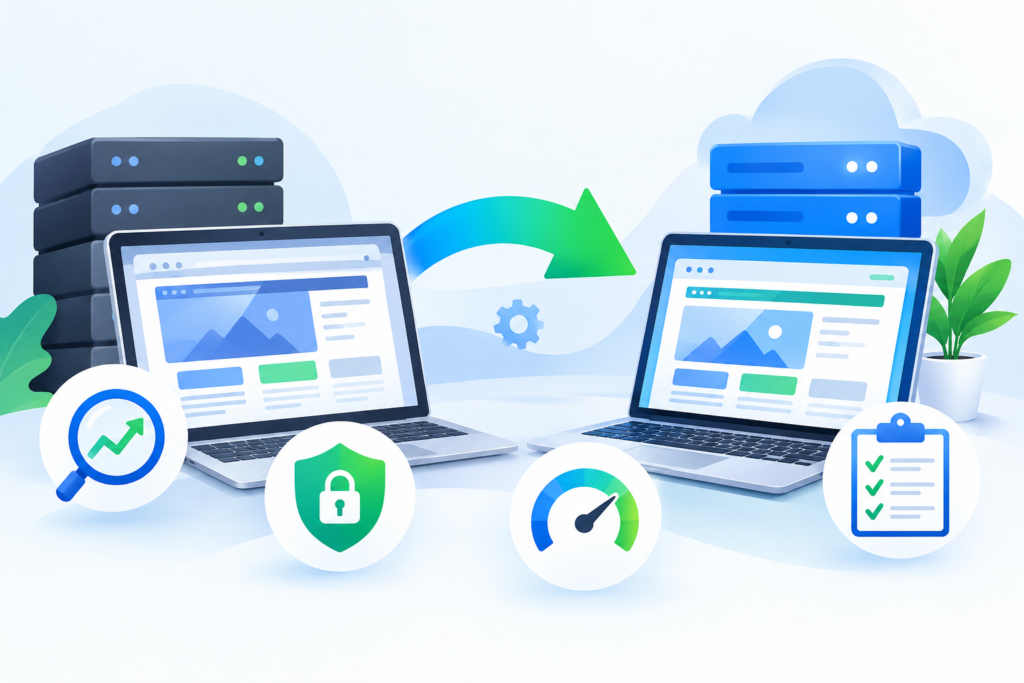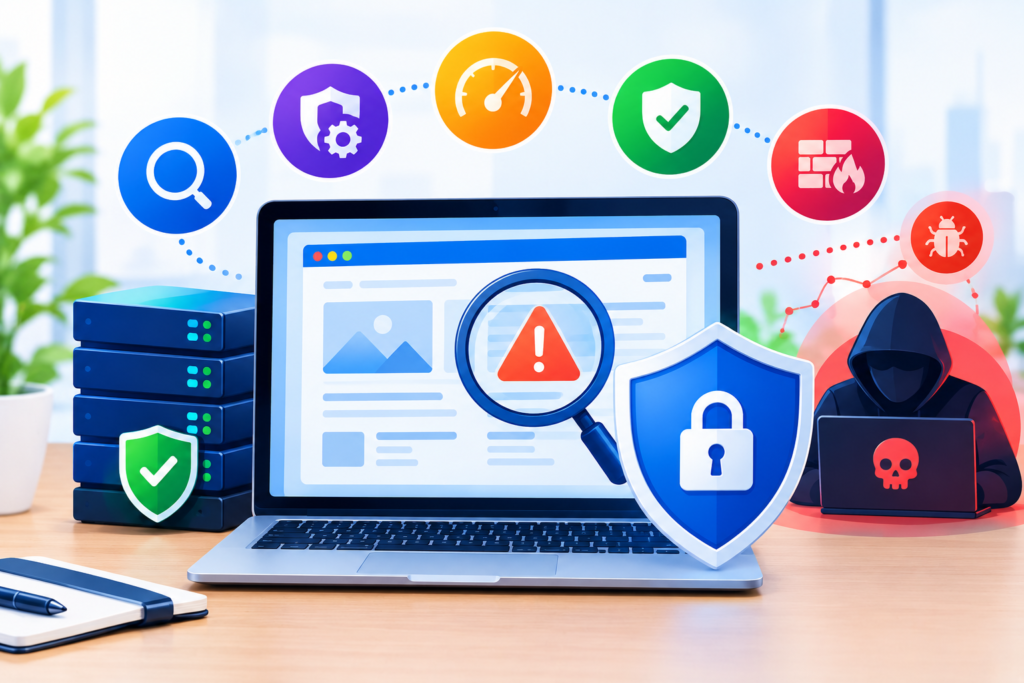
Learn how to identify and manage website vulnerability risks, protect websites from attacks, strengthen security controls, and maintain a safer online presence with practical, expert guidance.
Introduction
A website can look perfectly normal to visitors while serious weaknesses exist behind the scenes. Outdated software, insecure configurations, vulnerable plugins, weak authentication, exposed files, unsafe permissions, poorly protected APIs, and unpatched server components can all create opportunities for attackers. This is why website vulnerability management should be treated as an ongoing security process rather than a one-time technical task.
For businesses, a vulnerability can affect much more than the website itself. A successful attack may expose customer information, modify website content, inject malicious code, create unauthorized administrator accounts, redirect visitors, damage search visibility, disrupt business operations, or compromise connected systems. The risk becomes even greater when website owners discover weaknesses only after an attacker has already exploited them.
Google Search Essentials provides an important foundation for understanding how technical requirements and spam policies relate to search visibility. However, website security requires a broader approach that combines application security, infrastructure protection, access control, monitoring, secure development, backup planning, and continuous vulnerability assessment.
This guide explains how to approach website vulnerability management from both security and practical business perspectives. Whether you operate a WordPress website, an e-commerce store, a custom web application, a company website, or another internet-facing platform, the objective is the same: identify weaknesses before attackers can exploit them, prioritize the risks that matter most, fix them correctly, and continuously verify that your defenses remain effective.
Understanding Website Vulnerabilities and Why They Matter
A website vulnerability is a weakness in software, configuration, infrastructure, code, authentication, access control, or operational processes that could potentially be exploited to cause unauthorized access, data exposure, service disruption, or other harmful outcomes. Not every vulnerability will automatically result in a successful attack. Risk depends on factors such as exposure, exploitability, available protections, the value of affected assets, and the consequences of compromise. OWASP Top 10
Website vulnerabilities can appear at many layers. A content management system may contain an outdated component. A plugin may introduce an insecure function. A custom application may incorrectly validate input. A server may expose an unnecessary service. An administrator account may use weak credentials. A backup may be publicly accessible. An API may fail to enforce authorization correctly. Even a seemingly minor configuration issue can become significant when combined with another weakness.
The most important concept is that vulnerability management is not identical to vulnerability scanning. A scanner can identify potential weaknesses, but a responsible security process must determine whether those findings are genuine, how severe they are, what assets are affected, whether exploitation is realistically possible, and how remediation should be performed. Automated testing is useful because it can examine large numbers of systems consistently, but it should not be treated as a complete replacement for expert analysis. OWASP notes that web application vulnerability scanners can identify issues such as cross-site scripting, SQL injection, command injection, path traversal, and insecure server configuration, while also recognizing that different tools have different strengths and weaknesses. OWASP Community
For website owners, the practical lesson is simple: do not wait for visible signs of compromise before investigating security weaknesses. A proactive vulnerability management process allows weaknesses to be discovered while the site is still operating normally. This provides more options for remediation, reduces emergency downtime, and helps organizations make security decisions based on evidence rather than guesswork.
Identifying the Most Common Sources of Website Vulnerabilities
Website vulnerabilities frequently originate from components that are overlooked during routine maintenance. One of the most common examples is outdated software. A website may depend on a CMS core, themes, plugins, libraries, frameworks, server packages, JavaScript dependencies, database systems, or operating-system components. If a security update addresses a known weakness but the affected component remains unpatched, the website can continue carrying the same exposure.
Another major source is insecure configuration. Security depends not only on the software installed but also on how that software is configured. Excessive permissions, publicly accessible administrative interfaces, unnecessary services, weak security headers, exposed development files, unsafe directory permissions, forgotten test environments, and improperly configured cloud storage can all increase the attack surface. OWASP’s security guidance emphasizes that vulnerabilities can arise from many different paths through an application and that the resulting impact depends heavily on the specific environment. OWASP Top 10
Application logic is another critical area. Developers may unintentionally create weaknesses through inadequate input validation, improper authorization checks, insecure session handling, unsafe file uploads, poor error handling, insecure direct object references, or incorrect trust assumptions between frontend and backend systems. A site can therefore be running the latest versions of its software and still remain vulnerable because the underlying application contains a custom coding weakness.
Third-party integrations deserve equal attention. Payment processors, analytics systems, customer relationship platforms, email services, authentication providers, APIs, marketing tools, and external scripts can expand the number of systems connected to a website. Each integration should be evaluated according to the data it can access and the permissions it receives.
The most reliable approach is to maintain an accurate technology inventory. Record the CMS, plugins, themes, frameworks, libraries, hosting environment, databases, APIs, integrations, administrative accounts, development environments, and critical third-party services. Without an inventory, security teams cannot reliably determine what needs to be tested or updated.
Building a Website Vulnerability Assessment Strategy
A strong vulnerability assessment begins with scope. Before testing anything, determine which domains, subdomains, applications, APIs, servers, environments, and supporting services belong to the organization. Include production systems as well as staging and development environments where appropriate. Forgotten subdomains and abandoned test systems can become particularly problematic because they may remain online without receiving the same security attention as the primary website.
The next step is asset classification. Not every system deserves exactly the same treatment. A public marketing website, an e-commerce checkout system, an internal administration portal, and an API containing sensitive customer information have different risk profiles. Identify which systems process sensitive information, which systems control business-critical functions, and which systems could affect customers if compromised.
Testing should combine multiple methods. Automated vulnerability scanners can efficiently identify common weaknesses and configuration problems. Dependency analysis can identify outdated libraries. Static analysis can examine source code. Dynamic testing can evaluate running applications. Manual security review can investigate business logic and authorization issues that automated tools may not understand. OWASP maintains a Web Security Testing Guide that provides detailed guidance for testing web applications and defensive controls. OWASP Web Security Testing Guide
A useful assessment process should also define how findings will be validated. A scanner might report a possible vulnerability based on a version number, response behavior, or configuration pattern. That does not necessarily prove the system is exploitable. Security professionals should verify findings safely, document evidence, and avoid unnecessary actions that could interrupt production services.
Finally, define reporting standards before testing begins. Each finding should ideally include the affected asset, vulnerability type, evidence, severity, potential impact, recommended remediation, responsible owner, and verification status. This transforms a collection of technical alerts into an actionable security program.
Detecting Vulnerabilities Through Automated and Manual Testing
Automated vulnerability scanning provides valuable coverage because modern websites can contain thousands of URLs, parameters, files, dependencies, and application components. A properly configured scanner can identify many common weaknesses without requiring every component to be manually inspected. It can also be scheduled periodically, making it useful for continuous security monitoring.
However, automated scanning has limits. Tools may produce false positives, miss vulnerabilities hidden behind authentication, misunderstand application-specific business logic, or fail to discover endpoints that are not directly linked from public pages. OWASP specifically notes that attack-surface discovery can reveal unlinked endpoints and parameters that ordinary spidering may not identify. OWASP Foundation
Manual security testing complements automated scanning by examining how the application actually behaves. A security professional can investigate authentication flows, authorization boundaries, session behavior, administrative functionality, file-upload mechanisms, API permissions, and unusual application workflows. This matters because some of the most consequential weaknesses involve logic rather than recognizable technical signatures.
Testing should always be performed within an authorized scope. Website owners should ensure that security assessments do not unintentionally damage production systems, expose private information, trigger destructive actions, or violate third-party terms. Where possible, high-risk testing should first be performed in a controlled staging environment.
The strongest strategy is therefore layered testing. Use automated tools for breadth, dependency analysis for software supply-chain visibility, configuration reviews for infrastructure weaknesses, code analysis where source code is available, and manual assessment for complex application behavior. Repeating these activities after remediation provides additional confidence that the original issue has actually been resolved rather than simply hidden.
Understanding Vulnerability Severity and Security Risk
Not every vulnerability deserves the same response time. Treating every scanner alert as an emergency can overwhelm a security team, while treating every issue as low priority can leave serious exposures open. Effective vulnerability management therefore requires risk-based prioritization.
Severity should consider more than the technical label attached to a vulnerability. Ask whether the affected system is publicly accessible, whether authentication is required, what privileges an attacker could obtain, what data could be exposed, whether exploitation is known or practical, and how much business damage could occur. A medium technical weakness on a mission-critical system may deserve faster remediation than a higher-rated issue affecting an isolated development environment.
Organizations should also consider asset criticality. A vulnerability affecting a public information page may have a different business impact from a weakness in an administrative dashboard, payment workflow, customer database, or authentication service.
Risk should be communicated in business terms. Instead of simply reporting that a component has a particular technical weakness, explain what could happen if it remains unresolved. For example, the concern might involve unauthorized administrative access, customer-data exposure, website defacement, malicious redirects, service interruption, or compromise of another connected system.
A practical prioritization model can divide findings into categories such as critical, high, medium, and low. Critical issues should normally receive immediate attention, particularly when they are remotely exploitable and affect sensitive or business-critical systems. High-risk vulnerabilities should have defined remediation deadlines. Medium and low findings should still be tracked and addressed according to organizational risk tolerance.
This process helps security teams allocate limited resources intelligently. The objective is not to achieve a perfect-looking vulnerability dashboard. The objective is to reduce meaningful risk to the website and the organization.
Securing CMS Platforms, Plugins, Themes, and Dependencies

Content management systems make website management easier, but every installed component can introduce additional code and functionality. This is especially important for websites that use many plugins, themes, extensions, libraries, or integrations. Each component expands the technical environment that must be maintained and monitored.
Start with a complete inventory of installed software. Remove plugins, themes, libraries, extensions, and integrations that are no longer necessary. Unused components can create maintenance overhead and may remain forgotten when security updates are released. Where a component is necessary, keep it updated according to a controlled maintenance process.
Plugin and theme security should not be judged solely by popularity. Evaluate whether the project receives security updates, whether vulnerabilities are publicly disclosed and addressed, whether the software comes from a trustworthy distribution channel, and whether the functionality is genuinely necessary. Avoid downloading modified or unauthorized copies of commercial software because the integrity of the code cannot be reliably established.
Dependencies should also be monitored. Modern applications often rely on numerous direct and indirect packages. A vulnerability may exist several layers below the application code. Dependency management tools can help identify affected packages, but findings should be reviewed carefully to determine actual exposure.
Updates should be tested before being applied to critical production environments when the site’s architecture permits this. Maintain reliable backups and a rollback strategy so that a failed update does not become an extended outage.
The broader principle is software lifecycle management. Security is not achieved by updating everything once. It requires knowing what is installed, understanding why it is installed, tracking updates, removing unnecessary components, testing changes, and verifying that security controls remain effective after every major modification.
Strengthening Authentication, Access Control, and Administrative Security
A technically secure website can still be compromised through weak administrative access. Authentication and authorization therefore deserve the same attention as software vulnerabilities. Every administrator account should have a legitimate purpose, and access should be granted according to the principle of least privilege.
Use strong, unique credentials and avoid sharing administrator accounts between multiple people. Individual accounts provide accountability because security logs can associate actions with specific users. When staff members leave an organization or change responsibilities, their access should be reviewed and removed or reduced as appropriate.
Multi-factor authentication can significantly strengthen important accounts because an attacker who obtains a password may still need another authentication factor. Where the platform supports it, prioritize stronger authentication mechanisms for administrator, hosting, domain, database, and other high-impact accounts.
Authorization must also be tested independently from authentication. A user being successfully authenticated does not mean that user should have access to every resource. Applications should verify permissions on sensitive actions and server-side requests rather than relying only on frontend controls.
Administrative interfaces should also receive additional protection. Depending on the architecture, organizations may use access restrictions, security monitoring, rate limiting, strong authentication, and network-level controls to reduce exposure.
Finally, audit account privileges regularly. Security teams should know who has administrative access, why they need it, and what systems they can control. An account that was created years ago for a temporary purpose can become a permanent security liability if nobody reviews it.
Strong authentication is not a single setting. It is an ongoing discipline involving identity management, least privilege, authorization testing, account lifecycle controls, and monitoring.
Protecting Website Data, Files, APIs, and Server Configuration
Website security extends beyond the visible pages that visitors interact with. Sensitive information may exist in databases, configuration files, backups, logs, temporary directories, cloud storage, source-code repositories, API responses, and server environments.
Sensitive files should never be exposed simply because they happen to exist within a web-accessible directory. Configuration files containing credentials, database connection details, API secrets, or internal settings require appropriate protection. Backup archives deserve particular attention because they can contain an almost complete copy of the website and its data.
File permissions should follow the principle of least privilege. Web applications should have only the access required to perform their intended functions. Excessive write permissions can increase the impact of a compromised application account.
APIs require careful authorization and input validation. An API endpoint that works correctly for a legitimate user may still expose information if it does not verify whether that specific user is authorized to access the requested resource. Rate limiting and abuse detection can provide additional protection for sensitive functionality.
Server configuration should also be reviewed. Disable unnecessary services, remove obsolete software, protect administrative interfaces, and use secure transport for sensitive communications. Maintain current server components and monitor security advisories relevant to the hosting environment.
A useful way to think about this area is to ask: If an attacker gained limited access to one part of the system, what else could they reach? The answer can reveal weaknesses in permissions, network segmentation, secrets management, API authorization, or file isolation.
Protecting data is therefore not just about encryption. It involves reducing exposure, controlling access, minimizing privileges, securing storage, protecting secrets, and continuously monitoring how information moves through the website.
Using Security Headers, HTTPS, and Secure Communication Correctly
Secure communication is a fundamental part of modern website security. Websites should use HTTPS so that data exchanged between users and the website is protected during transmission. However, HTTPS should be viewed as one layer of security rather than a complete vulnerability-management solution.
A valid TLS certificate helps establish encrypted communication, but it does not automatically protect an application from insecure authentication, vulnerable plugins, injection flaws, authorization errors, malicious uploads, or compromised administrator accounts. Website owners should therefore avoid treating the presence of a padlock icon as proof that the entire website is secure.
Security-related HTTP headers can provide additional browser-level protections when implemented correctly. Depending on the website’s requirements, these may include controls related to content loading, framing, transport security, referrer information, and browser behavior. Configuration should be tested carefully because overly restrictive policies can break legitimate website functionality.
HTTPS configuration should also be monitored over time. Certificates need renewal, supported protocols and cipher configurations may evolve, and mixed-content issues can appear after website changes. Redirects should be reviewed so users are consistently sent to the secure version of the intended URL.
Security should also be considered during development. Developers should avoid transmitting sensitive information unnecessarily, protect session cookies, and ensure that sensitive actions require appropriate authentication and authorization.
Google’s page-experience guidance also recommends that pages be served securely, work well on mobile devices, and provide a generally useful experience for visitors. Google for Developers Security therefore supports not only risk reduction but also the broader reliability and usability of a website.
The key principle is to build defense in depth. HTTPS protects communication, security headers strengthen browser controls, secure cookies protect sessions, authentication protects identities, and application-level controls protect data and functionality. No single setting can replace the others.
Monitoring, Logging, and Detecting Suspicious Website Activity
Vulnerability management becomes far more effective when security teams can identify unusual activity quickly. Monitoring provides visibility into what is happening on a website, while logging creates evidence that can be investigated when suspicious behavior occurs.
Useful security logs may include authentication events, administrator changes, failed login attempts, unexpected file modifications, application errors, API activity, permission changes, configuration updates, and other security-relevant events. The exact logging strategy should reflect the website’s architecture and business requirements.
Monitoring should focus on meaningful signals rather than generating an overwhelming number of alerts. For example, a sudden increase in failed administrator logins, an unexpected new privileged account, unusual file changes, repeated access attempts against sensitive endpoints, or a sharp increase in server errors may warrant investigation.
File-integrity monitoring can also help detect unauthorized changes. This is particularly useful for websites where attackers may modify scripts, templates, configuration files, or other resources after gaining access.
Logs should be protected against unauthorized modification. If an attacker can simply delete evidence of their actions, investigation becomes much harder. Important logs should therefore be retained appropriately and protected through access controls.
Monitoring should also support incident response. When an alert appears, security personnel should know who investigates it, how evidence is preserved, when access is restricted, and how affected systems are restored.
A mature security program does not ask only, “Is the website vulnerable?” It also asks, “Would we notice if someone began exploiting the website?”
That second question is crucial because no vulnerability-management program can guarantee that every weakness will be discovered before exploitation. Detection and response therefore provide an additional layer of resilience.
Creating a Reliable Backup and Recovery Strategy
Backups are an essential part of website resilience, but a backup is useful only if it can actually be restored. Many organizations discover this after an incident, when they find that backups are incomplete, corrupted, outdated, inaccessible, or dependent on the same compromised environment.
A reliable strategy should cover the data necessary to rebuild the website. Depending on the architecture, this may include databases, uploaded files, application code, configuration information, deployment assets, and other essential components.
Backups should be separated from the primary website environment. If an attacker gains control of the server and can access every backup stored on the same system, recovery options may disappear at the same time as the production website.
Backup frequency should reflect business needs. A frequently changing e-commerce platform may require a different schedule from a simple brochure website. The important question is how much recent information the business can afford to lose.
Restoration testing is equally important. A backup that has never been restored should not automatically be considered reliable. Conduct controlled recovery tests to confirm that files, databases, configurations, permissions, and application dependencies can be reconstructed successfully.
Document the recovery procedure. Someone should be able to understand where backups are stored, which backup is appropriate, what systems must be rebuilt, what credentials are required, and how the restored website should be validated.
A strong backup program should also consider recovery objectives. Recovery Point Objective describes how much data loss is acceptable, while Recovery Time Objective describes how quickly the website needs to become operational again. These decisions help determine backup frequency, redundancy, and recovery architecture.
Backups do not prevent vulnerabilities, but they dramatically improve the organization’s ability to recover when prevention fails.
Managing Vulnerability Remediation Without Creating New Problems
Finding a vulnerability is only the beginning. The remediation process must fix the underlying issue without introducing unnecessary disruption or new weaknesses.
Start by understanding the root cause. If a scanner identifies an outdated component, updating that component may be appropriate. But if the problem comes from an insecure custom integration, simply changing a version number will not resolve the underlying issue. Remediation should therefore address the actual cause rather than only the symptom.
Test important changes before deploying them to production when possible. This is particularly important for websites with complex plugin ecosystems, custom code, payment functionality, or external integrations. A security update can sometimes affect compatibility, so controlled testing reduces operational risk.
After deployment, verify the result. Re-run the relevant security test, inspect application behavior, check logs, and confirm that the original vulnerability is no longer present. A finding should not be marked closed simply because someone installed an update.
Documentation also matters. Record what was changed, why it was changed, when it was deployed, who approved it, and how remediation was verified. This creates an audit trail and helps future security reviews.
Some vulnerabilities may require compensating controls when an immediate permanent fix is unavailable. For example, access restrictions, temporary disabling of vulnerable functionality, network controls, or additional monitoring may reduce risk while a vendor patch or code fix is being prepared.
The goal is not merely to reduce the number of open vulnerability tickets. The goal is to reduce actual exposure while preserving website availability and functionality.
Improving Website Security Through Secure Development Practices
Security should be introduced during development rather than added only after a website has been launched. Secure development practices help reduce vulnerabilities before they reach production.
Developers should validate input according to the expected data type and context. User-provided information should never automatically be trusted. Output should also be handled safely according to where it will be rendered. Authentication, authorization, session management, file uploads, database interactions, and API endpoints deserve particular attention.
Code review can identify weaknesses that automated scanners overlook. A second developer may notice insecure assumptions, excessive permissions, unsafe error handling, or logic that allows unauthorized actions.
Dependency management should be integrated into the development lifecycle. Teams should know which libraries are used, track security advisories, and establish a process for updating affected dependencies.
Secrets should be handled carefully. Passwords, API keys, private credentials, and other sensitive values should not be hard-coded into publicly accessible source code or committed to repositories. Where appropriate, use secure secret-management mechanisms and restrict access.
Development, staging, and production environments should also be separated appropriately. Test systems should not unintentionally expose real customer data or production credentials.
Security testing can be incorporated into deployment pipelines. Automated checks can identify vulnerable dependencies, known insecure patterns, configuration problems, and other issues before code reaches production. Dynamic application testing can provide another layer of validation after deployment.
This approach creates a security lifecycle rather than a security event: design securely, code securely, test continuously, deploy carefully, monitor production, and learn from vulnerabilities that are discovered.
Handling Vulnerability Disclosure, Incidents, and Security Recovery
Even well-maintained websites can experience security incidents. A vulnerability may be discovered by an internal team, security researcher, vendor, customer, automated monitoring system, or attacker. Organizations need a defined process for handling these situations.
When a vulnerability is reported, first establish whether the report is credible and which assets are affected. Preserve relevant evidence and avoid making unnecessary changes that could destroy useful information.
If exploitation is suspected, incident response should focus on containment, investigation, eradication, and recovery. Depending on the circumstances, this may involve restricting access, disabling compromised credentials, isolating affected systems, preserving logs, removing malicious changes, applying security fixes, and restoring verified clean backups.
Do not assume that removing visible malicious files means the incident is over. Attackers may create persistence mechanisms such as additional accounts, scheduled tasks, altered configuration, modified plugins, hidden files, or compromised credentials. Recovery should therefore include a search for the original entry point and related persistence mechanisms.
After recovery, perform a post-incident review. Determine how the vulnerability existed, why it was not detected earlier, what controls failed, and what changes can reduce the likelihood of recurrence.
Search visibility can also be affected when a website is compromised. Google provides security-related support resources for website owners through Search Central and Search Console, including resources for addressing security issues and monitoring search performance. Google for Developers
Incident response should ultimately produce improvement. A security event is not only a problem to solve; it is an opportunity to identify weaknesses in technology, processes, access control, monitoring, backup procedures, and organizational awareness.
Building a Long-Term Website Vulnerability Management Program
Long-term website security requires a repeatable program rather than occasional emergency scans. Start by establishing an inventory of assets, software, dependencies, integrations, accounts, and environments. Assign ownership so every important system has someone responsible for maintaining its security.
Create a regular vulnerability-assessment schedule. The frequency should depend on the site’s complexity, exposure, technology stack, rate of change, and business importance. High-risk environments may require continuous or frequent monitoring, while smaller websites may use a structured periodic review combined with automated alerts.
Track vulnerabilities through a lifecycle: discover, validate, prioritize, remediate, verify, document, and monitor. This prevents security findings from becoming forgotten tickets.
Keep software and dependencies current. Review administrator accounts. Test backups. Monitor logs. Review server configuration. Check security headers. Assess APIs. Remove unnecessary components. Repeat security testing after significant changes.
Security should also be measured through meaningful indicators. Useful measures may include the number of critical vulnerabilities remaining open, average remediation time, percentage of systems covered by monitoring, backup restoration success rate, percentage of privileged accounts using strong authentication, and the age of unresolved security findings.
Google’s people-first guidance emphasizes substantial, reliable, original information rather than content created primarily to manipulate search rankings. Google for Developers The same philosophy is useful when building security processes: focus on genuine risk reduction rather than creating the appearance of security.
Ultimately, effective vulnerability management is a cycle of continuous improvement. Websites evolve, dependencies change, new vulnerabilities are discovered, attackers adapt, and business requirements shift. A website that is secure today still requires maintenance tomorrow.
FAQs
1. What is a website vulnerability?
A website vulnerability is a weakness in software, configuration, infrastructure, code, authentication, authorization, or another part of a web environment that could potentially be exploited. Vulnerabilities vary greatly in severity. Some may have limited consequences, while others could enable unauthorized access, data exposure, malicious code execution, or service disruption.
2. How can I check whether my website has vulnerabilities?
A proper assessment can combine automated vulnerability scanning, software and dependency checks, configuration reviews, security monitoring, code analysis, and manual security testing. Automated tools are useful for broad coverage, while expert review is important for validating findings and identifying business-logic weaknesses.
3. Is vulnerability scanning enough to secure a website?
No. Scanning is one component of a broader security program. A scanner can identify many technical issues, but it may miss application-specific weaknesses, authorization problems, unlinked functionality, or business-logic vulnerabilities. A layered approach provides stronger coverage.
4. How often should a website be checked for vulnerabilities?
There is no universal schedule for every website. Frequency should depend on the site’s technology, business importance, exposure, rate of change, and risk profile. Vulnerability checks should also occur after major software changes, security incidents, significant configuration changes, or the introduction of important new components.
5. Can an outdated plugin create a serious security problem?
Yes. An outdated plugin may contain a known vulnerability that attackers can exploit. The risk depends on the vulnerability, how the plugin is configured, whether the affected functionality is publicly accessible, and what permissions the plugin has within the website.
6. What should I do if a vulnerability is discovered?
First determine whether the finding is genuine and assess its severity. Then identify the affected component, understand the root cause, apply an appropriate remediation, and verify that the weakness has been resolved. If exploitation is suspected, follow an incident-response process rather than treating the issue as a routine update.
7. Does HTTPS mean that my website is secure?
No. HTTPS protects communication between the visitor and website, but it does not eliminate application vulnerabilities. A website can have valid HTTPS while still suffering from vulnerable plugins, insecure authentication, broken authorization, malicious code, exposed files, or server weaknesses.
8. Can website vulnerabilities affect SEO?
Yes. A compromised website may experience malicious redirects, injected content, unwanted pages, browser warnings, downtime, or other problems that can affect visitors and search visibility. Website security should therefore be treated as part of overall website quality and reliability, not as an isolated technical concern.
Common Mistakes Website Owners Make

- Ignoring outdated components: Keeping old CMS versions, plugins, themes, libraries, or server software creates unnecessary exposure.
- Installing unnecessary plugins: Every additional component increases maintenance requirements and potential attack surface.
- Using shared administrator accounts: Shared credentials reduce accountability and make access management more difficult.
- Relying only on automated scanners: Automated tools are valuable but cannot understand every application-specific weakness.
- Ignoring false positives: Security teams may waste time chasing inaccurate findings instead of validating and prioritizing real risks.
- Skipping backup restoration tests: A backup that cannot be restored is not a dependable recovery strategy.
- Leaving old accounts active: Former employees, developers, agencies, and temporary users may retain unnecessary access.
- Ignoring staging environments: Forgotten development or testing systems can remain publicly accessible and vulnerable.
- Treating HTTPS as complete security: Encryption protects communication but does not fix application vulnerabilities.
- Failing to monitor changes: Unauthorized modifications can remain undetected without appropriate logging and monitoring.
- Fixing symptoms instead of root causes: Removing one malicious file without investigating how it appeared may leave the original weakness open.
- Delaying critical remediation: Known, high-impact vulnerabilities should not remain open simply because the website appears to be functioning normally.
Best Practices Summary
A strong website vulnerability management program should follow these principles:
- Maintain a complete inventory of websites, applications, domains, servers, plugins, themes, libraries, APIs, and integrations.
- Perform regular vulnerability assessments using both automated and manual methods.
- Validate findings before making major production changes.
- Prioritize vulnerabilities according to technical severity, exploitability, asset criticality, and business impact.
- Keep CMS platforms, plugins, themes, libraries, frameworks, and server software updated.
- Remove unnecessary software and inactive components.
- Protect administrator accounts with strong authentication and least-privilege access.
- Review authorization controls independently from authentication.
- Protect sensitive files, databases, APIs, backups, and configuration information.
- Use HTTPS and appropriate security controls to protect communications and browser interactions.
- Maintain centralized or protected security logs where appropriate.
- Monitor suspicious authentication, administrative, file, API, and configuration activity.
- Maintain reliable backups separated from production systems.
- Test restoration procedures regularly.
- Build security into the software-development lifecycle.
- Retest vulnerabilities after remediation.
- Maintain a documented incident-response procedure.
- Review security after major website changes.
- Learn from security incidents and update controls accordingly.
- Treat website security as an ongoing process rather than a one-time project.
These practices align with the broader principles of secure, reliable, people-first website management. Google encourages site owners to create useful, trustworthy content and to provide a good overall page experience, while security organizations such as OWASP provide structured approaches for identifying and testing application weaknesses. Google for Developers
Conclusion
Website security is not achieved by installing one security tool, running one vulnerability scan, or updating a single plugin. It requires a coordinated approach that combines vulnerability discovery, risk assessment, secure configuration, software maintenance, access control, monitoring, backups, remediation, testing, and continuous improvement.
The most important step is to move from reactive security to proactive security. Instead of waiting for a website to display suspicious redirects, unauthorized changes, malware warnings, unexpected administrator accounts, or performance problems, regularly look for weaknesses before they become incidents.
For organizations managing important websites, the process should be systematic. Know what you operate. Know which components you depend on. Know who has access. Know which vulnerabilities exist. Prioritize the risks that matter most. Fix them properly. Verify the fixes. Maintain reliable backups. Monitor the environment. Then repeat the process as the website changes.
Google’s guidance emphasizes that trustworthy, useful experiences should be created for people rather than solely for search engines, while its search documentation provides resources for technical, security, and search-related website management. Google for Developers
A secure website is ultimately more than a technical achievement. It protects business continuity, customer confidence, data, reputation, and the reliability of the digital experience. By treating website vulnerability management as an ongoing discipline, website owners can reduce avoidable risks and create a stronger foundation for long-term growth.
Want to Implement This Easily?
Prompt Text:
You are an expert consultant. Based on the blog post titled “Website Vulnerability”, provide a step-by-step, practical implementation guide. Include tools, best practices, common mistakes to avoid, and advanced tips. Assume the reader wants to implement everything discussed in this article effectively.
Call to Action: Want our help implementing this? Just reach out to us via our website contact form: https://fixhackedsite.com/contact-us/