Website vulnerability assessment helps identify security weaknesses, protect sensitive data, prevent cyberattacks, and maintain a secure, reliable online presence.
Introduction
A website is more than a digital presence. It is often a critical business asset responsible for attracting customers, processing transactions, collecting information, managing accounts, and supporting daily operations. However, every website can contain security weaknesses that attackers may exploit if those weaknesses remain unidentified or unaddressed. Outdated software, insecure configurations, weak authentication, vulnerable plugins, and poorly written code can expose websites to unauthorized access, data theft, malware infections, and service disruptions. Understanding and addressing these risks is essential for businesses that want to protect their customers and maintain a trustworthy online presence.
At FixHackedSite, our focus is on helping website owners understand the importance of website vulnerability management and the practical steps required to improve security. A vulnerability does not automatically mean that a website has been hacked. Instead, it represents a weakness that could create an opportunity for an attack under certain conditions. Identifying these weaknesses early allows businesses to reduce their exposure, prioritize necessary repairs, and build a stronger security foundation before an incident occurs. Effective protection requires more than installing a security plugin or enabling an SSL certificate. It involves examining the entire website environment, including its application code, hosting infrastructure, user permissions, databases, integrations, and operational procedures.
This comprehensive guide explains how website vulnerabilities develop, which security risks deserve attention, how vulnerability assessments work, and what businesses can do to reduce their exposure. It also explores the relationship between website security, customer trust, search visibility, and business continuity. Whether you manage a WordPress website, an online store, a corporate website, or a custom web application, the information in this article will help you make informed decisions about identifying weaknesses and maintaining long-term protection. The goal is to provide practical, actionable guidance that supports a more secure website without relying on unnecessary technical complexity or unrealistic security promises.
What Is a Website Vulnerability?
A website vulnerability is a weakness in a website’s software, configuration, architecture, access controls, or supporting infrastructure that could allow an unauthorized person to compromise its confidentiality, integrity, or availability. Confidentiality concerns keeping information accessible only to authorized individuals. Integrity means protecting website files, databases, transactions, and content against unauthorized modification. Availability ensures that legitimate visitors can access the website and its functions when needed. A weakness in any of these areas can create security problems, even when the website appears to work normally.
For example, an outdated content management system may contain a publicly documented security flaw. If the website continues running the vulnerable version, an attacker may attempt to exploit that flaw to gain unauthorized access or execute malicious actions. Similarly, a custom application that fails to verify user permissions could allow an ordinary account to access administrative information. A misconfigured server might expose sensitive files, while an insecure database query could allow submitted input to interfere with application logic. These examples demonstrate why website vulnerability management must consider the full technology environment rather than concentrating on one security product or feature. The OWASP Top 10 provides an authoritative starting point for understanding important web application security risks, including broken access control, security misconfiguration, injection, and authentication failures.
It is also important to distinguish between a vulnerability, a threat, an exploit, and a security incident. A vulnerability is the weakness itself. A threat is a potential source of harm, such as a malicious actor or automated attack. An exploit is a technique used to take advantage of a weakness. A security incident occurs when an event compromises, or threatens to compromise, a system’s security. A vulnerable website might never experience a successful attack, but the absence of a known incident does not prove that the website is secure. Equally, a vulnerability report does not automatically mean that an attacker has gained access. A professional assessment establishes which weaknesses are real, how they affect the environment, and what actions are necessary. This distinction helps business owners prioritize genuine risks instead of reacting to every automated warning as though a confirmed breach has occurred.
Common Types of Website Vulnerabilities
Website vulnerabilities appear in several forms, and different websites face different combinations of risk. One common category involves outdated software and vulnerable third-party components. Content management systems, plugins, themes, JavaScript libraries, frameworks, and server packages may contain security defects that become publicly known after their release. When website owners fail to apply appropriate security updates, attackers may target those weaknesses. Installing software from untrusted sources introduces additional risks because a package may contain malicious code, unauthorized modifications, or dependencies that are no longer maintained. A reliable inventory of installed components helps administrators identify what needs updating, what should be removed, and which components require replacement because a security fix is unavailable.
Another major category includes weaknesses in authentication, authorization, input handling, and session management. Weak passwords, missing multifactor authentication, insecure password-reset processes, and poorly protected administrator accounts can make unauthorized access easier. Broken access control occurs when an application does not correctly enforce what users are permitted to view or change. Injection vulnerabilities arise when an application handles untrusted input unsafely, potentially allowing input to alter database queries or other commands. Cross-site scripting, commonly called XSS, can occur when an application places untrusted content into a page without appropriate contextual output encoding or other suitable protections. These problems require more than superficial configuration changes in many cases. They may need secure development practices, carefully designed permission checks, input validation, and application-level remediation.
Infrastructure and configuration weaknesses create another important group of risks. Examples include unnecessarily exposed administrative interfaces, permissive file permissions, publicly accessible backup archives, insecure transport settings, improperly configured cloud storage, and services running without adequate protection. Security headers, encryption, firewall rules, and server configuration can help reduce exposure when implemented appropriately, but none is a universal solution. For example, HTTPS protects information in transit but does not automatically prevent an authenticated attacker from abusing an application or stop insecure code from exposing private data. The appropriate response depends on the underlying weakness and the potential impact. A comprehensive website vulnerability assessment examines application behavior, software dependencies, access controls, server settings, and data handling together so that interconnected weaknesses are not overlooked.
What Causes Website Vulnerabilities?
Many website vulnerabilities originate from software maintenance problems. Website owners may install a content management system, add several plugins, customize a theme, and then leave the environment unchanged for months or years. During that period, developers may release important security updates, dependencies may become unsupported, and previously unknown weaknesses may become publicly documented. A component can remain visually functional while becoming increasingly unsafe to operate. The risk is particularly difficult to manage when nobody knows exactly which plugins, libraries, integrations, or server packages are installed. Maintaining an accurate software inventory and monitoring official security announcements makes it easier to recognize when action is necessary. Updates should be tested and deployed through a controlled process, with verified backups and a recovery plan available if a change causes unexpected problems.
Poor development and configuration decisions can create equally serious weaknesses. Developers may trust information submitted through forms, rely on browser-side validation without server-side checks, expose sensitive data in error messages, or implement permission checks inconsistently. A website might also store credentials in source code, grant excessive privileges to service accounts, or use predictable identifiers without verifying whether the requesting user has permission to access the associated records. Security problems can emerge when applications are designed without considering abuse cases, when development teams skip code reviews, or when production systems retain unnecessary debugging features. The OWASP Top 10:2025 highlights major application security risks that organizations can use to inform secure design, development, testing, and maintenance decisions.
Human and operational factors also contribute to website vulnerabilities. Reused passwords, phishing attacks, shared administrator accounts, unauthorized software installations, and poorly managed employee access can weaken otherwise well-designed systems. Third-party vendors may introduce risks when their integrations receive excessive permissions or are no longer maintained. Hosting environments can also expose websites to weaknesses if system updates, network controls, backups, or access restrictions are neglected. These causes demonstrate why website security cannot be treated as a one-time technical task. Business owners need clear responsibilities for updating software, approving access, reviewing changes, monitoring activity, and responding to reported weaknesses. Staff awareness, documented procedures, and reliable communication between website administrators and developers help reduce preventable mistakes. A mature security process combines technical safeguards with consistent operational discipline, making it easier to detect weaknesses before they develop into costly incidents.
Warning Signs That Your Website May Have Security Vulnerabilities
Some website vulnerabilities remain invisible to ordinary visitors, which makes proactive assessment essential. Nevertheless, certain warning signs can indicate that a website requires immediate investigation. Unexpected redirects, unfamiliar pages appearing in search results, unusual administrator accounts, unexplained changes to website files, and suspicious scripts are all reasons to examine the environment. Other indicators include sudden increases in outbound traffic, unexpected server resource consumption, unfamiliar scheduled tasks, or login attempts that differ significantly from normal activity. These symptoms do not prove that a website has been compromised, but they can reveal unauthorized changes, configuration problems, malicious automation, or other security issues that deserve attention.
Search visibility and browser warnings can also provide useful signals. A website that displays a malware warning, redirects visitors to unrelated destinations, or contains deceptive pop-ups should be investigated promptly. Website owners can review the Google Search Console Security Issues report to check whether Google has identified certain security problems affecting their properties. The report can provide information about detected issues and potential remediation steps, but it does not replace an independent security assessment. Google may not identify every vulnerability, and the absence of a warning does not establish that an application is free from security weaknesses. Website administrators should also inspect access logs, hosting alerts, security monitoring records, and changes to important configuration files.
Performance and account behavior can provide additional clues, although they require careful interpretation. An unexplained increase in database queries, repeated server errors, unusually high CPU usage, or a sudden rise in traffic may be associated with automated attacks or vulnerable application endpoints. However, legitimate marketing campaigns, software updates, traffic spikes, and hosting limitations can produce similar symptoms. The correct approach is to correlate multiple sources of evidence rather than immediately assuming a breach. If there is credible evidence of active compromise, preserve relevant logs, restrict unauthorized access, and involve qualified security personnel. Avoid making uncontrolled changes that could destroy forensic evidence or disrupt recovery. A structured investigation should determine whether the issue is a vulnerability, an attempted exploit, a confirmed compromise, or an unrelated operational problem, then establish the appropriate corrective actions.
Why Website Vulnerabilities Are a Serious Business Risk
Website vulnerabilities can create financial consequences that extend far beyond the cost of technical repairs. An attacker who gains unauthorized access may steal customer information, alter payment details, disrupt online orders, inject malicious content, or misuse website resources. Depending on the website’s purpose and the data involved, an incident can lead to lost sales, interrupted operations, investigation expenses, recovery work, customer support demands, and potential legal or contractual obligations. Small businesses can be especially vulnerable to these consequences because they may lack dedicated security teams or sufficient resources to recover quickly. A website vulnerability assessment helps organizations identify weaknesses before they result in avoidable disruption, although no assessment can guarantee that every possible attack will be prevented.
Customer confidence is another important consideration. Visitors expect businesses to handle their information responsibly, particularly when they create accounts, submit contact details, make purchases, or provide confidential documents. If a website is compromised, customers may question whether their information is safe and whether the business can protect future transactions. Restoring trust may require clear communication, appropriate incident response, stronger access controls, and evidence that identified weaknesses have been addressed. For businesses subject to privacy laws, payment security requirements, or contractual security commitments, an incident may also trigger notification, reporting, or other compliance responsibilities. Those obligations vary by jurisdiction, sector, data type, and circumstances, so organizations should seek qualified legal or compliance advice when necessary rather than assuming that one universal rule applies.
Website security can also affect search visibility and digital marketing performance. A compromised website may host injected spam pages, deceptive content, malicious downloads, or unauthorized redirects. Such activity can damage the user experience and may lead to security warnings or search-related consequences. Google’s guidance on preventing malware infection recommends monitoring website health and addressing security weaknesses, including outdated software and suspicious activity. However, not every vulnerability causes ranking losses, and a security scan alone cannot predict search performance. The practical business case for vulnerability management is broader: protect visitors, preserve operational reliability, reduce exposure to data loss, and maintain confidence in the website. Security should be treated as an ongoing business responsibility rather than an optional technical expense considered only after an attack.
What Is a Website Vulnerability Assessment?
A website vulnerability assessment is a structured process for identifying, validating, documenting, and prioritizing security weaknesses across a website and its supporting technology. Depending on the scope, the assessment may examine application code, content management systems, plugins, themes, server configuration, databases, authentication mechanisms, user permissions, network exposure, and third-party integrations. The purpose is not simply to produce a list of technical warnings. A useful assessment explains which findings are credible, what conditions make them exploitable, what information or business functions may be affected, and which remediation steps should be completed first. The assessment should be tailored to the website’s architecture, business objectives, sensitivity of stored data, and realistic threat environment.
A professional process normally begins with defining the authorized scope. The website owner and assessor identify the relevant domains, applications, environments, accounts, APIs, and infrastructure, along with any restrictions on testing. The assessor then gathers information, reviews configurations, checks software versions, and performs appropriate automated and manual tests. Automated tools can identify known vulnerable components, exposed services, suspicious configurations, and common application weaknesses. Manual validation helps distinguish genuine problems from false positives and reveals context that a scanner may not understand. The final report should describe each finding, its evidence, potential impact, severity, recommended fix, and verification method. Clear reporting enables website owners to turn technical findings into a practical remediation plan instead of leaving them with an overwhelming collection of alerts.
A vulnerability assessment is not a guarantee of complete security, and its results are only as useful as its scope, testing depth, and accuracy. A scan that examines public-facing pages may not detect weaknesses inside authenticated dashboards, business workflows, APIs, or server-side code. Similarly, a test performed before a major website update may not reflect the current environment. Assessments should therefore be repeated at appropriate intervals and after significant changes, such as new integrations, platform upgrades, authentication redesigns, or infrastructure migrations. High-risk websites may require more frequent testing than small informational sites, while applications that process sensitive information need testing that reflects their specific exposure. A documented assessment cycle provides a baseline, tracks remediation progress, and helps decision-makers understand whether security improvements are producing meaningful results.
Website Vulnerability Scanning vs. Penetration Testing
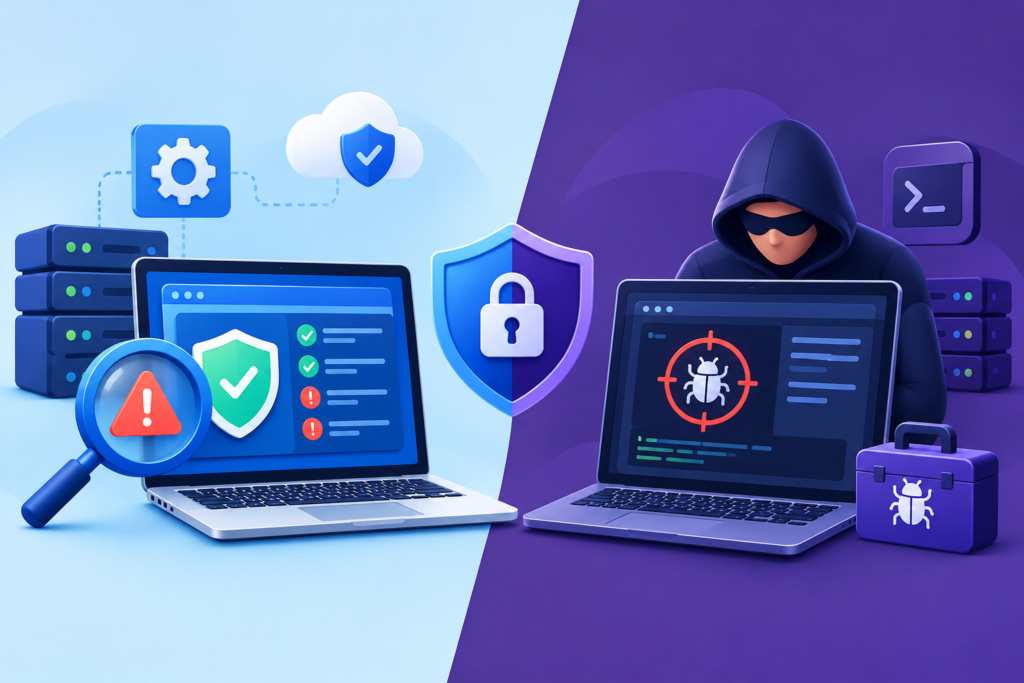
Website vulnerability scanning and penetration testing are related security activities, but they serve different purposes. Vulnerability scanning uses automated tools to examine a website or system for known weaknesses, suspicious configurations, exposed services, and other detectable problems. It can be useful for identifying outdated components, common configuration errors, and potential vulnerabilities across a large environment. Scans can also be repeated regularly, making them valuable for routine monitoring and checking whether known issues have reappeared. However, automated tools may generate false positives, overlook complex application logic, or identify a possible weakness without establishing whether it can be exploited under the website’s actual operating conditions.
Penetration testing goes further by using authorized, controlled testing techniques to evaluate whether identified weaknesses can be exploited and what their practical consequences might be. A qualified tester may investigate authentication workflows, access controls, session handling, business logic, input processing, and the interaction between different application components. The aim is to determine how an attacker could potentially move from an initial weakness to a meaningful impact, while staying within agreed safety limits. Penetration testing must be carefully scoped because some techniques can disrupt services, alter records, or affect connected systems if performed carelessly. Testing should never be conducted against a website without explicit authorization from the appropriate owner. For formal guidance, the OWASP Web Security Testing Guide provides a structured resource for assessing web application security.
The best choice depends on the website’s complexity, risk profile, and available resources. A small business website may benefit from regular automated scans, prompt software updates, access-control reviews, and periodic expert validation. A large e-commerce platform or custom application that processes sensitive information may need deeper penetration testing, source-code review, and more extensive security testing throughout the development lifecycle. These approaches complement rather than replace one another. Scanning helps identify potential problems efficiently, while manual testing provides context and investigates weaknesses that automated tools may miss. After remediation, the relevant checks should be repeated to confirm that the fix works and has not introduced a new problem. A practical security program combines both methods according to risk, documents the results, assigns responsibility for repairs, and tracks unresolved findings until they are appropriately addressed.
How to Identify Website Vulnerabilities Effectively
Identifying website vulnerabilities requires a systematic approach that combines technical inspection, automated testing, and careful review of how the website operates. The first step is to establish a clear picture of the website environment. Record the content management system, programming languages, frameworks, plugins, themes, server software, database technology, APIs, and third-party integrations in use. Identify which components are actively maintained, which have available security updates, and which are no longer supported. Review the website’s public-facing pages, administrative interfaces, authentication processes, and important business functions. This inventory creates a foundation for understanding where weaknesses might exist and which assets deserve the greatest protection. Website owners should also identify sensitive information, critical business operations, and systems that could cause significant disruption if compromised.
The next step is to perform an authorized vulnerability scan and review the results carefully. Security scanning tools can help detect outdated components, known vulnerabilities, exposed services, insecure configurations, and other potential weaknesses. However, scanning should be performed within an approved scope, with particular care when testing production websites that handle customer transactions or important business data. Configure the tools appropriately, avoid unnecessarily disruptive tests, and ensure that the assessment does not extend to systems outside the owner’s authorization. After scanning, review each finding to determine whether it applies to the actual environment. Confirm software versions, examine configuration settings, inspect relevant logs, and validate potential issues using safe methods. The OWASP Web Security Testing Guide offers detailed guidance for testing web application security across multiple areas, including authentication, authorization, session management, and input validation.
Manual review is particularly valuable when vulnerabilities depend on business logic or the interaction between different website features. For example, an online store may correctly require a login but still allow a customer to view another customer’s order by changing an identifier in a request. A scanner may not understand the business consequences of that behavior, whereas a targeted access-control test can reveal the problem. Developers should also review source code, database queries, file-upload functionality, error handling, and sensitive data flows when the application design makes these areas relevant. Document the evidence, affected components, possible impact, and recommended remediation for every validated finding. Assign a responsible person and an appropriate deadline to each issue. This turns vulnerability identification into an actionable process that supports informed decisions, measurable improvements, and repeatable security checks.
How to Fix Website Vulnerabilities and Prioritize Security Repairs
Fixing website vulnerabilities begins with prioritization. Not every finding presents the same level of risk, and treating all alerts equally can waste resources while more serious weaknesses remain unresolved. Consider the severity of the vulnerability, whether exploitation is known or practical, whether the affected component is exposed to the internet, what privileges an attacker could obtain, and which business assets might be affected. A weakness that could expose customer records or enable administrative access generally deserves greater attention than a low-impact issue affecting a nonessential feature. Context matters: a vulnerability rated moderately severe in isolation may become more important when it affects a publicly accessible payment workflow or a system connected to sensitive internal resources. Document the reasoning behind priorities so that technical teams and business decision-makers can agree on appropriate deadlines.
Once priorities are established, apply the remediation that addresses the underlying weakness. Update vulnerable software to a verified secure version, remove unsupported components, correct access-control logic, restrict unnecessary services, or change insecure server configurations as appropriate. If an application contains an injection vulnerability, for example, developers may need to implement parameterized database queries and review other locations where untrusted input reaches sensitive operations. If the problem involves excessive permissions, adjust the authorization model and verify that users can access only the resources intended for their roles. Avoid relying on superficial workarounds when the underlying defect remains present. Before making significant changes to a live website, create a verified backup, test the repair in a staging environment when feasible, and prepare a rollback plan. Apply changes through controlled procedures to reduce the chance of introducing additional errors or disrupting legitimate business operations.
After implementing a fix, verify that the vulnerability has actually been resolved. Repeat the relevant scan or manual test, examine the affected functionality, and check for unintended side effects. An update may fail to resolve a problem if the wrong component was changed, a vulnerable dependency remains, or the original issue exists in custom code as well as a third-party package. Where immediate remediation is impossible, apply appropriate temporary controls, such as restricting access to the affected feature, disabling a vulnerable integration, or introducing protective filtering. These controls should be treated as interim measures rather than permanent substitutes for a reliable fix. Maintain a remediation register containing the finding, severity, affected asset, responsible owner, target date, corrective action, verification evidence, and any accepted residual risk. This record helps organizations demonstrate progress, avoid forgotten vulnerabilities, and maintain accountability throughout the website security lifecycle.
Website Vulnerability Management for WordPress Websites
WordPress websites often depend on a combination of core software, themes, plugins, hosting services, and external integrations. Each component can introduce its own maintenance requirements and potential security weaknesses. Effective WordPress vulnerability management begins with keeping the core installation and all active components appropriately updated. Website administrators should monitor official release information, check whether installed plugins and themes remain supported, and remove software that is unnecessary or abandoned. Installing fewer, carefully selected components reduces complexity and makes security maintenance easier. However, the number of plugins alone does not determine whether a website is secure. A single poorly maintained plugin with excessive privileges can create substantial risk, while a well-maintained installation with several reputable components may be managed safely through appropriate controls.
Administrator accounts and permissions deserve particular attention. Avoid using shared administrator credentials, remove accounts that are no longer required, and assign users only the capabilities necessary for their responsibilities. Use strong, unique passwords and multifactor authentication where supported, particularly for accounts that can install plugins, edit code, manage users, or change security settings. Protect the login process against automated abuse without creating unnecessary barriers for legitimate users. Review file permissions, database credentials, backup locations, and configuration files to ensure that sensitive resources are not unnecessarily accessible. Use trusted distribution channels when obtaining WordPress themes and plugins, and verify that security updates are available from reliable maintainers. The official WordPress hardening guide provides practical recommendations for securing installations, managing permissions, and reducing common risks.
A secure WordPress maintenance routine should include backups, monitoring, controlled updates, and regular vulnerability checks. Backups should cover the database and required website files, be stored securely, and be tested through actual restoration exercises. Keeping backup copies separate from the production environment can reduce the risk that an attacker who compromises the website also compromises its recovery resources. Monitor important file changes, suspicious administrator activity, unexpected redirects, and unusual authentication attempts. Before applying major updates, test compatibility with essential functionality in a staging environment whenever possible. After changes, verify that forms, checkout processes, user accounts, integrations, and other critical features continue to operate correctly. If a WordPress site shows signs of compromise, do not assume that removing one suspicious plugin is sufficient. Investigate the initial entry point, inspect other affected components, restore trustworthy files where appropriate, rotate potentially exposed credentials, and confirm that unauthorized persistence mechanisms have been removed.
Essential Tools for Website Vulnerability Detection and Prevention
Website security tools help administrators identify weaknesses, monitor suspicious behavior, and verify whether protective controls are functioning correctly. The most useful toolset depends on the website’s architecture, technical expertise, budget, and risk profile. For web applications, the OWASP ZAP project provides an open-source testing tool that can help identify certain application security issues. The Nmap project provides network discovery and port-scanning capabilities that authorized administrators can use to understand which services are exposed. These tools serve different purposes: a web application scanner examines application behavior, while network scanning helps reveal reachable services and potential exposure. Neither tool independently proves that a website is secure, and testing must remain within the approved scope.
Software composition analysis and dependency monitoring are also valuable because modern websites frequently rely on third-party libraries. Tools such as Dependabot can help identify dependency updates and known security issues in supported development workflows. Static application security testing can examine source code for patterns associated with potential weaknesses, while dynamic application security testing evaluates running applications. A web application firewall can help filter certain malicious requests, and endpoint or server monitoring may identify suspicious processes, unauthorized changes, or abnormal activity. For WordPress, security plugins may provide useful monitoring, malware detection, login protection, and configuration checks. Their capabilities vary, so website owners should evaluate supported features, maintenance history, compatibility, and the quality of available alerts before selecting a solution.
Tool selection should follow a defined security objective rather than a desire to install as many products as possible. Begin by identifying the risks that need to be addressed, then choose tools that produce useful evidence and fit the team’s ability to maintain them. Configure alerts so that important events reach the appropriate person, and test whether the organization can respond to those alerts in a timely manner. Regularly review tool coverage to identify blind spots, such as authenticated areas that are not scanned or dependencies that are missing from the inventory. Avoid treating a clean scan as proof of complete protection. A tool may not recognize a new vulnerability, understand a business-logic flaw, or detect a compromised account that behaves like a legitimate user. Tools work best as part of a wider process involving secure development, access management, timely updates, tested backups, manual verification, and documented incident response.
Preventing Website Vulnerabilities Through Secure Development and Maintenance
Preventing website vulnerabilities is more effective when security is integrated into the entire development lifecycle rather than added only after a website launches. During planning, identify sensitive information, critical functions, user roles, external integrations, and likely attack scenarios. Use this information to establish security requirements before implementation begins. Developers should follow secure coding practices, validate input on the server, encode output appropriately, use parameterized database queries, and enforce authorization checks on every sensitive operation. Error messages should provide enough information for legitimate troubleshooting without exposing passwords, secret keys, database details, or internal paths. Security requirements should be documented and reviewed alongside performance, usability, and accessibility requirements so that they remain part of normal product quality.
Development teams should introduce security checks throughout the software delivery process. Peer code reviews can identify unsafe patterns, while automated testing can detect regressions and known weaknesses before deployment. Dependency checks, secret scanning, static analysis, and dynamic testing can provide additional coverage when configured appropriately. Secrets should be stored in suitable secret-management systems or protected environment configuration rather than embedded in public repositories or client-side code. Production environments should not expose unnecessary debugging information, and deployment permissions should be limited to authorized personnel and automated workflows. The OWASP Application Security Verification Standard provides a structured framework for defining and verifying application security requirements. Teams can use it to develop security checklists appropriate to the sensitivity and complexity of their applications.
Maintenance remains essential after launch because vulnerabilities can emerge as new defects are discovered, dependencies change, and the website’s functionality evolves. Establish a routine for reviewing security updates, monitoring vendor advisories, testing backups, and checking for configuration drift. Reassess risks whenever major changes are introduced, including new payment providers, authentication systems, plugins, APIs, or hosting arrangements. Maintain an accurate inventory of software and assign responsibility for each important component. Establish a process for receiving vulnerability reports, validating them, and communicating with affected developers or service providers. Security improvements should also be measured through meaningful operational indicators, such as the time taken to remediate critical findings, the percentage of supported components, backup restoration success, and the number of overdue high-risk issues. Continuous improvement helps organizations respond to changing threats without relying on a single scan or security product.
Protecting Website Data, Hosting, and Server Infrastructure
Website security extends beyond the visible application to the hosting environment, server configuration, databases, storage systems, and network services that support it. An application may use secure coding practices yet remain exposed if administrative services are publicly accessible, database credentials are overprivileged, or unnecessary ports are open. Start by reviewing which services must be reachable from the internet and restrict access to administrative interfaces wherever possible. Apply security updates to supported operating systems, server software, database engines, and other infrastructure components. Use firewall rules and network segmentation to limit communication between systems according to their operational requirements. Administrative access should use secure authentication and encrypted connections, while sensitive management interfaces should be restricted to approved users and networks when feasible.
Data protection requires careful attention to how information is collected, transmitted, stored, and deleted. Use HTTPS with properly configured TLS to protect information moving between browsers and servers. Limit the collection of personal information to what the business genuinely needs, and avoid storing sensitive information unnecessarily. Protect database access through unique credentials, least-privilege permissions, and appropriate secret management. Sensitive data should be protected according to its risk, using suitable encryption and access controls where required. Backups should be encrypted when appropriate, protected from unauthorized deletion, and stored separately from systems that might be compromised. Organizations should also define retention and deletion procedures so that information is not kept indefinitely without a legitimate reason. Depending on the business and jurisdiction, additional legal, contractual, and industry-specific requirements may apply.
Monitoring and recovery planning are equally important. Centralize relevant logs where practical, protect them against unauthorized alteration, and establish alerting for suspicious administrative activity, unexpected service changes, and unusual access patterns. Ensure that logs do not unnecessarily expose passwords, access tokens, payment information, or other sensitive data. Define how the organization will investigate a suspected compromise, isolate affected systems, preserve evidence, communicate with stakeholders, and restore trustworthy services. Test recovery procedures periodically rather than assuming that available backup files are usable. The CISA Secure Our World guidance provides practical security advice for individuals and organizations, including strong passwords, multifactor authentication, software updates, and phishing awareness. Combining infrastructure hardening with reliable monitoring, data protection, and recovery procedures reduces the likelihood that one weakness will cause widespread operational damage.
Website Vulnerabilities, SEO, User Trust, and Business Continuity
Website security and search engine optimization are different disciplines, but they can influence one another when a security problem damages the website’s content, availability, or user experience. Search engines aim to provide useful results, and a compromised website that displays deceptive content, malicious downloads, or unauthorized redirects may become less suitable for visitors. Google may identify certain security problems and display warnings or take other protective actions when appropriate. Website owners should therefore monitor security notifications, investigate unexpected changes to indexed pages, and maintain a reliable process for restoring legitimate content. The Google Search Central documentation provides guidance on crawling, indexing, and website management, while its security resources explain how to investigate certain types of compromise.
Security work should not be confused with a guarantee of higher rankings. Fixing a vulnerability does not automatically improve search visibility, and not every security weakness causes a ranking change. The value of security is that it protects the conditions needed for a dependable online experience. Visitors need to reach the correct pages, submit information safely, and complete intended actions without encountering malicious redirects or unexpected disruptions. If a website is compromised, the response should focus first on protecting users, containing the incident, restoring trustworthy functionality, and removing unauthorized content. After the technical issue is resolved, review search-related warnings and affected pages, follow applicable review procedures, and verify that the legitimate site is accessible and functioning correctly. Avoid making misleading claims that a security scan alone proves the website is safe or guarantees a particular search outcome.
Business continuity depends on the organization’s ability to prevent incidents where possible and recover effectively when prevention fails. A website that supports sales, bookings, customer service, or lead generation should have a documented recovery plan that identifies critical functions, recovery priorities, responsible people, and required technical resources. Establish how backups will be restored, how essential integrations will be checked, and how customers will be informed if service disruption affects them. Security responsibilities should be coordinated across developers, hosting providers, marketing teams, management, and external support partners. Marketing teams should also avoid publishing unsupported security claims or implying that a website is completely immune to attacks. A trustworthy approach explains the safeguards in place, communicates incidents responsibly, and demonstrates that identified weaknesses are being addressed. Integrating security with operational planning protects customer confidence while helping the organization remain prepared for unexpected events.
Choosing Professional Website Vulnerability Assessment and Remediation Support
Professional website vulnerability support can be valuable when a business lacks internal security expertise, operates a complex application, processes sensitive information, or needs an independent review of its existing safeguards. A qualified provider should begin by understanding the website’s architecture, business objectives, technology stack, data sensitivity, and known concerns. The provider should clearly explain what will be tested, which systems are included, what testing methods will be used, and which activities require additional authorization. A useful service includes more than an automated scan. It should help the website owner understand the significance of findings, distinguish confirmed weaknesses from unverified alerts, and develop a remediation plan that reflects actual business risk.
Before selecting a provider, examine the quality of its methodology, reporting, communication, and technical experience. Ask whether the assessment includes authenticated testing where appropriate, manual validation, configuration review, and retesting after repairs. Confirm how sensitive information and test results will be protected, who will have access to them, and how long they will be retained. Understand whether remediation is included or offered separately, how urgent findings will be communicated, and what support is available if testing reveals an active compromise. Providers should be transparent about scope and limitations rather than promising that a single assessment will eliminate every possible vulnerability. Where the website handles regulated information or critical transactions, confirm that the proposed approach addresses the applicable contractual, legal, and industry-specific obligations.
Ongoing support can be particularly useful for websites that change frequently. A continuing maintenance arrangement may include vulnerability monitoring, software updates, security configuration reviews, backup verification, incident assistance, and periodic assessment. The right level of support depends on the site’s risk and operational needs, not simply the size of the service package. Website owners should retain appropriate control over their domains, hosting accounts, source code, backups, and administrative credentials. They should also receive understandable reports and know which actions remain their responsibility. At FixHackedSite, website owners can explore support options through the contact form to discuss their website security concerns and determine which assistance may be suitable. A responsible security partnership focuses on clear scope, evidence-based recommendations, practical remediation, and continued improvement rather than fear-based sales claims.
Frequently Asked Questions
1. What is the difference between a website vulnerability and a hacked website?
A website vulnerability is a weakness that could be exploited under certain conditions. A hacked website is one where an unauthorized party has successfully gained access or made unauthorized changes. A vulnerable website may never experience a successful attack, but leaving the weakness unresolved can increase exposure. Conversely, a website can be compromised through stolen credentials or other methods even when no obvious software vulnerability has been identified. Website owners should investigate suspicious activity, validate reported weaknesses, and address confirmed problems according to their severity.
2. How often should a website vulnerability assessment be performed?
The appropriate frequency depends on the website’s complexity, exposure, and business importance. Websites that process payments, store sensitive information, or support critical operations may require more frequent monitoring and formal assessments than simple informational websites. Regular automated checks can help identify newly disclosed vulnerabilities, while deeper assessments should be performed periodically and after significant changes. Examples of important changes include installing new plugins, launching new application features, changing hosting infrastructure, or introducing third-party integrations. Organizations should also investigate credible security alerts promptly rather than waiting for the next scheduled assessment.
3. Can a website security plugin identify every vulnerability?
No. Security plugins can help detect malware, monitor file changes, identify certain known vulnerabilities, and protect against selected attack patterns. However, their coverage varies, and they may not recognize complex business-logic flaws, authorization problems, insecure custom code, or newly discovered vulnerabilities. Some findings also require manual validation to determine whether they represent genuine risks. A security plugin should be one component of a wider program that includes software maintenance, secure configuration, access controls, backups, monitoring, and appropriate testing. Website owners should understand the limitations of their chosen tools and avoid interpreting a clean scan as proof of complete security.
4. Are WordPress websites more vulnerable than custom-built websites?
Neither platform is automatically secure or insecure. WordPress websites can face risks associated with outdated plugins, themes, weak credentials, and configuration problems. Custom-built applications can contain vulnerabilities in authentication, database queries, access controls, application logic, and third-party dependencies. WordPress offers established security guidance and a large ecosystem of maintained components, while custom applications allow developers to tailor functionality to specific requirements. Both approaches require secure implementation, regular updates, appropriate testing, and ongoing maintenance. The relevant question is whether the website’s actual design, configuration, and maintenance practices adequately address its risks.
5. How much does website vulnerability assessment cost?
The cost depends on the website’s size, technical complexity, testing depth, authentication requirements, and the level of reporting and remediation support required. A basic automated scan is generally less resource-intensive than a comprehensive assessment involving manual testing, source-code review, multiple user roles, APIs, and infrastructure analysis. Some organizations need a one-time assessment, while others benefit from recurring monitoring and retesting. Request a clearly scoped proposal that explains the methods, deliverables, limitations, and additional charges. Comparing providers on scope and technical quality is more useful than selecting a service solely because it advertises the lowest price.
6. Can website vulnerabilities affect Google search visibility?
They can, particularly when attackers use weaknesses to inject spam pages, display deceptive content, distribute malicious downloads, or redirect visitors. Certain security problems may result in browser warnings or security notifications, affecting user confidence and website traffic. However, not every vulnerability affects rankings, and fixing a vulnerability does not guarantee improved search performance. Website owners should monitor Google Search Console, investigate unexpected indexed pages, and follow the relevant security remediation guidance if a problem is detected. Protecting legitimate content and restoring a safe user experience should remain the primary objectives.
7. What should I do if my website has a critical vulnerability?
First, determine which systems are affected and whether exploitation or unauthorized access has occurred. Follow your incident response procedures and involve qualified security personnel when necessary. Depending on the issue, immediate actions may include restricting access to the vulnerable feature, disabling an affected integration, applying a verified security update, or introducing temporary protective controls. Preserve relevant logs and evidence if a compromise is suspected, and avoid unplanned changes that could make investigation more difficult. After remediation, retest the affected functionality, review potentially exposed credentials, assess whether data was accessed, and document the incident and corrective actions. If personal information may have been affected, evaluate applicable notification and legal obligations.
8. What is the best way to prevent website vulnerabilities in the long term?
Long-term prevention requires consistent maintenance rather than a single security product. Keep software supported and updated, use strong authentication, apply least-privilege access, validate untrusted input, protect sensitive information, and remove unnecessary components. Maintain secure backups and test restoration procedures. Monitor relevant security alerts, investigate suspicious activity, and conduct appropriate vulnerability assessments at regular intervals and after significant changes. Organizations should also document responsibilities, train relevant staff, and establish a clear process for handling reported weaknesses. These practices reduce avoidable exposure and help teams respond more effectively as technology and threats change.
Common Mistakes to Avoid When Managing Website Vulnerabilities
Website owners frequently make preventable mistakes when trying to improve security. Recognizing these problems helps businesses focus on controls that address real risks rather than relying on assumptions or incomplete fixes.
- Ignoring software updates: Delaying security updates can leave known weaknesses exposed. Review official release information, test important changes where appropriate, and deploy verified fixes promptly.
- Relying on a single security plugin: A plugin cannot replace secure development, infrastructure hardening, access management, and regular testing. Use layered safeguards that complement one another.
- Using weak or reused passwords: Reused credentials can allow one compromised account to expose multiple systems. Use unique passwords, a reputable password manager, and multifactor authentication where supported.
- Giving every user administrator access: Excessive privileges increase the potential damage caused by compromised accounts or accidental changes. Assign permissions according to each person’s actual responsibilities.
- Ignoring unsupported plugins and themes: Software that no longer receives security fixes may become increasingly risky. Replace unsupported components with maintained alternatives or remove them when no longer needed.
- Assuming HTTPS means the entire website is secure: HTTPS protects data in transit but does not correct vulnerable code, insecure permissions, or compromised accounts. Assess the complete application and its infrastructure.
- Failing to verify backups: Backup files are not useful if they are incomplete, corrupted, inaccessible, or already compromised. Test restoration procedures and protect recovery copies from unauthorized changes.
- Trusting every scanner result without validation: Automated tools may produce false positives or overlook important context. Confirm findings, establish their business impact, and prioritize appropriate corrective actions.
- Fixing the visible symptom instead of the root cause: Removing suspicious content without investigating how it appeared can leave the original entry point open. Identify and remediate the underlying weakness.
- Testing without permission: Unapproved security testing can disrupt systems, expose data, or violate legal and contractual restrictions. Obtain written authorization and define the permitted scope before testing.
- Neglecting third-party integrations: External services and libraries can introduce weaknesses or excessive permissions. Review dependencies, vendor security practices, and integration access regularly.
- Failing to retest after remediation: A change does not prove that a vulnerability has been fixed. Repeat relevant tests and verify that the website’s essential functions still operate correctly.
Avoiding these mistakes requires a documented process that assigns responsibility, records findings, tracks deadlines, and verifies completed repairs. Website security improves when businesses consistently follow that process instead of reacting only after a visible incident.
Best Practices Summary for Website Vulnerability Management
Effective website vulnerability management combines prevention, detection, remediation, and recovery. The following practices provide a practical framework for maintaining stronger protection over time.
- Maintain a complete asset inventory. Record the website’s software, plugins, themes, frameworks, servers, databases, APIs, and important third-party integrations. Keep the inventory current as the environment changes.
- Apply security updates promptly. Monitor official vendor advisories, use supported software versions, and prioritize updates that address serious or actively exploited weaknesses.
- Use strong authentication. Require unique passwords, enable multifactor authentication for important accounts, and remove inactive accounts when access is no longer required.
- Enforce least privilege. Give users, applications, and service accounts only the permissions needed to perform their assigned functions.
- Follow secure development practices. Use parameterized database queries, appropriate output encoding, server-side validation, and consistent authorization checks.
- Perform regular vulnerability assessments. Combine automated scanning with manual validation where appropriate. Reassess after major website changes and investigate urgent alerts immediately.
- Protect hosting and server infrastructure. Restrict unnecessary services, harden configurations, maintain supported software, and protect administrative interfaces.
- Secure sensitive data and backups. Limit unnecessary data collection, control access to confidential information, protect backup copies, and test restoration procedures.
- Monitor important security events. Review relevant logs, unexpected file changes, suspicious account activity, and credible security notifications.
- Document and verify remediation. Assign responsibility and deadlines to findings, record corrective actions, and retest fixes before marking issues resolved.
- Prepare for incidents. Establish procedures for containment, investigation, recovery, stakeholder communication, and assessment of potential data exposure.
- Review security performance regularly. Track unresolved high-risk findings, update compliance requirements where applicable, and improve procedures based on testing and incidents.
The most important principle is consistency. A website becomes more resilient when security is integrated into routine maintenance, development, hosting management, and business planning. No single tool, scan, or configuration can guarantee complete protection, but layered controls and a disciplined response process can significantly reduce avoidable risks.
Conclusion
Website vulnerabilities are an important concern for every organization that depends on a website to communicate with customers, generate revenue, manage information, or provide digital services. Outdated software, insecure application logic, weak authentication, excessive permissions, and poor server configuration can expose websites to attacks that affect business operations and customer confidence. The most effective response is to identify weaknesses early, assess their practical impact, prioritize remediation, and verify that corrective measures work as intended. Website owners should also understand the difference between a potential weakness and a confirmed compromise so that they can respond accurately without overlooking serious risks.
At FixHackedSite, the goal is to help website owners make informed decisions about website security, vulnerability assessment, and ongoing protection. A reliable security strategy involves much more than installing a plugin or running an occasional scan. It requires supported software, secure development practices, appropriate access controls, dependable backups, continuous monitoring, and a clear incident response plan. Regular assessments can help reveal weaknesses before they lead to disruption, while documented remediation procedures make it easier to measure progress and maintain accountability. Businesses should also review their security requirements whenever their technology, data handling, or operational needs change.
Ultimately, website security is an ongoing responsibility rather than a one-time project. Threats evolve, applications change, and newly discovered weaknesses can affect previously reliable components. Organizations that maintain accurate inventories, apply security updates, test important controls, and investigate suspicious activity are better prepared to manage these changes. If you need assistance identifying or addressing website vulnerabilities, consider arranging a professional assessment that matches your website’s technical complexity and business risks. You can contact FixHackedSite through its website contact form to discuss your concerns and explore suitable support options. Taking practical action today can help protect your website, strengthen customer confidence, and support more reliable digital operations over the long term.
Want to Implement This Easily?
Prompt Text:
You are an expert consultant. Based on the blog post titled “(Website Vulnerability)”, provide a step-by-step, practical implementation guide. Include tools, best practices, common mistakes to avoid, and advanced tips. Assume the reader wants to implement everything discussed in this article effectively.
Call to Action:
Want our help implementing this? Just reach out to us via our website contact form: https://fixhackedsite.com/contact-us/