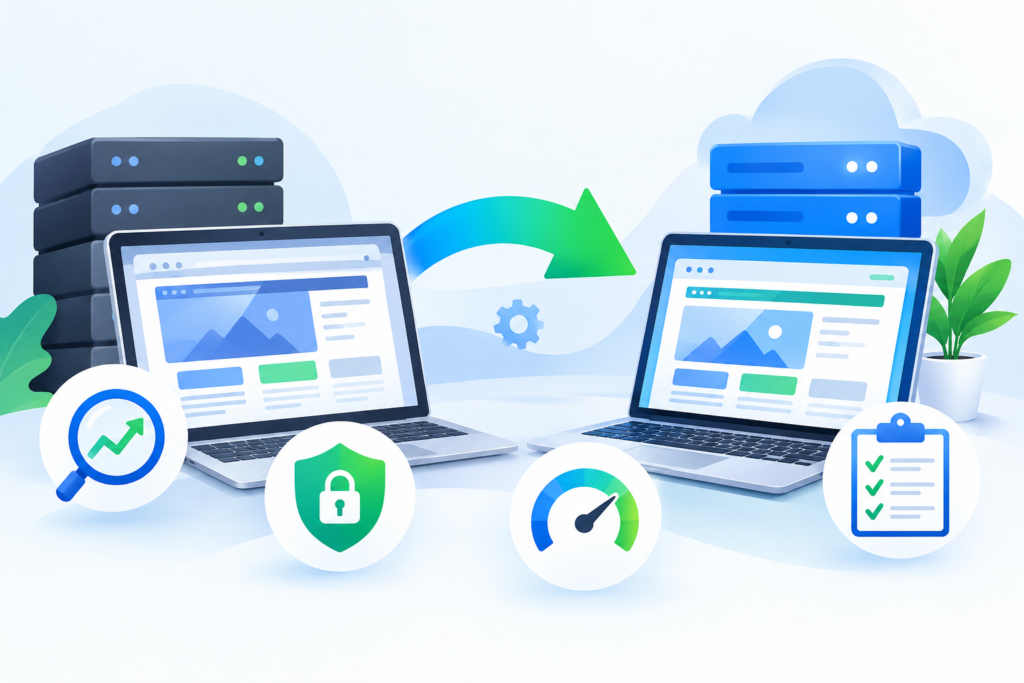
Website Migration is the process of moving a website, its files, databases, applications, or infrastructure from one environment to another while maintaining security, performance, and search engine visibility. This comprehensive guide explains how to plan, execute, and optimize a successful website migration without losing traffic, rankings, or business continuity.
Introduction
A website is one of the most valuable digital assets a business owns. It represents a company’s brand, supports marketing campaigns, generates leads, processes sales, and serves as the primary communication channel with customers. As businesses grow, technology evolves, and customer expectations increase, many organizations eventually need to move their websites to a new hosting provider, upgrade their content management system (CMS), change their domain name, or migrate to cloud infrastructure. This process is known as website migration.
Although website migration offers significant opportunities for improving speed, security, scalability, and user experience, it also introduces technical challenges that require careful planning. A poorly managed migration can result in broken pages, lost data, reduced search engine rankings, longer downtime, security vulnerabilities, and frustrated users. Conversely, a well-executed migration provides a stronger technical foundation that supports long-term business growth while maintaining website performance and SEO authority.
At FixHackedSite, we understand that website migration is much more than copying files from one server to another. Every migration involves strategic planning, comprehensive testing, data protection, SEO preservation, and continuous monitoring to ensure a smooth transition. Whether you are moving to a faster hosting environment, upgrading your website platform, or consolidating multiple websites into one, following proven migration best practices helps protect your investment while delivering an improved experience for both visitors and search engines.
What Is Website Migration?
Website migration refers to the process of transferring a website from one environment, platform, domain, hosting provider, or technical architecture to another while preserving its functionality, data, user experience, and search engine visibility. Unlike routine website updates, migrations typically involve substantial changes that affect how a website operates behind the scenes. These changes may include moving databases, updating server configurations, changing URL structures, implementing new technologies, or redesigning the website’s architecture.
Many people assume website migration simply involves uploading website files to a new server. In reality, it is a carefully coordinated technical project involving developers, SEO specialists, hosting providers, designers, security professionals, and business stakeholders. Every element of the website—including pages, media files, databases, plugins, themes, email services, analytics tools, SSL certificates, redirects, and DNS records—must be reviewed before, during, and after the migration process. Missing even a single critical component can lead to website errors, broken functionality, or reduced search engine visibility.
A successful migration ensures visitors experience little to no disruption while maintaining the website’s existing authority in search engines. Proper planning also provides an opportunity to improve website speed, strengthen cybersecurity, modernize infrastructure, optimize scalability, and prepare the business for future growth. Rather than viewing migration as a risky technical necessity, organizations should see it as a strategic investment that enhances overall digital performance.
Why Website Migration Is Important for Modern Businesses
Technology continues to evolve rapidly, making website migration an essential part of maintaining a competitive online presence. Businesses often outgrow their existing hosting environments, require more advanced security features, or need scalable infrastructure capable of supporting increasing traffic and expanding digital services. Website migration allows organizations to modernize their technical foundation without rebuilding their entire online presence from scratch.
Performance improvements are one of the primary reasons companies choose to migrate. Older servers may struggle with high traffic volumes, resulting in slow page loading times and poor user experiences. Modern hosting platforms offer improved hardware, optimized databases, built-in caching, content delivery networks (CDNs), and cloud-based scalability that significantly improve website responsiveness. Faster websites not only increase visitor satisfaction but also contribute to stronger search engine performance and higher conversion rates.
Migration also supports long-term business continuity. Outdated software, unsupported server environments, and aging infrastructure expose organizations to cybersecurity threats and operational risks. Moving to updated platforms provides access to stronger security measures, automatic backups, improved disaster recovery, modern encryption standards, and continuous monitoring capabilities. These improvements help businesses reduce downtime, protect customer data, and maintain compliance with current industry standards.
Types of Website Migration
Website migration is not a one-size-fits-all process. Different organizations require different migration strategies depending on their technical goals, business objectives, and existing infrastructure. Understanding the major types of website migration helps businesses prepare appropriate plans and allocate the necessary resources before beginning the project.
One of the most common migration types is hosting migration, where a website moves from one hosting provider or server to another. Businesses typically perform hosting migrations to improve website speed, increase reliability, reduce hosting costs, or gain access to advanced cloud infrastructure. Hosting migrations involve transferring website files, databases, email configurations, SSL certificates, server settings, and DNS records while minimizing downtime and preserving website functionality.
Another common migration type is domain migration, which involves changing the primary website domain. Organizations often migrate domains during rebranding initiatives, mergers, acquisitions, or marketing strategy changes. Because search engines associate authority with existing URLs, domain migrations require carefully planned 301 redirects, updated internal links, XML sitemaps, canonical tags, and search engine verification to preserve SEO value.
A third category is CMS migration, where businesses move from one content management system to another. Examples include migrating from Joomla to WordPress, Drupal to WordPress, or from a custom-built CMS to a more scalable enterprise platform. These migrations involve transferring pages, media libraries, metadata, user accounts, templates, plugins, and SEO configurations while ensuring the new platform delivers equal or better functionality than the previous system.
Common Reasons Businesses Perform Website Migration
Businesses migrate websites for many strategic and technical reasons. One of the most common motivations is improving performance. As traffic increases and websites become more feature-rich, existing hosting environments may no longer provide adequate processing power, memory, or storage capacity. Slow websites negatively impact user experience, reduce customer satisfaction, and lower search engine rankings. Migrating to optimized infrastructure helps businesses deliver faster loading times and better overall performance.
Security improvements also drive many migration projects. Older hosting environments, unsupported software versions, outdated plugins, and legacy applications introduce vulnerabilities that cybercriminals can exploit. Website migration enables organizations to upgrade their technology stack, implement stronger encryption, install modern firewalls, improve access controls, and adopt proactive monitoring solutions that strengthen cybersecurity while reducing operational risk.
Business growth is another important factor. Expanding companies often require infrastructure capable of supporting larger product catalogs, multilingual websites, higher visitor volumes, international audiences, and advanced integrations with marketing platforms, payment gateways, customer relationship management (CRM) systems, and enterprise software. Migration creates an opportunity to modernize infrastructure while preparing for future business expansion without compromising website stability.
Testing Your Website Before Going Live After Migration

Completing a website migration does not mean the project is finished. Before making the migrated website publicly accessible, thorough testing is essential to verify that every feature, page, and integration functions correctly. Skipping this phase can lead to broken pages, missing content, malfunctioning forms, and SEO issues that negatively affect both user experience and search engine rankings. A structured testing process minimizes these risks and ensures the new environment performs as expected from the moment visitors access it.
Begin by reviewing every major section of the website. Check navigation menus, internal links, images, downloadable files, videos, contact forms, login portals, shopping carts, payment gateways, search functionality, and any third-party integrations. Compare the migrated website against the previous version to ensure no content or features have been lost during the transfer. If the migration included a redesign or CMS change, verify that all page templates display correctly across different devices and browsers.
Performance testing should also be part of the validation process. Measure page loading times, server response, mobile usability, and Core Web Vitals before launch. Google’s PageSpeed Insights provides valuable recommendations for improving loading speed, while Core Web Vitals helps measure user experience metrics that influence search rankings.
A successful launch begins with successful testing. Investing additional time before deployment is far less costly than fixing critical issues after visitors encounter them.
Preserving SEO During Website Migration
One of the greatest concerns during any website migration is maintaining existing search engine rankings. Businesses invest years building domain authority, backlinks, and organic traffic, making SEO preservation one of the highest priorities throughout the migration process. Fortunately, careful planning and adherence to Google’s recommendations significantly reduce the likelihood of ranking losses.
The first step is creating a complete inventory of existing URLs. Every important page should have a corresponding destination on the new website. If URLs change, permanent 301 redirects should be implemented to pass ranking signals from old pages to their replacements. Redirects help both users and search engines find the new location of content while preserving accumulated authority.
Update XML sitemaps immediately after migration and submit them through Google Search Console. This allows Google to discover updated URLs more efficiently and identify potential crawling issues. Canonical tags, structured data, robots.txt directives, and internal linking should also be reviewed to ensure they accurately reflect the new website architecture.
Monitoring search performance during the weeks following migration is equally important. Temporary fluctuations are normal, but persistent declines may indicate crawl errors, redirect problems, duplicate content, or indexing issues that require immediate attention.
Security Considerations During Website Migration
Security should remain a priority throughout every stage of website migration. During file transfers, database imports, DNS updates, and server configuration changes, websites can become temporarily vulnerable if appropriate safeguards are not implemented. A secure migration protects sensitive customer information, prevents unauthorized access, and reduces the likelihood of cyberattacks during the transition.
Begin by creating verified backups of all website files, databases, email accounts, and server configurations before any migration activities take place. Backups should be stored in secure, off-site locations and tested to ensure they can be restored if necessary. Encryption should be used whenever transferring sensitive data between servers to protect against interception.
After migration, confirm that HTTPS functions correctly across every page. SSL certificates should be installed properly, and all HTTP traffic should redirect permanently to HTTPS. Mixed-content warnings, insecure scripts, or improperly configured certificates should be resolved before launch to maintain user trust and browser compatibility.
Additional security measures include enabling multi-factor authentication, limiting administrator privileges, updating plugins and themes, installing a Web Application Firewall (WAF), and performing vulnerability scans before making the migrated website publicly available.
Monitoring Website Performance After Migration
The work does not end once a website goes live. Continuous monitoring allows organizations to identify issues early, measure migration success, and optimize performance over time. Initial monitoring should focus on website availability, loading speed, crawl errors, user behavior, and server performance during the first several weeks following deployment.
Analytics platforms provide valuable insights into traffic changes, bounce rates, user engagement, and conversion performance. Compare these metrics with historical data to identify unexpected declines that may indicate technical issues introduced during migration. Monitoring keyword rankings and indexed pages also helps evaluate whether search engines are processing the migrated website correctly.
Server monitoring is equally important. CPU usage, memory consumption, bandwidth utilization, response times, and database performance should be tracked continuously to ensure the hosting environment remains stable under real-world traffic conditions. Automated alerts can notify administrators of outages or unusual activity before they affect visitors.
Performance optimization should become an ongoing process rather than a one-time task. Regular caching improvements, image optimization, database maintenance, code refinement, and software updates contribute to long-term website reliability and better user experiences.
Common Website Migration Challenges and How to Solve Them
Even well-planned migrations can encounter technical challenges. Understanding these potential obstacles helps organizations prepare contingency plans and respond quickly if issues arise. One common challenge is website downtime caused by DNS propagation delays or server configuration errors. Scheduling migrations during periods of low traffic and reducing DNS Time-To-Live (TTL) values before migration can minimize disruption.
Another frequent issue involves missing or corrupted data. Improper database exports, incomplete backups, incompatible software versions, or interrupted file transfers can result in lost content or broken functionality. Comprehensive backups, checksum verification, and staged testing significantly reduce these risks while ensuring recovery remains possible if problems occur.
SEO-related challenges are also common after migration. Missing redirects, broken internal links, duplicate content, incorrect canonical tags, and robots.txt misconfigurations can reduce search visibility. Conducting thorough SEO audits before and after migration, along with regular monitoring in Google Search Console, helps identify these issues early so corrective action can be taken before rankings are significantly affected.
Organizations should also establish a rollback strategy before migration begins. If critical failures occur, having a documented recovery process allows the previous production environment to be restored quickly, minimizing downtime and protecting business operations.
Future-Proofing Your Website After Migration

A successful migration should not only solve today’s challenges but also prepare the website for future growth. Modern businesses require digital infrastructure that can adapt to changing technologies, increasing visitor traffic, evolving security threats, and expanding customer expectations. Future-proofing begins by selecting scalable hosting solutions capable of supporting long-term growth without requiring frequent infrastructure changes.
Regular maintenance should become part of an ongoing operational strategy. Software updates, plugin management, database optimization, security patching, and performance monitoring help maintain stability while reducing technical debt. Organizations that postpone maintenance often face larger migration projects later because outdated systems become increasingly difficult to support.
Continuous optimization also includes monitoring emerging web standards and Google’s evolving search recommendations. Technologies such as improved caching mechanisms, modern image formats, enhanced accessibility, structured data, AI-assisted content management, and stronger cybersecurity practices contribute to long-term website success. By viewing migration as the beginning of continuous improvement rather than a one-time project, businesses create a stronger foundation for sustainable digital growth.
Frequently Asked Questions
1. How long does a website migration usually take?
The duration of a website migration depends on the size, complexity, and type of migration being performed. A small business website with a few dozen pages may be migrated within a few hours, while large eCommerce websites or enterprise platforms containing thousands of pages, databases, and third-party integrations may require several days or even weeks of planning, testing, and deployment.
A successful migration should never be rushed. Adequate time must be allocated for creating backups, validating data, testing functionality, implementing redirects, verifying SEO configurations, and monitoring performance after launch. Organizations that invest time in preparation generally experience fewer technical problems and shorter recovery periods.
2. Will website migration affect my Google rankings?
Website migration can temporarily influence search rankings, but significant ranking losses are usually preventable when migration best practices are followed. Properly implementing 301 redirects, maintaining internal linking, updating XML sitemaps, and monitoring the website through Google Search Console help search engines understand the new website structure.
Google also recommends keeping changes as organized as possible and monitoring crawl reports after launch.
3. What should I back up before migrating a website?
Before beginning any migration, create complete backups of:
- Website files
- Databases
- Images and media
- Email accounts
- SSL certificates
- DNS records
- Configuration files
- Themes and plugins
- Analytics settings
- Redirect rules
Backup restoration should also be tested before migration begins. A backup that cannot be restored offers little protection if unexpected problems occur.
4. What is the safest time to migrate a website?
Most organizations schedule migrations during periods of low website traffic, such as late evenings or weekends, depending on their target audience. Migrating during off-peak hours minimizes disruption if temporary downtime occurs.
It is also advisable to notify internal teams, monitor the migration closely, and keep rollback procedures ready in case unexpected issues arise.
5. Why are 301 redirects important?
A 301 redirect permanently forwards visitors and search engines from an old URL to a new one. These redirects preserve page authority, maintain user experience, and reduce the risk of broken links after migration.
Without proper redirects, visitors may encounter 404 errors, while search engines may remove previously indexed pages from search results.
6. How do I know if my migration was successful?
Success should be measured using multiple indicators, including:
- Website uptime
- Faster loading speeds
- Correct page indexing
- Stable keyword rankings
- No broken links
- Proper redirect functionality
- Successful form submissions
- Healthy server performance
- Positive user engagement metrics
Continuous monitoring during the first several weeks after launch helps identify and resolve any remaining issues before they become larger problems.
7. Should I migrate my website myself or hire professionals?
Simple website migrations may be manageable for experienced website owners. However, larger migrations involving SEO preservation, eCommerce functionality, multiple databases, custom applications, or enterprise infrastructure generally benefit from professional expertise.
Experienced migration specialists reduce risk by planning every stage carefully, performing extensive testing, and resolving technical challenges before they affect users.
8. Can website migration improve performance?
Yes. Website migration often provides an opportunity to improve website speed, security, scalability, accessibility, and overall user experience. Moving to modern hosting infrastructure, optimizing databases, implementing caching, upgrading software, and improving website architecture frequently result in measurable improvements in both performance and search visibility.
Common Website Migration Mistakes
Even experienced organizations occasionally encounter migration challenges. Avoiding the following mistakes significantly improves migration success.
Skipping Full Website Backups
Failing to create verified backups before migration can result in permanent data loss if unexpected problems occur. Always maintain multiple backup copies and verify they can be restored successfully.
Ignoring SEO Planning
Many businesses focus only on technical migration while overlooking search engine optimization. Missing redirects, outdated sitemaps, broken internal links, or incorrect canonical tags can reduce organic visibility and traffic.
Launching Without Testing
Publishing an untested website often results in broken forms, missing images, non-functional pages, payment failures, and user frustration. Comprehensive testing should always occur in a staging environment before production deployment.
Forgetting DNS Planning
Improper DNS configuration can increase downtime and delay website availability. Lowering DNS TTL values before migration helps speed up propagation.
Using Outdated Software
Migrating outdated CMS versions, plugins, themes, or server software transfers existing vulnerabilities into the new environment. Update software before or immediately after migration.
Neglecting Security
Weak passwords, missing SSL certificates, excessive administrator privileges, and unpatched software increase security risks during migration. Strong authentication and continuous monitoring should always be implemented.
Failing to Monitor After Launch
Migration is not complete when the website goes live. Continuous monitoring identifies crawl errors, broken pages, server issues, and performance bottlenecks before they affect visitors.
Best Practices Summary
A successful website migration combines technical expertise, strategic planning, and continuous monitoring. Following these best practices greatly improves the likelihood of a smooth transition.
- Define clear migration objectives before beginning.
- Perform a comprehensive website audit.
- Create multiple verified backups.
- Build a complete URL redirect map.
- Test the migration in a staging environment.
- Preserve metadata and structured data.
- Update XML sitemaps and robots.txt.
- Monitor Google Search Console after launch.
- Verify HTTPS implementation across every page.
- Optimize website speed and Core Web Vitals.
- Scan for security vulnerabilities.
- Monitor analytics, uptime, and user behavior.
- Keep documentation for every migration step.
- Maintain a rollback strategy until the migration is fully validated.
Following these practices helps minimize downtime, preserve SEO performance, protect valuable data, and provide visitors with a seamless browsing experience.
Conclusion
Website migration is one of the most significant technical projects a business can undertake. Whether moving to a new hosting provider, changing domains, upgrading a CMS, or modernizing infrastructure, every decision influences website performance, security, search visibility, and customer experience. Careful planning, comprehensive testing, strong security measures, and continuous monitoring are essential for minimizing risks and ensuring long-term success.
A successful migration is not measured solely by moving files—it is measured by maintaining business continuity, preserving SEO value, protecting sensitive data, and delivering a faster, more reliable website for users. Organizations that follow industry best practices are better positioned to support future growth while reducing operational risks.
If you need expert assistance with planning, securing, or executing a professional website migration, the experienced team at FixHackedSite can help ensure your transition is smooth, secure, and optimized for long-term success.
Want to Implement This Easily?
Prompt
You are an expert consultant. Based on the blog post titled “Website Migration”, provide a step-by-step, practical implementation guide. Include tools, best practices, common mistakes to avoid, and advanced tips. Assume the reader wants to implement everything discussed in this article effectively.
Call to Action
Want our help implementing this? Just reach out to us via our website contact form: