If you are planning to move your website to a new hosting provider, upgrade your server, or change your domain name entirely, understanding the process of Website and Domain Migration is essential. This comprehensive guide covers every step required for a secure, error-free, and SEO-friendly migration that protects your rankings, data, speed, and performance.
Introduction
When done correctly, Website and Domain Migration can significantly improve performance, security, stability, and long-term scalability. However, if done poorly, it can lead to downtime, broken pages, SEO losses, and even security vulnerabilities. In this detailed guide, we will break down everything you need to know about website and domain migration, how the process works, what tools you need, how to avoid the most common mistakes, and how professional services like FixHackedSite ensure smooth and secure transitions.
Understanding Website and Domain Migration in Modern Web Infrastructure
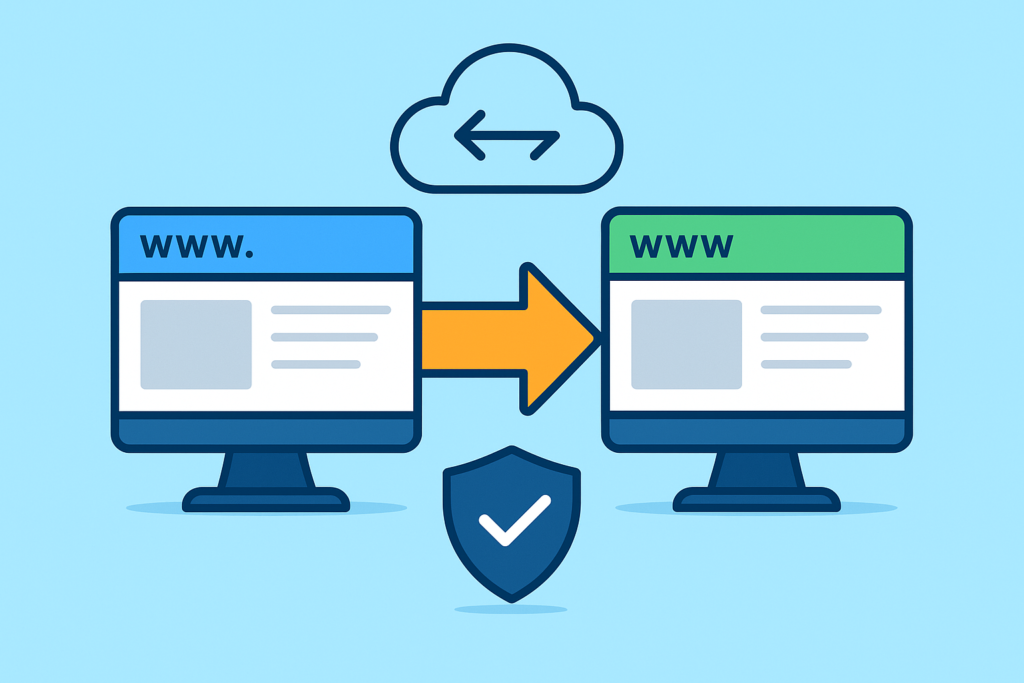
Website and Domain Migration refers to the complete process of transferring your website, files, scripts, database, emails, DNS records, and domain name from one server, hosting company, or platform to another. Today’s digital ecosystem is far more advanced than it was a few years ago, meaning migration touches almost every layer of your website—from backend architecture to user experience and SEO visibility.
Migrating a website involves moving files, databases, scripts, configuration files, SSL, CDN, and platform-specific settings. Many website owners also face the challenge of upgrading old technologies like PHP versions, outdated CMS software, or ineffective server environments during the migration. Because modern websites rely heavily on databases, caching, and integrated APIs, ensuring every component migrates correctly is crucial.
Domain migration, on the other hand, affects how users find your website online. Changing your domain means updating DNS zones, setting up proper redirections, mapping URLs, and ensuring Google indexes the new domain correctly. Without strategic planning, this can harm your rankings, cause broken links, or even cut off user access temporarily. That’s why domain migration must be done carefully, with testing before, during, and after changes propagate.
Modern Website and Domain Migration is not just about copying data; it’s about ensuring a seamless experience. This includes preventing downtime, maintaining SEO rankings, restructuring URLs, updating internal links, migrating emails, validating SSL certificates, and testing web pages for compatibility issues. With the growing complexity of web technologies, proper migration planning has become an essential part of website maintenance and business continuity.
Why Website and Domain Migration Is Sometimes Necessary (Benefits & Business Impact)
Website and domain migration becomes essential when your current hosting environment or domain structure no longer supports your business goals. Many site owners decide to migrate their websites because of poor performance, slow loading speed, security risks, outdated hosting, bad support, or scalability limitations. These issues can affect user experience and revenue, making migration the only logical step forward.
Another major reason businesses migrate their domains is branding. Over time, companies rebrand, change their niche, expand to new countries, or need a domain name that better represents their identity. Domain migration allows you to have a more memorable, professional, and market-ready brand. When done correctly, domain changes don’t harm SEO—instead, they can actually improve visibility. This requires proper redirection mapping and Google Search Console updates.
There are also important technical benefits. Improved server architecture, faster hardware, advanced caching technologies, better CDN integration, and modern PHP environments offer massive speed and performance advantages. Migrating also provides an opportunity to eliminate unnecessary files, optimize databases, fix broken pages, and restructure your website for long-term growth. With proper planning, Website and Domain Migration becomes a strategic investment in your business future.
Preparing for a Successful Website and Domain Migration (Planning Phase)

The planning stage is the most critical part of migration. Before moving anything, you need a clear strategy that defines what you’re migrating, how you’re migrating it, and what potential risks must be avoided. Creating a detailed migration roadmap ensures efficiency and reduces the possibility of errors such as missing files, broken URLs, or downtime during the process.
A well-structured migration plan begins with a complete audit of your existing website. This includes analyzing website size, database tables, plugins, server logs, internal links, sitemaps, redirects, and scripts. Identifying issues beforehand allows you to fix them early instead of discovering problems after the migration. You should also check your SSL certificates, third-party API integrations, and email accounts tied to the domain.
During planning, it is vital to choose the right hosting provider or server environment. Not all hosting companies support advanced configurations like Redis caching, MariaDB, NGINX, or Cloudflare compatibility. The planning phase also includes scheduling your migration during off-peak hours, preparing backups, and creating a rollback plan in case something goes wrong. Proper planning ensures that your Website and Domain Migration proceeds with stability and minimal disruption.
Backing Up Your Entire Website (Files, Database, Emails & DNS)
Backup is the foundation of safe website and domain migration. A full backup ensures that no data is lost during the transfer, and even if something breaks, you can always restore your website to its original state. A proper backup includes all website files, databases, configuration files, email records, DNS entries, SSL certificates, and server-level settings.
Backing up your website requires using professional tools such as cPanel backups, Plesk backup tools, phpMyAdmin exports, server snapshots, or plugins like UpdraftPlus and All-in-One Migration. For larger websites, incremental backups are necessary because full backups may be too large to download or restore efficiently. You must verify the integrity of your backup before starting the migration to ensure it is error-free and complete.
In addition to website files, backing up DNS settings is essential. Many site owners forget that DNS records such as A, CNAME, MX, TXT, and SRV entries control how your domain connects to emails, subdomains, and external services. A missing DNS record can cause email outage or break essential services. That’s why backup documentation must include every technical detail before starting your Website and Domain Migration.
Choosing the Right Hosting Provider for Migration Stability
Selecting the right hosting provider determines your website’s future speed, security, and long-term performance. Some hosting companies offer modern infrastructure with SSD servers, LiteSpeed caching, and advanced firewalls, while others offer outdated systems that slow down your website. Migrating to a better host ensures faster loading times, improved uptime, and enhanced user experience.
While choosing a new hosting provider, consider whether they support the technologies your website relies on. For example, WordPress users may need optimized WordPress hosting, Node.js websites require server environments that support JavaScript frameworks, and e-commerce websites require PCI-compliant hosting. The hosting provider should also offer easy migration tools, SSH access, cPanel/Plesk support, and automatic backups.
Finally, look for hosting companies that offer strong customer support and real-time troubleshooting assistance. Website and domain migration can involve DNS issues, SSL errors, database compatibility problems, and server configuration conflicts. Having a team that responds quickly ensures faster resolution of issues. A strong hosting foundation guarantees long-term success for your Website and Domain Migration.
Transferring Website Files and Databases Safely (FTP, SSH, & Backup Tools)
Migrating website files involves transferring your core files such as themes, plugins, scripts, images, media, and server-level configurations. Using secure protocols such as FTP, SFTP, or SSH ensures smooth and safe file transfers. Many professionals prefer SSH because it offers faster transfer speed and supports advanced commands for extracting and importing backups directly on the server.
Database migration is equally important. Using phpMyAdmin, SQL dumps, or command-line tools, you can export your existing database and import it into the new server. However, you must ensure correct character encoding, database prefix compatibility, and updated configuration files. Some websites rely on serialized data, which requires careful handling to avoid corruption during migration.
Once your files and database are transferred, update your configuration settings, such as wp-config.php, database credentials, environment variables, and file permissions. This step ensures your website operates smoothly in its new environment. Testing your site after file and database transfer is crucial for identifying issues early in the Website and Domain Migration process.
Updating DNS Records and Propagation Essentials
DNS updates are one of the most crucial parts of domain migration. When you change hosting providers, you must update your A record, CNAME records, MX records, and other DNS entries to point your domain to the new server. This tells the internet where your new website and emails are hosted.
DNS propagation can take anywhere from a few minutes to 48 hours. During this period, users worldwide may be routed to either your old or new server depending on their ISP. That’s why proper timing is important. Many experts schedule DNS changes during low-traffic hours to minimize user disruption. You should also keep both hosting accounts active until propagation completes to avoid downtime.
Proper DNS configuration ensures seamless transition for visitors, emails, subdomains such as shop.example.com, and services like Google Workspace or Microsoft 365. Incorrect DNS entries can lead to broken services or email delivery failures. Understanding DNS lifecycle is vital for completing your Website and Domain Migration successfully.
Handling Domain Name Change (Redirects, URL Maps, & Branding)
Changing your domain name is one of the most sensitive parts of migration. It involves updating internal URLs, restructuring link architecture, and implementing redirects to maintain SEO equity. A proper domain change strategy ensures your branding improves without losing existing search engine rankings.
The most important part of domain migration is setting up 301 redirects. These permanent redirects tell Google that your old URLs have moved to the new domain. Without redirects, search engines may treat your new domain as a completely different website, causing massive ranking drops. A complete redirect map must include all pages, posts, images, categories, files, and custom URLs.
After creating redirects, update your internal links, canonical tags, sitemap URLs, API endpoints, and Google Search Console listing. This ensures Google indexes your new domain properly. Updating branding materials such as logos, emails, marketing assets, and business profiles ensures consistent user experience. Proper domain change execution is essential for a successful Website and Domain Migration.
Verifying SSL Certificates and HTTPS Settings After Migration
SSL certificates must be reinstalled or reissued when you migrate your website or domain. A website running without SSL may show “Not Secure” warnings, causing users to leave and reducing trust. SSL migration involves installing the certificate on the new server and configuring HTTPS redirects.
Some hosting providers offer free SSL through Let’s Encrypt, while premium certificates require manual installation. You must also ensure mixed-content errors are fixed. These errors happen when websites load insecure resources (HTTP) while running under HTTPS. Tools like WhyNoPadlock and browser dev tools help identify insecure files.
Correct HTTPS configuration ensures secure browsing, improved SEO rankings, and stable user experience. Migrating SSL certificates is a necessary step that contributes to the success of your Website and Domain Migration.
Testing Your Website After Migration (Technical, SEO & Functional Tests)

Once your website is migrated, perform a complete technical and functional audit. This includes testing URLs, internal links, forms, checkout pages, media files, and plugins. You must identify any broken scripts, missing files, or layout issues caused by different server environments.
SEO testing ensures your rankings remain intact. This includes checking redirects, crawler access, sitemaps, metadata, robots.txt, and canonical tags. You should also verify that Google can access your new domain and that your sitemap is updated. Tools like Screaming Frog or Sitebulb help identify technical SEO issues.
Testing ensures your Website and Domain Migration is error-free. By identifying issues early, you maintain a smooth user experience, stable performance, and strong search engine visibility.
Fixing Common Migration Errors (Broken URLs, Missing Files & PHP Issues)
Migration often causes common issues such as broken links, missing images, database errors, plugin conflicts, or misconfigured PHP versions. These issues occur due to differences between old and new server environments, outdated plugins, or missing configuration files.
Many errors also happen because of incomplete file transfers or corrupted database tables. Fixing these issues involves checking file permissions, updating .htaccess or nginx.conf, clearing cache, and ensuring compatibility between server components. You may also need to review error logs to diagnose deeper problems.
By addressing these errors quickly, you ensure a stable and functional migrated website. Fixing issues early helps protect SEO integrity and prevents user-experience damage. Error resolution is an essential part of Website and Domain Migration.
Maintaining SEO During and After Migration (Zero-Loss Strategy)
SEO protection is one of the biggest concerns during website and domain migration. If done correctly, you can maintain or even improve your rankings. SEO-focused migration includes URL mapping, redirect planning, indexing updates, structured data verification, and post-migration SEO audits.
Google needs time to adjust to domain changes. Submitting your new sitemap, updating your Google Search Console property, and monitoring indexing errors ensures successful transfer. You should also verify mobile usability, page experience scores, and schema markup validity.
Tracking analytics after migration helps you spot user-behavior changes, drop-offs, or traffic inconsistencies. A strong SEO strategy ensures that your Website and Domain Migration results in long-term search engine success.
Migrating Emails Along with Your Domain (MX & Email Hosting)
Email migration is often overlooked but critical. If your MX records are not updated properly, you may lose access to important emails or experience delivery failures. Migrating emails requires moving mailboxes, updating IMAP/POP settings, and configuring email hosting providers.
If you are using Google Workspace or Microsoft 365, you must update MX, SPF, DKIM, and DMARC records. Incorrect DNS setup can lead to spam-filter issues or delivery rejections. You should also test your email accounts after DNS propagation.
A structured email-migration plan ensures zero-loss communication for businesses. Email stability is a crucial part of any Website and Domain Migration.
Migrating E-Commerce Websites (Advanced Challenges & Solutions)
E-commerce websites require more advanced migration strategies due to payment gateways, checkout systems, product databases, and user sessions. A slight downtime can lead to lost revenue, abandoned carts, or customer frustration.
You must migrate product catalogs, customer accounts, order history, inventory tracking, shipping plugins, and tracking integrations. E-commerce websites rely heavily on databases and real-time updates, so migration must be done at low-traffic periods.
Proper e-commerce migration ensures stable performance, secure transactions, and fully functional product pages. A safe migration process guarantees strong business continuity during your Website and Domain Migration.
Cloud Migrations (AWS, Google Cloud, DigitalOcean & VPS Transfers)
Cloud platforms offer flexibility, scalability, and powerful hosting features. Migrating to AWS, Google Cloud, DigitalOcean, or similar platforms requires technical planning and proper server setup. Cloud environments often involve advanced networking, firewalls, and infrastructure-as-code tools.
Cloud migration includes setting up load balancers, security groups, SSH keys, storage buckets, and deployment workflows. Many cloud servers require manual setup, meaning you must configure your database, firewall, DNS, and PHP settings from scratch.
Cloud-based Website and Domain Migration offers unmatched performance and control. Businesses with high traffic or custom applications significantly benefit from cloud scalability.
Security Considerations During Website and Domain Migration
Security plays a critical role during migration. Hackers often exploit migration windows because websites are reconfigured, files are exposed, or DNS is updated. Proper security measures ensure your website stays protected throughout the transition.
Security practices include updating all plugins, verifying file integrity, using secure transfer protocols, scanning for malware, and ensuring correct file permissions. You must also reconfigure firewalls, WAF (Web Application Firewall), and server hardening rules.
A secure migration protects your data, prevents unauthorized access, and ensures your website remains stable. Security is a central element of successful Website and Domain Migration.
Post-Migration Monitoring and Optimization
Monitoring your website after migration is essential to identify issues early. You should track performance, error logs, HTTP status codes, and server usage. Monitoring tools help detect any broken pages or server misconfigurations.
Optimization involves improving loading speed, caching performance, CDN integration, and database optimization. Your new server environment may support advanced performance settings that weren’t available previously.
Continuous monitoring ensures long-term success of your Website and Domain Migration. Optimization guarantees faster speed, stable uptime, and improved user experience.
Long-Term Benefits of Successful Website and Domain Migration

A properly executed migration leads to long-term benefits such as improved speed, better SEO visibility, enhanced security, and higher user satisfaction. Your new hosting environment provides better support for your growing business needs.
You also gain access to advanced technologies, improved scalability, automated backups, and modern security systems. These upgrades result in stronger website performance and lower maintenance costs.
The long-term advantages of successful Website and Domain Migration make it a powerful investment for any business. Migrating with proper planning ensures your website grows smoothly and remains competitive.
Common Mistakes During Website and Domain Migration
❌ Forgetting to back up files and database
❌ Missing DNS records
❌ No redirect mapping
❌ Broken internal links
❌ Ignoring email migration
❌ Not testing before and after migration
❌ Incorrect SSL setup
❌ Not updating Google Search Console
❌ Migrating during high-traffic hours
❌ Not securing the new server before migration
FAQs
1. How long does Website and Domain Migration take?
Migration typically takes a few hours to a few days, depending on website size and DNS propagation.
2. Will migration affect my SEO rankings?
If done correctly with proper redirects, there will be no negative impact.
3. Do I need to change my emails during domain migration?
Yes, your MX and DNS records must be updated for email continuity.
4. Can I migrate without downtime?
Yes, with proper planning, zero-downtime migration is possible.
5. What is the biggest risk during migration?
Loss of data, broken redirects, or email disruption due to incorrect DNS.
Conclusion
Website and Domain Migration is a complex but essential step for long-term growth, speed, and security. When handled correctly, it enhances SEO, performance, branding, and overall user experience. If you want a secure and smooth migration without errors, downtime, or data loss, expert services like FixHackedSite ensure your entire migration process is handled professionally and safely.