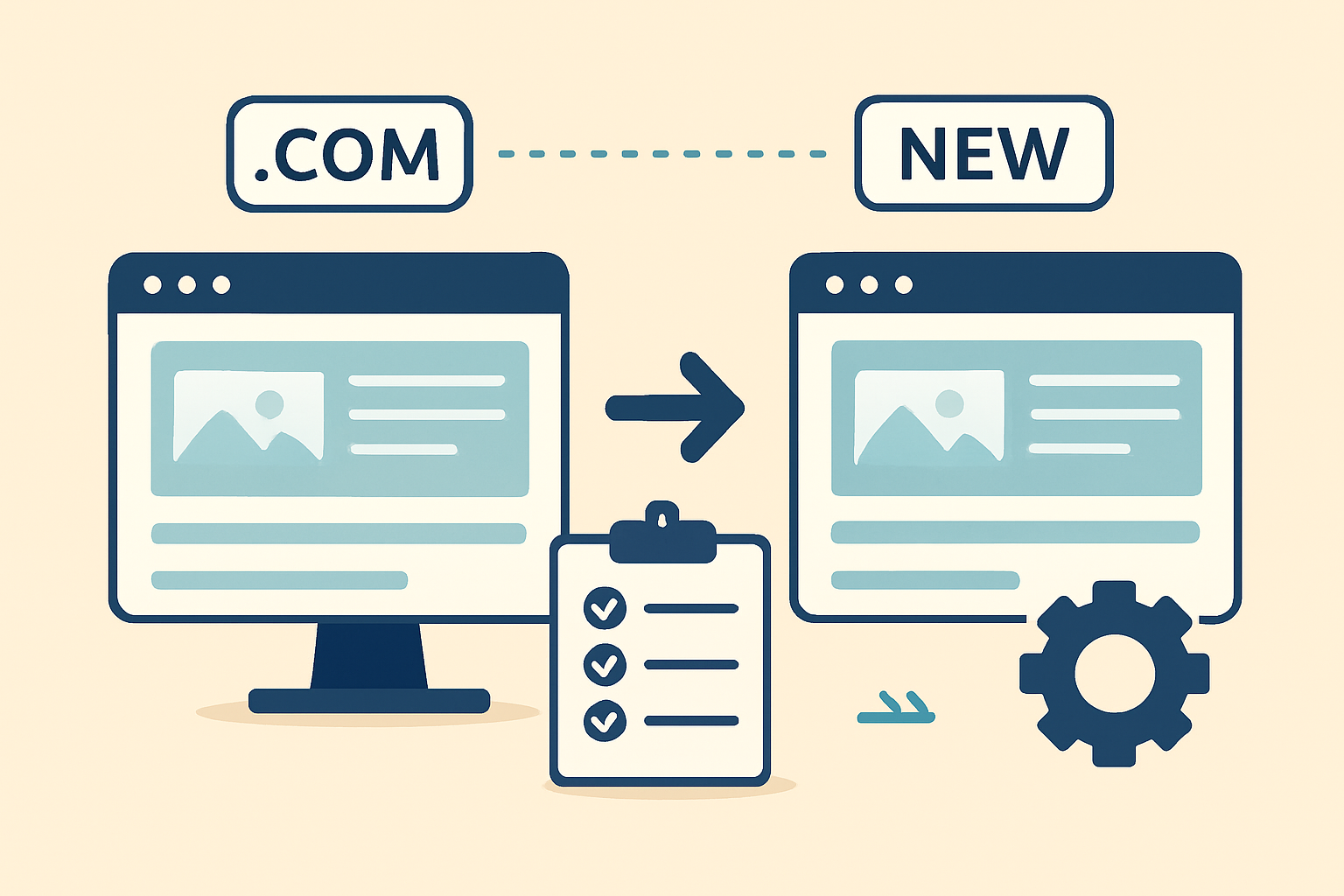
Website and domain migration has become a critical need for businesses looking to enhance performance, security, and long-term digital stability. Whether a company wants to switch hosting providers, upgrade security systems, or shift to a more reliable domain registrar, a smooth migration process ensures uninterrupted accessibility and trust. Understanding the depth, importance, and technical workflow of website and domain migration is essential for avoiding downtime, data loss, duplicate content, or SEO damage. This comprehensive guide explains every stage of the migration process, focusing on accuracy, security and uninterrupted website continuity, ensuring that online businesses can move their digital assets with confidence and full control.
Introduction
Website and domain migration has become one of the most essential yet complex tasks in the digital world. Every online business eventually reaches a stage where moving to a new hosting server, a new domain registrar or even a completely new platform becomes necessary for growth. Whether the goal is to improve site performance, strengthen security, adopt modern infrastructure or gain better control over DNS management, the migration process requires detailed planning and expert execution. Even a minor mistake can lead to serious consequences including website downtime, SEO ranking loss, broken links, incomplete database transfer or even permanent data corruption. This is why understanding the internal structure and lifecycle of a complete migration is extremely important for website owners.
When businesses decide to move from one hosting environment to another, or from one domain to a new one, the process demands technical accuracy, careful monitoring and professional handling. A successful website and domain migration ensures seamless continuity where users never experience disruptions. The backend tasks such as file transfer, DNS updates, SSL activation, database migration and URL mapping require advanced-level competence. With the growing number of cyber threats, misconfigurations or outdated hosting environments, companies often shift to modern, secure and high-performance infrastructures. Ensuring that every configuration—server-level, software-level and domain-level—is executed correctly is the key to long-term stability.
In today’s professional ecosystem, organizations prefer services that guarantee zero downtime, continuous data monitoring and secure transmission during migration. This guide explains the complete process step-by-step, outlines possible challenges and provides a deeply detailed understanding of how migration works. Whether someone is shifting from shared hosting to a VPS, moving a WordPress website, migrating corporate domains or transferring their brand identity to a new extension, this post covers everything. And for businesses who want a trusted migration partner, professional assistance from experts like FixHackedSite becomes extremely valuable.
Understanding the Core Concept of Website and Domain Migration
A complete understanding of website and domain migration begins with discovering what the process truly involves. Website migration focuses on transferring all digital assets including website files, databases, media folders, server configurations and application-level settings. Domain migration, on the other hand, revolves around moving the registered domain from one registrar to another or changing DNS providers. Both processes, although different in nature, work together to ensure that the website remains reachable from anywhere without interruption. When companies decide to migrate, their primary goal is usually better performance, higher security or operational control. To accomplish this successfully, every file, configuration and setting must be transferred in a precise and structured way. Because the web environment is interconnected, overlooking even a single file or permission can cause serious operational issues.
The process becomes even more technical when platforms such as WordPress, Joomla, Laravel, Magento or custom-built applications are involved. These systems rely on structured databases, hashed security keys, versioned software components and multiple configuration layers. During migration, each element must be mapped correctly from old to new infrastructure. This includes adjusting file paths, database credentials, script dependencies, security rules and cache configurations. If the migration is not carefully handled, the website may load incorrectly, break CSS and JavaScript functions or fail to communicate with the database entirely. A well-organized approach ensures that the migrated website functions exactly like the original one without any glitches or unexpected errors.
Domain migration introduces another set of challenges. When a domain is moved, DNS propagation begins, which may take several hours. During this period, global servers gradually update the location of the website. If the DNS records are not configured properly, the website may become temporarily unreachable or redirect incorrectly. This is why domain migration requires particular attention to DNS accuracy, timing and registrar-level configurations. A proper understanding of TTL values, registrar locks, EPP codes and nameserver adjustments is necessary. When both website and domain migration are performed accurately and systematically, businesses achieve a high level of digital stability and long-term operational efficiency.
The Importance of Planning Before Website and Domain Migration
Planning plays the most critical role in the entire website and domain migration process because the success of the migration depends heavily on the foundation laid before any technical action begins. A well-designed plan ensures that every part of the migration has been evaluated including server requirements, compatibility issues, hosting features, database structure and DNS configurations. When businesses skip the planning phase, they often face hidden challenges such as corrupted databases, missing files, broken internal links or even IP-level conflicts. Effective planning also involves setting clear timelines and testing environments so the live website does not experience unexpected downtime. Understanding the size of the website, the complexity of the platform and the number of dependencies helps experts determine the correct migration route. Without strategic planning, even simple migrations can become complicated and lead to long-term performance problems.
 During the planning phase, businesses must also review their existing hosting environment to identify outdated technologies, vulnerable configurations or unsupported PHP versions. Many website crashes occur because the new hosting server is not compatible with certain scripts, themes or plugins, especially with platforms like WordPress. A detailed audit of the website ensures that every component is prepared for transfer without interruption. This phase also includes preparing backups, creating staging setups and verifying access to both old and new servers. Planning allows the team to map out all site directories, understand database relationships and ensure that any third-party integrations such as payment gateways, APIs or email services continue functioning normally after migration. When such details are evaluated in advance, the risk of operational failures becomes significantly lower.
A successful migration plan also addresses domain-level concerns. Domain migration requires clear timelines for DNS propagation, registrar transfer rules, EPP code retrieval and nameserver updates. The planning stage helps ensure that the domain does not enter an unauthorized or unlocked state, which can create security vulnerabilities. Understanding TTL values and scheduling changes during low-traffic hours results in smooth propagation without affecting visitors. Planning also ensures that SSL certificates are prepared in advance, reducing the chances of browser warnings or trust issues. By carefully designing every step and anticipating possible challenges, businesses create a safe and efficient roadmap for a fully controlled and professional website and domain migration experience.
Evaluating Hosting Environments Before Migration
Evaluating hosting environments is a fundamental step in preparing for a secure and efficient website and domain migration. Different hosting platforms offer different levels of performance, security and scalability, and choosing the right environment determines how well the migrated website will function. Before migration, businesses must analyze server specifications such as CPU power, storage type, PHP versions, database engines and overall resource allocation. A website that previously worked on shared hosting may perform poorly on a new server if the configurations do not match or exceed the original environment. Proper evaluation helps ensure that the migration produces immediate improvements in speed, stability and security. Ignoring this step often leads to issues such as slow loading times, timeout errors, incompatible software or increased server vulnerabilities.
A detailed evaluation also requires reviewing server-level security features. Not all hosting providers offer advanced security layers such as firewalls, malware scanning, DDoS protection and server-side encryption. When migrating, it is essential that the new hosting environment enhances security rather than reducing it. Websites that handle sensitive information or run e-commerce applications must also ensure compatibility with secure protocols and PCI standards. Evaluating the hosting environment includes checking how the server manages SSL certificates, email deliverability, cron jobs, API requests and caching systems. These elements directly affect the performance and functionality of the website after migration, and any mismatch can cause disruptions. Understanding these differences ahead of time ensures that the website remains stable and secure throughout the migration process.
The evaluation must extend beyond technical specifications and security features. It should also consider server support response times, uptime guarantees, data center locations and long-term scalability. A website may require additional resources in the future such as increased bandwidth, additional processing power or new integrations. Hosting providers with flexible upgrade paths prevent the need for repeated migrations. Evaluating everything in advance ensures that the chosen hosting environment is capable of supporting the website’s current and future needs. When businesses take the time to examine every element carefully, they achieve a smooth and predictable website and domain migration that delivers lasting improvements in reliability and performance.
Preparing a Full Backup Before Migration Begins
Preparing a full backup is one of the most essential tasks before starting any website and domain migration, as it guarantees that the entire website can be restored if anything goes wrong during the process. Backups protect all important files including databases, media content, scripts, themes and custom code. Without a complete backup, the risk of losing valuable data becomes extremely high, especially if the migration involves a change in server infrastructure or platform. A proper backup strategy includes downloading the website files, exporting the database, securing configuration files and verifying the integrity of all content. This ensures that the website can be recreated exactly as it was, regardless of any errors that occur during the transfer. Backups serve as the ultimate safety net for businesses who cannot afford data loss or long downtime.
The backup process must also include checking file permissions, directory structures and database relationships. Many websites contain hidden folders, log files or custom scripts that must be included in the backup to maintain full functionality after migration. Databases must be exported carefully to ensure that tables, indexes and relationships remain intact. When businesses ignore database integrity, issues such as missing data, broken modules or malfunctioning plugins can occur after migration. Ensuring that both the website files and the database are fully synced allows for a clean and error-free restoration if required. A complete backup also allows experts to create a testing environment or staging site where everything can be checked before going live. This approach reduces risks and ensures predictable results.
A final but important step in the backup stage involves storing the backup in multiple secure locations. Relying on a single backup source is risky because files can become corrupt or incomplete. Storing backups on the local computer, cloud storage and even external hard drives ensures redundancy. These multiple backup copies protect the website against unforeseen circumstances such as server corruption, network failures or accidental deletion. A strong backup strategy is the backbone of a safe and controlled website and domain migration, allowing businesses to proceed confidently knowing that they have full recovery options available at every stage.
Creating a Staging or Testing Environment Before the Final Move
Creating a staging environment is a critical step in a professional website and domain migration because it allows the entire website to be tested before going live. A staging environment is a private copy of the website hosted on a separate directory or subdomain where developers can make changes without affecting visitors. This environment mirrors the real server, enabling teams to review every feature, script, plugin and database connection. By first transferring the website to a staging setup, experts can identify and fix errors that would otherwise appear on the live site. This helps ensure that the migration process remains controlled, predictable and risk-free. Staging also provides a safe space to test new server configurations, updated PHP versions or new URL structures before implementing them on the production website.
The staging process also helps eliminate compatibility issues. Many websites use plugins, themes or custom modules that behave differently on new servers. Without proper testing, these issues can cause the live website to malfunction or display broken layouts. A staging environment allows developers to test all components including forms, checkout systems, contact pages, login portals and other dynamic elements. This ensures that every part of the website performs correctly after migration. Testing the database connection in staging is especially important, as even minor configuration errors can lead to data retrieval failures. The goal is to create a fully functional version of the website that matches the original one while also being perfectly compatible with the new server environment.
Using a staging environment also improves the quality of the final launch. Once testing is complete and all issues are resolved, the website can be moved to the new server with confidence. Staging allows for performance testing, security checks and URL structure verification, which are essential for SEO and user experience. Developers can also test SSL certificates, caching systems, image compression tools and database optimization settings. When everything is confirmed to be stable, the website is ready for final deployment. This step ensures that visitors never see errors, broken layouts or downtime. A properly executed staging process provides a professional pathway to a smooth and reliable website and domain migration, ensuring that the website performs optimally from the moment it goes live.
Transferring Website Files Safely and Efficiently
Transferring website files is one of the most sensitive stages in a complete website and domain migration, as this step involves moving all core files, templates, media assets, configuration documents and application-level components to the new hosting server. The process typically begins with downloading the entire website directory using FTP, SFTP or file manager tools, ensuring that no file is left behind. Even a small missing file can cause the website to malfunction, show broken layouts or completely fail to load. Accuracy is critical because the migration must maintain the same structure, hierarchy and permission settings that existed in the original environment. To ensure a clean transfer, developers often compress the website files into a single archive before uploading them to the new server. This reduces the chances of corruption and ensures faster, more organized file transfer.
Once the compressed files are uploaded to the new hosting environment, the next step involves extracting them and ensuring that every folder and subfolder appears exactly as it did on the previous server. During this phase, developers verify file permissions, ownership rules and security configurations to prevent errors such as forbidden access or script execution failures. Script-based websites such as WordPress, Drupal or Laravel require additional attention because configuration files must be adjusted to match the new server settings. Incorrect file paths, outdated environment variables or conflicting script versions can prevent the website from functioning properly. Therefore, every configuration file must be updated carefully to ensure that the website performs exactly as intended after the migration.
Security verification is another essential task during file transfer. Websites often contain sensitive information such as API keys, authentication tokens or payment gateway configurations that must be protected during migration. Using encrypted file transfer protocols such as SFTP ensures that this information remains safe from interception. Once all files are transferred and verified, a preliminary test run is performed to confirm that the website loads correctly, displays all content accurately and responds without errors. Completing this stage successfully ensures that the next steps, such as database transfer and DNS setup, proceed smoothly. A secure and efficient file transfer lays the foundation for a stable and reliable website and domain migration.
Exporting and Importing the Database Properly
Exporting and importing the database is another major component of website and domain migration, especially for websites that rely heavily on dynamic content, user accounts, product listings or interactive features. The database contains all essential information such as posts, pages, settings, orders and records that define the entire functionality of the website. The database export process usually involves creating a complete SQL file using tools like phpMyAdmin, command-line utilities or server-side scripts. It is crucial to ensure that the exported file includes all tables, indexes, views and dependencies. Any missing table or incomplete export may cause severe functionality issues once the website is moved to the new server. Developers must also check for corrupt tables or oversized records that may require optimization before export.
Once the database file is successfully exported, the import phase begins on the new hosting environment. Importing requires setting up a new database, assigning a user with proper privileges and ensuring that the character set and collation match the original setup. These details are vital because mismatched collations can cause text display errors, broken characters or malfunctioning plugins. When the SQL file is imported, developers must verify that all tables appear correctly and that no errors occurred during the process. Some larger databases may need to be imported through command-line tools to avoid server timeout issues. After import, configuration files such as wp-config.php or framework-specific environment files must be updated with the new database credentials to establish a proper connection.
The final step involves testing the website thoroughly to confirm that all dynamic functions work as expected. Forms, login systems, admin panels and content editors must be checked for proper operation. Developers also review internal links, plugins and custom modules to ensure data integrity. If any data mismatch or compatibility issue is detected, adjustments and optimizations are performed immediately. Database transfer is one of the most delicate elements of the migration process, and meticulous attention ensures accuracy, consistency and uninterrupted functionality. When handled with care, this stage guarantees a smooth and stable website and domain migration with reliable data performance.
Updating Configuration Files and System Paths
Updating configuration files and system paths is an essential part of website and domain migration because these files determine how the website interacts with the new hosting environment. Every website contains configuration documents that define database details, security keys, environment variables, caching settings, API routes and filesystem paths. When the website is moved to a new server, these configurations must be updated to align with the new environment. Failing to update even a single configuration file can cause connection failures, broken functionality or complete website downtime. Developers begin by identifying all key configuration files such as index files, PHP environment files, .htaccess files and framework-specific settings. Updating these files ensures that the website recognizes the new structure and communicates smoothly with all server components.
System paths are also extremely important because they determine how the application reads files, loads assets and executes scripts. A website originally installed in a different directory, server path or root folder may fail to work if the paths are not updated correctly. This becomes especially relevant for CMS platforms that store serialized data or absolute URLs in their database or configuration files. Updating system paths ensures that links, templates, images and internal tools load correctly after migration. Developers also examine the caching configuration, log directories and session storage paths to ensure compatibility with the new hosting environment. These elements are vital for performance, security and operational stability.
After adjusting configuration files and paths, thorough testing is performed to confirm that the website behaves exactly as expected. Developers check error logs, inspect response headers and verify that all external services such as APIs, email services and analytics tools connect properly. Once these tests are complete, the website becomes fully synchronized with the new environment. Updating configuration files and paths is one of the most technical stages of website and domain migration, and completing it correctly ensures smooth performance, seamless functionality and optimal long-term stability.
Verifying Website Functionality After Migration
Verifying the website’s functionality is a mandatory step in ensuring a successful website and domain migration, as this phase confirms that every element of the website works correctly after the transfer. Once all files, databases and configurations are moved, developers begin testing the website thoroughly to detect any issues that may have occurred during migration. Checking functionality includes reviewing page load behavior, menu navigation, image display, plugin performance and content accuracy. If any element fails or behaves differently, the problem must be diagnosed and fixed immediately. This step ensures that the migrated website performs just like the original, with no errors or inconsistencies. Testing is conducted across both desktop and mobile devices to verify responsiveness and user experience.
 Developers also test interactive features such as login systems, registration forms, checkout processes and admin dashboards. These features depend heavily on database communication and server-side scripts, making them more prone to errors if anything was misconfigured. By testing these areas carefully, experts ensure that no part of the website becomes inaccessible or unstable. Additional inspections include reviewing caching systems, verifying SSL certificates and checking if external scripts load correctly. Payment gateways, email notifications and security modules must also be tested to ensure proper functionality. Each of these components plays a critical role in the website’s stability and user trust.
After functionality testing, developers monitor the website for potential performance issues such as slow loading, server timeouts or security warnings. These issues may arise due to outdated settings, incompatible plugins or incorrect resource allocation. Developers make necessary adjustments to optimize server performance, adjust PHP settings or refine database configurations. The purpose of this verification process is to ensure that the website is fully functional, secure and ready for the next phase of DNS updates. By confirming operational accuracy at this stage, developers create a strong foundation for completing the remaining steps in the website and domain migration process with confidence and reliability.
Understanding DNS Settings and Their Role in Migration
Understanding DNS settings is one of the most essential parts of a smooth website and domain migration, as DNS determines how users find and access your website on the internet. DNS, or Domain Name System, works like a digital map that tells browsers where your website is hosted. Without correct DNS settings, a website may become temporarily inaccessible, load inconsistently or fail to resolve entirely. During migration, DNS must be carefully analyzed and updated to ensure that traffic flows to the new hosting server instead of the old one. This process involves reviewing DNS records such as A records, CNAME records, MX records and TXT records. Each record performs a specific role, and incorrect adjustments can disrupt website performance or email functionality. Understanding how DNS works helps businesses avoid downtime and ensures that the transition is seamless and professional.
DNS also plays a critical role in global accessibility. Every time DNS changes are made, they must propagate across multiple servers worldwide. This process can take several hours depending on the TTL (Time-To-Live) settings assigned to each record. If TTL values are too high, DNS updates may take longer, causing the old server to remain active even after the new server is set up. Adjusting TTL settings before migration helps speed up propagation and ensures that users see the updated website quickly. Additionally, domain migration often requires updating nameservers when transferring the domain to a new registrar. This introduces another layer of DNS complexity that must be handled with precision and timing. When DNS is configured correctly, the website becomes accessible faster, and the migration completes successfully without interruptions.
Once DNS changes are applied, developers monitor the propagation process using various tools that track when global DNS servers update their records. During this monitoring period, it is normal for some users to see the old website while others see the new version. This temporary inconsistency is expected and resolves once propagation is complete. Developers also ensure that DNS settings do not conflict with any existing security features such as firewalls, SSL certificates or CDN networks. Completing these checks ensures that DNS remains stable throughout the migration. A strong understanding of DNS settings ensures that businesses can perform a secure, accurate and reliable website and domain migration, achieving uninterrupted performance across all user locations.
Managing Domain Registrar Transfer Requirements
Managing a domain registrar transfer is a key component of a successful website and domain migration, as transferring a domain from one registrar to another involves several security and verification steps. Before initiating a transfer, the domain must be unlocked and the current registrar must provide an EPP or authorization code. This unique code ensures that only the rightful owner can request the transfer. If the domain is locked or missing the authorization code, the transfer will not be completed. The domain must also meet certain eligibility requirements, such as being older than sixty days and not being involved in any dispute or hold status. Understanding these transfer rules helps prevent delays and ensures that the domain can move smoothly to the new registrar.
Once the transfer request has been submitted, the receiving registrar sends a verification email to the domain owner. Approving this email is a mandatory step that confirms ownership and initiates the actual transfer process. During this period, DNS settings typically remain active, meaning the website will continue functioning normally while the transfer is underway. However, domain-related services such as forwarding and email routing may be temporarily restricted depending on the registrar’s policies. Developers must ensure that DNS settings are either kept stable or replicated accurately at the new registrar. This prevents service interruptions and maintains a consistent online presence during the transition.
Domain registrar transfers can take several days to complete, depending on the registrars involved. Throughout this period, it is important to monitor the status of the transfer and respond to any additional verification steps. Once the transfer is officially completed, the domain becomes fully manageable under the new registrar, allowing updated settings, enhanced security features and improved control options. Businesses often transfer domains to registrars that offer stronger security, better support or improved DNS performance. Successfully managing these transfer requirements ensures that the domain remains secure and fully operational. When performed correctly, a registrar transfer becomes an essential part of a fully professional website and domain migration process.
Handling Email Services During Migration
Handling email services during website and domain migration is crucial because email communication must remain uninterrupted throughout the entire migration process. Many businesses rely on domain-based emails for customer support, internal communication and billing notifications, so any email downtime can disrupt workflow. Before making any changes to DNS or domain settings, developers must identify where the email service is hosted. Email may be managed by the web hosting provider, a third-party service like Google Workspace or Microsoft 365, or through custom mail servers. Understanding the current setup ensures that MX records and related DNS entries are preserved during the migration. If these settings are not handled correctly, emails may begin failing to deliver or bounce back entirely.
During the migration process, it is essential to avoid altering MX records unless the email service is being intentionally moved to a new provider. Changing nameservers without replicating the correct email DNS settings results in immediate email disruption. Therefore, a complete copy of DNS records must be created before migration to ensure that all email-related entries remain intact. These records include MX, SPF, DKIM and DMARC entries, each of which ensures proper authentication and delivery of emails. After DNS changes or nameserver updates are applied, developers closely monitor email flow to confirm that inboxes continue receiving messages normally. Any misconfiguration must be corrected immediately to prevent mail loss or security issues.
Once the website and domain migration is complete, email systems must be tested thoroughly to ensure that all devices, applications and webmail interfaces operate correctly. This includes verification of SMTP settings, incoming mail servers and authentication protocols. Developers also ensure that spam filters, encryption settings and email routing rules are functioning properly. Businesses that wish to upgrade their email infrastructure may take this opportunity to shift to a more reliable provider, but such changes must be handled separately to avoid overwhelming the migration process. Properly managing email services ensures that communication remains uninterrupted, secure and fully operational throughout the entire website and domain migration process.
Redirecting URLs to Ensure SEO Continuity
Redirecting URLs is one of the most important SEO tasks during website and domain migration, as it ensures that no ranking value or organic traffic is lost when the website is moved. When URLs change—even slightly—Google treats them as new pages, which can lead to ranking drops unless proper redirects are applied. The most effective method for preserving SEO is implementing 301 redirects, which inform search engines that the old URL has permanently moved to a new location. These redirects ensure that users and crawlers are automatically directed to the correct page without encountering errors. Redirects are also essential when changing platforms, restructuring site architecture or moving to a new domain. A well-planned redirect strategy prevents issues such as broken links, duplicate content or loss of search visibility.
During the redirect process, developers identify all existing URLs and map them accurately to their new counterparts. Each URL must redirect to the most relevant page to maintain content accuracy and user experience. Incorrect mapping can confuse search engine crawlers and cause indexing issues. The .htaccess file or server-level configuration files must be updated with redirect rules that handle all old paths, including category pages, product pages, blog posts and media files. For large websites, automated tools may be used to generate redirect maps to avoid manual errors. Testing these redirects is essential to ensure that no link leads to a 404 page and that every old URL resolves quickly and correctly.
After implementing redirects, the process continues with monitoring and validation. Developers use search engine tools and crawlers to confirm that search engines detect the redirects and apply ranking signals to the new URLs. Over time, Google begins indexing the new URLs while transferring the authority from the old ones. This ensures long-term SEO stability. Properly executed redirects protect organic traffic, maintain brand visibility and support a smooth transition. Redirecting URLs accurately is a crucial part of any professional website and domain migration, ensuring that both users and search engines experience a seamless and uninterrupted transition.
Testing Website Speed and Performance Post-Migration
After a website and domain migration, evaluating speed and overall performance is critical to ensure a seamless user experience and maintain search engine rankings. Website performance encompasses page load time, server response speed, caching efficiency, image optimization, and code execution. When a website is migrated to a new hosting server, factors such as server location, CPU, RAM, and storage type can influence performance. A slow website negatively impacts bounce rates, conversion rates, and user satisfaction. Therefore, conducting performance tests using tools like Google PageSpeed Insights, GTmetrix, or Pingdom is essential to detect potential bottlenecks. These tests help identify slow-loading pages, unoptimized scripts, and misconfigured caching mechanisms that may have resulted from the migration process.
Performance testing also includes monitoring server-side responses, database queries, and API calls. Dynamic websites, especially those with large databases, often experience delays if database connections are not properly optimized. Evaluating PHP versions, query efficiency, and plugin performance ensures that the website runs smoothly on the new server environment. Additionally, performance testing helps verify that CDN integrations, image compression, and browser caching function correctly after migration. Ignoring this step can lead to slower page rendering, poor SEO rankings, and reduced overall site usability. By thoroughly testing all aspects of website speed, businesses ensure that the migrated website meets user expectations and industry standards.
Finally, performance evaluation provides an opportunity to implement enhancements. Migration often introduces the chance to upgrade server technology, implement advanced caching layers, or compress images and scripts more efficiently. This post-migration analysis ensures that the website not only functions correctly but also achieves optimal speed and performance. Ensuring high performance post-migration is essential for maintaining search engine visibility, improving user engagement, and providing a professional experience. A careful approach to speed testing reinforces the success of a website and domain migration and establishes a reliable, high-performing website foundation.
Securing the Website After Migration
Security is a vital aspect of website and domain migration because moving files and databases introduces potential vulnerabilities if not managed carefully. Migrating a website exposes it to risks such as malware injection, data corruption, unauthorized access, and misconfigured permissions. Therefore, securing the website immediately after migration is crucial to prevent exploitation. The process includes updating passwords, renewing SSL certificates, configuring firewalls, applying security patches, and implementing server-side protections. Additionally, developers must ensure that sensitive files such as configuration files, API keys, and database credentials are stored securely and inaccessible to unauthorized users.
Another key aspect of post-migration security involves evaluating user roles and permissions. For websites with multiple admin accounts, user privileges must be reviewed to prevent accidental changes or malicious activity. Regular vulnerability scanning and malware monitoring are also recommended to detect threats introduced during migration or from the new hosting environment. Security plugins and monitoring tools help identify suspicious activity, blocked login attempts, and potential backdoors. Implementing these measures ensures that the website remains safe from common threats such as brute-force attacks, cross-site scripting, SQL injection, and file manipulation. Comprehensive security measures protect the integrity of the website and maintain user trust.
Finally, businesses must establish ongoing maintenance and monitoring to preserve website security. Migrated websites should be monitored continuously for performance anomalies, suspicious traffic, or unauthorized changes. Creating automated backups ensures quick recovery in case of accidental corruption or cyberattacks. Securing a website after migration is not a one-time task but a continuous effort to ensure long-term safety. Proper security protocols strengthen the website’s resilience, prevent downtime, and guarantee a smooth experience for both users and administrators. Maintaining security is therefore a fundamental part of professional website and domain migration.
Monitoring and Troubleshooting Post-Migration Issues
Post-migration monitoring is an essential step in website and domain migration, as it allows businesses to identify and resolve any lingering issues before they escalate. During the initial period after migration, websites may experience minor technical errors such as broken links, incorrect file paths, database connection warnings, or plugin conflicts. Proactive monitoring ensures that these problems are detected quickly and corrected before they affect user experience or search engine rankings. Developers often utilize error logs, performance monitoring tools, and server analytics to track potential problems and respond in real time.
Troubleshooting post-migration issues also involves verifying that all website functionalities operate correctly. Interactive features, payment gateways, forms, login portals, and third-party integrations must be tested extensively. Any inconsistencies in content delivery, page loading speed, or server responses require immediate adjustment. Often, troubleshooting involves debugging configuration errors, restoring missing files, updating permissions, and rechecking redirect rules. Efficient troubleshooting guarantees that the website remains operational, secure, and user-friendly after migration. Without thorough monitoring and issue resolution, a seemingly successful migration could cause long-term problems.
Finally, businesses must document all observations and resolutions during the post-migration phase. This documentation provides insights for future migrations, reduces troubleshooting time, and helps maintain operational continuity. Monitoring and troubleshooting reinforce confidence in the migration process and ensure that the website is fully optimized for performance, security, and usability. By maintaining vigilance and addressing issues promptly, organizations can achieve a successful website and domain migration with minimal disruption to operations and maximum user satisfaction.
Communicating Migration Changes to Stakeholders
Effective communication is a critical but often overlooked part of website and domain migration. Stakeholders including employees, clients, vendors, and end-users must be informed about potential changes in website access, email services, and DNS updates. Failure to communicate can lead to confusion, missed messages, and a perception of unreliability. Organizations should prepare clear instructions on any temporary interruptions, expected downtime, and post-migration improvements. This helps manage expectations and ensures that everyone impacted by the migration understands what to expect during the transition.
 Additionally, communication involves coordinating with internal IT teams, content managers, and marketing personnel. These stakeholders play an important role in verifying content accuracy, redirect functionality, and post-migration performance. Sharing testing protocols, access details, and validation results ensures that every aspect of the migration is reviewed collaboratively. Effective communication also helps identify hidden issues faster, as multiple teams can report problems from different perspectives. This collaborative approach enhances operational efficiency and reduces the risk of overlooked errors or misconfigurations.
Finally, communicating migration results to clients or website users reinforces trust and transparency. A successful post-migration announcement highlights improvements in speed, security, or usability. Providing clear instructions for accessing accounts, updated URLs, or email services ensures continuity for external users. Maintaining open lines of communication throughout the process builds confidence in the organization’s technical capability and reinforces professionalism. Properly informing stakeholders is an integral step in ensuring that the website and domain migration delivers a smooth and successful outcome.
Best Practices for Future Website and Domain Migrations
Learning from each migration helps businesses establish best practices for future website and domain migration projects. A consistent approach includes detailed planning, full backups, staging environments, DNS verification, redirect mapping, performance testing, and post-migration monitoring. Maintaining comprehensive documentation ensures that every step can be repeated efficiently and errors minimized. Businesses should also invest in professional expertise, either in-house or through trusted service providers, to guarantee technical accuracy and operational stability.
Another best practice is continuous monitoring of website performance and security after migration. Using automated tools for uptime monitoring, malware scanning, and analytics tracking allows teams to respond proactively to any issues. Evaluating user experience and SEO performance post-migration provides valuable insights into the effectiveness of migration strategies. Incorporating lessons learned from each migration—such as identifying bottlenecks or common errors—enhances future processes and reduces risk. Consistent optimization ensures that subsequent migrations are smoother, faster, and more secure.
Finally, businesses should consider ongoing maintenance and system upgrades to reduce the need for frequent migrations. Regularly updating hosting environments, platforms, themes, plugins, and server configurations prevents compatibility issues and improves website longevity. Establishing protocols for incremental migrations, backup schedules, and contingency plans strengthens operational resilience. Following these best practices guarantees that future website and domain migration projects are executed efficiently, securely, and with minimal disruption to users, stakeholders, and business operations.
Conclusion
Website and domain migration is a complex yet essential process for any business looking to improve performance, security, and online visibility. From planning and backups to DNS updates, database migration, performance testing, and security measures, every step requires careful execution to prevent errors, downtime, and SEO disruptions. By following structured processes, creating staging environments, monitoring performance, and implementing best practices, organizations ensure a smooth transition without losing critical functionality. Professional assistance, such as services offered by FixHackedSite, can further guarantee a reliable, secure, and seamless migration experience. Proper execution of a website and domain migration establishes a strong foundation for long-term success, stability, and user satisfaction.