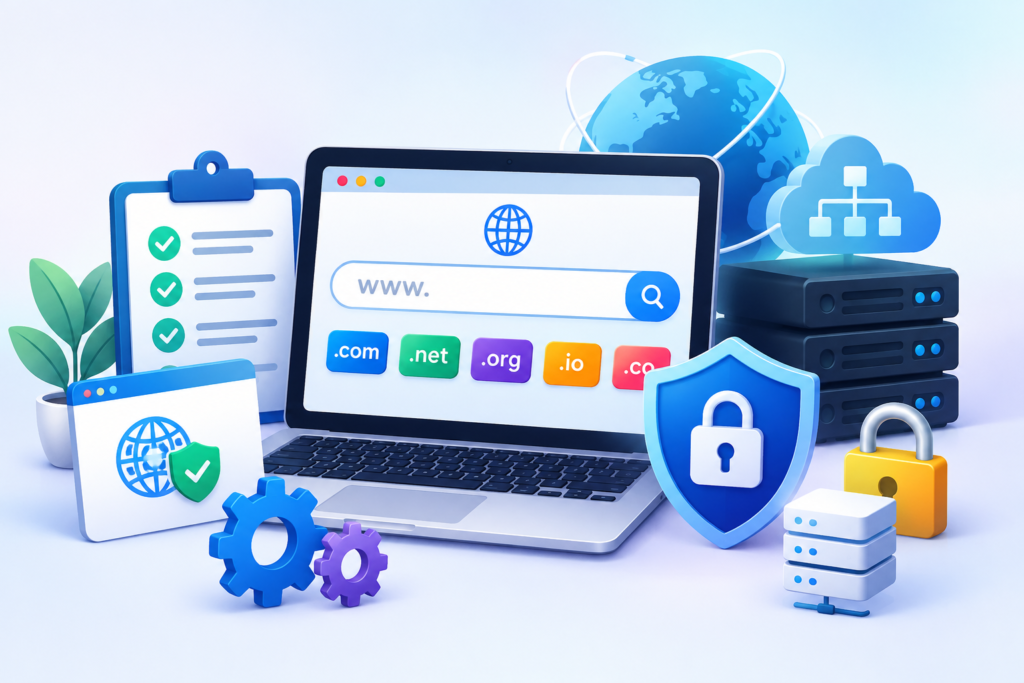
Learn everything about Website Migration, including planning, SEO preservation, security considerations, performance optimization, and best practices to ensure a successful transition without losing rankings or traffic.
Introduction
Website migration is one of the most important processes in the lifecycle of a digital business. Whether moving to a new hosting provider, changing domains, redesigning a website, or switching content management systems, the process requires careful planning and technical expertise. A poorly executed migration can result in ranking losses, broken pages, traffic drops, and security issues.
At FixHackedSite, we understand that businesses rely on their websites for visibility, lead generation, and customer trust. A successful migration should maintain search engine rankings, preserve user experience, and ensure minimal downtime. Every aspect of the transition must be carefully managed to avoid disruptions.
Modern website migration strategies follow recommendations outlined in site move with URL changes, while also considering performance optimization, security enhancements, and long-term scalability. With proper preparation and execution, organizations can transition their websites confidently while maintaining business continuity.
Understanding Website Migration
Website migration refers to transferring a website from one environment to another while preserving functionality, content, SEO value, and user experience. Businesses perform migrations for numerous reasons, including changing hosting providers, redesigning websites, upgrading platforms, or consolidating domains. Although the concept appears straightforward, the process involves technical complexities that require detailed planning.
Different types of migrations include domain migrations, hosting migrations, CMS migrations, HTTPS implementations, and structural redesigns. Each migration type introduces unique challenges. For example, changing domains requires careful redirect mapping, whereas moving from one content management system to another demands extensive testing to prevent content loss and compatibility issues.
Successful migrations prioritize stability and continuity. Search engines expect websites to maintain consistency, and sudden changes without proper planning can negatively affect rankings. Following guidance from Google Search Central Documentation helps website owners ensure that search engines understand the transition and preserve authority signals.
Why Businesses Perform Website Migration
Organizations often migrate websites to improve performance, scalability, security, or branding. Growing businesses may outgrow their existing hosting environments and require more powerful infrastructure to support increasing traffic demands. Others may seek improved website speed, better uptime, and enhanced reliability.
Rebranding initiatives are another common reason. Companies changing names or expanding internationally frequently adopt new domains to align with their strategic goals. Domain migration allows businesses to establish a stronger identity while maintaining search engine authority through proper redirect implementation.
Technology advancements also drive migrations. Legacy systems can become difficult to maintain, vulnerable to security risks, and incompatible with modern standards. Migrating to a newer platform enables organizations to leverage improved security features, responsive design capabilities, and better content management experiences.
Types of Website Migration
Website migration encompasses multiple categories, each requiring specific strategies and planning. Understanding these migration types helps organizations choose appropriate methods and avoid unnecessary risks.
Hosting migration involves transferring files, databases, and configurations from one server environment to another. This type of migration often aims to improve speed, reliability, and scalability. Proper DNS management and testing are essential to minimize downtime during the process.
Domain migration occurs when a website changes its address. Search engine optimization considerations become particularly important because rankings and backlinks must be preserved through permanent redirects. Following Google’s recommendations regarding 301 redirects helps maintain authority and indexing.
CMS migration involves changing content management systems, such as moving from Joomla to WordPress or another platform. Such transitions require careful content transfer, plugin compatibility checks, and extensive quality assurance to ensure the new system functions correctly.
Importance of Website Migration Planning
Comprehensive planning is the foundation of every successful website migration project. Businesses that rush into migrations without proper preparation often encounter ranking losses, broken links, and customer dissatisfaction. Establishing a clear migration roadmap significantly reduces these risks.
An effective migration strategy begins with identifying goals and defining scope. Teams should determine which assets will be moved, what structural changes are required, and how success will be measured. Detailed inventories of URLs, media files, databases, and plugins help prevent accidental omissions.
Risk assessment is equally important. Potential issues such as server incompatibilities, database corruption, redirect errors, and indexing problems should be identified before the migration begins. Proper contingency plans ensure rapid recovery if unexpected complications arise during deployment.
Creating a Website Migration Checklist
Website migration projects involve numerous technical tasks. A comprehensive checklist ensures consistency and prevents critical steps from being overlooked. Documentation also facilitates collaboration between developers, SEO specialists, and system administrators.
Pre-migration tasks include creating complete backups, exporting databases, auditing URLs, and documenting existing SEO metrics. Tracking current rankings and traffic provides valuable benchmarks for evaluating post-migration performance.
Testing environments are equally essential. Staging websites allow teams to verify functionality before deployment. Thorough quality assurance processes help identify issues involving forms, internal links, images, structured data, and mobile responsiveness. Early detection minimizes disruptions and improves overall migration outcomes.
Protecting SEO During Website Migration

Search engine optimization preservation is one of the most critical aspects of website migration. Without appropriate safeguards, valuable rankings and organic traffic can decline significantly. Maintaining SEO equity requires strategic planning and technical precision.
Redirect implementation plays a central role. Permanent redirects communicate page movements to search engines and users, ensuring authority transfers correctly. Google’s documentation regarding 301 redirects emphasizes their importance for preserving rankings.
Maintaining URL consistency whenever possible reduces risks. Sudden structural changes increase complexity and may introduce indexing issues. Monitoring crawl errors through Google Search Console enables website owners to detect and resolve problems quickly after migration.
Backup Strategies Before Website Migration
Reliable backups provide essential protection against unexpected failures during migration. Data corruption, accidental deletions, and server issues can occur at any stage, making recovery mechanisms indispensable.
A complete backup should include website files, databases, configuration settings, media assets, and email accounts. Storing backups in multiple locations enhances redundancy and reduces the likelihood of permanent data loss. Cloud-based storage solutions provide additional security and accessibility.
Verification is just as important as creating backups. Restoring backup copies in test environments confirms their integrity and ensures they can be used effectively if required. Organizations that regularly test restoration procedures are better prepared to recover from unforeseen complications.
Website Security Considerations During Migration
Security should remain a top priority throughout the migration process. Website transitions can expose vulnerabilities if access controls, configurations, and software components are not managed carefully. Cybercriminals often target improperly secured websites during periods of change.
SSL certificates should be correctly installed and verified to maintain encrypted communication. HTTPS implementation aligns with recommendations provided by HTTPS Best Practices and contributes to both security and SEO.
Access permissions must also be reviewed. Temporary accounts created for migration purposes should be removed afterward, and outdated plugins or themes should be eliminated. Conducting malware scans and vulnerability assessments further strengthens protection and reduces exposure to cyber threats.
Website Speed Optimization After Migration
Website speed optimization should be a priority immediately after migration because even a technically successful transfer can introduce performance issues. Changes in hosting environments, databases, themes, plugins, and content delivery systems may affect loading times. Search engines and users both expect websites to deliver fast experiences, making performance monitoring essential.
One of the first tasks after migration is evaluating page speed using PageSpeed Insights. This tool provides valuable information regarding Core Web Vitals, image optimization opportunities, server response times, and render-blocking resources. Comparing performance metrics before and after migration helps identify unexpected slowdowns that require attention.
Caching systems, CDN configurations, image compression, database optimization, and script minimization contribute significantly to improved speed. Monitoring these factors helps maintain positive user experiences and supports long-term SEO performance. Websites that prioritize performance after migration are more likely to maintain rankings and conversions.
Testing and Quality Assurance Procedures
Testing is one of the most important phases of website migration. Even minor issues can negatively affect user experience, search visibility, and business operations. Comprehensive quality assurance ensures that all components function properly before and after launch.
Functional testing should include forms, checkout pages, login systems, navigation menus, internal links, media assets, and integrations. Broken functionality can lead to lost leads and dissatisfied visitors. Teams should verify desktop and mobile compatibility to ensure consistent experiences across devices.
Technical testing should also evaluate structured data, redirects, XML sitemaps, robots.txt configurations, canonical tags, and crawlability. Resources such as XML Sitemap Guidelines provide useful recommendations. Thorough testing reduces risks and improves migration success rates.
Monitoring Website Performance After Migration
Website migration does not end when the new environment becomes live. Continuous monitoring is necessary to detect issues early and maintain website stability. Search engines may require time to process changes, making observation especially important during the first several weeks.
Tracking organic traffic, rankings, index coverage, and crawl errors using Google Search Console allows administrators to identify potential concerns. Analytics platforms also provide valuable insights into visitor behavior, bounce rates, and conversion trends.
Server monitoring and uptime checks are equally important. Unexpected downtime or slow response times can harm user satisfaction and search visibility. Regular evaluations help ensure that the migration delivers long-term benefits rather than creating persistent technical challenges.
Website Migration and Search Engine Indexing
Search engines need time to understand website changes. Proper indexing management ensures that pages remain discoverable and continue performing in search results. Failure to address indexing concerns can lead to visibility losses and traffic declines.
Submitting updated XML sitemaps through Google Search Console helps search engines locate and crawl new URLs efficiently. Monitoring index coverage reports provides insight into excluded pages and crawl anomalies that require correction.
Canonical tags and redirect implementation further support indexing consistency. Maintaining clear signals reduces confusion and improves the likelihood that search engines preserve authority. Effective indexing management contributes to a smoother transition and faster recovery after migration.
Common Website Migration Challenges
Website migration projects frequently encounter obstacles that can disrupt operations and affect SEO performance. Understanding these challenges enables organizations to prepare appropriate solutions before issues arise.
Broken links are among the most common problems. Missing redirects or incorrect URL mappings can result in 404 errors that negatively impact user experience. Thorough audits and redirect validation reduce these risks considerably.
Content inconsistencies, plugin conflicts, server incompatibilities, and indexing delays also occur frequently. Organizations that allocate sufficient resources to testing and monitoring are better positioned to resolve these problems efficiently. Preparation and documentation remain key factors in overcoming migration challenges successfully.
Long-Term Maintenance Following Migration
Successful migration is only the beginning of maintaining a healthy website. Long-term maintenance ensures that performance, security, and search visibility continue improving after the transition.
Regular updates to themes, plugins, frameworks, and server software help minimize vulnerabilities and maintain compatibility. Security scans and backups should remain part of ongoing maintenance strategies to protect against unexpected incidents.
Continuous SEO monitoring is equally important. Ranking fluctuations are normal after migration, but persistent declines should be investigated promptly. Periodic audits help identify optimization opportunities and ensure that the website continues delivering value to users and search engines.
Choosing Professional Website Migration Services
Although some migrations can be performed internally, complex projects often benefit from professional expertise. Experienced specialists understand the technical requirements necessary to minimize risks and preserve business continuity.
Professional migration services typically include backup creation, SEO preservation, redirect mapping, performance optimization, security assessments, and post-launch monitoring. Their structured approach reduces the likelihood of costly mistakes and downtime.
Businesses with eCommerce platforms, large databases, or mission-critical applications especially benefit from expert assistance. Investing in experienced migration professionals often saves time and protects valuable digital assets over the long term.
Future Trends in Website Migration

Website migration strategies continue evolving alongside technological advancements. Cloud infrastructure, containerized environments, AI-driven monitoring, and automation tools are transforming how migrations are planned and executed.
Modern hosting environments emphasize scalability, redundancy, and high availability. Businesses increasingly adopt cloud-native architectures to improve flexibility and disaster recovery capabilities. These trends simplify migrations while reducing downtime risks.
Artificial intelligence and automation tools are also improving quality assurance processes. Automated testing, predictive monitoring, and advanced analytics enable organizations to identify issues more efficiently. As digital ecosystems become increasingly complex, migration strategies will continue focusing on resilience, speed, and user experience.
Common Mistakes During Website Migration
Many organizations unintentionally make mistakes that compromise migration success. One of the most serious errors is launching without a complete backup. Without recovery options, unexpected failures can result in permanent data loss.
Another common mistake is neglecting redirects. Failure to implement proper redirect mappings often leads to broken pages and significant ranking losses. Ignoring post-migration monitoring can also allow technical issues to persist unnoticed.
Skipping staging environments, rushing deployments, and failing to test integrations represent additional risks. Organizations that prioritize preparation and quality assurance significantly improve their chances of achieving successful migrations.
Best Practices Summary
- Create verified backups before beginning migration.
- Develop a detailed migration checklist.
- Use staging environments for testing.
- Preserve SEO through proper redirect implementation.
- Monitor rankings and crawl errors using Google Search Console.
- Optimize website speed after launch.
- Conduct security assessments and malware scans.
- Maintain updated XML sitemaps.
- Monitor uptime and server performance.
- Continue long-term maintenance and auditing.
Frequently Asked Questions
1. What is website migration?
Website migration refers to transferring a website, its files, databases, and configurations to a new environment while preserving functionality, SEO performance, and user experience.
2. Can website migration affect SEO?
Yes. Improper migrations can lead to ranking losses, broken links, and indexing issues. Correct redirect implementation and monitoring help preserve search visibility.
3. How long does website migration take?
The timeline depends on website size and complexity. Small websites may require several hours, while enterprise-level projects can take weeks.
4. Is downtime unavoidable during migration?
Not necessarily. Careful planning and staging environments can minimize or even eliminate downtime in many scenarios.
5. Why are backups important before migration?
Backups provide recovery options if unexpected problems occur. They protect files, databases, and configurations from permanent loss.
6. Should I change URLs during migration?
Changing URLs increases complexity. Maintaining existing structures whenever possible reduces SEO risks and simplifies the transition.
7. How do I monitor migration success?
Tools such as Google Search Console and analytics platforms help track crawl errors, indexing, rankings, and traffic performance.
8. Do large websites require professional migration services?
Complex websites often benefit from professional expertise because specialists can minimize downtime, protect SEO, and manage technical challenges effectively.
Conclusion
Website migration requires careful planning, technical expertise, and ongoing monitoring to achieve lasting success. From backups and testing to SEO preservation and performance optimization, every stage contributes to a seamless transition. Organizations that approach migrations strategically are better positioned to maintain rankings, protect data, and deliver excellent user experiences.
At FixHackedSite, helping businesses navigate complex website challenges remains a top priority. By following proven migration practices and focusing on long-term maintenance, website owners can confidently adapt to changing technologies and growth opportunities.
Want to Implement This Easily?
Prompt Text:
You are an expert consultant. Based on the blog post titled “Website Migration”, provide a step-by-step, practical implementation guide. Include tools, best practices, common mistakes to avoid, and advanced tips. Assume the reader wants to implement everything discussed in this article effectively.
Call to Action:
Want our help implementing this? Just reach out to us via our website contact form: