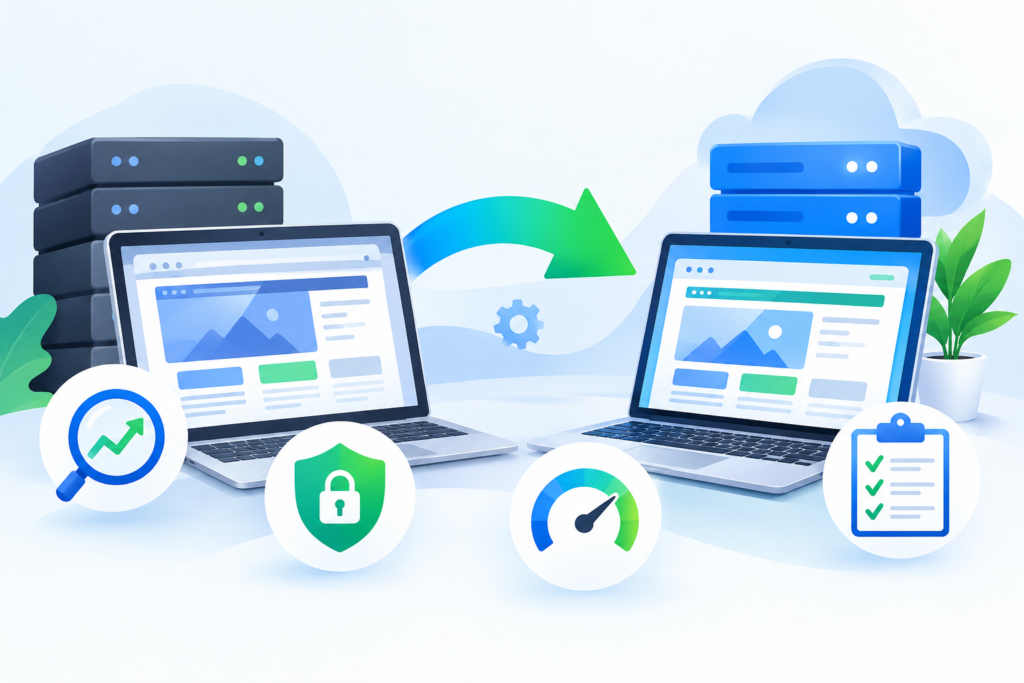
Learn everything about Website Hardening, including security best practices, vulnerability reduction, server protection, access control, malware prevention, and long-term website security strategies to safeguard your online presence.
Introduction
In today’s digital landscape, websites face a constant stream of cyber threats ranging from malware infections and brute-force attacks to data breaches and unauthorized access attempts. Whether you operate a business website, eCommerce platform, membership portal, or personal blog, security can no longer be treated as an optional consideration. It has become a fundamental requirement for maintaining trust, protecting customer data, and ensuring uninterrupted operations.
Website hardening refers to the proactive process of reducing security vulnerabilities and strengthening every layer of a website’s infrastructure. Instead of waiting for an attack to occur, website hardening focuses on minimizing the opportunities available to cybercriminals. This approach includes securing servers, applications, databases, user accounts, plugins, configurations, and network communications.
At FixHackedSite, we have seen firsthand how preventable security weaknesses often become the primary entry points for attackers. Proper website hardening creates multiple layers of defense that significantly reduce risk while improving website stability, compliance, and long-term reliability. This guide explores the most effective website hardening techniques and security strategies that modern website owners should implement.
What Is Website Hardening and Why Does It Matter?
Website hardening is the process of strengthening the security posture of a website by removing unnecessary attack surfaces, tightening configurations, and implementing security best practices. The objective is simple: make it significantly more difficult for attackers to exploit weaknesses within your website environment.
Many website owners assume hackers only target large corporations. In reality, automated bots continuously scan millions of websites looking for outdated software, weak passwords, vulnerable plugins, exposed files, and misconfigured servers. These automated attacks do not discriminate based on business size. Small and medium-sized websites are frequently targeted because they often lack adequate security controls.
A hardened website benefits from reduced vulnerability exposure, improved resilience against attacks, better regulatory compliance, enhanced customer trust, and lower recovery costs. Security incidents often result in financial losses, reputational damage, search engine penalties, and prolonged downtime. By proactively implementing website hardening measures, organizations can dramatically reduce the likelihood of these outcomes while maintaining a secure online environment.
Understanding the Modern Website Threat Landscape
Cybersecurity threats evolve continuously. Attackers constantly develop new methods for exploiting vulnerabilities, bypassing security controls, and gaining unauthorized access to systems. Understanding these threats is the first step toward building an effective website hardening strategy.
One of the most common attack vectors involves exploiting outdated software. Vulnerable content management systems, plugins, themes, server software, and third-party integrations frequently become entry points for attackers. Once access is gained, hackers may inject malware, steal sensitive data, create backdoors, or redirect website traffic for malicious purposes.
Other major threats include SQL injection attacks, cross-site scripting (XSS), brute-force login attempts, credential stuffing attacks, ransomware infections, privilege escalation exploits, and distributed denial-of-service (DDoS) attacks. Each of these threats targets different components of a website infrastructure, highlighting the need for a comprehensive and layered security approach.
Website hardening directly addresses these risks by reducing vulnerabilities, limiting permissions, improving monitoring, and implementing multiple security controls that work together to defend against both automated and targeted attacks.
Securing the Hosting Environment
The security of a website begins with its hosting infrastructure. Even the most secure application can become vulnerable if it operates on an insecure server environment. Choosing a reputable hosting provider with strong security standards is therefore a critical first step.
A secure hosting environment should include regular security updates, firewall protection, intrusion detection systems, malware scanning, account isolation, automated backups, and secure access controls. Website owners should also ensure that unused services, applications, and ports are disabled to reduce potential attack surfaces.
According to Google Search Central, maintaining secure infrastructure is essential for protecting users and preserving website trust. Security-conscious hosting providers often offer additional protections such as Web Application Firewalls (WAFs), DDoS mitigation, and advanced monitoring tools that help identify suspicious activity before it causes significant damage.
Investing in secure hosting may seem costly initially, but the financial impact of a security breach often far exceeds the cost of preventative protection.
Keeping Software, Plugins, and Themes Updated
Outdated software remains one of the leading causes of website compromises worldwide. Attackers actively search for websites running older versions of content management systems, plugins, themes, frameworks, and server applications that contain known vulnerabilities.
Software vendors regularly release updates that address newly discovered security issues. Delaying updates leaves websites exposed to publicly documented exploits that attackers can easily weaponize. This is particularly dangerous because vulnerability databases often provide detailed technical information about flaws shortly after patches are released.
Website owners should establish a structured update management process. Critical security updates should be installed promptly after testing. Less urgent updates should be scheduled regularly to maintain compatibility while minimizing risk. Automated update systems can help reduce administrative burden and improve consistency.
In addition to applying updates, organizations should remove unused plugins, inactive themes, and abandoned extensions. Every unnecessary component increases the attack surface and creates additional security risks that can often be eliminated entirely through proper maintenance.
Strengthening User Authentication and Access Control
Weak authentication mechanisms remain a major contributor to website security incidents. Attackers frequently exploit weak passwords, credential reuse, and insufficient account protections to gain unauthorized access.
A robust authentication strategy begins with strong password requirements. Passwords should be unique, complex, and resistant to brute-force attacks. Organizations should encourage password manager usage to improve credential security and reduce password reuse across multiple platforms.
Implementing Multi-Factor Authentication (MFA) provides an additional layer of protection. Even if login credentials become compromised, attackers still face an additional verification barrier before gaining access. MFA significantly reduces the likelihood of successful account takeovers and is considered one of the most effective security controls available today.
Access control should follow the principle of least privilege. Users should only receive permissions necessary to perform their responsibilities. Limiting privileges reduces the potential impact of compromised accounts while improving overall security governance.
Hardening Website File and Directory Permissions
File and directory permissions determine who can access, modify, execute, or delete website resources. Improper permissions create opportunities for attackers to alter files, upload malicious scripts, or gain elevated privileges.
Website administrators should review permission settings regularly to ensure they align with security best practices. Critical system files should be protected from unauthorized modifications, while executable permissions should only be granted when absolutely necessary.
Sensitive files such as configuration files, database credentials, API keys, and backup archives require additional protection. These files should never be publicly accessible through a web browser. Access restrictions can be implemented through server configurations, directory protection mechanisms, and secure storage practices.
Regular file integrity monitoring provides an additional security layer by detecting unauthorized modifications. When unexpected file changes occur, administrators can investigate promptly and respond before attackers achieve their objectives.
Implementing Secure Communication with HTTPS
Secure communication plays a crucial role in website hardening. Data transmitted between users and websites can be intercepted if encryption mechanisms are not properly implemented. HTTPS addresses this issue by encrypting data exchanges using SSL/TLS certificates.
Modern users expect secure browsing experiences. Search engines also prioritize secure websites because encryption protects user privacy and data integrity. Websites operating without HTTPS risk exposing sensitive information such as login credentials, payment details, and personal data.
Website owners should deploy trusted SSL/TLS certificates and configure them correctly. Weak encryption protocols and outdated cipher suites should be disabled to prevent attackers from exploiting known cryptographic weaknesses. Regular certificate monitoring helps ensure uninterrupted security coverage and avoids expiration-related disruptions.
Organizations should also implement HTTP Strict Transport Security (HSTS) to enforce encrypted connections. This additional protection reduces the risk of downgrade attacks and helps maintain secure communications across all website interactions.
Protecting Against Malware and Backdoor Infections

Malware remains one of the most damaging threats facing websites today. Once malware infiltrates a website, attackers may steal information, redirect visitors, inject spam content, distribute malicious downloads, or maintain persistent unauthorized access through hidden backdoors.
Effective malware prevention begins with strong website hardening practices. Keeping software updated, restricting permissions, securing access controls, and implementing monitoring solutions significantly reduce infection risks. However, preventative measures alone are not always sufficient.
Continuous malware scanning helps identify malicious code before it causes extensive damage. Security monitoring tools can detect suspicious file changes, unusual processes, unauthorized user activity, and abnormal traffic patterns. Early detection allows organizations to contain threats quickly and minimize impact.
Backdoor detection is equally important. Attackers frequently install hidden access mechanisms that remain active even after visible malware is removed. Comprehensive security audits, file integrity checks, and professional malware removal procedures help ensure complete remediation and long-term protection.
Configuring Firewalls and Intrusion Prevention Systems
Firewalls serve as one of the most important defensive layers in website security. They monitor incoming and outgoing traffic while filtering malicious requests before they reach critical systems. Proper firewall implementation significantly reduces exposure to common attack techniques.
Web Application Firewalls (WAFs) provide specialized protection against application-level attacks such as SQL injection, cross-site scripting, remote code execution attempts, and malicious bot activity. By analyzing request patterns and applying predefined security rules, WAFs can block many attacks automatically.
Intrusion Prevention Systems (IPS) complement firewall protections by identifying suspicious behaviors and actively responding to potential threats. These systems monitor traffic, analyze anomalies, and enforce security policies in real time. Combined with continuous monitoring, they create a proactive defense strategy capable of stopping many attacks before they escalate.
Organizations should review firewall configurations regularly and update security rules as new threats emerge. Security is not a one-time implementation but an ongoing process requiring continuous improvement and adaptation.
Securing Databases Against Unauthorized Access
Databases often contain the most valuable information associated with a website, including customer records, login credentials, transaction histories, business data, and operational information. Because of the sensitive nature of this data, databases frequently become primary targets for cybercriminals seeking financial gain or unauthorized access.
Database hardening begins with restricting access. Database servers should never be publicly accessible unless absolutely necessary. Administrators should use network-level restrictions, firewall rules, and IP whitelisting to limit access only to trusted systems and personnel. Strong authentication mechanisms, unique credentials, and role-based permissions further reduce exposure.
Regular database maintenance is equally important. Default accounts should be removed or secured, unnecessary features should be disabled, and database software should remain updated with the latest security patches. Encryption of sensitive data both at rest and in transit provides additional protection against unauthorized access. By implementing layered database security controls, organizations can significantly reduce the risk of data breaches and compliance violations.
Minimizing Attack Surfaces Through Configuration Hardening
One of the core objectives of website hardening is reducing the attack surface available to potential attackers. Every enabled service, open port, active application, and installed component creates a possible entry point that cybercriminals may attempt to exploit.
Configuration hardening focuses on removing unnecessary functionality and securing essential services. Default settings should never be assumed secure. Many software products prioritize usability over security, making it necessary for administrators to review and strengthen configurations after installation.
Common hardening practices include disabling directory listing, removing unnecessary modules, restricting administrative interfaces, hiding software version information, disabling unused APIs, and enforcing secure configuration policies. These measures help eliminate common reconnaissance opportunities that attackers use during the early stages of an attack.
A smaller attack surface makes websites more resilient because attackers have fewer opportunities to discover vulnerabilities. Combined with regular security assessments, configuration hardening provides a strong foundation for long-term website protection.
Monitoring Logs and Detecting Suspicious Activity
Website hardening does not end after security controls are implemented. Continuous monitoring is essential because new threats, vulnerabilities, and attack techniques emerge regularly. Security monitoring allows organizations to detect incidents early and respond before significant damage occurs.
Logs provide valuable visibility into website activity. Server logs, application logs, authentication logs, firewall logs, and database logs collectively create a detailed record of events occurring within the environment. Reviewing these logs helps identify unusual behavior such as repeated login failures, privilege escalation attempts, malware activity, or suspicious file modifications.
Automated monitoring solutions can analyze large volumes of data more efficiently than manual review processes. Security Information and Event Management (SIEM) platforms, threat detection systems, and behavioral analytics tools help identify patterns that may indicate malicious activity.
Organizations that actively monitor their environments often detect threats much faster than those relying solely on preventative controls. Early detection reduces recovery costs, limits operational disruption, and improves overall cybersecurity resilience.
Website Backup Strategies for Security and Recovery
Even the most secure website can experience unexpected security incidents. Effective backup strategies provide a critical safety net that enables rapid recovery when data loss, malware infections, or system failures occur.
A comprehensive backup strategy includes multiple backup types, including full backups, incremental backups, and database-specific backups. These backups should be stored securely in separate locations to protect against ransomware, hardware failures, and localized disasters.
Regular testing is often overlooked but remains essential. Organizations frequently discover backup issues only when attempting to restore data during an emergency. Routine restoration testing verifies backup integrity and ensures recovery procedures function as expected.
Backup retention policies should balance recovery flexibility with storage efficiency. Maintaining multiple backup versions helps organizations recover from incidents that may have gone undetected for extended periods. Combined with proactive security measures, reliable backups form an essential component of a complete website hardening strategy.
Implementing Security Headers and Browser Protections
Modern browsers offer powerful security features that can help protect websites and users from common attack techniques. Security headers provide instructions that influence browser behavior and reduce exposure to client-side vulnerabilities.
One important security header is the Content Security Policy (CSP), which helps prevent cross-site scripting attacks by controlling which resources browsers are allowed to load. Proper CSP implementation significantly reduces the risk of malicious script execution.
Other valuable headers include X-Frame-Options, which helps prevent clickjacking attacks, and X-Content-Type-Options, which reduces MIME-type confusion vulnerabilities. Referrer-Policy, Permissions-Policy, and Strict-Transport-Security provide additional layers of browser-based protection.
Security headers are often simple to implement but deliver substantial security benefits. Organizations should review header configurations regularly and adjust policies as websites evolve. Browser-level protections represent a cost-effective method of strengthening website security while improving overall user trust.
Conducting Regular Security Audits and Vulnerability Assessments
Website hardening is most effective when supported by ongoing security assessments. Security audits and vulnerability assessments help organizations identify weaknesses before attackers discover and exploit them.
A vulnerability assessment systematically evaluates website components for known security issues. These assessments may include automated scanning, configuration reviews, software inventory analysis, and manual verification processes. Findings provide valuable insights into areas requiring remediation.
Security audits typically take a broader view by evaluating policies, procedures, access controls, monitoring practices, backup strategies, and overall security governance. Regular audits help ensure that security controls remain effective as websites, technologies, and threat landscapes evolve.
Organizations that perform routine assessments can prioritize remediation efforts based on risk, allocate resources more effectively, and maintain stronger security postures over time. Continuous evaluation transforms website hardening from a one-time project into an ongoing security program.
Building a Long-Term Website Hardening Strategy
Website hardening should never be viewed as a single event. Cybersecurity is an ongoing process requiring continuous attention, adaptation, and improvement. Threats evolve rapidly, making long-term planning essential for maintaining effective protection.
A sustainable hardening strategy begins with documented security policies and clearly defined responsibilities. Teams should understand security requirements, update procedures, incident response processes, and monitoring responsibilities. Security awareness training further strengthens organizational resilience by reducing human error.
Regular reviews help ensure controls remain effective as technologies change. New plugins, integrations, applications, and infrastructure modifications should undergo security evaluations before deployment. Risk assessments provide additional visibility into emerging threats and evolving business requirements.
Organizations that embrace continuous improvement are better positioned to defend against future attacks. Website hardening becomes significantly more effective when integrated into everyday operations rather than treated as an occasional maintenance task.
Common Website Hardening Mistakes to Avoid
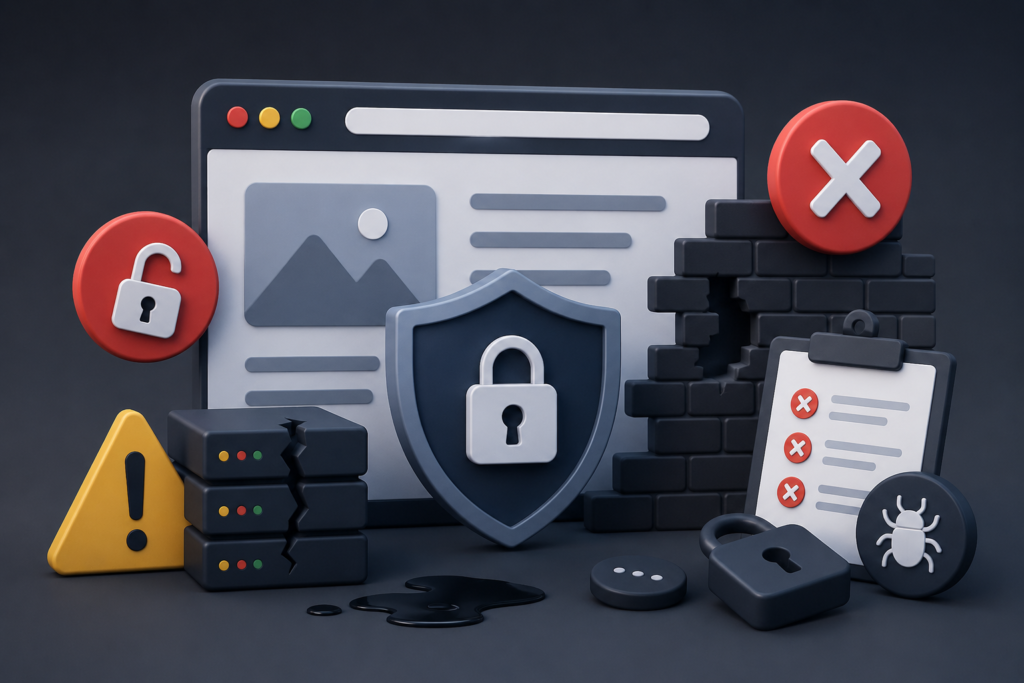
Many website owners invest in security tools yet still leave critical vulnerabilities unaddressed. Understanding common mistakes can help organizations strengthen defenses and avoid preventable incidents.
One major mistake is relying solely on antivirus or malware scanners while ignoring broader security practices. Security requires multiple layers of protection, including updates, access control, monitoring, and configuration management. No single tool can provide complete protection.
Another common error involves using weak passwords or sharing administrative accounts among multiple users. Shared credentials reduce accountability and increase the likelihood of unauthorized access. Every user should have unique credentials and appropriate permission levels.
Website owners also frequently neglect backup testing, software updates, log monitoring, and vulnerability assessments. These oversights can significantly increase security risks. Consistent maintenance and proactive security management remain essential components of successful website hardening efforts.
Best Practices Summary for Effective Website Hardening
Website hardening is most successful when organizations adopt a comprehensive and layered approach to security. The following best practices provide a strong foundation for protecting websites against modern cyber threats:
- Keep all software, plugins, themes, and server applications updated.
- Use strong passwords and enforce Multi-Factor Authentication (MFA).
- Apply the principle of least privilege for all user accounts.
- Harden server configurations and disable unnecessary services.
- Implement HTTPS using properly configured SSL/TLS certificates.
- Secure databases through access restrictions and encryption.
- Deploy Web Application Firewalls and intrusion prevention solutions.
- Monitor logs continuously and investigate suspicious activity promptly.
- Conduct regular vulnerability assessments and security audits.
- Maintain tested backups and documented recovery procedures.
- Implement browser security headers and content security policies.
- Establish long-term security governance and continuous improvement processes.
Following these practices significantly reduces risk while improving website stability, reliability, and user trust.
Frequently Asked Questions
1. What is website hardening?
Website hardening is the process of strengthening website security by reducing vulnerabilities, securing configurations, restricting access, and implementing protective measures that make cyberattacks more difficult to execute successfully.
2. Why is website hardening important?
Website hardening helps prevent malware infections, unauthorized access, data breaches, website defacement, and service disruptions. It also improves user trust and supports long-term business continuity.
3. How often should website hardening activities be performed?
Website hardening should be treated as an ongoing process. Security reviews, updates, monitoring, and vulnerability assessments should occur regularly to address emerging threats and changing technologies.
4. Does HTTPS alone make a website secure?
No. HTTPS protects data during transmission but does not address vulnerabilities related to software, authentication, permissions, malware, or server configurations. It is only one component of a comprehensive security strategy.
5. What is the difference between website hardening and malware removal?
Website hardening focuses on prevention by reducing vulnerabilities and strengthening defenses. Malware removal focuses on identifying and eliminating existing infections after a compromise has occurred.
6. Can small businesses benefit from website hardening?
Absolutely. Small businesses are frequently targeted because attackers often assume they have weaker security controls. Website hardening helps reduce risk regardless of company size.
7. What role do backups play in website security?
Backups provide recovery capabilities following malware infections, ransomware attacks, accidental data loss, or system failures. They are an essential part of any website security strategy.
8. How do vulnerability assessments support website hardening?
Vulnerability assessments identify security weaknesses before attackers exploit them. Regular assessments help organizations prioritize remediation efforts and maintain stronger security postures.
Conclusion
Website hardening is one of the most effective ways to protect online assets against modern cyber threats. By reducing vulnerabilities, strengthening configurations, securing access controls, monitoring activity, and implementing layered defenses, organizations can dramatically improve their security posture and resilience.
A proactive security approach is far more effective and cost-efficient than reacting to breaches after they occur. From server protection and authentication security to malware prevention and continuous monitoring, every layer contributes to a stronger defense strategy.
At FixHackedSite, we understand that maintaining website security requires expertise, consistency, and vigilance. Investing in website hardening today can help prevent costly security incidents tomorrow while protecting your reputation, customers, and business operations for years to come.
Want to Implement This Easily?
Prompt Text:
You are an expert consultant. Based on the blog post titled “Website Hardening”, provide a step-by-step, practical implementation guide. Include tools, best practices, common mistakes to avoid, and advanced tips. Assume the reader wants to implement everything discussed in this article effectively.
Call to Action:
Want our help implementing this? Just reach out to us via our website contact form: