
Website Migration is the process of moving a website, its files, databases, content, or hosting environment while maintaining security, SEO performance, functionality, and user experience. Learn the complete migration process, best practices, common challenges, and expert strategies for a successful website migration.
Introduction
Website migration is one of the most critical technical projects any business, organization, or website owner will undertake. Whether you are moving to a new hosting provider, changing your domain, redesigning your website, upgrading your content management system (CMS), or migrating to a cloud infrastructure, every step requires careful planning and execution. Even a small mistake can result in downtime, lost search engine rankings, broken pages, security vulnerabilities, or lost customer trust.
A successful migration is much more than copying website files from one server to another. It involves protecting valuable SEO assets, maintaining website security, preserving user experience, ensuring data integrity, and validating that every function performs correctly after launch. Modern website migrations require collaboration between developers, SEO professionals, system administrators, content managers, and security experts to minimize risks and maximize performance improvements.
At FixHackedSite, we understand that website migration is not simply a technical task—it is a business-critical process that directly impacts online visibility, customer experience, and revenue. This comprehensive guide explains every major aspect of website migration, helping website owners make informed decisions while following industry best practices, Google’s recommendations, and proven migration strategies.
Website Migration Explained: Understanding the Complete Process
Website migration refers to any significant change that affects a website’s structure, technology, location, or accessibility. Many people believe migration simply means changing web hosting, but in reality it covers numerous scenarios, including domain changes, CMS migrations, HTTPS implementation, website redesigns, server upgrades, cloud migrations, multilingual website expansion, and structural URL changes. Each migration type introduces different technical challenges that require careful planning and testing before deployment.
A well-executed migration protects every important asset your website has built over time. Search engine rankings, indexed pages, backlinks, user trust, structured data, media files, databases, and application functionality all need to remain intact throughout the transition. Google’s official guidance on Google Search Central recommends planning migrations carefully, maintaining proper redirects, and monitoring indexing after launch to reduce ranking fluctuations. Likewise, performance recommendations from web.dev emphasize maintaining fast page loading and a positive user experience during technical changes.
Migration projects usually follow several phases, beginning with planning and auditing. Teams identify existing website assets, evaluate technical dependencies, create backups, document URL structures, review SEO performance, and establish rollback procedures. The migration is then implemented in a staging environment where developers verify functionality before deployment. After launch, extensive monitoring helps identify crawl errors, redirect issues, performance bottlenecks, and security concerns. This structured approach reduces risk while ensuring both visitors and search engines experience a seamless transition.
Why Website Migration Matters for Business Growth and Digital Success
Businesses often postpone migration because they fear losing search rankings or experiencing downtime. However, delaying necessary migrations can expose websites to outdated technologies, security vulnerabilities, slow performance, and compatibility problems. Modern websites must continuously evolve to meet changing customer expectations, browser requirements, search engine algorithms, and cybersecurity standards. Migration enables organizations to modernize their digital infrastructure while improving long-term scalability.
Migrating to better infrastructure often results in measurable performance improvements. Faster servers, optimized databases, improved caching, content delivery networks (CDNs), and updated software reduce loading times while improving website reliability. Faster websites contribute to stronger user engagement, lower bounce rates, and improved conversion opportunities. Google’s Core Web Vitals emphasize loading performance, interactivity, and visual stability as important user experience signals that website owners should continuously optimize.
Migration also supports future business expansion. Organizations launching international websites, integrating new technologies, implementing advanced e-commerce features, or moving toward cloud-based architecture need scalable infrastructure capable of supporting future growth. Migration provides an opportunity to redesign information architecture, improve accessibility, enhance security controls, streamline workflows, and eliminate outdated technical debt that limits innovation.
From a business continuity perspective, website migration also reduces operational risks. Legacy servers, unsupported software, and aging infrastructure become increasingly vulnerable to cyberattacks, hardware failures, and compliance issues. Proactively migrating before problems occur allows organizations to maintain stability while minimizing emergency recovery situations. Investing time in a carefully managed migration protects both immediate operations and long-term digital success.
Different Types of Website Migration Every Website Owner Should Know
Website migration is not a single process but a collection of different migration scenarios, each with unique planning requirements. Understanding the migration type helps organizations select appropriate tools, define realistic timelines, and anticipate technical challenges before implementation.
One of the most common migration types is hosting migration, where websites move from one hosting provider to another. Businesses often migrate to achieve better performance, stronger security, improved customer support, or greater scalability. During hosting migration, website files, databases, email services, SSL certificates, DNS configurations, and application settings must all be transferred accurately while minimizing downtime.
Another common migration involves domain migration, where websites change from one domain name to another. Domain changes require careful redirect planning, updated canonical URLs, refreshed XML sitemaps, revised internal links, and verification within search engine webmaster tools. Without proper planning, businesses risk losing valuable search visibility built over many years. Permanent redirects and consistent URL mapping help preserve ranking signals while guiding visitors to the correct pages.
Organizations also perform CMS migration, moving from one content management system to another, such as upgrading legacy platforms to modern content management solutions. These migrations often involve redesigning templates, converting databases, preserving metadata, maintaining URL structures, and ensuring plugin compatibility. Other migration categories include HTTPS migrations, cloud migrations, multilingual website migrations, platform migrations, and website redesign migrations. Each project demands detailed testing, documentation, and validation to ensure functionality, security, and SEO performance remain intact throughout the transition.
Planning a Successful Website Migration Before Any Technical Work Begins
Every successful migration begins long before files are transferred or servers are updated. Strategic planning reduces uncertainty, identifies potential risks, and creates a clear roadmap for every stakeholder involved in the migration. Skipping the planning stage frequently leads to missed redirects, broken functionality, indexing issues, and unexpected downtime that could have been prevented through proper preparation.
The first planning step involves conducting a comprehensive website audit. This includes documenting all URLs, analyzing current search engine rankings, identifying high-performing content, reviewing backlinks, exporting analytics data, cataloging media assets, and recording existing technical configurations. Teams should also evaluate plugins, third-party integrations, payment gateways, APIs, forms, and user authentication systems to ensure compatibility after migration. Every important asset should be inventoried before changes begin.
Creating complete website backups is equally essential. Full backups should include website files, databases, server configurations, SSL certificates, email settings, and DNS records. Multiple backup copies stored in separate secure locations provide additional protection if unexpected failures occur. Recovery procedures should be tested in advance so restoration can be completed quickly if necessary.
A detailed migration checklist keeps every task organized from beginning to end. Assign responsibilities, establish timelines, define quality assurance procedures, prepare rollback plans, and schedule migration during periods of lower website traffic whenever possible. Effective communication among developers, SEO specialists, security professionals, and business stakeholders ensures that technical implementation aligns with business objectives while minimizing disruption to users. Proper planning transforms website migration from a high-risk operation into a controlled, predictable, and measurable project.
Preparing Your Website for Migration: Building a Strong Foundation for Success
A successful Website Migration begins with meticulous preparation rather than the migration itself. Organizations that invest time in planning are far more likely to avoid downtime, data loss, SEO issues, and security vulnerabilities. Before moving any files or changing server configurations, every aspect of the existing website should be documented and evaluated. This includes creating a complete inventory of website pages, media files, databases, user accounts, plugins, themes, APIs, integrations, and custom code. Understanding your current environment allows you to identify potential compatibility issues before they become critical problems.
One of the most important preparation steps is performing a full website audit. Review your site’s content, crawlability, technical SEO, page performance, and overall health. Use Google Search Console to identify indexing issues, crawl errors, and pages with strong organic visibility that require extra protection during migration. Evaluate loading performance using PageSpeed Insights and measure user experience metrics according to Core Web Vitals recommendations. Recording these baseline metrics makes it easier to compare performance after migration and quickly identify unexpected changes.
Creating multiple verified backups is equally essential. Back up website files, databases, DNS configurations, SSL certificates, email accounts, and server settings before making any modifications. Store backup copies in separate secure locations and verify that restoration procedures work correctly. At the same time, establish a staging environment that mirrors the production website as closely as possible. Testing migrations within staging enables developers to identify software conflicts, broken functionality, database issues, and design inconsistencies without affecting live users. A carefully prepared migration significantly reduces risk while ensuring a smoother transition from the old environment to the new one.
Protecting SEO Rankings During Website Migration
One of the greatest concerns during a Website Migration is preserving search engine rankings. Years of SEO investment can be negatively affected if URLs change without proper planning or if search engines encounter broken links, duplicate content, or missing redirects. Fortunately, following established SEO best practices can significantly reduce ranking fluctuations and help search engines understand your updated website structure.
The first priority is preserving URL consistency whenever possible. If URL changes are unavoidable, every old URL should permanently redirect to its corresponding new page using 301 redirects. A comprehensive redirect map prevents visitors and search engine crawlers from reaching error pages while transferring ranking signals to the new URLs. Google’s official Site Move with URL Changes documentation explains how properly configured redirects help maintain search visibility during migrations. Every redirect should be individually tested to confirm it reaches the correct destination without redirect chains or loops.
Website metadata must also remain consistent throughout migration. Preserve title tags, meta descriptions, structured data, canonical tags, image alt attributes, and internal linking structures whenever possible. After launch, generate a fresh XML sitemap and submit it through Google Search Console to help search engines discover updated URLs quickly. Monitoring crawl reports, indexing status, and coverage issues during the weeks following migration enables rapid identification of technical problems before they significantly impact organic traffic.
Content quality should never decline during migration. Avoid deleting valuable pages unless they no longer provide value or have suitable replacements. Maintain keyword relevance naturally without introducing duplicate content or thin pages. Review internal navigation to ensure every important page remains easily accessible to both users and search engine crawlers. Combining strong technical implementation with Google’s recommendations in the Google SEO Starter Guide helps protect rankings while supporting long-term search performance.
Website Security Considerations During Website Migration
Security should remain a top priority throughout every phase of a Website Migration. Migration activities often involve transferring sensitive data, modifying server configurations, updating software, and granting temporary administrative access to multiple team members. Without appropriate safeguards, attackers may exploit these changes to gain unauthorized access, intercept data, or compromise the new environment before it becomes fully operational.
Before migration begins, ensure every system involved has the latest security updates installed. Remove unused plugins, themes, extensions, user accounts, and obsolete software that could introduce unnecessary vulnerabilities. Review website security using guidance from the OWASP Top 10, which identifies the most critical web application security risks. Strengthen authentication by enabling multi-factor authentication for administrative accounts and applying the principle of least privilege so users receive only the permissions they require during the migration process.
Encryption also plays an essential role in protecting transferred information. All data should be transmitted using secure protocols such as HTTPS, SFTP, or SSH rather than unsecured alternatives. Confirm SSL certificates function correctly after migration and verify proper implementation of HTTP Strict Transport Security (HSTS) where appropriate. Sensitive configuration files should never be publicly accessible, and database credentials must be securely stored outside publicly accessible directories whenever possible.
Following deployment, perform a complete security review before announcing the migration publicly. Scan the website for malware, verify file permissions, inspect server logs, test user authentication, validate security headers, and confirm backups continue running correctly. Monitoring suspicious login attempts, unusual traffic patterns, and unexpected file modifications during the first several weeks helps identify threats before they become major incidents. Integrating security into every migration phase creates a more resilient website while protecting valuable business and customer information.
Testing and Validating Your Website After Migration
Launching a migrated website is not the final step—it marks the beginning of a comprehensive validation process. Thorough testing ensures every component operates correctly, visitors experience consistent functionality, and search engines can successfully crawl and index the updated website. Organizations that skip post-migration validation frequently discover broken pages, missing resources, database errors, and SEO problems only after customers begin reporting them.
Begin with functional testing across the entire website. Verify navigation menus, internal links, forms, login systems, shopping carts, payment gateways, search functionality, media files, downloads, and interactive elements. Every important user journey should be tested on desktop computers, tablets, and mobile devices using multiple browsers. Responsive design should remain consistent regardless of screen size, following recommendations outlined by the Web Content Accessibility Guidelines (WCAG) to improve accessibility and usability for all visitors.
Technical validation should include comprehensive SEO and performance checks. Crawl the website to identify broken links, duplicate pages, missing metadata, orphaned content, redirect chains, and server errors. Confirm XML sitemaps, robots.txt files, canonical tags, structured data, and hreflang implementations remain accurate after migration. Measure website speed using PageSpeed Insights and audit technical performance with Lighthouse. Compare these results against your pre-migration benchmarks to identify areas requiring optimization.
Finally, establish continuous monitoring during the weeks following deployment. Review analytics data daily, monitor server uptime, track organic traffic, inspect error logs, and observe user behavior for unexpected changes. Watch indexing reports inside Google Search Console to ensure new pages are being crawled successfully while old URLs continue redirecting correctly. Consistent monitoring allows organizations to resolve issues quickly, maintain business continuity, and ensure the migration delivers long-term improvements in performance, security, and user experience.
Website Migration Challenges and How to Overcome Them
Every Website Migration presents unique challenges, regardless of the website’s size or complexity. Even with detailed planning, unexpected technical issues can arise during the migration process. Understanding these challenges in advance enables organizations to prepare effective mitigation strategies that reduce downtime, protect data, and preserve search engine visibility. The most successful migration projects anticipate problems before they occur rather than reacting after deployment.
One of the most common migration challenges is unexpected downtime. Downtime may occur due to DNS propagation delays, server configuration errors, database incompatibilities, or incomplete file transfers. To minimize this risk, schedule migrations during periods of low website traffic and thoroughly test the entire migration process within a staging environment before making any production changes. Google’s Site Move with URL Changes guidance recommends carefully validating redirects and ensuring search engines can access updated pages immediately after migration.
Another significant challenge involves data integrity. During migration, databases, media libraries, customer records, orders, and user-generated content must remain complete and accurate. Corrupted or incomplete data transfers can severely affect website functionality and customer trust. Using checksum verification, automated migration tools, and comprehensive backup procedures helps ensure transferred data remains unchanged. Multiple backup copies should always be available before migration begins, allowing immediate restoration if unexpected issues occur.
Communication challenges also affect many migration projects. Developers, SEO specialists, designers, content managers, hosting providers, and business stakeholders often work simultaneously, increasing the possibility of misunderstandings. Establishing clear documentation, assigning responsibilities, maintaining migration checklists, and holding regular progress reviews improves coordination throughout the project. Continuous monitoring after deployment ensures any remaining issues are identified and resolved quickly, helping organizations maintain stable operations while protecting long-term digital performance.
Choosing the Right Website Migration Strategy
Selecting the appropriate migration strategy is one of the most important decisions in any Website Migration project. Every website has different technical requirements, business objectives, traffic levels, and infrastructure limitations. Choosing the wrong migration approach can introduce unnecessary complexity, increase downtime, or negatively affect user experience. Careful evaluation before implementation ensures the migration aligns with both immediate requirements and future business growth.
Organizations should begin by identifying the primary purpose of the migration. Some migrations focus on improving hosting performance, while others involve changing domains, upgrading content management systems, redesigning websites, implementing HTTPS, or moving to cloud-based infrastructure. Each scenario requires different planning priorities, testing procedures, and validation methods. Understanding these objectives helps project teams allocate resources effectively and establish realistic timelines.
Migration strategies generally fall into several categories. A lift-and-shift migration transfers the existing website with minimal changes, making it suitable for hosting upgrades or infrastructure improvements. A re-platform migration involves moving to a new content management system or e-commerce platform while preserving existing content. A redesign migration combines technical upgrades with visual improvements and information architecture changes. Organizations migrating to scalable cloud environments often adopt phased migration approaches that gradually transition services while minimizing operational disruption.
Regardless of strategy, testing remains essential. Build a staging environment that closely mirrors production, validate every function, review SEO configurations, and perform security assessments before launch. Monitor performance using PageSpeed Insights, evaluate technical quality with Lighthouse, and review indexing status using Google Search Console. A carefully selected migration strategy provides a structured roadmap that reduces technical risks while supporting sustainable long-term growth.
Website Migration for E-Commerce Websites
E-commerce websites require particularly careful planning during Website Migration because every interruption can directly impact revenue, customer confidence, and business operations. Unlike informational websites, online stores depend on continuous access to product catalogs, shopping carts, payment gateways, inventory systems, customer accounts, and order management platforms. A poorly executed migration can result in abandoned purchases, duplicate orders, inventory inconsistencies, or payment processing failures.
Preparation begins with a comprehensive audit of every business-critical component. Product pages, categories, customer accounts, wish lists, discount codes, reviews, images, order histories, shipping integrations, tax configurations, and payment systems should all be documented before migration. High-performing product pages that generate significant organic traffic deserve additional attention to ensure their URLs, metadata, structured data, and internal links remain intact after migration. Google’s Product Structured Data documentation provides valuable guidance for maintaining product visibility within search results.
Security becomes even more important when financial transactions are involved. Payment gateways should be tested extensively before launch, SSL certificates must function correctly, and sensitive customer information should always remain encrypted during data transfers. Organizations processing payment card information should also follow the PCI Security Standards to maintain compliance and protect customer data.
Following migration, perform end-to-end testing across the complete purchasing journey. Verify product searches, category navigation, shopping cart functionality, promotional discounts, shipping calculations, payment processing, order confirmations, inventory synchronization, and customer account management. Monitor conversion rates, checkout abandonment, page performance, and transaction logs closely during the first several weeks. Continuous optimization after launch ensures customers experience a seamless shopping journey while preserving search visibility and maintaining business continuity.
Website Migration for WordPress Websites
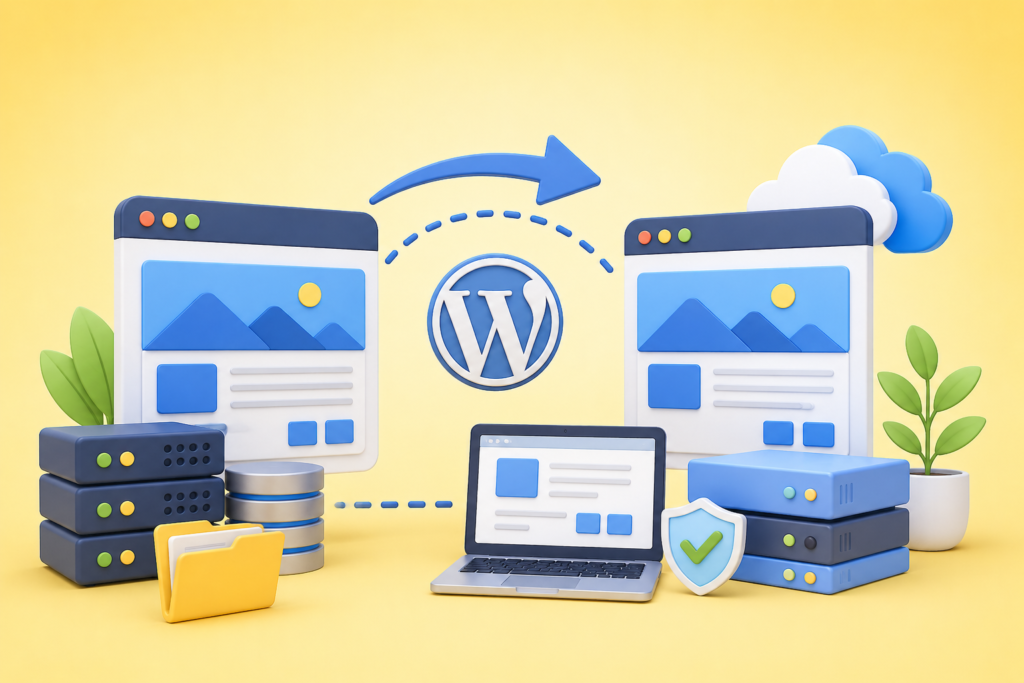
WordPress powers millions of websites worldwide, making WordPress Website Migration one of the most common migration scenarios. Although WordPress offers significant flexibility, its extensive ecosystem of plugins, themes, custom code, and database configurations requires careful planning to avoid compatibility issues. Every migration should focus on preserving website functionality while improving security, performance, and maintainability.
The migration process begins with updating WordPress core files, themes, and plugins to their latest stable versions before creating complete backups. Outdated extensions often introduce compatibility issues during migration and may contain security vulnerabilities. Remove inactive plugins and unused themes to reduce unnecessary complexity. Document custom code modifications so they can be validated after deployment. Testing within a staging environment allows developers to identify conflicts without affecting the live website.
Database integrity is another critical consideration. WordPress stores posts, pages, media references, user accounts, plugin settings, and configuration data within the database. During migration, verify database exports and imports carefully to ensure no records are lost or corrupted. Review permalink structures after migration to maintain URL consistency, configure proper 301 redirects where necessary, and submit updated XML sitemaps through Google Search Console. Google’s Google SEO Starter Guide offers additional recommendations for preserving search visibility during structural website changes.
Performance optimization should also be incorporated into the migration process. Reconfigure caching systems, optimize images, verify CDN functionality, and evaluate loading speed using PageSpeed Insights. Review website security against the OWASP Top 10 recommendations to identify potential vulnerabilities. Completing comprehensive functional, security, SEO, and performance testing ensures the migrated WordPress website delivers a reliable, secure, and high-quality experience for both users and search engines.
Post-Migration Monitoring and Continuous Optimization
A successful Website Migration does not end when the new website goes live. Continuous monitoring is essential to identify technical issues, maintain SEO performance, and ensure a seamless user experience. Monitor website uptime, page speed, crawl errors, redirects, and indexing using Google Search Console and PageSpeed Insights. Compare post-migration metrics with pre-migration benchmarks to detect unexpected traffic drops or performance issues.
Regularly review server logs, analytics, conversion rates, and user behavior. Fix broken links, optimize slow pages, update XML sitemaps, and verify structured data. Ongoing maintenance ensures your website remains secure, fast, and search-engine friendly while supporting long-term business growth.
Future Trends in Website Migration
Website migration continues to evolve with cloud computing, AI-powered automation, containerized hosting, and advanced cybersecurity. Businesses are increasingly adopting cloud-native infrastructure for better scalability, performance, and disaster recovery. Artificial intelligence is also helping automate migration planning, SEO audits, redirect mapping, and performance monitoring.
Future migrations will focus on automation, zero-downtime deployments, stronger security, and improved user experience. Following guidance from Google Search Central and optimizing according to web.dev recommendations will help businesses remain competitive as web technologies continue to advance.
Final Recommendations for Long-Term Website Migration Success
Successful Website Migration requires careful planning, comprehensive testing, strong security, and continuous monitoring. Always create verified backups, use staging environments, implement accurate 301 redirects, preserve SEO metadata, monitor search performance, and validate every website function before and after launch.
Treat migration as a strategic investment rather than a simple technical task. Following industry best practices and continuously optimizing performance, security, and user experience will help your website achieve sustainable growth while minimizing business risks.
Common Website Migration Mistakes to Avoid
Many migration failures result from avoidable mistakes rather than technical limitations. Common errors include skipping backups, failing to test in a staging environment, ignoring SEO redirects, changing URL structures without planning, forgetting XML sitemap updates, overlooking mobile testing, and neglecting post-launch monitoring. Businesses also frequently forget to validate forms, payment systems, SSL certificates, and third-party integrations.
Another major mistake is launching without measuring pre-migration performance. Without baseline data, it becomes difficult to identify problems after deployment. Establish clear success metrics before migration and monitor them closely afterward. Proper planning, documentation, testing, and quality assurance dramatically reduce migration risks while protecting search rankings and customer trust.
Frequently Asked Questions
1. What is website migration?
Website migration is the process of moving a website to a new hosting environment, domain, platform, CMS, or server while maintaining functionality, security, and SEO performance.
2. Will website migration affect SEO?
Temporary ranking fluctuations may occur, but following Google’s migration recommendations, implementing proper 301 redirects, and preserving metadata can minimize SEO impact.
3. How long does a website migration take?
The timeline depends on website size and complexity. Small websites may take several hours, while enterprise migrations can require several weeks of planning and testing.
4. Should I create backups before migrating?
Yes. Always create complete backups of files, databases, server settings, SSL certificates, and DNS configurations before making any changes.
5. Can I migrate a WordPress website safely?
Yes. With proper backups, plugin compatibility testing, staging environments, and post-launch validation, WordPress migrations can be completed safely.
6. What tools help monitor migration success?
Useful tools include Google Search Console, PageSpeed Insights, analytics platforms, uptime monitoring services, and website crawlers.
7. Why is a staging environment important?
A staging environment allows teams to test functionality, security, and performance before deploying changes to the live website, reducing migration risks.
8. How can I reduce website downtime during migration?
Plan carefully, perform extensive testing, migrate during low-traffic periods, use staging environments, prepare rollback procedures, and continuously monitor the website after launch.
Best Practices Summary
- Plan every migration thoroughly before implementation.
- Perform a complete website audit.
- Create and verify multiple backups.
- Test everything in a staging environment.
- Preserve URL structures whenever possible.
- Implement accurate 301 redirects.
- Maintain SEO metadata and structured data.
- Submit updated XML sitemaps.
- Validate website functionality across devices.
- Monitor indexing, performance, and security after launch.
- Follow Google Search Central and web.dev best practices.
Conclusion
A well-executed Website Migration strengthens website performance, improves security, enhances scalability, and preserves valuable search engine visibility. By following a structured migration process that includes planning, testing, SEO preservation, security validation, and continuous optimization, organizations can confidently modernize their digital infrastructure while minimizing risks.
At FixHackedSite, we understand that every migration is unique. Whether you’re moving to a new hosting provider, upgrading your CMS, changing domains, or improving website security, a carefully managed migration helps ensure long-term stability, business continuity, and sustainable online growth.
Want to Implement This Easily?
Prompt
You are an expert consultant. Based on the blog post titled “Website Migration”, provide a step-by-step, practical implementation guide. Include tools, best practices, common mistakes to avoid, and advanced tips. Assume the reader wants to implement everything discussed in this article effectively.
Call to Action
Want our help implementing this? Just reach out to us via our website contact form: