Protect your website with a malware removal subscription service that provides continuous security monitoring, malware detection, expert cleanup, vulnerability prevention, and ongoing protection against cyber threats.
Introduction
Website security is no longer a task that businesses can afford to handle only when something goes wrong. Modern websites rely on content management systems, plugins, themes, databases, third-party integrations, and hosting environments that can introduce security weaknesses when they are not maintained properly. A single compromised component may expose sensitive information, redirect visitors to malicious websites, inject harmful scripts, or disrupt essential business operations. For organizations that depend on their websites for sales, lead generation, customer communication, or brand credibility, these incidents can create significant financial and reputational damage.
A malware removal subscription service provides a proactive approach to website protection by combining professional malware detection, security monitoring, incident response, website cleanup, and ongoing maintenance under a recurring service arrangement. Instead of waiting until a website becomes infected, businesses can work with security specialists who help identify suspicious activity, investigate potential compromises, remove malicious code, and reduce the likelihood of future attacks. The exact services depend on the provider and subscription plan, so businesses should evaluate the coverage, response commitments, and exclusions before purchasing a service.
For website owners, particularly those managing WordPress websites, online stores, membership platforms, and business portals, continuous protection can make security management more predictable. It can also reduce the pressure on internal teams that lack the specialist knowledge or time needed to investigate complex infections. However, a subscription is not a guarantee that a website can never be compromised. Effective protection requires multiple layers, including secure authentication, reliable backups, software updates, appropriate access controls, and a clear recovery process.
At FixHackedSite, the goal is to help website owners understand the importance of professional malware cleanup and ongoing website protection. This guide explains how subscription-based malware removal works, why websites become infected, which security features matter most, and how to evaluate a service before committing to a long-term plan. It also explores practical prevention strategies, incident response procedures, common mistakes, and best practices that businesses can use to strengthen their overall security posture.
By the end of this guide, readers will have a clearer understanding of how to choose and implement a website malware protection strategy that supports business continuity, protects visitors, and reduces avoidable security risks.
What Is a Malware Removal Subscription Service?
A malware removal subscription service is an ongoing website security solution designed to help website owners detect, investigate, and remove malicious software while reducing the risk of recurring infections. Unlike a one-time malware cleanup, which generally focuses on resolving a specific incident, a subscription establishes a continuing relationship with a security provider. Depending on the selected plan, this relationship may include automated security scans, suspicious activity monitoring, manual malware investigations, professional cleanup, vulnerability assessments, and recommendations for improving website security.
Website malware can take many forms. Attackers may inject malicious JavaScript into website files, modify database content, install unauthorized administrator accounts, upload backdoors, or manipulate server configurations. Some infections are visible immediately, while others remain hidden until an attacker uses the compromised website to distribute spam, redirect visitors, steal information, or launch additional attacks. A subscription service can help identify these problems and provide a structured response when suspicious activity is discovered.
The scope of protection varies significantly between providers. Some plans primarily offer automated scanning and alerts, while others include expert-led investigations, manual file restoration, database cleanup, emergency assistance, and follow-up monitoring. Website owners should understand these differences before subscribing. A plan that advertises malware scanning, for example, may not include hands-on cleanup or assistance with a hosting suspension. Similarly, a provider may remove malicious files without addressing the vulnerable plugin, stolen credentials, or compromised account that allowed the infection to occur.
A reliable service should explain its coverage in straightforward language. Customers should know which websites are protected, how frequently scans occur, whether cleanup is included, what response times are offered, and whether support covers the hosting environment or only the website application.
For businesses, the main advantage is continuity rather than a single emergency intervention. Security specialists can help investigate recurring warnings, identify suspicious changes, and guide website owners through recovery and prevention. Nevertheless, subscriptions should complement—not replace—secure development practices, software maintenance, access controls, and independent backups.
When comparing providers, look beyond marketing promises and evaluate the actual work included in the agreement. The best service is one that matches your website’s technical complexity, business requirements, and realistic security needs.
Why Websites Need Continuous Malware Protection
Websites operate in an environment where security threats, software vulnerabilities, and attacker techniques continually change. Even a website that was cleaned successfully last month may become vulnerable again if its administrator account remains compromised or an outdated plugin introduces an exploitable weakness. This is why continuous malware protection is important for websites that support customer transactions, collect information, publish content, or serve as essential business infrastructure.
One major concern is the number of components that contribute to a website’s operation. A typical WordPress installation may include a core application, a theme, several plugins, a database, a hosting control panel, and integrations with external services. Each component has its own maintenance requirements and potential security implications. If one component becomes outdated or is configured incorrectly, attackers may find an opportunity to gain unauthorized access. A business might maintain its homepage carefully while overlooking an abandoned plugin, an exposed backup archive, or a forgotten administrator account.
The consequences of a compromise can extend beyond the immediate website. Visitors may encounter browser warnings, customers may lose confidence in the business, and search engines may identify pages that distribute harmful content. Online stores may experience interrupted transactions, suspicious checkout scripts, or unauthorized changes to customer-facing pages. In some cases, hosting providers may restrict access to prevent a compromised website from affecting other systems. Recovery can then involve technical investigation, communication with hosting support, verification of clean backups, and additional checks before the website can safely return to normal operation.
A subscription-based security service can provide recurring oversight and access to specialists who understand these challenges. Monitoring may help reveal suspicious file changes, malware signatures, unusual requests, or other indicators of compromise. The precise detection methods depend on the provider, and no single monitoring technique identifies every attack.
Website owners should also follow established security guidance. The official Google Safe Browsing service provides information about Google’s efforts to identify unsafe web resources and protect users from dangerous websites. Website operators can use relevant security notifications as one part of their investigation, but they should not rely exclusively on browser warnings to determine whether a website is infected.
The key principle is that website security must be maintained continuously. Regular maintenance, monitoring, tested backups, and a documented recovery plan help reduce the chance that a minor weakness will develop into a costly business interruption.
Common Signs That a Website May Be Infected with Malware
Recognizing potential malware symptoms early can help website owners begin an investigation before an incident causes extensive damage. However, no individual symptom proves that a website contains malware. Performance problems, browser warnings, unexpected redirects, and server errors can also result from configuration mistakes, legitimate software updates, hosting problems, or broken integrations. A careful investigation is therefore more reliable than making assumptions based on a single warning.
One common sign is unexpected website behavior. Visitors may be redirected to unfamiliar domains, receive pop-ups that the website owner never installed, or encounter suspicious links embedded within otherwise legitimate pages. A homepage may appear normal to an administrator while certain visitors receive different content based on their browser, location, or referral source. This selective behavior can make infections difficult to identify through casual browsing. Website owners should compare suspicious behavior across different pages and sessions, examine recent changes, and review relevant server or security logs where available.
Another warning sign is the appearance of unfamiliar administrator accounts, modified website files, unexpected scheduled tasks, or changes to important configuration settings. Administrators may also notice unusual outgoing email activity, unexplained resource consumption, suspicious database records, or hosting alerts about malicious files. Search engine results may contain unfamiliar pages or descriptions that do not match the website’s legitimate content. In more serious situations, a hosting company or browser may display a warning indicating that the website could harm visitors.
Website owners can investigate suspicious search visibility issues using Google Search Console. Its security-related reporting can help identify certain security problems detected by Google, including some hacked content and harmful resources. However, an absence of reported issues does not establish that a website is malware-free. Some infections may remain undetected, particularly when they affect server-side files or behavior that has not been observed by the relevant detection systems.
When suspicious activity appears, avoid immediately deleting unfamiliar files without understanding their purpose. Legitimate plugins, caching systems, and hosting tools may create files that look unusual to someone unfamiliar with the environment. Preserve relevant evidence, record the time the issue was noticed, and consider restricting administrative access if unauthorized activity is suspected.
If the website processes payments or sensitive personal information, follow the organization’s incident response procedures and seek qualified security assistance promptly. Depending on the circumstances, it may be necessary to isolate affected systems, notify the hosting provider, and evaluate whether information has been exposed.
A professional malware investigation should establish what happened, which components were affected, how the attacker gained access where that can be determined, and what steps are necessary to restore a trustworthy environment.
How Professional Website Malware Detection Works
Professional website malware detection involves more than checking a few files against a list of known malicious signatures. A thorough process combines automated scanning, file integrity analysis, suspicious behavior investigation, configuration review, and human interpretation when necessary. The purpose is to identify potential compromises while distinguishing malicious activity from legitimate website operations.
Automated scanners commonly examine website files for recognizable malware patterns, suspicious code fragments, known malicious scripts, and unexpected modifications. Some systems also compare current files with trusted versions or monitor important directories for changes. Depending on the service, scanning may include database content, publicly accessible pages, configuration files, or indicators associated with unauthorized redirects. External website checks can reveal certain browser-facing problems, but they cannot necessarily inspect every private file, server process, or database record.
File integrity monitoring is particularly useful when a website contains important application files that should not change frequently. For example, an unexpected modification to a core application file may warrant investigation, especially when the change does not correspond to a documented update. However, file changes are not automatically malicious. Legitimate software updates, deployment procedures, plugin installations, and caching operations can also modify files. Effective detection therefore considers the timing, location, nature, and context of a change rather than treating every modification as an incident.
A professional investigation may also examine server access logs, authentication records, scheduled tasks, database entries, and hosting configuration. These sources can help establish whether suspicious requests occurred, whether unauthorized access may have taken place, and whether malicious behavior continues after an apparent cleanup. The amount of visibility available depends on the hosting environment and the provider’s access permissions. Shared hosting, managed hosting, and dedicated servers can offer very different investigation capabilities.
Security providers may combine automated tools with manual review to investigate findings that scanners cannot confidently classify. Human analysis is valuable when malware is customized, hidden within legitimate files, or designed to activate only under specific conditions. Nevertheless, manual review also has limitations, particularly when a provider cannot access the full hosting environment.
Website owners should ask which areas are scanned, how frequently checks run, how findings are prioritized, and whether suspicious detections receive expert investigation. They should also confirm whether the service can examine the database and server-level indicators when those areas are relevant.
For broader security management, the OWASP Web Security Testing Guide provides a structured reference for examining web application security. It is not a substitute for malware cleanup, but it can help technical teams understand how systematic testing contributes to identifying security weaknesses.
Ultimately, effective detection combines technical visibility, contextual analysis, and a defined response process. Finding a suspicious file is only the beginning; determining its significance and resolving the underlying risk are equally important.
What Is Included in a Reliable Malware Removal Subscription?
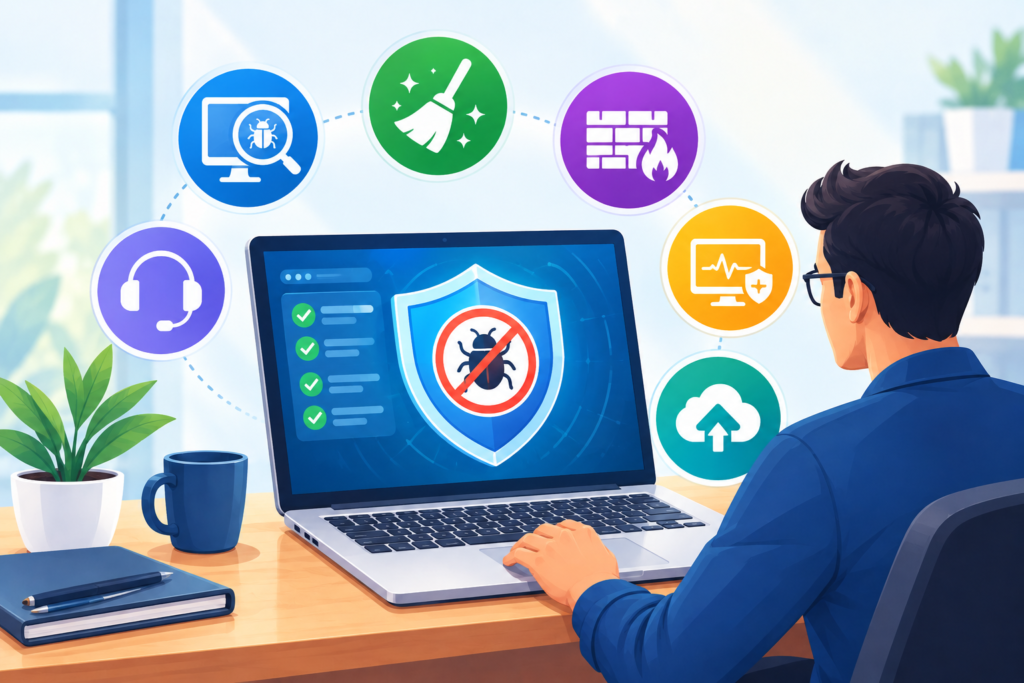
The services included in a malware removal subscription determine whether the plan offers meaningful protection or simply provides limited automated alerts. Before purchasing, website owners should examine the service description carefully and confirm which activities are included in the recurring fee. Two plans with similar marketing language may provide substantially different levels of technical assistance.
A strong subscription may include scheduled malware scans, security notifications, investigation of suspicious files, manual malware cleanup, and follow-up verification. Some providers also offer vulnerability assessments, security hardening recommendations, login protection guidance, blacklist assistance, and emergency support. Others concentrate on a narrower service, such as automated monitoring, and charge separately for professional remediation. Neither model is inherently unsuitable, but customers need to understand the difference before an incident occurs.
Malware cleanup is one of the most important features to evaluate. Ask whether technicians remove malicious code from website files and databases, investigate unauthorized administrator accounts, identify suspicious scheduled tasks, and check for backdoors. A backdoor is a mechanism that allows unauthorized access to persist, potentially enabling an attacker to return after visible malware has been removed. If the service only deletes files identified by a scanner, an infection may recur because the original access mechanism remains active.
Recovery support is another important consideration. Depending on the incident, the provider may need to help restore clean files, review configuration changes, remove malicious database entries, coordinate with the hosting company, and verify that the website functions correctly after remediation. Businesses should establish whether these tasks are included, subject to limitations, or billed separately. They should also ask how the provider handles websites that are severely compromised or infected at the server level.
Monitoring and reporting deserve attention as well. A useful service should explain how customers receive alerts, which events are monitored, and whether reports identify unresolved issues. Customers should understand whether monitoring operates continuously, at scheduled intervals, or only when an administrator initiates a scan. Response commitments should also be explicit: a service that provides round-the-clock automated detection may not provide round-the-clock human assistance.
Backups are closely related to recovery, but backup provision and malware removal are different responsibilities. A provider may help restore a website from a clean backup without supplying the backup infrastructure itself. Confirm where backups are stored, how frequently they are created, whether they are isolated from the production environment, and how restoration is tested.
Finally, examine exclusions, site limits, emergency fees, cancellation terms, and support responsibilities. A trustworthy subscription makes its boundaries clear. It does not promise absolute immunity from attacks or guarantee that every security issue will be resolved instantly. Instead, it establishes a practical framework for detection, investigation, remediation, and continuous improvement.
One-Time Malware Cleanup vs. Ongoing Subscription Protection
One-time malware cleanup and subscription-based protection solve related but different problems. A one-time service typically focuses on investigating an existing infection, removing malicious components, and restoring the website to an acceptable operating condition. A subscription generally provides recurring monitoring or maintenance, with the exact level of cleanup and incident response determined by the agreement. Understanding this distinction helps businesses select an arrangement that reflects their actual risks.
A one-time cleanup may be suitable when a website experiences an isolated incident and the owner has the technical resources to maintain it afterward. For example, a small informational website might need help removing an infection, restoring legitimate files, and correcting a specific configuration problem. Once the immediate issue is resolved, its administrator may be able to manage software updates, authentication, monitoring, and backups internally. However, the cleanup should still include an investigation into the likely entry point and a plan for preventing recurrence.
A subscription can be more practical for websites that require regular oversight or have limited in-house security expertise. Online stores, business websites, membership platforms, and high-traffic publishing sites may depend on continuous availability and need a clear route to professional assistance. A recurring arrangement can make security support easier to budget for and may reduce the time required to find a qualified specialist during an emergency. These advantages depend on the actual plan: some subscriptions include remediation, while others only provide alerts or discounted incident response.
The most important comparison is not simply the initial price versus the monthly fee. Businesses should consider the full cost of ownership, including monitoring, cleanup, software maintenance, emergency response, backup restoration, and staff time. A low-cost plan may become expensive if every manual investigation is billed separately. Conversely, a comprehensive subscription may provide unnecessary features for a small website with limited exposure and an experienced administrator.
| Comparison Factor | One-Time Malware Cleanup | Subscription-Based Protection |
|---|---|---|
| Primary purpose | Resolve a specific infection | Provide recurring security support |
| Monitoring | Usually limited unless separately arranged | May include recurring or continuous monitoring |
| Malware removal | Generally focused on the identified incident | Included only when specified in the plan |
| Prevention guidance | May be provided after cleanup | May be delivered through recurring reviews |
| Budget structure | Individual service fee | Recurring fee, sometimes with additional charges |
| Best fit | Isolated incidents with capable ongoing management | Websites needing continuing oversight or expert support |
A useful approach is to evaluate the website’s business importance, technical complexity, history of compromise, and internal resources. Consider how much disruption would occur if the site became unavailable for a day, a week, or longer. Also assess whether the business has reliable backups and someone capable of investigating suspicious activity.
Neither option eliminates security risk. A one-time cleanup can leave a website vulnerable if underlying weaknesses remain unresolved, while a subscription can provide limited value if its scope is too narrow. The right choice is the service arrangement that provides appropriate remediation, meaningful ongoing protection, and clear responsibilities for both the provider and website owner.
How a Professional Malware Removal Process Works
A professional malware removal process should follow a structured sequence that addresses the infection, protects the website’s legitimate data, and reduces the likelihood of another compromise. Simply deleting a suspicious file is rarely sufficient when an attacker may have changed database records, created unauthorized accounts, modified application settings, or installed a mechanism for regaining access. A reliable website malware cleanup process therefore begins with investigation and continues through remediation, verification, and preventive maintenance.
The first stage is assessment. Security specialists examine the reported symptoms, review available security alerts, identify affected website components, and establish the scope of the suspected infection. Depending on the situation, this may involve reviewing file modifications, database content, authentication records, server logs, and hosting configuration. If the website is actively harming visitors or exposing sensitive information, the response may also require temporary isolation or other containment measures. Before making substantial changes, technicians should preserve appropriate evidence and create a safe recovery point when doing so will not increase the risk. Businesses should avoid assuming that the most recently modified file is necessarily the source of the problem.
The second stage involves removing malicious components and addressing the weaknesses that enabled the compromise. This may include cleaning infected application files, removing unauthorized scripts, restoring legitimate code, investigating suspicious database entries, and disabling unauthorized accounts. Technicians should also determine whether vulnerable plugins, outdated software, exposed credentials, or insecure permissions contributed to the incident. Where credentials may have been stolen, affected passwords and access tokens should be replaced, and active sessions may need to be revoked. If a website relies on compromised hosting infrastructure, application-level cleanup alone may not be enough. The hosting provider may need to investigate the broader environment.
The final stage focuses on verification and recovery. Security specialists should run appropriate follow-up scans, inspect previously affected areas, test important website functions, and check whether suspicious behavior persists. For an online store, testing may include product pages, checkout functionality, payment integrations, and customer account access. For a business website, the priority may be contact forms, lead generation, navigation, and content integrity. The provider should explain which checks were completed and identify any unresolved risks.
A useful incident report records the suspected entry point, affected components, remediation performed, outstanding concerns, and recommended preventive actions. Not every attack can be traced to a single confirmed cause, so the report should distinguish verified findings from reasonable hypotheses.
For broader incident response planning, the NIST Computer Security Incident Handling Guide provides established guidance on preparing for, detecting, analyzing, and responding to security incidents.
Effective malware removal is a complete recovery process, not merely a file deletion exercise. Businesses should choose providers that can explain the technical work performed and demonstrate how the cleaned website was checked before normal operations resumed.
Preventing Malware Reinfection After Website Cleanup
Removing malware does not automatically make a website secure. A cleaned website can become infected again if attackers retain access, vulnerable software remains installed, compromised credentials are not replaced, or insecure configurations are left unchanged. Preventing reinfection therefore requires a combination of technical remediation, disciplined maintenance, and continuing security oversight.
One of the first priorities is identifying and correcting the original weakness. If an outdated plugin provided the initial entry point, the website owner should update it to a secure version or replace it with a maintained alternative. If the cause involved a stolen administrator password, affected credentials should be changed, unauthorized accounts removed, and multifactor authentication enabled where supported. If the incident involved exposed database credentials or application secrets, those credentials may also need rotation. A security provider should help determine which accounts, services, and systems may have been affected rather than assuming that changing the website administrator’s password is sufficient.
The second priority is reducing the website’s attack surface. Remove abandoned themes, unused plugins, obsolete integrations, unnecessary administrator accounts, and files that should not remain publicly accessible. Apply updates through a controlled process, preferably after reviewing compatibility and maintaining a reliable recovery option. Limit administrative permissions to people who genuinely need them, and use separate accounts for routine publishing and higher-risk administrative tasks where practical. Website owners should also review hosting permissions, file ownership, database access, and remote management settings. These controls help prevent an attacker who compromises one account from gaining unrestricted control over the entire website.
A third priority is ongoing verification. Schedule appropriate security scans, monitor important file changes, review hosting alerts, and investigate unusual authentication or traffic patterns. Establish a reliable backup process and test restoration rather than assuming that successful backup completion guarantees recoverability. Backups should be protected from unauthorized modification and, where possible, stored separately from the production environment. Otherwise, an attacker who gains broad access may compromise both the live website and its recovery copies.
Businesses should also consider whether their website requires a formal maintenance schedule. A documented schedule makes responsibilities clearer and reduces the likelihood that essential security tasks will be forgotten. It should identify who reviews alerts, who applies updates, who verifies backups, and who contacts the provider if suspicious activity appears.
The WordPress Hardening Guide provides practical guidance for improving the security of WordPress installations. Although individual recommendations must be adapted to the hosting environment, it offers a useful foundation for reducing common configuration and access risks.
A malware removal subscription can support these activities through monitoring, expert recommendations, and follow-up checks, depending on the selected plan. However, subscription coverage should never be treated as permission to ignore maintenance.
The strongest reinfection prevention strategy removes both the malware and the conditions that allowed it to enter. By combining secure configuration, credential management, tested backups, and recurring reviews, businesses can make their websites more resilient against repeated attacks.
Website Security, SEO, and Google Search Visibility
Website security and search visibility are closely connected because a compromised website can expose visitors to harmful content, display unauthorized pages, or redirect users to suspicious destinations. When attackers inject malicious scripts, create spam pages, or alter legitimate content, the consequences may extend beyond technical damage. Visitors can lose confidence in the business, browser warnings may discourage access, and search visibility may be affected when search engines identify hacked or harmful content.
One important risk is unauthorized content injection. An attacker might add hidden links to existing pages, publish spam pages through a compromised content management system, or insert redirects that activate only under particular conditions. These changes can be difficult to notice during routine website maintenance because the homepage may appear normal. Search engines may nevertheless discover altered pages or harmful resources during crawling. A business that depends on organic traffic should therefore treat unexpected indexing changes, suspicious search snippets, and security alerts as reasons to investigate rather than simply deleting the visible symptoms.
Google provides a dedicated Security Issues report in Search Console. Depending on what Google detects, the report may identify hacked content, malware, unwanted software, or social engineering issues. Website owners should review the examples provided, investigate the affected pages, and correct the underlying problems. If the report identifies a security issue, the appropriate response is to fix the website first and request a review when the site is clean and ready. Google explains that the review process can take time, and clearing the infection does not necessarily remove every warning immediately.
Malware removal should not be confused with search engine optimization. A security subscription does not guarantee higher rankings, increased traffic, or recovery of lost positions. Its primary purpose is to address security risks and support a trustworthy website. Search performance can depend on many other factors, including content usefulness, technical accessibility, site structure, competition, and the relevance of pages to users’ needs.
Businesses should also avoid making unnecessary URL changes or deleting legitimate content simply because an infection created a problem. During cleanup, preserve valuable pages where possible, remove unauthorized content carefully, and verify that important URLs return the expected responses. If malicious pages were indexed, evaluate whether they need to return an appropriate not-found or unavailable status after removal. Do not redirect every deleted page to the homepage without considering its original purpose.
The Google Search Essentials documentation provides guidance on helping search engines discover and understand legitimate website content. It complements security work but does not replace malware remediation.
After cleaning a compromised website, review Search Console for remaining security issues, unexpected indexing changes, and crawling problems. Monitor important landing pages and organic traffic over time instead of assuming that one successful scan resolves every consequence of the incident.
A secure website provides a stronger foundation for sustainable search visibility. By removing harmful content, maintaining technical integrity, and protecting visitors, businesses can reduce security-related disruption while continuing to focus on useful content and sound SEO practices.
Choosing the Right Malware Removal Subscription for Your Website
Selecting a malware removal subscription requires more than comparing monthly prices or counting advertised features. The right service should reflect the website’s size, technical architecture, business importance, security exposure, and recovery requirements. A small informational website has different needs from a large online store processing transactions or a membership platform storing sensitive customer records. Businesses should assess these differences before deciding which plan offers appropriate protection.
Start by evaluating the scope of coverage. Confirm whether the subscription protects one domain or multiple websites and whether it covers subdomains, staging environments, databases, and relevant application files. If the website uses WordPress, ask whether the provider understands WordPress-specific risks, including vulnerable plugins, compromised administrator accounts, malicious database modifications, and unauthorized changes to core files. If the business runs a custom application, confirm that the provider has the necessary technical expertise and access to investigate its architecture.
Next, examine detection and remediation capabilities. Ask how often the provider scans the website, whether important file changes are monitored, and how alerts are investigated. Determine whether professional cleanup is included in the recurring fee or charged separately. If an infection occurs outside normal business hours, find out whether emergency assistance is available and what response commitments apply. A provider should explain the difference between automated alerts, initial investigation, confirmed remediation, and complete recovery rather than presenting them as interchangeable services.
Experience and transparency are equally important. Look for a clear service agreement, understandable reporting, defined customer responsibilities, and an established process for handling incidents. Ask how the provider communicates findings and whether it documents the work performed. Where appropriate, request information about its technical experience, staff qualifications, escalation procedures, and handling of customer data. Testimonials and case studies can provide context, but they should not replace a careful examination of the service’s actual scope.
The following checklist can help compare potential providers:
- Detection: What types of malware and suspicious activity does the service check for?
- Cleanup: Is hands-on malware removal included, and what limitations apply?
- Response: What response times are promised, and when is expert assistance available?
- Prevention: Does the provider help address vulnerabilities and access-control weaknesses?
- Recovery: Are backup restoration and post-cleanup verification included?
- Reporting: Will the customer receive clear findings and recommended next steps?
- Compatibility: Does the service support the website’s content management system and hosting environment?
- Pricing: Are emergency fees, additional websites, and complex incidents covered?
- Privacy: How are website credentials, files, logs, and customer information handled?
- Accountability: What happens if an infection returns or the provider cannot resolve the problem?
Businesses should also consider whether the service can coordinate with their existing hosting company or maintenance provider. Clear responsibilities help prevent delays when an incident crosses several technical boundaries.
Avoid providers that promise absolute protection, guarantee search rankings, or claim that automated scanning can identify every possible threat. No legitimate security solution can eliminate all risk.
The best subscription is one that provides clear coverage, credible expertise, practical incident response, and continuing support aligned with your business needs. Review the contract carefully and make sure the service addresses the risks that matter most to your website.
The Role of Website Backups in Malware Recovery
Backups are a fundamental part of website malware recovery because they provide a potential route to restoring legitimate files, database records, and essential business information after an incident. However, a backup is only useful when it is available, sufficiently recent, protected from unauthorized changes, and known to be recoverable. A website malware removal subscription may include backup-related assistance, but businesses should confirm whether backup creation, storage, monitoring, and restoration are actually part of the purchased service.
A reliable backup strategy should cover the components needed to rebuild the website. Depending on the application, this may include website files, databases, uploaded media, configuration information, and other essential data. The appropriate backup frequency depends on how frequently the website changes. A business website updated occasionally may require a different schedule from an online store that processes orders throughout the day. Businesses should identify how much recent data they can afford to lose and how quickly the website must be restored after a serious incident. These requirements help establish practical recovery objectives.
Storage location matters just as much as backup frequency. If backups are stored only on the same hosting account as the production website, an attacker with broad access may be able to modify or delete both. Maintaining separate, access-controlled copies helps reduce this risk. Depending on the organization’s requirements, backups may also benefit from offline or immutable storage, encryption, restricted access, and retention policies. Backup credentials should be protected independently from ordinary website administrator accounts wherever possible.
Restoration testing is essential. A successful backup notification does not prove that the files are complete or that the restored website will work correctly. Periodically restore backups in an isolated test environment and verify that important pages, database records, application settings, and essential integrations function as expected. Record the steps required to restore the website and identify who is responsible for carrying them out. This preparation can reduce confusion during an actual incident.
The newest backup is not always the safest backup. If a website has been compromised for several weeks, recent backups may contain malicious files or unauthorized database changes. Security specialists should investigate when the infection began and select a recovery point that is both useful and reasonably trustworthy. They should then scan the restored environment and correct the weaknesses that allowed the attacker to enter.
For additional guidance, the CISA cybersecurity resources emphasize practical security measures, including protecting accounts and maintaining good security habits. Organizations can use these principles alongside a documented backup and recovery plan.
After restoration, verify the website’s functionality, review access permissions, rotate potentially exposed credentials, and monitor for suspicious behavior. Keep the previous recovery copies until the restored site has been checked and the business is confident that the recovery succeeded.
A professional malware removal provider should explain how its cleanup process works with existing backups and what happens when no clean backup is available. That clarity is especially important for businesses that cannot afford extended downtime or permanent data loss.
Malware Removal Subscription Services for WordPress Websites
WordPress websites are widely used for business websites, blogs, publishing platforms, membership sites, and online stores. Their flexibility makes them suitable for many purposes, but their security depends on the combined condition of the core software, themes, plugins, user accounts, hosting environment, and connected services. A WordPress malware removal subscription can help website owners manage these responsibilities by providing recurring security oversight and access to professional remediation when covered by the plan.
Plugins and themes deserve particular attention because they extend the platform’s functionality. A poorly maintained plugin may contain a security weakness, while an abandoned theme may no longer receive necessary fixes. Installing software from untrusted sources introduces additional risk, especially when the software has been modified without the owner’s knowledge. Website owners should maintain an inventory of installed components, remove those they no longer need, and obtain software from reputable sources. Before applying major updates, test compatibility and maintain a reliable recovery option.
WordPress account management is another important area. Shared administrator accounts make it harder to determine who performed a particular action and complicate the removal of access when staff or contractors leave. Use individual accounts, grant each user only the permissions required for their role, and enable multifactor authentication where supported. Review administrator access periodically, protect hosting and domain-management accounts, and avoid sharing credentials through insecure channels. A compromised hosting account can present a much greater risk than a compromised content editor account because it may expose files, databases, and other applications.
Security configuration also matters. Website owners should use supported PHP versions, maintain appropriate file permissions, protect sensitive configuration files, and apply hosting-provider security recommendations. Where appropriate, additional controls may include a web application firewall, login protection, rate limiting, and monitoring for unauthorized file changes. These measures should be selected carefully because poorly configured security tools can interfere with legitimate traffic or normal website operations.
A subscription provider should understand WordPress-specific cleanup requirements. Removing a malicious plugin may not be enough if the attacker has modified the database, created unauthorized users, inserted malicious code into a theme, or placed a backdoor elsewhere in the account. A thorough investigation should consider the whole installation and any related sites that share the same hosting environment.
For official guidance, the WordPress Security documentation explains practical measures that site owners can use to strengthen their installations. Website owners should adapt those measures to their hosting arrangements and avoid making configuration changes they do not understand.
For WooCommerce stores, additional attention should be given to checkout scripts, customer account security, payment integrations, order data, and the integrity of transaction-related functionality. If payment information may have been exposed, consult the payment provider and qualified compliance or security professionals to determine the required response.
WordPress malware protection works best when professional monitoring and cleanup are combined with responsible administration. A subscription can help manage technical risks, but secure software choices, controlled access, reliable backups, and timely maintenance remain essential parts of the overall strategy.
Website Security Monitoring, Vulnerability Management, and Incident Response
Website security monitoring helps businesses identify suspicious activity before it develops into a more serious incident. Rather than relying on occasional manual checks, monitoring establishes a recurring process for observing important website components, reviewing alerts, and investigating changes that may indicate unauthorized access. When combined with vulnerability management and a defined incident response plan, it can improve a business’s ability to identify threats, limit disruption, and recover more efficiently.
Effective monitoring begins with identifying the assets that need protection. These may include the website application, database, administrator accounts, hosting control panel, domain registrar, connected email services, and third-party integrations. The organization should determine which assets are essential to business operations and which events would indicate a potential compromise. Examples include unexpected administrator account creation, suspicious login attempts, unauthorized file modifications, unusual outgoing requests, and changes to critical configuration settings. Monitoring should prioritize meaningful signals rather than generating so many low-value alerts that important warnings are overlooked.
Vulnerability management complements monitoring by identifying and addressing weaknesses before attackers exploit them. A practical program maintains an inventory of software and integrations, tracks relevant security advisories, evaluates the severity of identified weaknesses, and assigns responsibility for remediation. Not every vulnerability presents the same level of risk. An exposed component with a known exploited weakness may require immediate action, while a lower-risk issue may be addressed through a scheduled maintenance process. Decisions should consider exploitability, the sensitivity of affected data, internet exposure, available fixes, and the potential business impact.
Incident response determines what happens when monitoring identifies a credible threat. The website owner should know who receives alerts, who can approve emergency changes, how the hosting provider is contacted, and when professional assistance is required. A response plan should cover investigation, containment, eradication, recovery, and follow-up review. Depending on the incident, containment may involve disabling a compromised account, restricting access to affected components, blocking malicious requests, or temporarily isolating a system. The response should be proportionate to the risk and should avoid destroying evidence that may be needed for investigation.
A malware removal subscription can provide valuable support in this process when the agreement includes relevant monitoring, technical investigation, and incident response assistance. Before subscribing, confirm which events the provider monitors, how alerts are prioritized, whether a human investigates serious findings, and what happens when an issue originates outside the website itself.
The CISA cybersecurity guidance provides practical recommendations for improving organizational security, including account protection and safer technology practices. Businesses can incorporate these principles into their own website security procedures.
Organizations should periodically test their response plans through realistic exercises. For example, the team can simulate an administrator account compromise and walk through notification, access restriction, backup verification, and recovery decisions without affecting the live website. These exercises help reveal missing credentials, unclear responsibilities, and delays in contacting the appropriate specialists.
Finally, document incidents and use the findings to improve future protection. Record the timeline, affected systems, remediation steps, and lessons learned. Where the root cause remains uncertain, identify what additional investigation is needed instead of presenting assumptions as confirmed facts.
Monitoring identifies possible problems, vulnerability management reduces exposure, and incident response turns detection into coordinated action. Together, these practices create a stronger security process than relying on malware scanning alone.
Measuring the Value and Cost of a Malware Removal Subscription
Evaluating a malware removal subscription requires a realistic understanding of both its financial cost and its operational value. The cheapest plan is not necessarily the most economical, and the most expensive plan is not automatically the most appropriate. Businesses should compare the service’s actual coverage with the risks they face, the resources available internally, and the potential consequences of a security incident.
The first step is identifying the website’s business value and recovery requirements. Consider how much revenue depends on the website, whether customers need continuous access, how much information the platform stores, and how quickly operations must resume after an interruption. An online store processing regular orders may experience direct losses when checkout functionality becomes unavailable. A professional services website may lose enquiries and damage its reputation if visitors encounter browser warnings. A membership platform may face additional work if customer accounts or restricted content are affected. These impacts differ, so the same subscription may provide very different value to different organizations.
The second step is calculating the complete cost of protection. Include the recurring subscription fee, setup charges, optional cleanup services, emergency response fees, backup storage, software maintenance, and any internal staff time required to manage the arrangement. Determine whether the provider charges extra for multiple websites, complex database infections, server-level incidents, or restoration from backups. A clear comparison should account for these expenses rather than evaluating the advertised monthly price alone.
Businesses can also assess potential downtime costs. A simple internal estimate can use the following formula:
Estimated incident cost = lost business contribution + recovery expenses + staff time + other incident-related costs.
For example, a store may estimate the contribution lost during downtime, the cost of specialist remediation, and the time employees spend communicating with customers or processing orders manually. These estimates should be based on the business’s own figures rather than generic industry claims. Not every incident produces the same losses, and a subscription cannot guarantee that an incident will never occur.
The value of a security service should also be assessed through operational indicators. Useful measures include time to acknowledge an alert, time to begin investigation, time to contain a confirmed incident, time required to restore normal operation, the number of unresolved high-risk findings, and the completion rate of recommended preventive actions. These metrics should be interpreted in context because complex incidents may take longer to resolve than straightforward infections.
Avoid measuring success only by the number of malware files removed. A provider that detects and removes many threats may be dealing with a highly exposed website, while a website with few detections may simply have fewer visible problems. Similarly, a clean scan does not prove that every vulnerability has been eliminated.
Businesses should request periodic reports showing completed work, unresolved risks, recurring findings, and recommended improvements. They should also review whether the subscription continues to match the website’s size and complexity as the business grows.
The true value of a malware removal subscription lies in the support it provides when prevention, detection, or recovery is needed. A well-selected plan can make security responsibilities more manageable, clarify incident response arrangements, and help reduce avoidable disruption. The decision should be based on documented service coverage, realistic risk assessment, and measurable operational benefits rather than fear-based marketing or unsupported promises.
Building a Long-Term Website Malware Prevention Strategy
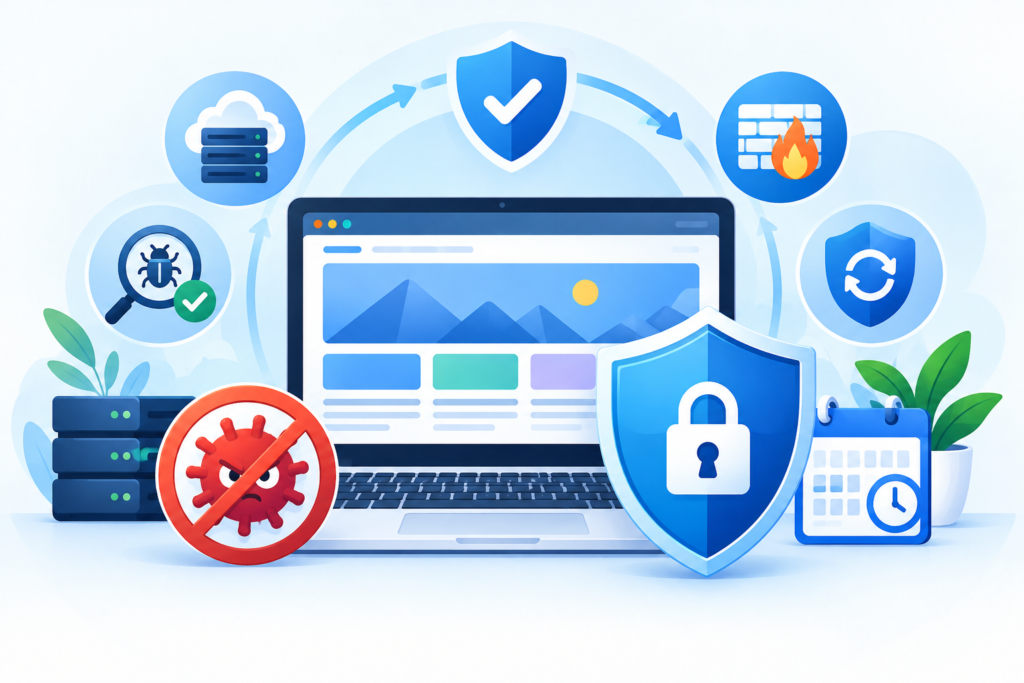
A long-term website malware prevention strategy combines technical safeguards, regular maintenance, effective monitoring, and clearly assigned responsibilities. It recognizes that website security is an ongoing operational requirement rather than a single installation or cleanup task. Businesses that establish repeatable security practices are better positioned to identify weaknesses, respond to incidents, and maintain a trustworthy online presence.
The foundation is a documented security baseline. Record the website’s software versions, installed plugins and themes, hosting configuration, administrator accounts, external integrations, and backup arrangements. Identify the components that are essential to the website’s operation and determine who is responsible for maintaining each one. This inventory makes it easier to recognize unauthorized changes and reduces the likelihood that forgotten software or abandoned accounts will remain exposed. The baseline should be reviewed whenever the website undergoes a significant redesign, migration, integration change, or hosting upgrade.
The next step is creating a sustainable maintenance schedule. Critical security alerts should be assessed promptly, while routine updates should be applied through a controlled process that considers compatibility and recovery requirements. Backup jobs should be monitored, restoration should be tested periodically, and administrator permissions should be reviewed at appropriate intervals. Website owners should also verify that domain registration, hosting, and other essential accounts remain under authorized control. Where multiple contractors or agencies are involved, access should be granted according to individual responsibilities and removed when it is no longer required.
A practical strategy also includes layered security controls. Depending on the website and hosting environment, these may include multifactor authentication, a web application firewall, restricted administrative access, secure file permissions, protected backups, malware scanning, and monitoring for suspicious changes. Not every website requires the same combination of tools, and additional controls should be selected based on risk rather than installed indiscriminately. Security tools must be configured, maintained, and tested to ensure that they provide useful protection without interfering with legitimate operations.
Professional support can help maintain this strategy when internal resources are limited. A malware removal subscription may provide recurring scans, expert investigation, cleanup assistance, and preventive recommendations, depending on the plan. The website owner should retain responsibility for approving important changes, protecting business credentials, maintaining appropriate backups, and understanding the provider’s limitations. Outsourcing security tasks does not eliminate the need for internal accountability.
Long-term improvement also depends on learning from incidents and near misses. If a plugin vulnerability leads to suspicious activity, review how the weakness entered the environment and whether update procedures need improvement. If an administrator account is compromised, examine password practices, authentication controls, and access permissions. If a backup cannot be restored, revise the recovery process and test it again. These reviews turn individual problems into opportunities to strengthen the overall system.
The OWASP Top 10 provides a widely recognized overview of important web application security risk categories. It can help website owners and developers understand common areas of concern, although it is not a complete security assessment or a malware removal procedure.
Businesses should establish a review cycle that evaluates emerging risks, service performance, unresolved vulnerabilities, and changes in business requirements. As the website grows, its protection strategy may need to expand to cover additional applications, new integrations, more complex hosting arrangements, or increased regulatory obligations.
Long-term protection comes from consistent execution, not occasional emergency action. By combining secure development, responsible administration, verified backups, ongoing monitoring, and appropriate professional support, businesses can reduce their exposure to malware and improve their ability to recover when security incidents occur.
Frequently Asked Questions
1. What Is a Malware Removal Subscription Service?
A malware removal subscription service is an ongoing website security arrangement that helps website owners detect suspicious activity, investigate infections, remove malicious code, and reduce the likelihood of future compromises. Depending on the plan, it may include automated scanning, file integrity monitoring, manual malware cleanup, vulnerability assessments, security alerts, and expert assistance.
Unlike a one-time cleanup, a subscription can provide recurring oversight and an established process for responding to future security incidents. However, coverage varies between providers. Before subscribing, confirm whether manual remediation, emergency support, backup restoration, and post-cleanup verification are included in the recurring fee.
2. How Much Does a Malware Removal Subscription Cost?
The cost depends on the provider, website complexity, number of websites covered, monitoring capabilities, and level of professional assistance. A basic plan may focus on automated scans and alerts, while a more comprehensive arrangement may include expert investigations, manual cleanup, and ongoing security support.
Additional charges may apply to severe infections, server-level compromises, emergency work, or websites outside the plan’s standard coverage. Rather than choosing a service based only on its advertised price, compare the features, exclusions, response commitments, and total expected cost. Request a written explanation of what happens if your website becomes infected after you subscribe.
3. Can a Malware Removal Subscription Prevent Every Website Attack?
No. A malware removal subscription can reduce risk and improve detection and recovery, but no security provider can guarantee that every attack will be prevented or detected immediately.
Attackers may exploit newly discovered vulnerabilities, compromised third-party services, stolen credentials, or weaknesses outside the provider’s monitoring scope. Some malicious activity may also evade automated detection.
Businesses should combine professional security support with software updates, strong authentication, restricted access, reliable backups, and secure hosting practices. A subscription should be viewed as one layer of a broader security strategy rather than complete immunity from cyber threats.
4. How Often Should a Website Be Scanned for Malware?
The appropriate scanning frequency depends on the website’s risk profile, technical environment, and business requirements. Websites that process transactions, store customer information, or receive frequent software changes may benefit from more frequent scanning and continuous monitoring of important security events.
However, scanning frequency alone does not determine the quality of protection. A scan can miss malicious behavior that occurs outside its scope, while an alert may require human investigation to determine whether it represents a genuine threat.
Ask your provider how frequently scans run, which components are checked, whether file changes are monitored between scans, and how serious findings are investigated. High-risk websites should have a clear process for handling urgent security alerts.
5. What Should I Do If Google Flags My Website for Malware?
If Google identifies a security issue, review the warning in your website’s Google Search Console account and examine the affected URLs or reported problems. Avoid assuming that the issue is limited to the visible page, because malicious code or unauthorized content may exist elsewhere in the website.
Investigate the infection, remove harmful content, correct the underlying security weaknesses, and verify that the affected components have been cleaned. Depending on the incident, you may need help from your hosting provider or a professional malware removal specialist.
After correcting the issue, follow the instructions in the Security Issues report and request a review when appropriate. Google explains this process in its official hacked website guidance.
A review does not replace technical cleanup, and warning removal may not happen immediately. Continue monitoring the website until the security issue is resolved and normal operation has been verified.
6. Will Malware Removal Affect My Website’s SEO Rankings?
Malware can negatively affect search visibility when a compromised website hosts harmful content, redirects visitors, or contains unauthorized spam pages. Search engines may identify security problems, and browsers may warn visitors against accessing affected pages.
However, malware removal does not guarantee an immediate recovery in rankings. Search performance can depend on the extent of the compromise, the duration of the problem, the affected URLs, and other technical and content-related factors.
After cleanup, review Search Console, remove unauthorized content, verify important pages, and request a security review when necessary. Continue following sound SEO practices by maintaining useful content, accurate page information, and an accessible website.
7. Can I Remove Website Malware Without Professional Help?
Some straightforward infections can be resolved by experienced website administrators who understand the application, hosting environment, and relevant security procedures. For example, a technically capable administrator may be able to restore trusted files, remove an unauthorized account, and correct a known configuration problem.
However, complicated infections can involve hidden backdoors, modified database records, compromised hosting accounts, or malicious code that appears only under certain conditions. Removing visible malware without investigating the underlying cause can allow the attacker to regain access.
If you cannot confidently identify the infection, preserve evidence, clean affected components, and secure the environment, professional assistance is advisable. The decision should consider the sensitivity of the website’s data, the potential impact of downtime, and your technical experience.
8. What Should I Look for When Choosing a Malware Removal Provider?
Choose a provider that clearly explains its services, technical capabilities, pricing, and limitations. Confirm whether the plan includes manual cleanup, recurring monitoring, vulnerability guidance, emergency assistance, and post-remediation verification.
Ask how the provider investigates recurring infections, protects customer credentials, communicates security findings, and handles incidents involving the hosting environment. Check whether its expertise matches your website platform and whether it can coordinate with your hosting company when necessary.
Review the service agreement for response commitments, additional fees, exclusions, and cancellation conditions. Be cautious of providers that promise perfect protection, guaranteed rankings, or immediate resolution of every possible infection.
A suitable provider should offer realistic expectations, clear reporting, and a practical approach to both remediation and prevention.
Common Mistakes to Avoid When Managing Website Malware
Website owners often make avoidable mistakes when responding to malware infections. Some actions may remove visible symptoms without addressing the underlying security problem, while others can make recovery more difficult. Understanding these mistakes helps businesses develop a more reliable approach to website protection.
1. Deleting Suspicious Files Without Investigating Them
Deleting unfamiliar files may seem like the fastest way to remove malware, but not every unusual file is malicious. Some files are created by legitimate plugins, caching systems, or hosting tools.
Better approach: Investigate suspicious files, compare them with trusted versions where possible, and preserve relevant evidence before making significant changes. Use qualified technical assistance when the file’s purpose is unclear.
2. Removing Malware Without Fixing the Original Vulnerability
A website may become infected again if the initial entry point remains available. Removing malicious code will not solve an outdated plugin, stolen password, insecure configuration, or compromised hosting account.
Better approach: Investigate how the compromise may have occurred. Update or replace vulnerable components, correct access-control weaknesses, and rotate credentials that may have been exposed.
3. Assuming a Security Scan Proves the Website Is Clean
A scanner may identify known malware patterns but miss unfamiliar threats, hidden backdoors, or suspicious activity outside its coverage.
Better approach: Combine scanning with manual investigation when necessary. Check relevant application files, database records, user accounts, configuration settings, and available security logs.
4. Ignoring Website Backups Until an Emergency Occurs
Some website owners assume that their hosting company automatically maintains usable backups. Others discover that their backups contain the same infection as the live website.
Better approach: Confirm what is backed up, how frequently backups run, where copies are stored, and who can access them. Test restoration periodically and verify that recovery copies are suitable for use.
5. Delaying Security Updates
Leaving vulnerable software installed can expose a website to known weaknesses. Delays are especially concerning when a security advisory identifies an actively exploited vulnerability.
Better approach: Establish an update procedure that prioritizes critical security fixes while accounting for compatibility and recovery requirements. Remove abandoned software that no longer receives appropriate maintenance.
6. Sharing Administrator Credentials Among Multiple Users
Shared accounts make it difficult to determine who performed an action and complicate access removal when employees or contractors leave.
Better approach: Use individual accounts, assign permissions according to responsibilities, enable multifactor authentication where supported, and remove access when it is no longer required.
7. Choosing a Subscription Based Only on Price
A low-cost service may provide only automated scans, while the business assumes that professional cleanup and emergency assistance are included.
Better approach: Compare service agreements, remediation coverage, response commitments, exclusions, and additional charges. Choose a plan based on the website’s actual security requirements.
8. Assuming Malware Removal Automatically Restores SEO Performance
Cleaning a website does not guarantee immediate removal of browser warnings or recovery of lost search visibility. Search engines may need to reassess affected pages, and the website may have additional technical problems.
Better approach: Verify the cleanup, inspect Search Console, remove unauthorized content, request a security review when appropriate, and continue monitoring search visibility.
9. Ignoring Hosting and Domain Accounts
Website owners may focus exclusively on the content management system while overlooking the hosting control panel, domain registrar, email accounts, and deployment credentials.
Better approach: Protect every account that can influence website availability or configuration. Review access permissions and secure critical accounts with strong authentication.
10. Failing to Document the Incident
Without an incident record, businesses may repeat the same mistakes or struggle to understand what was changed during recovery.
Better approach: Record the timeline, affected components, investigation findings, remediation steps, and remaining concerns. Use these records to improve maintenance and incident response procedures.
Avoiding these mistakes does not eliminate every security risk, but it can make recovery more reliable and reduce preventable exposure.
Best Practices Summary for Malware Removal Subscription Services
An effective malware protection strategy combines prevention, detection, remediation, recovery, and continuous improvement. A subscription can support these activities, but its value depends on the quality of the service and the website owner’s commitment to maintaining a secure environment.
The following practices provide a practical foundation for long-term website protection.
1. Select a Service That Matches Your Risk
Evaluate the website’s complexity, business importance, hosting environment, and data sensitivity. Choose a subscription that offers appropriate monitoring and professional remediation rather than paying for features that do not address your actual requirements.
2. Confirm What the Subscription Includes
Review the service agreement carefully. Determine whether the provider includes manual malware cleanup, ongoing scanning, emergency response, vulnerability assessments, and follow-up verification.
Keep a written record of exclusions and additional charges so that responsibilities remain clear during an incident.
3. Maintain Updated Software
Keep the content management system, themes, plugins, server software, and relevant integrations appropriately maintained. Prioritize security fixes according to their severity and exposure.
Remove unsupported or unnecessary components instead of allowing them to remain installed indefinitely.
4. Strengthen Authentication and Access Controls
Use unique passwords, multifactor authentication where supported, and individual user accounts. Limit administrator permissions to authorized personnel and review access regularly.
Protect hosting, domain management, email, and deployment accounts in addition to the website administrator account.
5. Monitor Suspicious Activity
Use appropriate security scans, file integrity monitoring, hosting alerts, and application logs to identify potential compromises.
Investigate unexpected file changes, unfamiliar accounts, suspicious redirects, and unusual server activity instead of assuming that a normal homepage means the website is secure.
6. Maintain Reliable Backups
Back up the files and databases required to restore the website. Store protected copies separately from the production environment where possible, and restrict access to backup systems.
Test restoration periodically so that the business understands how long recovery may take and which steps are required.
7. Address the Root Cause of Every Infection
Do not stop after deleting malicious code. Investigate the likely entry point, remove unauthorized access, correct vulnerable components, and review related accounts and systems.
If the cause cannot be confirmed, document the uncertainty and investigate plausible remaining risks.
8. Verify the Website After Cleanup
Check affected pages, database records, application functions, and important integrations. Run appropriate follow-up scans and investigate recurring alerts.
For websites that process transactions, verify checkout functionality and review whether payment-related components require additional investigation.
9. Review Search and Browser Security Warnings
Use Google Search Console to investigate reported security issues and follow the recommended remediation and review process.
Remember that the absence of a warning does not guarantee that every possible security problem has been eliminated.
10. Establish a Documented Incident Response Plan
Identify who receives security alerts, who can approve emergency actions, and which technical specialists should be contacted.
Define the process for investigation, containment, remediation, recovery, and follow-up review. Test the plan periodically so that responsibilities are clear before an incident occurs.
11. Measure Service Performance
Review response times, remediation quality, recurring findings, unresolved vulnerabilities, and completion of preventive actions.
Use these measures to determine whether the subscription continues to provide appropriate value as the website changes.
12. Improve Security Continuously
Use findings from incidents, maintenance reviews, and security assessments to strengthen the website’s defenses.
Security is an ongoing responsibility. Regular reviews help identify weaknesses before they become more serious operational problems.
The central best practice is to treat malware protection as a continuing security process rather than a one-time purchase. Combining professional support with secure administration, reliable backups, timely maintenance, and a tested recovery plan helps businesses manage risk more effectively.
Conclusion
Website malware can disrupt business operations, damage customer trust, expose sensitive information, and create additional technical work. For businesses that depend on their websites, the consequences can extend well beyond the initial infection. Restoring normal operations may require investigating unauthorized changes, cleaning affected files and databases, securing compromised accounts, coordinating with hosting providers, and checking for remaining security problems.
A malware removal subscription service provides a structured way to manage these responsibilities through recurring security support. Depending on the plan, it may offer malware scanning, suspicious activity monitoring, expert investigation, manual cleanup, vulnerability guidance, and post-remediation verification. The most suitable service is one that clearly explains its coverage, responds appropriately to incidents, and supports the website’s actual technical and business requirements.
However, no subscription can replace sound security practices. Website owners must continue maintaining their software, restricting administrative access, protecting credentials, testing backups, and investigating suspicious activity. They should also understand the limitations of automated scanning and recognize when a complicated infection requires specialist assistance. A provider that removes visible malware without addressing the underlying vulnerability may leave the website exposed to another compromise.
For WordPress websites, online stores, business portals, and content-driven platforms, a combination of professional support and consistent maintenance can improve resilience. Monitoring helps identify potential problems, vulnerability management reduces exposure, and a documented incident response process makes recovery more organized. When these practices are supported by reliable backups and clear responsibilities, businesses can approach website security with greater confidence.
At FixHackedSite, website owners can explore practical approaches to malware removal, website security, and ongoing protection. The priority should be to understand the website’s current condition, identify its most significant risks, and select a realistic protection strategy rather than relying on unsupported guarantees.
If your website is already showing signs of infection, investigate the issue promptly and seek qualified assistance when necessary. If your website appears healthy, use that opportunity to strengthen access controls, review backups, update software, and establish a clear response plan.
A secure website requires ongoing attention, informed decisions, and a reliable recovery strategy. Investing in appropriate protection today can help reduce avoidable disruption, support customer confidence, and create a stronger foundation for long-term online operations.
Want to Implement This Easily?
AI Implementation Prompt
You are an expert consultant. Based on the blog post titled “(Malware Removal Subscription Service)”, provide a step-by-step, practical implementation guide. Include tools, best practices, common mistakes to avoid, and advanced tips. Assume the reader wants to implement everything discussed in this article effectively.
Call to Action:
Want our help implementing this? Just reach out to us via our website contact form: https://fixhackedsite.com/contact-us/