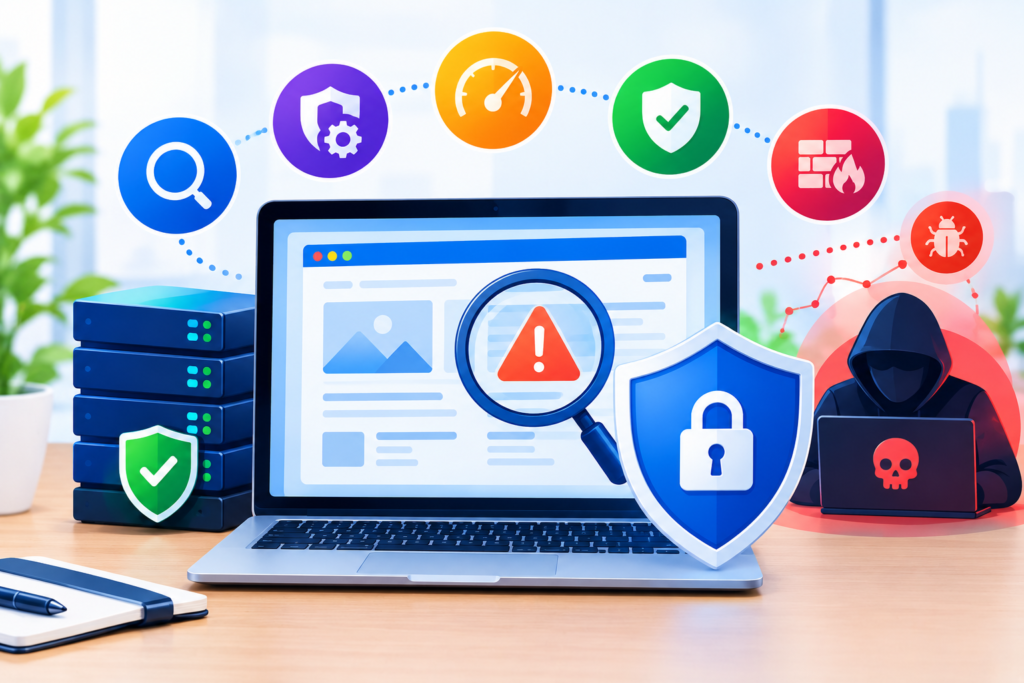
A Website Vulnerability Check is one of the most powerful ways to protect your online presence from cyber threats, hidden vulnerabilities, outdated systems, and malware infections. In today’s digital-first world, websites face continuous risks from hackers, automated bots, and modern cyberattacks. Without regular vulnerability checks, even small errors or outdated plugins can expose sensitive data, damage your reputation, and lead to financial losses. This comprehensive guide highlights everything website owners, small business owners, and general users must know about conducting an effective Website Vulnerability Check using modern techniques, reliable scanning tools, and advanced security practices.
Introduction
A secure website is no longer optional—it is a necessity for every website owner, small business, and online service provider. Cyber threats have become more advanced, and attackers now target websites of all sizes, not just large corporations. Whether you manage a small blog, an online store, or a business landing page, you need to perform regular Website Vulnerability Checks to ensure that your digital property is protected. In fact, many attacks happen simply because website owners fail to identify security gaps, outdated software, or undetected malware. That is why understanding the full process of vulnerability detection is essential.
At FixHackedSite, we have seen thousands of websites compromised due to minor vulnerabilities, such as outdated plugins, weak passwords, misconfigured servers, and previously unknown malware infections. Performing a complete website vulnerability check not only helps detect these risks but also empowers website owners with actionable insights that dramatically improve security. Using tools like malware scanning, website threat detection, and website security tools, you can safeguard your data and protect your business from downtime, financial losses, and damaged credibility.
This blog post will guide you step-by-step through the meaning, importance, process, and benefits of conducting a Website Vulnerability Check. You’ll learn how threats arise, how hackers exploit weaknesses, and which tools offer the best protection. Throughout this article, you’ll discover practical advice and advanced strategies that help you strengthen your website security, reduce cyber risks, and maintain long-term website health. The steps outlined here will allow you to protect your business, improve website trust, and ensure uninterrupted online performance.
What Is a Website Vulnerability Check?
A Website Vulnerability Check is a detailed process that analyzes your website for weaknesses, misconfigurations, outdated systems, and potential entry points that hackers can exploit. Think of it as a medical examination for your website, where every part of the system is checked for irregularities that could lead to serious security issues. This process helps you identify vulnerabilities before attackers find them, giving you time to strengthen your website’s defense system. Unlike general website maintenance, vulnerability checks use specialized tools and scanning methods to detect hidden risks deep inside your website files, database, and server environment.
The primary goal of a vulnerability check is to detect security gaps that automated bots and cybercriminals exploit every day. For instance, outdated themes, insecure plugins, weak authentication, and incorrect file permissions can all expose your site to potential attacks. By conducting regular checks, website owners gain visibility into risks that are not noticeable through normal website usage. These issues may include unpatched CMS vulnerabilities, exposed APIs, cross-site scripting (XSS), SQL injections, malware injections, or misconfigured firewall rules. Identifying these errors early prevents severe consequences such as data breaches, unauthorized access, or malware distribution.
Furthermore, a vulnerability check ensures long-term website hygiene, trustworthiness, and operational stability. It is an essential step not only for large businesses but also for small business owners and general online users who want to secure their digital presence. Many online threats today are automated, meaning even small websites are frequently targeted. Conducting regular vulnerability checks improves your website’s resilience, reduces the attack surface, and offers peace of mind that your website is protected behind a strong security shield. By incorporating malware scanning, website security tools, and website threat detection technologies, you create a multi-layered defense system that stays ahead of evolving cyber threats.
Why Website Vulnerability Checks Matter for Every Website
Every website, regardless of its size or purpose, faces constant exposure to cyber risks. Attackers use automated bots that scan millions of websites each day searching for even the smallest vulnerabilities to exploit. This means your website could be targeted simply because it exists online. A Website Vulnerability Check ensures you remain aware of potential weaknesses before attackers take advantage. Even if your website doesn’t process sensitive information, hackers can still use it to distribute malware, host phishing pages, or redirect your visitors to malicious websites. This can severely damage your credibility and lead to long-term trust issues.
 Small businesses often underestimate security threats, believing they are too small to be noticed. However, research shows that small websites are attacked more frequently because they often lack proper security measures. Without regular vulnerability checks, these websites become easy targets for cybercriminals. The consequences include lost revenue, loss of customer trust, website blacklisting, and costly recovery efforts. The good news is that proactive vulnerability checks help reduce these risks significantly by identifying problems early and giving website owners the chance to fix issues before any damage occurs.
Another reason vulnerability checks are essential is that website threats evolve constantly. New vulnerabilities appear daily, outdated software becomes insecure, and new attack techniques emerge. A one-time check is not enough; ongoing monitoring is necessary. Using modern tools for website threat detection, malware scanning, and security vulnerability assessments, you can maintain a secure environment, protect your brand reputation, and keep your website running smoothly. Regular checks strengthen your cybersecurity posture, safeguard your investment, and ensure long-term protection.
How Hackers Target Websites and Exploit Weaknesses
Hackers use various methods to find and exploit website vulnerabilities, and understanding these techniques helps you defend your website more effectively. Modern cybercriminals rely on automated scripts and bots that scan thousands of websites within minutes, searching for outdated plugins, weak passwords, open ports, insecure configurations, or unprotected admin areas. These automated attacks often succeed because many website owners do not perform regular vulnerability checks, leaving outdated software and risky configurations exposed.
Once hackers find a weakness, they can exploit it using different methods such as SQL injections, cross-site scripting (XSS), brute force attacks, or backdoor installations. Many attacks do not require direct human involvement; automated malware can infect websites instantly when vulnerabilities are detected. Attackers can also insert malicious code into site files, modify your database, or gain unauthorized access to your admin panel. In some cases, they use compromised websites to run cryptocurrency miners, spam email campaigns, or phishing schemes targeting your visitors.
Hackers also take advantage of human errors, misconfigurations, and weak security policies. For example, using an outdated CMS, storing passwords in plain text, leaving debug files exposed, or failing to restrict user permissions can create opportunities for attackers. A proper Website Vulnerability Check identifies these issues early, ensuring that website owners eliminate risks before exploitation occurs. With tools that provide malware scanning, website threat detection, and security assessments, you can stay protected against both automated and targeted attacks.
The Role of Malware Scanning in Website Vulnerability Checks
Malware scanning is a crucial part of a Website Vulnerability Check because it detects hidden malicious files, suspicious scripts, unauthorized modifications, and infected code. Even if your website appears normal on the surface, malware may be silently operating in the background, stealing data or damaging your SEO rankings. Malware can enter your website through outdated plugins, compromised scripts, infected uploads, or unsafe hosting environments. A regular malware scan analyzes every file, folder, and database entry to detect potential threats before they cause serious damage.
One of the biggest challenges is that modern malware is sophisticated. Many malicious scripts are designed to hide, disguise their code, or regenerate automatically when removed manually. This is why advanced malware scanners use signature-based detection, behavior analysis, and real-time monitoring to identify harmful actions. Tools like professional website scanners can detect redirect malware, injected code, spam pages, SEO poisoning, backdoors, and other types of infections that undermine your website security. Including malware scanning in your regular vulnerability checks ensures early identification of hidden threats that traditional tools may miss.
Additionally, malware can deeply impact the reputation and performance of your website. Search engines like Google may blacklist infected websites, causing traffic loss and damaging your online authority. Customers might avoid your site if they encounter warnings or suspicious behavior. Regular malware scans use automated and manual techniques to ensure your files remain clean, your performance stays intact, and your website complies with security standards. Combining malware scanning with website threat detection and other website security tools forms a comprehensive defense strategy that protects your website from evolving threats.
Importance of Website Threat Detection Technology
Website threat detection works hand-in-hand with vulnerability checks by identifying real-time attacks, suspicious activities, and potential security breaches. While vulnerability checks focus on finding weaknesses in your website’s structure, threat detection focuses on active threats and immediate dangers. Hackers constantly attempt to bypass security controls, and without a proper detection system, many of these attempts go unnoticed. Threat detection tools monitor your website around the clock, detecting anomalies such as unusual login attempts, unauthorized file changes, and suspicious traffic patterns.
Threat detection systems use advanced algorithms, machine learning, and behavior analytics to detect harmful activity. These systems continuously analyze user behavior, server logs, and data flow to identify irregular patterns that indicate the presence of an attack. For example, if your website suddenly receives thousands of login attempts in a short time, the system flags it as a brute-force attack. Or if your site experiences a sudden spike in POST requests, it may indicate an attempt to upload malicious files. This level of continuous monitoring is essential for preventing data breaches, unauthorized access, and malware installations.
When combined with vulnerability scanning, website threat detection provides a complete security solution. Vulnerability scans help you fix potential weaknesses, while threat detection alerts you about real-time dangers. This layered defense approach ensures attackers cannot exploit your site unnoticed. Modern website security tools integrate both features, offering real-time insights, alert systems, actionable reports, and automated responses that keep your website secure 24/7. For website owners, small business owners, and general users, threat detection plays a critical role in ensuring long-term protection and maintaining a healthy online presence.
Understanding Website Security Tools and Their Role in Protection
Website security tools are essential in performing effective Website Vulnerability Checks because they provide automated scanning, threat detection, malware identification, and security hardening features. These tools analyze your website architecture, files, and server configuration to pinpoint weaknesses that hackers might exploit. Without reliable security tools, it becomes difficult to manually inspect complex files, code structures, and server logs, especially for non-technical users. Tools designed for website security simplify the entire process and provide clear insights into what needs to be fixed.
Different tools offer different functionalities. Some are designed strictly for malware scanning, while others focus on vulnerability detection, firewall blocking, traffic monitoring, or real-time security alerts. Advanced security platforms offer a combination of features such as automatic malware removal, firewall protection, blacklist monitoring, brute-force protection, secure backups, and IP blocking. Depending on the type of website you manage, these tools help create a strong security foundation. Using a mix of the right tools ensures you maintain proper website hygiene and have a reliable defense strategy.
Additionally, website security tools save time, reduce risk, and help prevent costly cyber incidents. They provide continuous monitoring and regular scanning, ensuring that vulnerabilities are detected before attackers exploit them. Modern tools also help website owners comply with security standards, pass security audits, and maintain trust with their audience. Combining multiple layers of protection—such as malware scanning, website threat detection, and secure firewall settings—creates a robust shield that prevents unauthorized access and ensures the long-term security of your digital assets.
How Regular Security Audits Strengthen Your Website Protection
Regular security audits play a major role in maintaining long-term website safety. A security audit is a systematic review of all components that affect website integrity, including plugins, themes, hosting environments, databases, and third-party integrations. During an audit, the website undergoes a detailed evaluation to uncover anything that might allow hackers to enter. This includes outdated files, insecure configurations, weak authentication, unnecessary permissions, and hidden vulnerabilities. By performing these audits frequently, you ensure that your website continues to meet the latest security standards and remains equipped against evolving threats.
Most website owners assume that once their site is up and running, it will stay safe indefinitely. However, cyber threats are constantly changing. Attackers release new malware variants, developers discover new software bugs, and outdated systems gradually become insecure. Without regular audits, these risks accumulate silently and eventually create critical vulnerabilities. A thorough security audit identifies risks early and provides clear steps to fix them before they escalate. Whether you run an e-commerce store, a blog, or a business site, consistent audits protect your digital environment and build long-term resilience.
Security audits also improve website speed, stability, and user trust. When harmful files or heavy scripts are removed, performance increases. When vulnerabilities are fixed, user data remains safer. Your visitors feel more confident browsing and interacting with your content. Search engines like Google also reward secure websites with better rankings. By combining regular audits with malware scanning, website threat detection, and modern website security tools, you create a strong defense system that protects your site from all angles. In short, security audits are not optional—they are essential for ongoing website health and protection.
The Role of SSL Certificates in Website Vulnerability Prevention
SSL certificates are one of the most important components of website security because they encrypt data transferred between users and your website. Without encryption, data such as passwords, email addresses, and personal information can be intercepted by hackers. An SSL certificate ensures that the connection remains secure, preventing attackers from reading or modifying data during transmission. This encryption protects your visitors and reduces the risk of common attacks such as man-in-the-middle attacks (MITM), session hijacking, and data interception.
Aside from protecting data, SSL also boosts user trust. Modern browsers label non-HTTPS websites as “Not Secure,” which discourages visitors from interacting with your pages. When your website has a valid SSL certificate, the browser displays a secure padlock, signaling to users that the site is trustworthy. This is crucial for websites that collect any type of information—from contact forms to login details and payment data. Additionally, search engines consider SSL as a ranking factor, meaning secure websites often rank higher than those without encryption.
SSL alone does not protect your website from all vulnerabilities, but it is an essential part of a layered security system. When combined with strong server configuration, regular website vulnerability checks, malware scans, and real-time threat detection, SSL significantly reduces your website’s attack surface. It acts as one of the first lines of defense that keeps user data safe and prevents unauthorized access through insecure communications. For website owners, small business owners, and general users, using SSL is not negotiable—it is a core requirement for maintaining a secure and professional online presence.
Detecting and Fixing Outdated Plugins and Themes
Outdated plugins and themes are among the most common causes of website hacking. Every plugin or theme installed on a website introduces new code, and each piece of code may contain vulnerabilities. When developers discover security flaws, they release updates to fix them. But if website owners fail to install these updates, the site remains exposed. Attackers often scan the internet specifically for websites running outdated software because these weaknesses are public information shared in vulnerability databases.
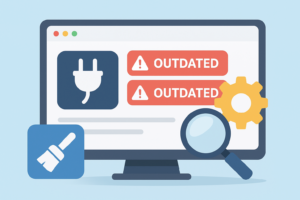 Many website owners unknowingly keep outdated plugins active because they believe updates may break website design or functionality. However, the greater risk lies in ignoring updates altogether. Outdated components can allow hackers to inject malware, modify files, execute malicious scripts, or gain access to the admin panel. A Website Vulnerability Check identifies outdated themes, unpatched plugins, unsupported extensions, and abandoned software that should be removed or replaced. Keeping your software updated significantly minimizes your risk of infection.
Fixing outdated plugins and themes requires a practical and responsible approach. Website owners should enable automatic updates for essential plugins and ensure compatibility testing for complex add-ons. Unused or unsupported plugins should be disabled and removed entirely to reduce attack surface. By pairing regular updates with malware scanning, website threat detection, and modern security tools like integrity monitoring, you create a safe environment that protects your website from known vulnerabilities and prevents cyberattacks caused by outdated code. Staying updated is one of the simplest yet most powerful security practices you can implement.
Identifying Server-Level Vulnerabilities and Misconfigurations
Server-level vulnerabilities are often overlooked because many website owners focus only on front-end security. However, the server is the foundation of your website, and if the server is compromised, your entire site becomes vulnerable. Common server-level risks include open ports, weak SSH configurations, insecure file permissions, outdated operating systems, and misconfigured firewalls. Attackers often target weak servers because they allow deeper access, enabling them to steal data, deploy malware, or even gain complete control over the website.
A Website Vulnerability Check includes reviewing server configurations, analyzing system logs, and inspecting key security settings. Many server vulnerabilities arise from default settings that were never changed. For example, hosting accounts often come with permissive configurations that allow unnecessary access. Weak folder permissions may allow attackers to upload malicious files, while outdated server software can expose your site to known exploits. Regular audits help identify these risks early, giving website owners the opportunity to strengthen their server environments.
Fixing server-level vulnerabilities requires a combination of technical knowledge and reliable security tools. Measures such as disabling unused ports, enforcing strong SSH keys, updating server software, enabling file integrity monitoring, and implementing a web application firewall (WAF) protect your website from high-level attacks. When combined with malware scanning, threat detection, and automated security monitoring, server hardening creates a robust defense that stops attackers at the root level. For long-term security, server protection must always be included in your vulnerability strategy.
Database Security and Protecting Sensitive Information
Your database stores the most important information on your website—user accounts, customer data, form submissions, and business content. Because of this, attackers aggressively target databases through SQL injection, credential theft, and unauthorized access. A vulnerable database can lead to complete data loss, identity theft, financial fraud, and permanent reputation damage. A Website Vulnerability Check reviews database structure, permissions, encryption, and access controls to detect weaknesses that could allow hackers to exploit your data.
Many database vulnerabilities arise from weak passwords, default settings, unused tables, and insecure connections. Poorly configured databases may expose sensitive information or allow unauthorized users to execute commands. SQL injection attacks occur when user input fields (like search bars or login forms) are not properly sanitized, allowing attackers to run harmful queries that extract or delete data. Regular vulnerability scanning helps identify these risky input fields, misconfigured database settings, and insecure access points before attackers find them.
To secure your database, you must implement strong authentication, encrypted connections, restricted permissions, and regular backups. Using security tools that monitor unusual database activities, block suspicious queries, and detect unauthorized access attempts provides an additional layer of protection. When database security is combined with website threat detection, malware scanning, and secure server configuration, your website becomes significantly more resilient. Protecting your database is protecting your entire business—because your data is your most valuable digital asset.
Identifying Brute Force Attacks and Strengthening Login Security
Brute force attacks are one of the most common hacking methods used to break into websites. Attackers use automated tools to guess thousands of username-password combinations until they gain access. Weak passwords, common login URLs, and unlimited login attempts make websites an easy target. A Website Vulnerability Check analyzes your login system, user accounts, and authentication processes to identify weak points that could allow brute force attacks to succeed.
Many website owners underestimate how frequently brute force attacks occur. Even small websites may receive hundreds of attack attempts daily. If your login page is accessible, hackers will try to break in. Weak or reused passwords make it even easier. Hackers also exploit predictable login URLs like /wp-admin or /login, which are used across millions of websites. When login security is not taken seriously, a single successful attack can result in full website takeover, malware installation, or data theft.
Strengthening login security requires multiple layers of defense. Using strong, unique passwords and enabling two-factor authentication (2FA) significantly reduces login risks. Limiting login attempts, changing default login URLs, and enabling CAPTCHA protection adds even more security. Security plugins and professional website security tools provide real-time monitoring that detects unusual login patterns and blocks attackers automatically. When combined with regular vulnerability checks, threat detection, and automatic blocking systems, your login area becomes one of the strongest parts of your website security strategy.
Understanding Zero-Day Vulnerabilities and Their Risks
Zero-day vulnerabilities are some of the most dangerous threats in the cybersecurity world because they refer to unknown flaws that developers have not yet discovered or patched. When hackers find these weaknesses before security experts do, they use them to launch highly effective attacks. These vulnerabilities often exist in CMS platforms, plugins, themes, server software, or third-party integrations. This makes them exceptionally harmful because no one knows they exist—not even the software creator. A Website Vulnerability Check plays an essential role in detecting unusual activity and suspicious behavior that may indicate a zero-day attack.
What makes zero-day vulnerabilities so dangerous is their unpredictability. Unlike known vulnerabilities, which have patches or documented workarounds, zero-day exploits have no fix available until the developer becomes aware of the issue. During this window of exposure, hackers can gain unauthorized access, inject hidden malware, extract personal data, or compromise entire websites. Since zero-day attacks often leave minimal traces, many website owners do not even realize they have been attacked until the damage is severe. Regular monitoring using website threat detection, behavior analysis, and anomaly detection tools helps identify unexpected file changes, database modifications, and malicious scripts that may indicate exploitation.
Website owners can reduce their risk of zero-day attacks through layered security measures. Using firewalls, intrusion detection systems, real-time malware scanners, and strong authentication methods creates additional barriers that prevent attackers from exploiting unknown vulnerabilities. Keeping plugins, themes, and server software updated reduces the exposure window since developers release patches as soon as they identify the weakness. A zero-day exploit cannot always be predicted, but with frequent vulnerability checks, active monitoring, and strong security controls, your website can remain resilient even against threats that emerge unexpectedly.
Importance of Website Backups in Security and Recovery
Website backups are one of the most powerful security tools because they give you the ability to restore your website quickly if something goes wrong. Even the most secure websites can face unexpected issues such as malware infections, hacking incidents, human errors, or server failures. Without a proper backup system, recovery becomes extremely difficult and time-consuming. A backup ensures that you always have a clean version of your website available, making it easier to restore your data, rebuild your website, and continue operations with minimal disruption.
Many website owners underestimate the importance of backups until they face a serious problem. If malware corrupts your files, if an attack deletes your database, or if a plugin update breaks your website, having a backup can be the difference between a fast recovery and a complete loss. A Website Vulnerability Check often includes evaluating your backup strategy—how often backups are created, where they are stored, and whether they can be restored successfully. Backups should be stored securely on external servers or cloud storage to avoid losing them in case the hosting server becomes compromised.
Modern website security tools offer automated backup features that store your files and database regularly. These tools often include options for incremental backups, real-time snapshots, and secure cloud storage. This ensures that even large or complex websites remain protected. When backups are combined with malware scanning, website threat detection, and strong vulnerability management, your website becomes significantly more resilient. Regular backups act as your safety net—if something goes wrong, you can always revert to a clean version and bring your website back online quickly, minimizing downtime and eliminating long-term damage.
How Web Application Firewalls (WAFs) Protect Your Website
A Web Application Firewall (WAF) is one of the most effective ways to protect your website from known and unknown threats. A WAF works by filtering incoming traffic and blocking malicious requests before they reach your website. It acts as a security shield that scans every request, checks for suspicious patterns, and prevents attackers from exploiting vulnerabilities. With the rise of automated bot attacks, SQL injections, cross-site scripting attempts, and brute-force login attempts, a WAF has become an essential part of every website’s defense system.
Modern WAFs use advanced algorithms and machine learning to detect potential attacks. Instead of relying solely on known threat signatures, they analyze behavior to identify unusual activity. For example, if a bot attempts to send thousands of requests in a few seconds, or if an attacker tries to access restricted files, the WAF blocks these attempts automatically. This proactive monitoring reduces the attack surface significantly and protects websites even when vulnerabilities exist. A Website Vulnerability Check often recommends installing a WAF because it adds a crucial layer of protection that goes beyond regular scanning.
A WAF also helps with performance optimization by blocking unnecessary traffic and filtering out bots that slow down your website. By preventing harmful activities such as DDoS attempts, malicious crawlers, and spam bots, your website remains stable and fast. Additionally, WAFs provide detailed security reports, real-time alerts, and actionable data that help website owners understand attack trends. When combined with malware scanning, real-time website threat detection, database protection, and secure hosting, a WAF strengthens your website’s security posture and ensures long-term protection against evolving cyber threats.
The Role of Monitoring & Alerts in Ongoing Website Protection
 Monitoring and alert systems are essential for identifying threats early and preventing major damage. Cyberattacks can occur anytime—even when you are asleep. Without real-time monitoring, attacks may go unnoticed until they cause severe consequences. Monitoring tools track everything happening on your website, from file changes and login attempts to unusual traffic spikes and suspicious user behavior. When something abnormal occurs, you receive an instant alert so you can take action before the situation escalates.
Website monitoring is not just about detecting threats—it also improves performance and reliability. Monitoring tools track server uptime, website speed, broken pages, and system errors. When combined with Website Vulnerability Checks, monitoring allows you to identify new risks immediately. For example, if a file is modified without your permission, the system will notify you instantly. If malware attempts to inject malicious code, you receive an alert. This gives website owners the time and information needed to respond quickly and prevent long-term damage.
Real-time alerts also work in harmony with firewalls, malware scanners, and threat detection systems. When one tool identifies unusual behavior, another tool may automatically block the threat or isolate the malicious activity. This layered approach to security ensures that your website remains protected at all times, regardless of how advanced the attack is. Continuous monitoring, combined with regular vulnerability assessments, is a powerful way to maintain long-term website health, protect your business, and ensure that your online presence remains strong and secure.
Common Mistakes in Website Vulnerability Checks
One of the biggest mistakes website owners make is relying on one-time scans instead of continuous vulnerability checks. Cybersecurity is not a “set and forget” process. New threats appear daily, and vulnerabilities can emerge suddenly due to new software updates or configuration changes. When website owners only run occasional checks, they leave long periods where hidden threats can grow unnoticed. Continuous monitoring and frequent vulnerability scans are essential to minimizing risks and ensuring ongoing protection.
Another common mistake is ignoring plugin, theme, and CMS updates due to fear of breaking the website. While this concern is understandable, failing to update software introduces far greater security risks. Outdated components often contain publicly known vulnerabilities that attackers specifically search for. Neglecting updates leads to unnecessary exposure and makes your website an easy target. A Website Vulnerability Check helps identify outdated components, but they must be fixed immediately to maintain security.
Website owners also make the mistake of thinking small websites do not attract hackers. In reality, automated bots target every website, regardless of size. Attackers use scripts that scan the internet for vulnerabilities without caring about the website’s purpose. This means every website must take threat detection, malware scanning, and strong security tools seriously. By avoiding these common mistakes and adopting a proactive approach, website owners can dramatically reduce cyber risks and maintain a secure digital environment.
Frequently Asked Questions (FAQs)
1. How often should I perform a Website Vulnerability Check?
You should perform a vulnerability check at least once a month. High-traffic or business websites benefit from weekly checks. Regular scanning helps catch new threats, plugin issues, and malware infections early.
2. Can small websites get hacked too?
Yes. Small websites are often targeted more frequently because attackers assume they have weaker security controls. Automated bots scan thousands of websites daily, and any website with vulnerabilities can be compromised.
3. Are free security tools enough?
Free tools offer basic protection but lack real-time threat monitoring, deep malware scanning, and professional-grade vulnerability analysis. A combination of free and premium tools provides the strongest protection.
4. What should I do if my website gets infected?
The first step is to run a full malware scan, identify infected files, and restore clean backups. Then change passwords, update all software, and implement stronger security measures to prevent reinfection.
5. How do I know if my website is secure?
A website is secure when it passes vulnerability checks, uses updated software, has SSL encryption, employs a firewall, and is monitored continuously for threats. No website is 100% safe, but layered security makes attacks extremely difficult.
Conclusion
A secure website is the foundation of online trust, business growth, and long-term digital success. As cyber threats evolve, website owners, small business owners, and general users must adopt strong security practices that protect their websites from vulnerabilities, malware, and advanced attacks. Regular Website Vulnerability Checks play an essential role in detecting risks early and preventing hackers from exploiting weaknesses. Using tools such as malware scanners, threat detection systems, SSL encryption, backups, and firewalls helps build a multi-layered defense that keeps your website safe.
At FixHackedSite, we understand that security is not optional—it is necessary for every website, regardless of size or purpose. By taking proactive steps, running regular scans, and using the right security tools, you can strengthen your website’s safety, protect your visitors, and maintain long-term online credibility. Cyber threats may continue to grow, but with the proper security strategy, your website can remain protected, stable, and fully optimized for the future.
If you follow the strategies outlined in this guide, you will minimize risks, improve your security posture, and ensure that your digital presence stays strong in an increasingly dangerous online world.