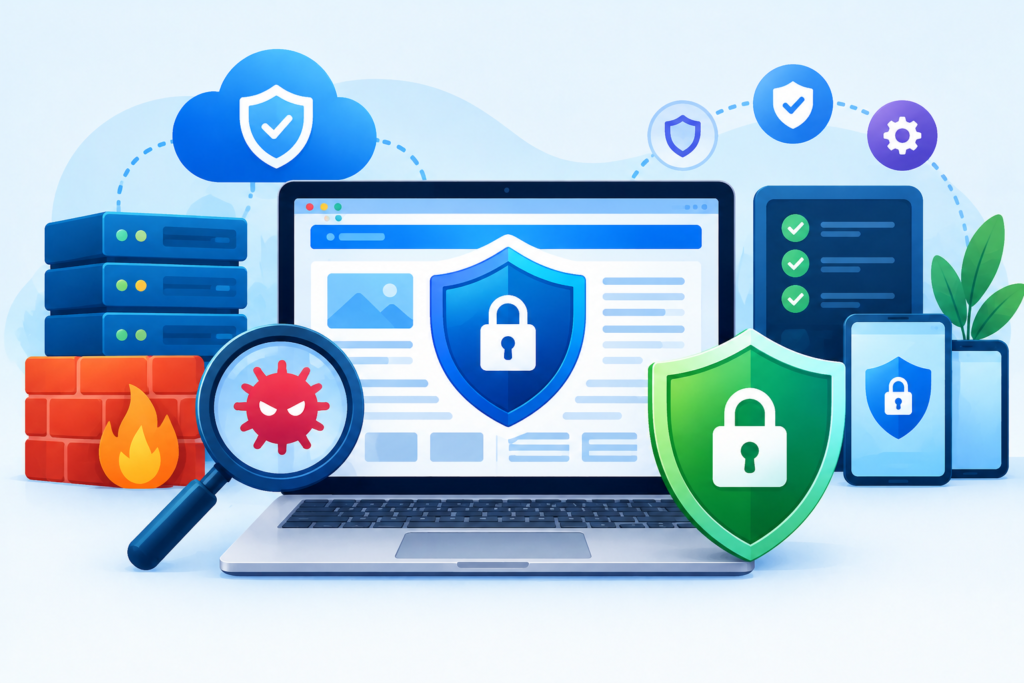
Learn how a Website Domain works, how to choose and register the right domain, manage DNS, protect ownership, support SEO, prevent security problems, and maintain your domain for long-term success.
Introduction
A Website Domain is one of the most important assets behind a modern online presence. It is the address people use to find a website, but its role goes far beyond being a memorable name. A domain can represent a business, support branded email addresses, connect different digital platforms, route visitors to web servers, and provide the foundation for a company’s long-term online identity.
Choosing a domain therefore deserves more consideration than simply finding an available name. Businesses need to think about branding, audience expectations, domain extensions, ownership, security, DNS configuration, search visibility, future expansion, and renewal. A poor decision at the beginning can create unnecessary technical or branding problems later, particularly if the business eventually needs to change its domain.
Domain management also becomes increasingly important as a website grows. A domain may connect to a hosting provider, content management system, email platform, CDN, analytics tools, payment systems, verification services, and other third-party technologies. A seemingly small DNS or account-management mistake can therefore affect several parts of a digital operation simultaneously.
Search engines also need to understand domain and URL changes correctly. Google considers a move from one domain to another to be a site move with URL changes, meaning that businesses should plan redirects, URL mapping, Search Console configuration, and monitoring instead of simply pointing the new domain toward the existing website. site move with URL changes
This guide explains the complete lifecycle of a Website Domain, from choosing and registering one to securing, managing, optimizing, migrating, and eventually retiring it. The objective is to provide practical information that website owners, marketers, developers, business owners, and administrators can use to make better domain decisions.
What Is a Website Domain and How Does It Work?
A Website Domain is the human-readable address used to reach a website or other internet resource. Instead of requiring visitors to remember a numerical IP address, a domain provides a recognizable name that can be typed into a browser. For example, a business can build its public identity around a domain such as example.com rather than asking customers to remember an IP address.
The domain works through the Domain Name System (DNS). DNS translates human-readable hostnames into information that internet-connected systems can use to locate the appropriate destination. When someone enters a domain into a browser, the browser and related DNS infrastructure determine where the request should be sent. Depending on the configuration, that destination could be a web server, CDN, hosting platform, application, or another internet service.
A domain can contain multiple components. The final portion, such as .com, .org, or .net, is the top-level domain. The main name before the extension is generally the second-level domain. A hostname such as blog.example.com uses blog as a subdomain. Similarly, shop.example.com could point visitors toward an ecommerce platform while the primary domain hosts the main company website.
Understanding this structure is important because domain ownership, DNS configuration, website hosting, and content management are not necessarily controlled by the same provider. A company might register its domain through one registrar, host its website with another provider, use a third-party DNS platform, and operate email through a completely separate provider.
This separation can provide flexibility, but it also creates management responsibilities.
Common DNS Records
Several DNS record types are frequently used when operating a domain:
- A record: Commonly connects a hostname to an IPv4 address.
- AAAA record: Connects a hostname to an IPv6 address.
- CNAME record: Points one hostname toward another hostname.
- MX record: Specifies mail servers responsible for receiving email.
- TXT record: Stores text-based configuration or verification information.
- NS record: Identifies authoritative nameservers for the domain.
A business does not necessarily need to understand every DNS detail to operate a website successfully, but administrators should know which records are important and what systems depend on them.
For example, deleting an unfamiliar TXT record might break domain verification. Changing an MX record incorrectly could interrupt business email. Altering an A record could send website visitors to the wrong server.
This is why DNS changes should be documented and tested rather than performed casually.
The domain itself is therefore best understood as a central digital infrastructure asset. It provides the identity under which multiple online systems operate, while DNS determines how different services connected to that identity are reached.
How to Choose the Right Website Domain
Choosing the right domain begins with defining the purpose of the website. A local company may want a domain that clearly communicates its brand and market. An international organization may prefer a globally recognizable extension. A personal brand may want a domain based around the person’s name, while an ecommerce company may choose a distinctive brand name that can support multiple product categories.
A strong domain should generally be memorable, easy to spell, easy to pronounce, and consistent with the brand. Simplicity matters because people need to remember and communicate the address. A complicated domain containing unnecessary punctuation, confusing spelling, or excessive words can increase the possibility of typing mistakes.
Consider how the domain will appear outside the browser as well. It may be printed on advertisements, business cards, packaging, invoices, social media profiles, presentations, and email signatures. It may also be spoken during phone calls or meetings. A domain that is difficult to pronounce or spell can create friction across these channels.
Brand flexibility is another important consideration. Avoid choosing a domain that is unnecessarily restrictive if you expect the business to expand. A company may begin with one service but later introduce additional products, enter new markets, or change its business model. A highly specific domain can become inconvenient if the business grows beyond the original concept.
Domain Selection Checklist
Before registering a domain, consider:
- Is it easy to remember?
- Is it easy to spell?
- Is the pronunciation clear?
- Does it match the brand?
- Could customers confuse it with another company?
- Is the extension appropriate?
- Does it work for the intended geographic market?
- Could the business expand beyond the name?
- Does it create potential trademark concerns?
- Is the name suitable for professional email?
- Are there obvious misspellings that competitors could register?
Keyword-focused domains can communicate relevance, but domain keywords should not be treated as a substitute for quality content or useful website experiences. A website should be designed primarily around the needs of its users rather than around attempts to manipulate search rankings.
This is particularly important because Google’s spam policies identify keyword stuffing as a manipulative practice when keywords are repeated unnaturally to influence search visibility. keyword stuffing
The same principle applies to domain strategy: choose a name that makes sense for people first.
A good domain should also support credibility. Customers may encounter it in advertisements, search results, email messages, referrals, and social media posts. A professional and consistent domain can make it easier for people to recognize the legitimate online presence of a business.
Finally, check the history and legal context of a domain before committing to it. A domain that looks attractive because it is available may have been used previously. Later sections of this guide will explain why previously owned domains require additional due diligence.
The best domain is not necessarily the shortest or most keyword-rich option. It is the one that combines brand clarity, usability, ownership control, technical practicality, and long-term flexibility.
Domain Extensions, Subdomains, and URL Structure Explained
A domain extension, technically called a top-level domain, is the portion appearing at the end of a domain name. Common examples include .com, .org, and .net, while country-code extensions include options associated with individual countries and territories.
The appropriate extension depends on the website’s audience, brand strategy, geographic focus, and availability. A globally oriented business may choose a widely recognized generic extension, while an organization focused on a specific country may consider a relevant country-code extension.
The extension should be considered as part of the complete brand rather than as an isolated SEO tactic.
Understanding Subdomains
A subdomain appears before the primary domain.
Examples include:
blog.example.comshop.example.comsupport.example.comapp.example.commembers.example.com
Subdomains can be useful when different parts of an organization require separate technical systems. An application, customer portal, documentation platform, or ecommerce store may operate independently while remaining associated with the primary brand.
However, subdomains should have a clear purpose. Creating numerous subdomains simply because the DNS system allows it can increase administrative complexity.
Website owners should distinguish between a domain, subdomain, URL path, and DNS record. These components serve different purposes.
For example:
example.com is a domain.
shop.example.com is a subdomain.
example.com/products/ is a URL path.
An A record or CNAME record is a DNS configuration mechanism.
Confusing these concepts can make migrations and troubleshooting much more difficult.
Building a Consistent URL Structure
URL structure should be planned before a website becomes large. A logical structure can help users understand where they are within the website and can make content management easier.
For example:
example.com/services/website-security/
is generally more understandable than an unnecessarily complicated URL containing meaningless strings.
Consistency is particularly important when URLs change. If a company later changes its domain, URL paths, or website architecture, it needs to understand how old URLs correspond to new URLs.
Google recommends creating a mapping between old and new URLs during a site move. The mapping should identify where important old URLs should send visitors and search engines after the migration. URL mapping
A thoughtful URL architecture therefore reduces future technical work.
It also makes it easier to maintain internal links, redirects, canonical URLs, sitemaps, analytics tracking, and content relationships as the website evolves.
How to Register a Website Domain
Registering a domain usually involves selecting an available name through a domain registrar, creating or using an account, entering the required registration information, choosing the registration period, and completing payment.
The technical registration process is relatively straightforward. The more important issue is ownership and control.
Businesses should ensure that the domain is registered under an account controlled by the actual owner or organization. Problems can arise when domains are registered using an employee’s personal email address, a developer’s account, or an agency account that the business cannot independently access.
The domain should be treated as a business asset.
Information to Document
After registration, record:
- Domain name
- Registrar
- Registration date
- Expiration date
- Renewal settings
- Account owner
- Administrative email
- Recovery information
- DNS provider
- Nameservers
- Hosting provider
- Important DNS records
- Authorized administrators
This information can save significant time when a website needs to be migrated, redesigned, recovered, or transferred to another provider.
Enable Strong Account Security
The registrar account should have a strong, unique password and multi-factor authentication whenever available. Access should be limited to people who genuinely need administrative permissions.
The email account used to manage the domain should receive the same level of protection. If an attacker gains access to the email account, they may potentially attempt password resets or intercept administrative communications.
Understand Renewal
Domain registration is generally time-limited. Owners should monitor expiration dates and configure auto-renewal where appropriate.
However, auto-renewal should not replace active management. Payment failures, expired cards, account problems, or administrative changes can interfere with automatic renewal.
A domain expiration can affect more than the website. Email addresses, DNS services, redirects, verification systems, applications, and marketing campaigns can all depend on the domain remaining active.
For important domains, maintain both automated renewal and an internal calendar reminder.
Avoid Unnecessary Domain Purchases
Businesses sometimes purchase large numbers of domains because they fear competitors will register similar names. Some defensive registrations can make strategic sense, but an unnecessarily large portfolio creates additional renewal costs and administrative responsibilities.
Each domain should have a clear purpose.
The most important principle is simple: know who owns the domain, who can access it, when it expires, and how it is configured.
DNS Management: The Technical Foundation Behind Your Domain

DNS management is the process of controlling the records and nameserver configuration that determine how a domain interacts with internet services.
Although DNS can appear complicated, the basic concept is straightforward: different records tell internet systems what should happen when particular hostnames are requested.
For example, a website might use an A record to point its primary hostname toward a web server. Its email provider might require MX records. A third-party platform might request a TXT record for verification. A CDN may require a CNAME configuration.
The challenge is that multiple services can depend on the same domain.
Why DNS Documentation Matters
Before making DNS changes, create a record of the current configuration.
Document:
- A records
- AAAA records
- CNAME records
- MX records
- TXT records
- Nameservers
- TTL values where relevant
- Third-party services
- Verification records
- Subdomains
This creates a baseline that can be compared against future configurations.
If a website is being migrated to a new host, this documentation becomes particularly valuable. It allows administrators to identify which records need to change and which must remain untouched.
Avoid Random DNS Changes
One of the most common technical mistakes is deleting records simply because they are unfamiliar.
A TXT record may look unnecessary while actually supporting email authentication. A CNAME may appear unused while supporting a SaaS platform. A verification record may be required by a third-party service.
Before removing anything, identify its purpose.
DNS and Website Availability
Incorrect DNS configuration can make a functioning website appear to be offline.
For example, the web server may be operating normally, but the domain could point toward the wrong IP address. Similarly, a nameserver change could cause previously configured records to disappear if the new DNS provider does not contain the complete configuration.
This is why DNS changes should be planned and tested.
DNS Security
Access to DNS management should be restricted. Use strong authentication, enable multi-factor authentication where supported, review account permissions, and remove unnecessary users.
Monitor important DNS changes, particularly modifications to:
- Nameservers
- A records
- AAAA records
- CNAME records
- MX records
Unexpected DNS changes can be an early warning sign of unauthorized access.
DNS management is therefore not simply a technical housekeeping task. It is part of website availability, email reliability, security, and business continuity.
Website Domains and SEO: What Really Matters?
A domain name can influence branding, user recognition, and trust, but it should not be treated as an automatic ranking mechanism.
Search visibility depends on the overall quality and accessibility of the website. A memorable domain cannot compensate for poor content, technical problems, unusable navigation, weak information architecture, or a poor user experience.
One of the most important domain-related SEO concepts is URL consistency.
A website may technically exist through multiple URL versions, including:
- HTTP and HTTPS
- www and non-www
- Different trailing-slash patterns
- Parameter variations
- Duplicate paths
- Alternate URL structures
These variations need to be handled intentionally.
Understanding Canonicalization
URL canonicalization is the process of identifying the representative URL for a piece of content when multiple URLs contain duplicate or substantially similar content. Google considers signals such as redirects, HTTPS, sitemap inclusion, and rel="canonical" annotations when selecting canonical URLs. URL canonicalization
A canonical URL is a signal, not an absolute command. Google can choose a different canonical URL when its systems determine that another version is more appropriate.
This means website owners should not rely on one technical signal in isolation.
Instead, create consistency across:
- Internal links
- Redirects
- Canonical tags
- Sitemaps
- HTTPS configuration
- URL structure
- Navigation
- External references
Domain Changes and SEO
Changing a domain is a much larger SEO event than changing a visual design.
A domain migration changes the URLs that search engines and users encounter. Google recommends preparing the new site, mapping old URLs to new URLs, implementing permanent redirects, monitoring traffic, updating internal links, and using appropriate Search Console functionality. Search Console
A temporary fluctuation in search visibility can occur while search engines recrawl and process the new URLs. Google notes that the timing varies according to factors such as website size, number of URLs, and server crawling capacity.
Therefore, a domain migration should never be treated as simply purchasing a new domain and pointing it toward the old server.
It should be handled as a planned technical SEO project.
How to Secure a Website Domain Against Attacks
Domain security is an essential but frequently overlooked part of website protection.
Website owners often focus on securing their CMS, plugins, themes, server, and database while forgetting that control of the domain itself can be equally important. If an attacker gains access to the account controlling the domain or DNS, they may be able to redirect traffic, interfere with email, modify DNS records, or disrupt access to critical services.
The first layer of protection is the registrar account.
Use a unique password and enable multi-factor authentication whenever supported. Do not share administrator credentials casually. If multiple people need access, use individual accounts where the registrar supports them.
The associated email account also needs strong protection because it may be used for password resets, ownership notifications, and other administrative communication.
Protect DNS Access
DNS should be treated as sensitive infrastructure.
Limit administrative permissions and regularly review who has access. Former employees, contractors, developers, and agencies should not retain unnecessary access.
Pay particular attention to unexpected changes involving:
- Nameservers
- A records
- CNAME records
- MX records
- TXT records
- Subdomains
Watch for Search-Related Compromise
Domain and website compromises can sometimes affect search visibility.
Google’s documentation on canonicalization issues specifically identifies malicious hacking as a potential cause of unexpected redirects or cross-domain canonical signals. malicious hacking and canonicalization
This illustrates why website security cannot be viewed only as a server-level problem.
A compromised website might contain injected pages, malicious redirects, unwanted scripts, spam content, or manipulated canonical signals. Google also identifies hacked content as content placed on a website without permission because of security vulnerabilities. hacked content
Domain Security Checklist
A practical domain security program should include:
- Strong registrar password
- Multi-factor authentication
- Protected administrative email
- Limited account permissions
- Regular access reviews
- DNS change monitoring
- Accurate ownership information
- Secure recovery methods
- Transfer protections where available
- Documented domain ownership
- Removal of former administrator access
- Regular website and DNS audits
A domain is part of the website’s security perimeter.
Protecting the website while leaving the domain account exposed creates an avoidable weakness.
Domain Renewal, Ownership, and Long-Term Management
Successful domain management is a long-term responsibility. Registering a domain is only the beginning. Businesses must maintain ownership, renew the registration, secure the account, document DNS settings, review access, and ensure that the domain remains aligned with the organization’s goals.
The first priority is renewal management.
Do not wait until the expiration date approaches before checking the domain. Important domains should have a documented renewal process, responsible owner, backup administrator, and reliable billing information.
Auto-renewal can reduce the risk of accidental expiration, but it should be combined with active monitoring. Payment methods can fail, cards can expire, accounts can become inaccessible, and responsibilities can change when employees leave an organization.
Maintain Clear Ownership
The organization that depends on a domain should know exactly who controls it.
If an external developer or agency originally registered the domain, the business should confirm that it has appropriate administrative control. External providers may help manage infrastructure, but ownership should not become unclear.
This is especially important during:
- Website redesigns
- Hosting migrations
- Agency changes
- Business acquisitions
- Employee departures
- Rebranding
- Domain transfers
Maintain a Domain Inventory
A professional domain inventory should include every important domain associated with the organization.
For each domain, record:
- Domain name
- Registrar
- Owner
- Administrator
- Expiration date
- Renewal status
- DNS provider
- Nameservers
- Hosting provider
- Email provider
- Important subdomains
- Critical DNS records
Review the inventory periodically.
Businesses often accumulate old domains over time. Some may have been used for previous campaigns, discontinued products, old brands, temporary projects, or acquisitions.
Unused domains should be reviewed rather than automatically renewed forever.
Think About Domain Continuity
A domain can outlive several generations of technology.
A business may change its CMS, hosting provider, website design, analytics platform, email provider, and development team while keeping the same domain for many years.
That stability is valuable.
For this reason, domain ownership should be treated as a long-term digital asset management responsibility rather than a one-time technical purchase.
Good documentation, secure access, timely renewal, controlled DNS changes, and clear ownership can protect the domain through future changes in technology and personnel.
The stronger the domain management process is today, the easier it becomes to handle future migrations, rebrands, security incidents, and infrastructure changes without unnecessary disruption.
Website Domain Migration: A Complete Step-by-Step Process
A Website Domain migration occurs when a website moves from one domain to another. This can happen because of rebranding, business acquisition, a change in target market, a company merger, a domain dispute, or a strategic decision to adopt a more suitable brand identity. Unlike a simple hosting change, a domain migration changes the URLs users and search engines see, making preparation especially important.
Google treats a domain change as a site move with URL changes. Its guidance recommends preparing the new website, mapping old URLs to their corresponding new URLs, implementing permanent server-side redirects, monitoring the transition, and updating relevant website signals. site move with URL changes
The safest migration begins before the new domain becomes publicly active. Create a complete inventory of existing URLs and identify their corresponding destinations on the new domain. Important pages should receive direct, relevant redirects rather than being sent to an unrelated homepage. The same principle applies to valuable images, downloads, documents, and other resources that have accumulated links or search visibility.
Before launch, verify the new domain and relevant URL variations in Search Console. Make sure the new site can be crawled, its robots configuration is correct, canonical signals are appropriate, and the new sitemap is ready.
A practical migration workflow looks like this:
- Audit the existing website.
- Record important URLs.
- Identify valuable pages and resources.
- Prepare the new domain.
- Build the URL mapping.
- Test the new website.
- Implement permanent redirects.
- Update internal links.
- Update canonical URLs.
- Submit the new sitemap.
- Configure the appropriate Search Console settings.
- Monitor crawling, indexing, traffic, and errors.
Avoid combining unnecessary technical changes with the domain migration. If possible, do not simultaneously redesign the entire website, restructure every URL, change the CMS, alter content, and move hosting without a clear reason. Google recommends changing one thing at a time when possible because this makes troubleshooting easier.
Timing also matters. Launching a major migration during an unusually busy business period can increase operational risk. A quieter period gives your team more opportunity to monitor errors and resolve unexpected problems.
A domain migration should therefore be treated as a planned technical project, not as a simple DNS configuration task.
How to Change a Website Domain Without Losing SEO
Changing a domain does not automatically mean losing all existing search visibility, but poor migration practices can cause significant problems. The objective is to preserve as many established signals as possible while giving search engines a clear path from the old URLs to the new ones.
Start by identifying the pages that currently receive organic traffic, backlinks, conversions, and user engagement. Your analytics data, server logs, SEO tools, and Search Console data can help identify important URLs.
Create an old-to-new URL mapping before launching the migration. Ideally, every valuable old URL should have a directly relevant destination on the new domain.
For example:
oldsite.com/services/website-security/
should ideally redirect to:
newsite.com/services/website-security/
rather than:
newsite.com/
The second approach removes useful context and may create a poor user experience.
Google recommends using server-side permanent redirects such as 301 or 308 redirects for permanent site moves. Its documentation states that permanent redirects do not cause a loss of PageRank.
The migration should also update the new website’s internal links so they point directly to the new domain. Do not rely indefinitely on internal links passing through old-domain redirects.
Update:
- Navigation menus
- Footer links
- Breadcrumbs
- Images
- Structured data
- Canonical tags
- XML sitemaps
- Open Graph URLs
- Social profile links
- Advertising destinations
- Important external references where possible
After launch, monitor both domains.
Look for:
- Crawl errors
- Unexpected 404 pages
- Redirect loops
- Redirect chains
- Indexing problems
- Canonical conflicts
- Traffic changes
- Ranking changes
- Server errors
- Unexpected crawl activity
Some temporary fluctuations can occur while search engines process the migration. The duration depends on the size and complexity of the website, so there is no universal recovery timeline.
The key principle is signal continuity.
The new domain should clearly demonstrate that it is the intended successor to the old domain through redirects, canonicalization, internal links, sitemaps, content continuity, and appropriate technical configuration.
Redirects, Canonical URLs, HTTPS, and Search Engine Signals
Redirects and canonical URLs both communicate information about URLs, but they perform different jobs.
A redirect tells a browser and search engine that one URL should lead somewhere else. A canonical declaration communicates which URL should generally be considered the representative version when multiple URLs contain similar or duplicate content.
For a permanent domain migration, server-side permanent redirects are the primary mechanism for forwarding old URLs to their new destinations. Google recommends permanent redirects for site moves and advises against creating unnecessary redirect chains.
A simple migration might look like:
old-domain.com/page-a/ → new-domain.com/page-a/
The destination should be relevant and functional.
Avoid creating chains such as:
old-domain.com/page-a/ → old-domain.com/page-b/ → new-domain.com/page-c/
Whenever possible, send the original URL directly to its final destination.
Canonical URLs
A canonical URL helps search engines understand which version of a page should be treated as the representative URL.
Google explains that canonicalization involves selecting a representative URL among duplicate or substantially similar pages.
During a domain migration, canonical tags on the new site should normally reference the new preferred URLs rather than continuing to point toward the old domain.
For example:
new-domain.com/page/
should not unnecessarily declare:
old-domain.com/page/
as its canonical destination after the migration.
HTTPS
HTTPS is another important part of modern domain configuration. Make sure the new domain has a valid SSL/TLS configuration before launch and that HTTP requests are appropriately redirected to HTTPS.
Check every important URL variation:
- HTTP
- HTTPS
- www
- non-www
- Relevant subdomains
The objective is to establish one consistent preferred version.
A technically correct migration aligns redirects, canonical URLs, internal links, sitemaps, HTTPS, and domain configuration instead of relying on one signal alone.
Domain Email, Subdomains, and Third-Party Integrations
A domain frequently supports much more than the main website. It may also be used for professional email, customer portals, applications, support systems, analytics platforms, marketing tools, payment services, and third-party software.
This becomes especially important when a domain is migrated.
Email may depend on MX records, while email authentication can depend on TXT records. Services such as SPF, DKIM, and DMARC can also be connected to the domain’s DNS configuration. Changing nameservers or DNS providers without documenting these records can disrupt email delivery or authentication.
Before making domain changes, create an inventory of every service connected to the domain.
Consider:
- Business email
- Transactional email
- CRM systems
- Marketing platforms
- Payment providers
- CDN services
- Analytics tools
- Advertising platforms
- Customer support systems
- SaaS applications
- API integrations
- Verification services
- Developer tools
- Mobile applications
Subdomains deserve the same attention.
A company may operate:
www.example.com
blog.example.com
app.example.com
support.example.com
api.example.com
Each hostname may have a different technical destination.
Do not assume that moving the primary website automatically moves these services.
Audit DNS Before Migration
Before changing nameservers or hosting:
- Export existing DNS records.
- Identify every active subdomain.
- Identify email-related records.
- Identify third-party verification records.
- Record current TTL settings where useful.
- Recreate required records on the new DNS provider.
- Test the website.
- Test email.
- Test important subdomains.
- Confirm third-party integrations.
A DNS migration is successful only when the wider ecosystem continues functioning.
Third-Party Integrations
Many platforms verify ownership through DNS. If a verification TXT record disappears during migration, a previously connected service may stop recognizing the domain.
Similarly, changing a CNAME may disconnect a hosted application or CDN.
This is why DNS documentation should be completed before a domain migration begins.
The website is only one part of the domain ecosystem.
Expired and Previously Owned Domains: Risks and Due Diligence
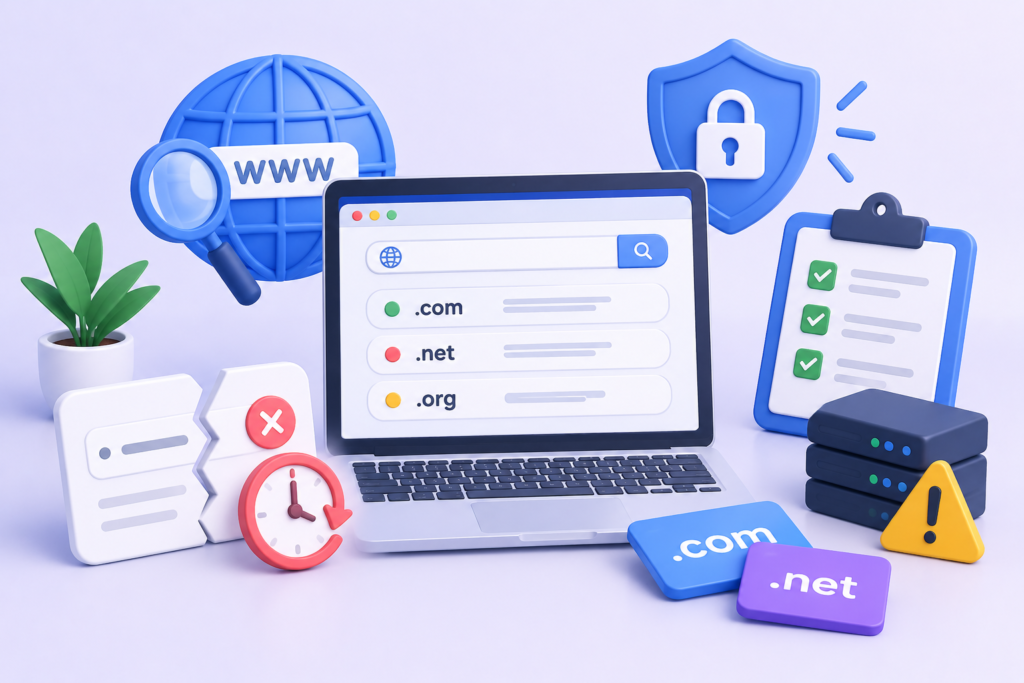
A domain becoming available does not necessarily mean it is a clean or valuable asset.
A previously owned domain may have been used by another organization, abandoned after a business closed, used for marketing campaigns, redirected to unrelated websites, or associated with spam or malicious activity.
Google’s spam policies specifically address expired domain abuse, where expired domains are repurposed primarily to manipulate search rankings rather than provide genuine value to users. expired domain abuse
This does not mean every previously registered domain is dangerous. Many legitimate domains are registered, abandoned, and later reused without problems. The important point is to perform appropriate due diligence.
Before acquiring a previously owned domain, investigate:
- Historical website usage
- Previous business or brand
- Backlink profile
- Search visibility history
- Spam indicators
- Suspicious redirects
- Unusual anchor text
- Previous content categories
- Manual-action history where discoverable
- Trademark conflicts
- Existing reputation
- Search-engine indexing behavior
Google’s site-move documentation also recommends checking a newly acquired domain for previous manual actions and URL removals before using it.
Do not assume that an old domain with many backlinks is automatically valuable.
Backlinks from irrelevant, manipulative, or low-quality sources can create a very different profile from genuine editorial references.
Likewise, purchasing an expired domain solely because it previously ranked for valuable keywords can become a poor strategy if the new website has no legitimate relationship to the previous content.
The correct approach is to evaluate the domain as an historical digital asset, not merely as an available web address.
If the domain has an unclear or problematic history, investigate it before building an important business around it.
Common Website Domain Mistakes and How to Avoid Them
Domain mistakes can range from simple administrative oversights to major security and SEO failures. Many are preventable through documentation, access control, testing, and clear ownership.
Mistake 1: Registering the Domain Under the Wrong Account
A business may allow a developer or agency to register its domain under a personal account. This can create ownership disputes later.
Better approach: Ensure the legitimate owner maintains administrative control.
Mistake 2: Forgetting Renewal Dates
An expired domain can disrupt websites, email, and connected services.
Better approach: Enable auto-renewal where appropriate and maintain internal renewal reminders.
Mistake 3: Sharing One Administrator Password
Shared credentials make it difficult to determine who accessed the account and make access removal complicated.
Better approach: Use individual administrator accounts whenever supported.
Mistake 4: Ignoring DNS Records
Deleting unfamiliar records can break email, verification, applications, or other services.
Better approach: Document the DNS configuration before making changes.
Mistake 5: Redirecting Every Old URL to the Homepage
A homepage redirect may not accurately replace a specific old page.
Better approach: Map important URLs to their most relevant new destinations.
Google specifically cautions against redirecting many old URLs to an irrelevant destination such as the homepage because this can confuse users and potentially be treated as a soft 404.
Mistake 6: Creating Redirect Chains
Multiple redirects increase complexity and can make troubleshooting more difficult.
Better approach: Redirect old URLs directly to their final destinations.
Mistake 7: Forgetting Canonical Tags
After a domain migration, canonical tags that continue pointing toward old URLs can create conflicting signals.
Better approach: Audit canonical URLs immediately after launch.
Mistake 8: Changing Too Many Things at Once
A domain migration combined with a redesign, CMS migration, URL restructure, content rewrite, and hosting change makes troubleshooting much harder.
Better approach: Control the scope and document each major change.
Mistake 9: Buying an Expired Domain Without Research
A previously used domain may have a problematic history.
Better approach: Investigate its historical use and search-related reputation before acquisition.
Mistake 10: Using Domains to Manipulate Search Results
Keyword stuffing, deceptive redirects, and expired-domain abuse can violate search-engine spam policies. spam policies
The solution is simple: use the domain to support a legitimate website rather than attempting to manufacture artificial ranking signals.
Website Domain Best Practices, FAQs, and Long-Term Management
A strong domain strategy combines ownership, security, technical consistency, SEO awareness, documentation, and long-term planning.
Best Practices Summary
Follow these principles when managing a Website Domain:
- Choose a memorable and brand-appropriate domain.
- Consider long-term business expansion before registering.
- Maintain clear ownership.
- Use a secure registrar account.
- Enable multi-factor authentication.
- Protect the associated email account.
- Monitor renewal dates.
- Keep DNS records documented.
- Restrict administrative access.
- Review domain permissions regularly.
- Use HTTPS consistently.
- Maintain consistent preferred URL versions.
- Keep canonical signals accurate.
- Update internal links after domain changes.
- Use permanent redirects for permanent URL moves.
- Avoid redirect chains.
- Map old URLs to relevant new URLs.
- Submit an updated sitemap after migration.
- Monitor Search Console after major changes.
- Research previously owned domains before acquisition.
- Avoid manipulative domain-based SEO tactics.
Frequently Asked Questions
1. What is a Website Domain?
A Website Domain is a human-readable internet address used to identify and access a website or other online service. It works with DNS to direct requests toward the appropriate infrastructure.
2. Does a domain name directly improve SEO?
A domain name can support branding, recognition, and user trust, but simply including keywords in a domain does not guarantee higher rankings. Overall website quality, relevance, technical accessibility, content, and user value remain important.
3. What happens if a domain expires?
The consequences depend on the registrar and domain extension, but expiration can eventually lead to loss of control. Websites, email addresses, DNS records, and other connected services can be affected.
4. Can I change my domain without losing SEO?
Yes, a properly planned domain migration can preserve many established signals. The process should include URL mapping, permanent redirects, updated internal links, correct canonical URLs, sitemap updates, Search Console configuration, and ongoing monitoring.
5. Are 301 redirects appropriate for a domain migration?
Yes. Google recommends permanent server-side redirects, including 301 and 308 redirects, when a permanent site move occurs.
6. Should every old URL redirect to the homepage?
No. Important old URLs should normally redirect to their most relevant new equivalents. Sending unrelated URLs to the homepage can create poor user experiences and may result in soft-404 behavior.
7. What is the difference between a domain and DNS?
The domain is the registered internet name, while DNS is the system and configuration used to connect that name to services such as websites and email.
8. Should I buy an expired domain for SEO?
Not simply for SEO manipulation. Research the domain’s history and ensure it will be used for a legitimate, useful website. Google specifically identifies certain forms of expired domain abuse as spam.
Long-Term Domain Management
A domain should be reviewed periodically just like any other important business asset.
At least periodically, check:
- Ownership
- Registrar access
- Renewal status
- DNS records
- Nameservers
- Subdomains
- Email configuration
- SSL/TLS configuration
- Third-party integrations
- Search Console properties
- Redirects
- Canonical URLs
- Website accessibility
- Administrator permissions
The objective is to maintain a domain that remains secure, accessible, correctly configured, and aligned with the business.
Conclusion
A Website Domain is a long-term digital asset that connects branding, website accessibility, DNS infrastructure, email, security, search visibility, and business continuity. Managing it effectively requires more than simply registering a name and waiting for the website to work.
The strongest approach is to establish clear ownership, secure the registrar account, document DNS settings, monitor renewal dates, protect associated email accounts, and regularly review connected services. When a domain migration becomes necessary, careful URL mapping, permanent redirects, canonicalization, internal-link updates, sitemap changes, and monitoring can significantly reduce unnecessary disruption.
For businesses using FixHackedSite, domain management is also an important part of a broader website protection strategy. A secure CMS and protected hosting environment are valuable, but the surrounding domain and DNS infrastructure should receive the same level of attention.
The most sustainable domain strategy is ultimately straightforward: choose carefully, own it clearly, secure it properly, document it thoroughly, and change it only with a well-planned reason.
When these principles are followed, a Website Domain can provide a stable foundation for a website’s identity, technical infrastructure, SEO architecture, and long-term growth.
Want to Implement This Easily?
You are an expert consultant. Based on the blog post titled “(Website Domain)”, provide a step-by-step, practical implementation guide. Include tools, best practices, common mistakes to avoid, and advanced tips. Assume the reader wants to implement everything discussed in this article effectively.
Want our help implementing this? Just reach out to us via our website contact form