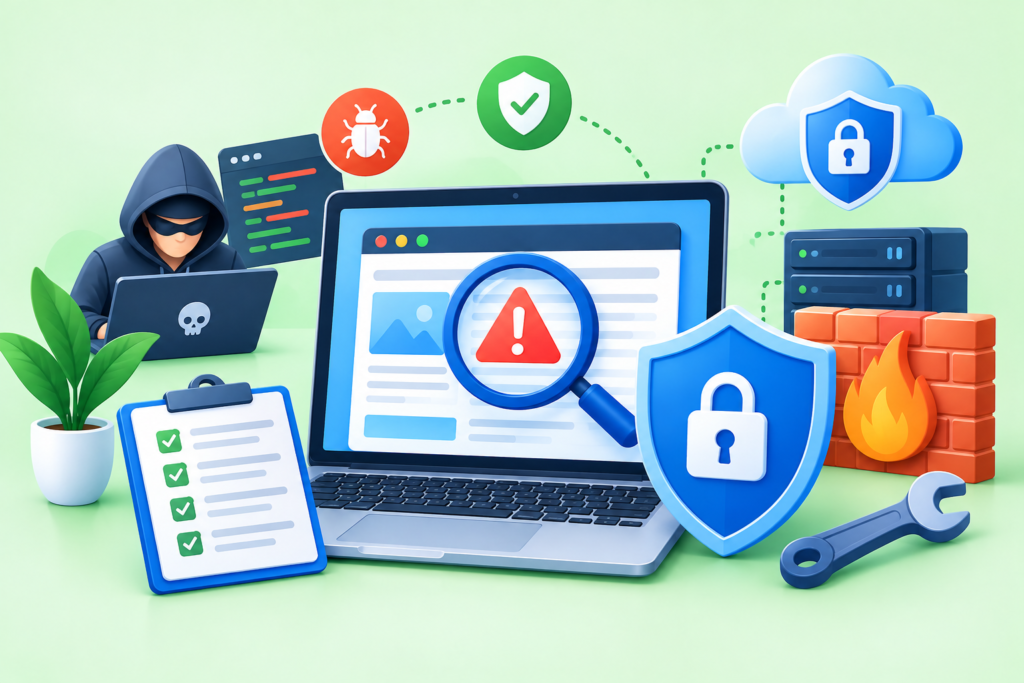
Malware Removal helps detect, clean, and prevent malicious code, hacked files, redirects, and security threats while restoring a website to a safer and more reliable condition.
Introduction
Website malware can transform a functioning website into a serious security, business, and reputation problem without always producing obvious warning signs. A compromised website may continue appearing normal to the administrator while silently injecting malicious scripts, creating spam pages, redirecting visitors, modifying legitimate files, or providing unauthorized access to attackers. In more visible cases, browsers may display security warnings, search engines may identify hacked content, visitors may be redirected to unfamiliar destinations, or website owners may notice unexpected changes in their pages and administrative accounts.
Effective Malware Removal is therefore much more than deleting a suspicious file. A complete remediation process should identify the likely source of the compromise, contain the incident, investigate affected files and accounts, remove malicious code, repair the vulnerability that allowed the attacker to gain access, verify the website’s functionality, and establish appropriate monitoring afterward. Google specifically advises website owners to fix the security issue that allowed an infection to occur because otherwise the website may become reinfected. Google Help
For businesses, publishers, e-commerce operators, agencies, and website administrators, the goal should be genuine recovery rather than a temporary visual fix. FixHackedSite provides the context for understanding why professional malware cleanup requires a structured process rather than a single scan or deletion operation. This guide explores how website malware works, how to recognize infection indicators, how to investigate compromised files, how to protect credentials, how to clean a website safely, and how to reduce the likelihood of another compromise.
What Is Website Malware and How Does It Affect a Website?
Website malware is malicious code, a malicious file, unauthorized modification, or other harmful software behavior introduced into a website or its underlying environment. The exact form can vary considerably. A compromised website may contain injected JavaScript, malicious PHP code, unauthorized administrator accounts, hidden redirects, phishing pages, spam content, backdoors, altered configuration files, or suspicious scheduled processes. Some attacks primarily target visitors, while others focus on maintaining unauthorized access or using the website for spam, fraud, or search-engine manipulation.
The consequences depend on the nature and extent of the infection. Malware may interfere with normal website functionality, expose sensitive information, consume server resources, redirect visitors, damage search visibility, or cause browsers and security systems to warn users about the website. An e-commerce website can face additional exposure because customers may interact with accounts, forms, checkout processes, and other sensitive functionality. Even when attackers do not directly steal financial information, downtime and loss of customer confidence can create substantial operational consequences.
Another major concern is persistence. Attackers may install a backdoor that allows them to regain access after an obvious malicious file has been removed. This is one reason why malware cleanup should not be treated as a simple search-and-delete task. Website administrators should investigate unauthorized accounts, altered credentials, vulnerable software, suspicious files, unexpected scheduled tasks, modified configuration, and other indicators of compromise. OWASP recommends principles such as secure configuration, least privilege, defense in depth, regular updates, and incident-response planning as components of a stronger security approach. OWASP Cheat Sheet Series
Common Signs That a Website May Be Infected With Malware
Recognizing an infection can be surprisingly difficult because malware does not always generate an obvious error. Some attackers deliberately make malicious behavior conditional. A compromised website might behave normally for the administrator but redirect visitors arriving from search engines, display suspicious content only on mobile devices, or activate malicious scripts under particular circumstances. Google explains that hacked websites can contain unauthorized pages or modifications and may expose visitors to spam or malware. Google Help
Unexpected redirects are one of the most recognizable warning signs. Visitors may suddenly be sent to unrelated websites, suspicious advertisements, fake login pages, or fraudulent offers. Other indicators can include unfamiliar administrator accounts, unexplained files, unexpected content changes, suspicious JavaScript, unusual server resource consumption, sudden performance problems, or strange URLs appearing in search results. A browser or search engine warning is another significant indicator. Google explains that a “This site may be hacked” message can appear when its systems believe a hacker may have modified existing pages or added spam pages. Google Help
However, the absence of these symptoms does not prove that a website is clean. A sophisticated infection can remain hidden for an extended period. Administrators should therefore investigate multiple signals rather than relying on a single browser test or automated scanner. Useful evidence can include recently modified files, server logs, authentication activity, database changes, unexpected administrator accounts, altered configuration files, and differences between the installed software and trusted clean versions. The Security Issues report in Google Search Console can provide important information about security problems detected by Google, but it should form part of a broader investigation rather than being treated as the only diagnostic source. Google Help
How Malware Gets Into Websites in the First Place
Understanding how malware entered a website is one of the most important parts of effective remediation. If administrators remove the visible malicious files but leave the original weakness untouched, the attacker may simply exploit the same weakness again. Websites can be compromised through outdated content management systems, vulnerable plugins or extensions, insecure themes, stolen credentials, weak passwords, exposed administrative interfaces, vulnerable custom code, unsafe file-upload functionality, compromised third-party components, or poorly configured hosting environments.
Credential theft is particularly important because attackers do not always need to exploit a software vulnerability once they possess valid credentials. A stolen administrator password, hosting credential, FTP account, SSH key, deployment token, or API secret can provide direct access to an otherwise well-maintained website. This means that malware investigations should examine authentication security as well as application files. If an attacker has potentially obtained credentials, changing only the main CMS password may not be sufficient.
Third-party software also deserves careful examination. Plugins, extensions, libraries, frameworks, scripts, themes, and integrations increase functionality but can also increase the attack surface when they are outdated, poorly configured, abandoned, or vulnerable. Security architecture should therefore minimize unnecessary functionality and maintain secure defaults. OWASP recommends minimizing the attack surface, applying least privilege, removing unnecessary functionality, protecting sensitive information, and keeping software and underlying systems updated. OWASP Cheat Sheet Series A proper investigation asks not only where the malware is located, but also why the attacker was able to place it there.
The First Response: Contain a Malware Infection
When malware is suspected, containment should be considered before extensive cleanup. The purpose of containment is to reduce the attacker’s ability to continue modifying the website and to limit potential harm to visitors. Depending on the severity of the incident, this may involve temporarily restricting public access, enabling maintenance mode, isolating affected systems, limiting administrative access, disabling compromised functionality, or working with the hosting provider to isolate the affected environment.
Evidence should also be preserved where practical. Relevant backups, server logs, file timestamps, database records, authentication logs, and other information may help establish what happened. Immediately deleting every suspicious file can sometimes remove evidence that could have helped identify the original entry point. However, evidence preservation should not take priority over visitor safety. If the website is actively distributing malicious content or creating a significant risk, appropriate containment should happen promptly.
Credential protection is another important containment measure. Review all potentially affected accounts rather than focusing exclusively on the primary website administrator. This may include hosting accounts, database users, FTP or SFTP accounts, SSH access, developer accounts, deployment credentials, API keys, and third-party integrations. OWASP recommends maintaining an incident-response capability and applying secure access controls, while its secure-design guidance emphasizes limiting privileges and reducing unnecessary access. OWASP Cheat Sheet Series Containment should create a controlled environment in which investigation and remediation can proceed without leaving the attacker an easy path back into the website.
How to Scan a Website for Malware
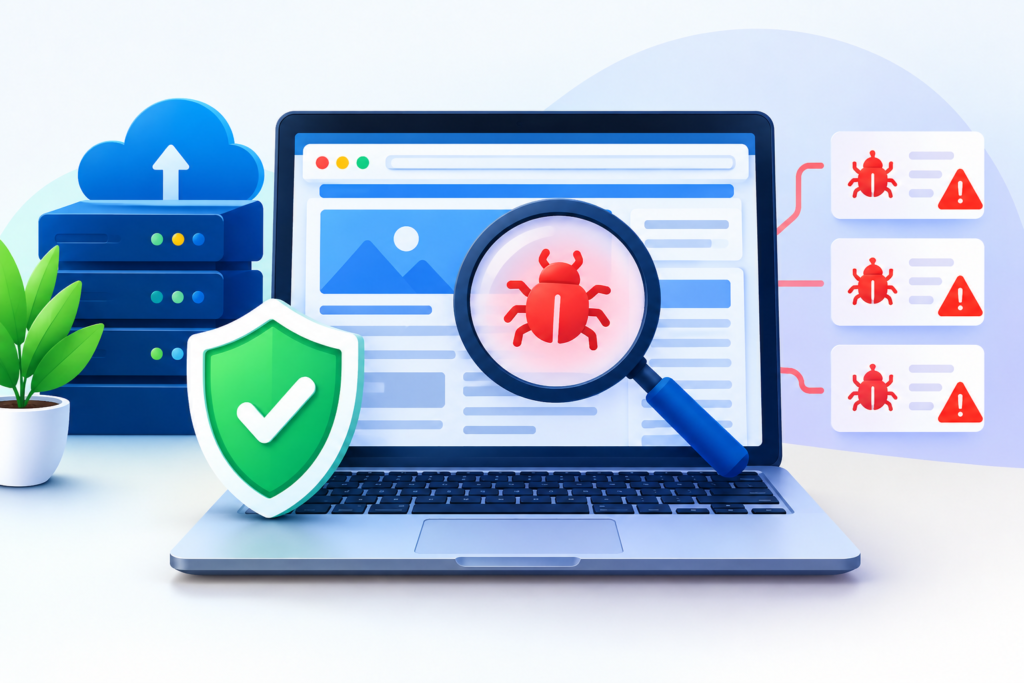
Malware scanning is an important component of website investigation, but no single scanner should automatically be considered definitive. Malware can exist in application files, databases, configuration files, uploaded content, scheduled tasks, or other parts of the hosting environment. A strong detection strategy therefore combines automated scanning with manual investigation, file comparison, configuration review, and examination of relevant logs.
Automated scanners can identify known malware signatures, suspicious code patterns, unexpected changes, and potentially malicious files. They are particularly valuable on large websites where manually reviewing every file would be impractical. However, automated detection can produce false positives and false negatives. A scanner may identify legitimate custom code as suspicious, while a carefully disguised malicious modification may not match a known signature. Suspicious results should therefore be investigated in context rather than automatically deleted.
Comparing website files against trusted originals can provide another useful layer of verification. For supported CMS platforms, administrators can compare core files with clean copies from the appropriate software release. The same principle can be applied to plugins, themes, frameworks, and libraries when trustworthy source files are available. This process can reveal unauthorized modifications that signature-based scanning misses. OWASP recommends maintaining secure software components, minimizing unnecessary functionality, and applying regular updates as part of secure system maintenance. OWASP Cheat Sheet Series
Finding Malicious Files, Scripts, Redirects, and Backdoors
Finding the actual malicious components is often more difficult than determining that an infection exists. Attackers may place obvious malicious files in upload directories, but they can also modify legitimate files so that the malicious code appears to belong to the website. Examples can include injected JavaScript, suspicious PHP functions, encoded payloads, hidden iframe elements, unexpected redirects, unfamiliar files, altered configuration directives, and unauthorized administrative code.
Backdoors require particular attention because they can provide attackers with continued access. A backdoor may be disguised as a legitimate-looking utility, embedded inside an existing application file, or activated only when a specific request or condition occurs. Searching filenames for obvious words such as “shell” or “hack” is therefore not an adequate investigation method. Administrators should examine file modification times, compare files with trusted originals, review unusual code, investigate unexpected outbound requests, and analyze administrative activity.
Redirect malware can be equally deceptive. A website may redirect only certain visitors based on device, referrer, browser, location, or other conditions. This can make the infection difficult to reproduce during a basic administrator test. A website that appears normal in one browser session can still contain malicious behavior. Google warns that hacked websites can contain spam or malicious behavior and recommends investigating the actual security issue rather than relying on appearances. Google Help Effective investigation therefore combines source inspection, file analysis, browser testing, server-side evidence, and search-engine diagnostics.
Cleaning Infected Website Files Safely
Once malicious files and modifications have been identified, the cleanup process should be performed carefully. Where trusted clean copies are available, replacing compromised core files can often be safer than manually editing suspicious code line by line. Manual editing may be appropriate for custom-developed functionality, but it can leave hidden malicious fragments if the entire file has been compromised. The correct approach depends on the technology, website architecture, available backups, and nature of the infection.
Database investigation may also be necessary because malware is not necessarily limited to files. Attackers can modify database records, administrator accounts, configuration values, widgets, options, content fields, or other stored information. A filesystem-only cleanup can therefore leave malicious database content that is regenerated when the website loads. Database remediation should be performed carefully because indiscriminate deletion can destroy legitimate business data.
After suspicious components have been removed or replaced, the website should be tested systematically. Check the homepage, important landing pages, forms, authentication, media, navigation, integrations, administrative functions, and other critical workflows. Examine the page source and network activity for unexpected scripts or requests where appropriate. The objective is not simply to make the homepage appear normal. A successful cleanup should remove unauthorized behavior while preserving the legitimate functionality that the website requires.
Protecting Website Accounts and Access Credentials After an Infection
Malware cleanup can fail if compromised credentials remain active. An attacker who has obtained valid access may be able to return without exploiting the original vulnerability. For that reason, account security should be treated as a core part of remediation rather than an optional step after the website appears clean.
Create an inventory of accounts that can access the website or its supporting infrastructure. Depending on the environment, this can include CMS administrators, hosting users, database accounts, developers, contractors, FTP or SFTP users, SSH users, deployment systems, API integrations, and third-party services. Remove unnecessary accounts and reduce permissions where possible. The principle of least privilege means that users and processes should receive only the access necessary for their intended responsibilities. OWASP identifies least privilege as a fundamental security principle for reducing the potential impact of compromise. OWASP Cheat Sheet Series
Passwords should be replaced with strong, unique credentials, while multi-factor authentication should be enabled wherever supported. However, credential rotation should occur in the context of a cleaned environment. Changing a password while an attacker still has another active access method may not solve the underlying problem. Review API tokens, deployment credentials, SSH keys, application secrets, and other authentication mechanisms. If a secret may have been exposed, it should be revoked and replaced rather than simply left in place.
Repairing the Vulnerability That Allowed the Malware Infection
Removing malware without repairing the vulnerability that allowed the compromise is an incomplete recovery strategy. Suppose an outdated plugin provided the original entry point. Deleting the malicious files while leaving the vulnerable plugin installed may allow the same attacker or another attacker to exploit it again. The website may therefore appear clean temporarily while remaining fundamentally exposed.
The first objective should be identifying the likely entry point. Review software versions, plugins, themes, custom code, authentication activity, recently changed files, configuration, server logs, and other evidence available from the environment. If an outdated component was responsible, update it to a supported release. If a component is abandoned or unnecessary, removing it may be more appropriate than continuing to maintain it. Custom vulnerabilities may require code-level remediation, stronger input validation, safer authentication, improved access controls, or architectural changes.
A layered security approach provides stronger protection than relying on a single control. OWASP recommends secure defaults, minimized attack surfaces, least privilege, defense in depth, secure communications, regular updates, and a practiced security incident-response plan. OWASP Cheat Sheet Series These principles can be applied through stronger authentication, safer file-upload controls, restricted permissions, secure configuration, dependency management, logging, monitoring, and vulnerability assessment. The objective is simple: remove the infection, close the entry point, and reduce the opportunity for another compromise.
Checking Google Search Console After Malware Removal
Google Search Console is an important diagnostic resource after a website has experienced a security incident. Google can identify security problems that may not be obvious during ordinary website testing. Its Security Issues area can provide information about detected security problems and examples of affected URLs. Google specifically recommends checking this area when investigating a hacked website. Google Help
After cleanup, review Search Console again and check whether security warnings or affected URLs remain. It is also useful to inspect indexed content for unexpected pages, spam, or URLs that were not intentionally created. A compromised website can sometimes accumulate unauthorized pages that remain visible to search engines even after the primary malicious files have been removed. Google recommends investigating hacked content and fixing the security problem that allowed the website to be compromised. Google Help
If Google has identified a security problem, a review should only be requested after the entire website has been cleaned and the underlying issue has been addressed. Google explains that site owners can request a review through Search Console after resolving the security problem. Google Help It is also important to allow time for Google’s systems to recrawl and process the changes. A warning that remains temporarily does not automatically prove that the cleanup was unsuccessful.
Restoring Website Functionality After Malware Cleanup
A website should not be considered completely recovered until its important functionality has been tested. Malware remediation can involve replacing files, removing extensions, restoring database records, changing configurations, disabling integrations, or rebuilding affected components. Any of these changes can unintentionally affect legitimate website behavior, so post-cleanup testing is essential.
Begin by identifying the website’s most important user journeys. For an e-commerce website, test product pages, search, shopping carts, checkout, customer accounts, transactional emails, and payment integrations. For a lead-generation website, test contact forms, quotation requests, appointment systems, email notifications, and CRM integrations. For a publishing website, test navigation, search, media, content publishing, comments where applicable, and administrative workflows.
Performance and server behavior should also be reviewed. Malware may have consumed server resources, generated excessive requests, added external scripts, or created unusual database activity. After cleanup, examine available logs and monitoring information for repeated suspicious requests or unexpected outbound connections. OWASP’s security guidance recommends monitoring, logging, anomaly detection, and incident-response readiness as elements of a broader secure operating model. OWASP Foundation A successful recovery should therefore confirm both security and normal functionality, not merely the disappearance of an obvious malware warning.
Long-Term Protection After Malware Removal
Completing a malware cleanup does not mean that website security can return to its previous routine immediately. A compromised website should be treated as an environment that requires additional observation after remediation. Attackers may leave hidden access mechanisms, compromised credentials, modified configuration, or vulnerable software behind, and some forms of malicious activity may not become visible until days or weeks after the original incident. Long-term protection therefore begins with understanding that malware removal is a recovery process, not a one-time deletion task.
One of the most effective ways to improve long-term protection is to establish a structured maintenance cycle. Keep the content management system, plugins, themes, frameworks, libraries, server software, and other dependencies updated according to a controlled process. Remove components that are no longer needed, restrict administrative permissions, use strong authentication, and regularly review accounts. Following recognized security best practices can help organizations reduce unnecessary exposure and establish repeatable controls instead of depending on occasional emergency responses. OWASP recommends principles such as attack-surface reduction, least privilege, secure defaults, defense in depth, and regular security maintenance. (cheatsheetseries.owasp.org)
Monitoring should also become part of normal website operations. Review security alerts, authentication activity, unexpected file changes, server behavior, and important application events. Establish a baseline for normal website behavior so that unusual activity becomes easier to recognize. If a website suddenly creates hundreds of files, generates unexpected administrator accounts, sends unusual outbound requests, or experiences unexplained resource consumption, those changes should trigger investigation. Long-term security works best when prevention, monitoring, maintenance, and recovery are treated as connected activities rather than separate tasks.
Creating Reliable Backups for Website Recovery
A reliable backup strategy is one of the most important safeguards against website compromise. Backups provide an opportunity to restore legitimate files and data when a website has been damaged, encrypted, corrupted, or heavily modified. However, simply having a backup file does not automatically mean that recovery will be successful. A backup may contain malware, be incomplete, be inaccessible during an incident, or fail to restore correctly.
A practical backup strategy should cover the components required to rebuild the website. Depending on the architecture, this can include website files, databases, configuration information, media uploads, application settings, and other essential resources. Backups should be created regularly according to the importance and change frequency of the website. A business that receives orders every few minutes has different recovery requirements from a small informational website that changes once a month. The backup schedule should therefore reflect the website’s actual operational needs.
Backup security is equally important. If backups are stored in the same compromised environment and attackers can modify or delete them, they may not provide meaningful protection during an incident. Maintain appropriately protected copies and restrict access to backup storage. Most importantly, test restoration rather than assuming that backups work. A restoration test can reveal missing database information, incorrect permissions, incompatible software versions, corrupted archives, or configuration dependencies before an emergency occurs. A tested recovery process can significantly reduce uncertainty when a real security incident happens.
Website Monitoring and Recurring Security Checks
Continuous monitoring provides an additional layer of protection because a website can change after the initial cleanup. New vulnerabilities may be discovered, credentials may become exposed, third-party components may become outdated, or attackers may attempt automated attacks against publicly accessible systems. Regular monitoring helps administrators detect these changes before they become larger incidents.
Monitoring should cover multiple areas rather than focusing exclusively on malware signatures. File-integrity monitoring can identify unexpected modifications. Authentication monitoring can reveal suspicious login activity. Server monitoring can highlight unusual resource consumption. Application logs can reveal repeated failed requests, unexpected administrative actions, or suspicious patterns. Search-engine monitoring can identify unusual indexed pages or security warnings. When these signals are reviewed together, administrators can develop a more complete understanding of the website’s security condition.
Regular vulnerability assessment can complement monitoring. Automated tools can help identify outdated software and known weaknesses, while manual reviews can investigate configuration and application-specific risks that automated systems may not understand. The goal is not to scan continuously without purpose, but to establish a repeatable security process with clear actions when something unusual is detected. Security monitoring becomes significantly more useful when alerts are connected to documented procedures explaining who investigates them, what evidence should be collected, and what containment steps should be taken.
Malware Removal for WordPress and Other CMS Platforms
Content management systems are popular because they simplify publishing, design, and website administration, but their extensible architecture can also introduce additional security considerations. WordPress websites, for example, may contain a core platform, themes, plugins, custom code, hosting configurations, databases, and third-party integrations. A compromise can therefore involve more than one layer. The same principle applies to other CMS platforms and web applications: administrators must investigate the complete environment rather than assuming that the visible application is the only affected component.
For WordPress websites, administrators should examine the core installation, plugins, themes, uploads, configuration files, administrator accounts, database content, scheduled tasks, and hosting environment. Unnecessary plugins and themes should be removed rather than simply left inactive when they are no longer required. Components should be obtained from trustworthy sources and maintained at supported versions. Administrators should also avoid downloading themes, plugins, or extensions from untrusted sources because modified software can introduce malicious code before the website owner even installs it.
The same security principles apply to other platforms. Magento, Joomla, Drupal, custom PHP applications, Laravel projects, Node.js applications, and other systems all require appropriate maintenance and security controls. The exact files and commands differ, but the remediation logic remains similar: identify the infection, determine the entry point, preserve important evidence where appropriate, remove malicious changes, restore trusted software, secure credentials, repair vulnerabilities, and validate the website. Following a platform-specific checklist can improve consistency, but administrators should always adapt the process to the actual architecture rather than blindly applying generic instructions.
Why Manual Malware Cleanup Can Be Risky
Manual malware cleanup can be useful for experienced developers and security professionals, but it carries significant risks when performed without a clear investigation process. A malicious file may resemble legitimate application code, and deleting a file without understanding its purpose can break website functionality. Conversely, editing one suspicious section may leave another hidden payload somewhere else. Malware can also be distributed across multiple files or stored partly in a database.
Another challenge is distinguishing malicious code from legitimate obfuscated or complex application code. Modern websites may use minified JavaScript, encoded configuration values, third-party libraries, compiled assets, or custom security mechanisms. A line of code that looks unusual does not automatically prove that it is malicious. Decisions should be based on context, file provenance, trusted source comparisons, behavior, timestamps, known indicators, and other evidence. When uncertainty is high, replacing a compromised component with a verified clean version may be safer than attempting to repair it manually.
Manual cleanup can also fail when administrators focus only on the most visible symptom. For example, removing a redirect from a homepage does not necessarily remove a backdoor, compromised administrator account, malicious database record, or vulnerable plugin. A complete remediation process should therefore use a structured checklist. If the infection is extensive, persistent, or affecting a business-critical system, involving an experienced security professional can reduce the risk of incomplete remediation.
How to Verify That Malware Has Actually Been Removed
Verification is one of the most important stages of malware remediation because the disappearance of an obvious symptom does not necessarily prove that the environment is clean. A website may stop redirecting visitors while another malicious file remains hidden. Similarly, a browser warning may eventually disappear while an attacker still has access through a compromised account. Verification should therefore involve multiple independent checks.
Start by rescanning the website after cleanup. Compare important files against trusted versions, review recently modified files, examine suspicious directories, inspect database content where relevant, and check for unauthorized accounts. Review server logs and authentication records when available. Test the website from different browsers and devices and examine important pages rather than checking only the homepage. If the infection previously caused redirects or conditional behavior, testing should attempt to reproduce the original symptoms under different circumstances.
Search-engine verification is also useful. Review Search Console for security issues, inspect indexed content, and look for unexpected URLs or search results. Google’s guidance recommends checking whether security issues remain after cleanup and requesting a review when the site has been completely fixed. (support.google.com) Verification should continue after the immediate recovery because some compromises involve persistence mechanisms that may not become obvious during the first inspection. Continued monitoring provides an additional opportunity to identify reinfection quickly.
When Professional Malware Removal Is Necessary

Some malware infections can be investigated and resolved by technically experienced website owners, but others require professional assistance. The decision should consider the complexity of the website, the severity of the compromise, the sensitivity of the data, the business impact, and the organization’s internal expertise. A small informational website with a clearly identified compromised plugin may have a relatively straightforward recovery path, while a large e-commerce platform with multiple integrations and unauthorized access may require a much more comprehensive investigation.
Professional assistance can be particularly valuable when malware repeatedly returns after cleanup. Recurring reinfection often indicates that the original entry point remains open, a backdoor has been missed, a credential is still compromised, or another connected system has also been affected. Professionals can approach the problem as an incident investigation rather than simply running repeated scans. They can review evidence, establish timelines, compare files, inspect configurations, investigate accounts, and develop a remediation plan based on the specific environment.
Professional support may also be appropriate when there are indications of sensitive-data exposure. If customer information, administrator credentials, payment-related systems, personal information, or other sensitive resources may have been accessed, the incident may have consequences beyond ordinary website maintenance. In such situations, website cleanup should be coordinated with the organization’s security, hosting, legal, compliance, and other relevant teams as appropriate. The objective is to restore the website while also addressing the broader implications of the incident.
Common Mistakes Website Owners Make During Malware Removal
Website owners frequently make avoidable mistakes when responding to malware because the immediate goal is often to make the visible problem disappear as quickly as possible. Unfortunately, rushed remediation can create new problems or allow the original attacker to return. A structured process helps prevent these errors.
- Deleting only the obvious malicious file: Removing one suspicious script does not prove that the entire infection has been eliminated. Attackers may have modified multiple files or installed persistence mechanisms.
- Ignoring the original vulnerability: If an outdated plugin, weak credential, vulnerable application, or insecure configuration caused the compromise, failing to fix it creates a path for reinfection.
- Changing only one password: Attackers may have access to hosting, database, FTP, SSH, API, deployment, or other accounts. Credential remediation should consider the complete environment.
- Restoring an old backup without investigating it: A backup created after the compromise may already contain malicious code. Backups should be assessed before being used for restoration.
- Relying on one malware scanner: Automated scanners are valuable but cannot guarantee that every customized or hidden compromise will be detected.
- Ignoring the database: Malicious content can exist in database records even when filesystem files appear clean.
- Failing to inspect administrator accounts: Attackers may create unauthorized accounts that allow them to return after the original malware has been removed.
- Requesting a search-engine review too early: A review should follow genuine remediation. Google recommends fixing the security issue before requesting a review. (support.google.com)
Avoiding these mistakes makes malware remediation more systematic. The most important principle is to investigate the whole compromise, not just the most visible symptom.
Best Practices Summary for Website Malware Protection
Effective website security is built from multiple layers rather than one security product. The first layer is maintenance: keep the CMS, plugins, themes, libraries, frameworks, and server components appropriately updated. Remove unnecessary software and avoid unsupported components. The second layer is access control: use strong unique credentials, multi-factor authentication where available, restricted permissions, and the least-privilege principle. These controls reduce the opportunities available to attackers.
The third layer is visibility and recovery. Maintain reliable backups, monitor important events, review suspicious file changes, watch authentication activity, and establish procedures for responding to security alerts. Backups should be protected and restoration should be tested. Monitoring should have clear escalation procedures so that alerts do not simply accumulate without investigation. OWASP’s secure-design guidance emphasizes layered controls, minimized attack surfaces, secure configuration, and least privilege. (cheatsheetseries.owasp.org)
Finally, treat malware prevention as an ongoing process. No website can rely on a single scan, plugin, firewall, or security setting to eliminate every possible risk. Regular vulnerability assessment, responsible software maintenance, account reviews, backups, monitoring, and incident-response planning work together to create a stronger security posture. If an infection does occur, the objective should be to understand the cause, remove malicious activity completely, close the entry point, validate recovery, and continue monitoring for signs of reinfection.
FAQs
1. What is malware removal?
Malware removal is the process of identifying and eliminating malicious code, files, scripts, unauthorized modifications, accounts, and other harmful components from a compromised website. A complete process also investigates the original entry point, repairs the underlying vulnerability, secures credentials, verifies the website, and monitors it afterward. Simply deleting a suspicious file is not always sufficient because attackers may leave backdoors or modify multiple parts of the environment.
2. How can I tell if my website has malware?
Common indicators include unexpected redirects, browser security warnings, unfamiliar pages, suspicious administrator accounts, unexplained file changes, unusual scripts, abnormal server activity, unexpected search results, or sudden website behavior changes. However, malware can remain hidden and may not produce obvious symptoms. Reviewing security reports, website files, authentication activity, logs, and search-engine information provides a more complete picture.
3. Can malware return after it has been removed?
Yes. Reinfection can occur if the original vulnerability remains unresolved, compromised credentials are still active, a backdoor was missed, an infected backup is restored, or another connected component remains compromised. This is why remediation should include vulnerability repair, credential rotation, software updates, account reviews, and continued monitoring.
4. Should I delete suspicious website files manually?
Manual deletion can be appropriate in some situations, but it should be performed carefully. A suspicious file may be part of legitimate functionality, and malware may exist in multiple locations. Where possible, compare affected files with trusted clean versions and preserve backups before making destructive changes. If the infection is extensive or difficult to understand, professional investigation can reduce the risk of incomplete cleanup.
5. Does Google Search Console remove malware from my website?
No. Search Console can provide information about security issues detected by Google, but it does not perform the underlying website cleanup for you. After the security issue has been genuinely resolved, website owners can use Search Console to review the security status and, where appropriate, request a review. Google explains that the website should be cleaned before submitting the review. (support.google.com)
6. How long does malware removal take?
The time varies according to the size and complexity of the website, the number of infected files, the type of malware, the availability of clean backups, the underlying vulnerability, and whether multiple accounts or systems are affected. A simple infection may be resolved relatively quickly, while a persistent compromise involving custom code, databases, multiple accounts, or server-level access can require substantially more investigation.
7. Should I restore my website from a backup after a malware attack?
A clean, verified backup can be an important recovery option, but it should not automatically be restored without investigation. The backup may have been created after the compromise and could contain malicious code. Before restoration, determine when the infection likely occurred and verify that the selected backup predates the compromise and is complete. After restoration, update vulnerable software and secure credentials to reduce the chance of another attack.
8. How can I prevent future website malware infections?
Use layered security controls. Keep software updated, remove unnecessary components, use strong unique credentials, enable multi-factor authentication where available, limit privileges, maintain protected backups, monitor important activity, review vulnerabilities, and establish an incident-response process. Prevention is an ongoing responsibility rather than a single configuration task.
Conclusion
Website malware can affect much more than a website’s appearance. A compromise can introduce malicious redirects, unauthorized pages, harmful scripts, backdoors, suspicious accounts, data risks, performance problems, and search-engine security issues. Effective Malware Removal therefore requires a structured approach that goes beyond deleting visible malicious code. The website must be investigated, contained, cleaned, verified, and protected against the vulnerability that allowed the compromise to happen.
A reliable recovery process begins by identifying the symptoms and preserving useful evidence where appropriate. It then moves through malware detection, file and database investigation, credential protection, vulnerability remediation, website testing, search-engine verification, and ongoing monitoring. Trusted backups, strong authentication, least-privilege access, software maintenance, and security monitoring can make future incidents easier to manage and reduce unnecessary exposure.
The most important lesson is that malware removal should be viewed as security recovery rather than simple file deletion. A website is not genuinely recovered simply because a redirect disappears or a scanner reports fewer suspicious files. Recovery means understanding what happened, eliminating unauthorized access, repairing the underlying weakness, validating legitimate functionality, and establishing a stronger security process for the future. For businesses that depend on their websites for customers, sales, leads, publishing, or brand reputation, treating security as an ongoing operational responsibility provides a more sustainable foundation for maintaining a trustworthy online presence.
Want to Implement This Easily?
Prompt:
You are an expert consultant. Based on the blog post titled “Malware Removal”, provide a step-by-step, practical implementation guide. Include tools, best practices, common mistakes to avoid, and advanced tips. Assume the reader wants to implement everything discussed in this article effectively.
Call to Action: Want our help implementing this? Just reach out to us via our website contact form: contact form