A malware removal subscription service helps detect website malware, remove malicious code, prevent reinfection, and maintain ongoing website security.
Introduction
Website security requires more than removing malicious files after an attack. Businesses depend on their websites to attract customers, process orders, collect leads, publish information, and protect customer data. A malware infection can disrupt these activities through malicious redirects, unauthorized administrator accounts, injected scripts, hidden spam pages, or suspicious changes to website files. Even after the visible symptoms disappear, attackers may retain access through compromised credentials or hidden backdoors. A proactive security strategy helps website owners detect threats, respond to incidents, and reduce the risk of repeated compromise.
A malware removal subscription service provides recurring support for website security. Depending on the provider and selected plan, it may include malware scanning, infection cleanup, suspicious activity monitoring, vulnerability checks, firewall protection, blacklist monitoring, and technical assistance. The purpose is to establish a consistent process for identifying potential threats and responding before they cause further damage. However, subscription plans differ considerably. Website owners should review the precise services included, the frequency of monitoring, incident response arrangements, and any additional charges before selecting a provider.
FixHackedSite helps website owners explore website malware removal and security support options suited to their needs. This guide explains how subscription-based protection works, how to assess providers, which security measures matter most, and how to maintain a safer website after malware removal. It also covers practical recovery procedures, common mistakes, and established security recommendations. Whether you manage a WordPress website, an online store, a business website, or a content publishing platform, understanding these principles can help you make better security decisions and build a more sustainable protection strategy.
What Is a Malware Removal Subscription Service?
A malware removal subscription service is a recurring website security arrangement designed to help identify, investigate, and remove malicious software while supporting ongoing protection. Depending on the plan, services may include automated malware scans, manual investigation, malicious code cleanup, security monitoring, vulnerability assessments, and assistance after a website compromise. Some providers specialize in removing existing infections, while others offer a broader security package that combines cleanup with preventive controls. Understanding this distinction helps website owners avoid assuming that every subscription includes the same level of monitoring, incident response, or technical support.
Unlike a one-time cleanup, a subscription establishes an ongoing relationship for managing website security. A one-time service may remove infected files and restore normal website operation, but the original cause of the incident can remain unresolved. An outdated plugin, compromised administrator password, insecure hosting configuration, or exposed database account may provide another route into the website. A recurring service can help identify suspicious changes and review security weaknesses after remediation, provided those activities are included in the selected plan. Website owners should ask whether the provider monitors the website continuously or periodically and whether manual investigation is available when automated tools identify a potential threat.
A comprehensive approach considers malware removal one part of the wider security lifecycle. That lifecycle includes establishing a baseline, monitoring important website components, investigating alerts, containing active threats, cleaning affected systems, and verifying recovery. It also involves documenting the incident and establishing corrective actions to reduce the chance of recurrence. A trustworthy provider should explain the limits of its tools, its response procedures, and any circumstances that require additional work. No subscription can guarantee complete immunity from cyberattacks, but an appropriately selected service can improve detection, response, and recovery readiness. The most useful plan is one that addresses the website’s actual risks instead of relying on broad promises of perfect protection.
Why Websites Need Continuous Malware Protection
Websites face changing security risks as software evolves, new vulnerabilities are discovered, and attackers develop new methods of gaining unauthorized access. Automated attacks may target outdated content management systems, vulnerable extensions, weak passwords, or publicly accessible administrative interfaces. Attackers can also exploit compromised hosting accounts or insecure third-party integrations. Smaller businesses are not automatically protected from these threats simply because they have less traffic or less valuable data. Automated tools can target large numbers of websites at once, making routine maintenance and ongoing monitoring important for organizations of every size.
Malware can damage more than a website’s technical operation. An infected page may redirect visitors to fraudulent destinations, inject unwanted advertisements, load harmful scripts, or expose confidential information. Attackers may also create hidden spam pages and unauthorized links that undermine a website’s credibility. Google’s documentation about hacked content explains how unauthorized content and manipulative behavior can affect websites. These problems may remain unnoticed when malicious activity occurs only under particular conditions or is hidden from ordinary navigation. Regular security checks should therefore examine files, database content, access records, and suspicious behavior instead of relying exclusively on the homepage’s appearance.
Continuous protection can be particularly valuable for websites that support customer transactions, lead generation, or membership accounts. An online store needs to protect checkout functionality, while a business website must preserve the integrity of its contact forms and customer communications. A subscription service may provide monitoring and technical assistance that help owners investigate suspicious activity before a minor problem becomes a larger incident. Its effectiveness depends on how quickly alerts are reviewed and whether appropriate corrective action follows. Combined with secure software updates, strong authentication, tested backups, and restricted permissions, recurring monitoring becomes part of a practical defense strategy rather than a standalone guarantee of security.
Common Signs of a Malware-Infected Website
Website malware can produce several warning signs, including unexpected redirects, unfamiliar administrator accounts, suspicious JavaScript, unauthorized content changes, unexplained file modifications, and browser security warnings. A website may also experience unusual resource consumption, unexplained outbound connections, unexpected advertisements, or pages that appear without an authorized publishing action. These symptoms should trigger investigation, but none independently proves that malware is present. Performance problems can result from ordinary hosting limitations, and unexpected files may belong to legitimate software. A reliable investigation considers the website’s normal behavior, recent maintenance activity, and available technical evidence before deciding whether an infection has occurred.
Some attacks are designed to remain hidden. Malicious code may activate only for visitors arriving through search results, using certain devices, or visiting specific URLs. An attacker may create hidden pages that do not appear in the main navigation or retain access through a compromised account even after visible malicious code has been removed. Website owners should review available hosting logs, administrator activity, file changes, and security scan results. They can also use Google Search Console’s Security Issues report when the website is verified and the feature is available. Google’s guidance on preventing malware provides additional information about reducing risks and responding to detected problems.
When a possible infection is discovered, the priority is to protect visitors and preserve useful evidence. If malicious behavior is actively affecting users, it may be necessary to restrict access to the affected feature or temporarily place the website into a controlled maintenance state. Preserve relevant logs and a copy of the affected environment when practical, especially before making extensive changes that could destroy evidence. Change potentially compromised credentials from a trusted device and contact the hosting provider if the incident may extend beyond website files. Avoid deleting unfamiliar files without verification because legitimate applications can contain components that are difficult to identify by name alone. A qualified specialist can investigate the evidence, determine the likely scope of compromise, and recommend an appropriate cleanup process.
Essential Features to Look for in a Malware Removal Subscription
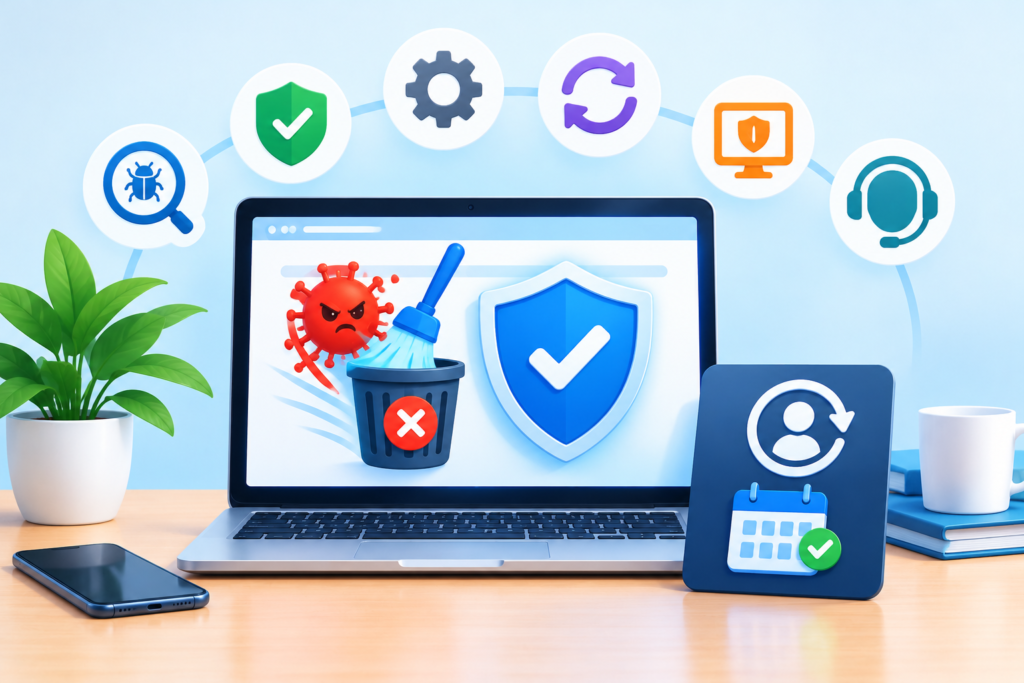
The first feature to evaluate is the quality of malware detection and investigation. Automated scanning can identify known malicious signatures, suspicious file changes, and other indicators of compromise, but it cannot reliably identify every possible threat. Some incidents require manual analysis, log review, comparison with trusted application files, or investigation of unexpected database changes. Ask the provider which components are covered, whether uploaded files and databases are included, and how suspicious findings are reviewed. It is also important to understand how the service handles false positives and whether it explains the difference between confirmed malware, suspicious behavior, and ordinary maintenance alerts.
The second feature is a clearly defined cleanup process. A service should explain how it handles infected files, malicious database entries, unauthorized accounts, injected scripts, suspicious redirects, and backdoors. Depending on the incident, remediation may include restoring trusted application files, removing unauthorized changes, updating vulnerable software, and reviewing the access method used by the attacker. Not every incident has the same scope, so providers should explain which tasks are included and which may incur additional charges. A useful incident report records the findings, work completed, remaining risks, and recommended follow-up actions. This documentation helps website owners understand what happened instead of receiving only a generic statement that the website has been cleaned.
The third feature is ongoing prevention and support. Depending on the plan, this may include vulnerability monitoring, firewall configuration, suspicious login alerts, blacklist checks, backup verification, and assistance after cleanup. Each feature should be assessed separately because malware scanning does not necessarily include a web application firewall, and backup availability does not prove that restoration has been tested. Ask how frequently monitoring occurs, how urgent alerts are escalated, who can access the website during remediation, and whether emergency support is available. A transparent provider will describe its technical limitations and responsibilities clearly. The objective is to purchase a defined set of security capabilities that fit the website’s risk profile and operational requirements.
How Professional Website Malware Removal Works
Professional malware removal typically begins with an assessment of the affected website and its surrounding environment. The specialist identifies the domain, hosting arrangement, content management system, installed extensions, integrations, and available security controls. They may examine malware scanner results, server logs, authentication events, file modification times, database changes, and suspicious network activity. The purpose is to determine whether the incident affects a single component or extends across multiple files, accounts, or systems. The investigation should also distinguish confirmed malicious behavior from legitimate application activity. Establishing the scope before making extensive changes helps reduce the chance of deleting necessary files or overlooking a deeper compromise.
Once the scope is understood, the response team works to contain the threat and remove malicious components. Containment may involve restricting access to an affected feature, disabling a vulnerable extension, blocking malicious requests, or temporarily taking the website offline when necessary. Cleanup may include removing injected code, restoring legitimate application files, cleaning unauthorized database entries, and eliminating suspicious accounts or persistence mechanisms. Potentially exposed credentials and access tokens should be rotated, and unnecessary permissions should be removed. The specialist should also investigate how the attacker gained access, such as through a vulnerable plugin, a compromised administrator account, or an insecure hosting configuration. Removing visible malware without addressing the underlying cause can leave the website exposed to another attack.
The final phase involves verification and recovery. The cleaned environment should be scanned again, suspicious activity reviewed, and essential website features tested. Depending on the website, this may include login forms, contact forms, checkout processes, redirects, database connections, and third-party integrations. Search-related warnings may require separate attention after the technical issues have been resolved; removing malware does not guarantee immediate recovery of search visibility. The website owner should receive a report describing the findings, remediation steps, outstanding risks, and recommended follow-up actions. A subscription can support this process by providing a continuing point of contact, but each incident still requires a response tailored to the available evidence and the affected system.
Continuous Malware Scanning and Security Monitoring
Continuous malware monitoring helps reduce the time a website remains exposed to an undetected threat. Depending on the technology, monitoring may examine files, application behavior, known malware signatures, suspicious requests, website changes, or security events recorded by the hosting environment. Some systems operate continuously at the server or network level, while others perform scheduled scans. These methods provide different levels of visibility. A scheduled scan may not detect a threat immediately after it appears, while real-time monitoring can identify suspicious activity sooner when the relevant signals are available. Website owners should ask providers to explain what monitoring covers and how frequently checks actually run.
Effective monitoring requires a reliable process for reviewing alerts. An alert that is never investigated provides little practical protection, while excessive false positives can cause important warnings to be ignored. A well-organized service assigns severity levels, distinguishes confirmed infections from potential risks, records evidence, and identifies the person responsible for responding. For example, an unfamiliar administrator account may require immediate investigation, whereas a routine software update notification may not represent a security incident. Clear escalation rules help website owners understand when the provider can act independently, when approval is required, and when the hosting company or another specialist must be involved.
Monitoring is more effective when supported by a known-good baseline and regular maintenance. Recording legitimate administrator accounts, installed software versions, important files, and expected scheduled tasks makes unusual changes easier to investigate. Website owners should maintain an inventory of installed components, document authorized updates, and protect security logs from unauthorized modification. Monitoring should also cover relevant infrastructure when possible because a compromise may originate outside the visible website files. A subscription should deliver actionable information rather than simply displaying a reassuring security status. Its practical value comes from identifying abnormal behavior, helping people understand the risk, and supporting timely corrective action.
Preventing Reinfection After Malware Cleanup
Removing malware is only one stage of recovering a compromised website. Reinfection can occur when the original vulnerability remains unresolved, an attacker retains valid credentials, or a hidden backdoor survives the cleanup. Restoring clean files will not solve the problem if an unauthorized administrator account remains active or a compromised hosting account can still upload malicious code. Similarly, updating the main content management system without reviewing vulnerable extensions may leave another entry point available. A professional remediation process should investigate how access was obtained, which components were affected, and whether credentials or access tokens may have been exposed. If the exact entry point cannot be confirmed, the incident report should clearly identify that uncertainty.
Preventive measures should address software weaknesses and account security together. Update the content management system, themes, plugins, frameworks, and server software through a controlled process. Remove unnecessary components, particularly those that are unsupported or no longer maintained. Replace weak or reused passwords, enable multi-factor authentication for privileged accounts, revoke unknown sessions, and rotate secrets that may have been exposed. Apply the principle of least privilege so that each account has only the permissions required for its role. Review file permissions, administrative interfaces, database access, and remote management methods to ensure that unnecessary access is restricted. A web application firewall can help filter malicious requests, but it should complement secure software and appropriate configuration rather than replace them.
Recovery planning is equally important because preventive controls cannot eliminate every threat. Maintain backups that are protected from ordinary website credentials, retain appropriate historical versions, and test restoration procedures before an emergency occurs. The CISA ransomware guidance highlights the importance of offline backups and testing their integrity and availability. These principles can also inform recovery planning for serious website incidents. After cleanup, continue monitoring for unexpected file changes, unfamiliar accounts, suspicious redirects, and renewed security alerts. Turn the findings from the incident report into specific actions with assigned owners and deadlines. A subscription can help coordinate these activities when its coverage includes the relevant monitoring and support, but website owners remain responsible for maintaining appropriate access controls and recoverable systems.
How to Choose the Right Malware Removal Subscription Plan
Choosing the right malware removal subscription service starts with understanding the website’s risk level, technical complexity, and business requirements. A small informational website may need regular malware scans, vulnerability monitoring, and emergency cleanup support, while an e-commerce store or business portal may require more comprehensive protection. Websites that process payments, store customer information, or rely on third-party integrations face additional risks because a successful attack can affect revenue, customer trust, and operational continuity. Before selecting a plan, identify the technologies powering the website, the sensitivity of its data, the number of administrators, and the consequences of extended downtime. This assessment helps you avoid paying for unnecessary features while ensuring that essential security controls are not overlooked.
A suitable subscription should clearly explain what its monitoring and remediation services include. Look for malware detection, suspicious file analysis, database inspection, backdoor identification, vulnerability monitoring, and assistance with restoring compromised websites. You should also check whether emergency incident response is included or charged separately. Some plans advertise continuous monitoring but provide cleanup only after the customer requests assistance, while others include proactive detection and defined response procedures. Review the service-level agreement, communication channels, response-time commitments, supported platforms, backup responsibilities, and exclusions. The NIST Cybersecurity Framework provides a useful foundation for evaluating security services because it organizes cybersecurity activities around identifying risks, protecting systems, detecting threats, responding to incidents, and recovering operations.
Scalability is equally important when selecting a subscription. A website that begins as a small business blog may eventually add customer accounts, online payments, membership functionality, or multiple subdomains. Your security arrangements should accommodate these changes without requiring an entirely new approach each time the website grows. Ask whether the provider can monitor multiple installations, support staging environments, investigate recurring infections, and explain the root causes of security incidents. Compare the actual deliverables rather than choosing a plan solely because it has the lowest monthly price. The most appropriate subscription is one that combines dependable monitoring, qualified technical assistance, transparent reporting, and practical remediation. Before committing, document your requirements and confirm that the plan covers the risks that matter most to your website.
The Role of Backups and Disaster Recovery in Malware Protection
Backups are an essential part of a reliable malware protection strategy, but they should never be treated as a substitute for malware removal. A backup can help restore a website after a destructive attack, yet restoring an infected backup may simply reintroduce the same malicious files, unauthorized accounts, or vulnerable configurations. A strong recovery plan therefore combines regular backups with malware investigation, clean restoration procedures, and verification checks. Website owners should understand which files and databases are backed up, how frequently backups occur, where copies are stored, and how long historical versions remain available. These details determine whether recovery is practical when an incident affects the website’s most recent data.
A dependable backup strategy should include copies stored separately from the production website. If attackers compromise the hosting account or gain administrative privileges, they may also attempt to delete or encrypt backups accessible from the same environment. Restrict backup permissions, protect backup accounts with multifactor authentication, and consider immutable or otherwise protected storage where appropriate. Establish a retention schedule that balances recovery requirements, storage costs, and privacy obligations. Test restoration procedures periodically in an isolated staging environment rather than assuming that a successful backup job guarantees a usable recovery copy. The CISA ransomware guidance offers practical recommendations for protecting backups and preparing for incidents that disrupt access to systems and data.
When malware is discovered, the recovery process should begin with an assessment of the infection’s scope and the reliability of available backups. Security professionals may need to identify the original entry point, determine when the compromise began, and compare clean historical files against the current installation. After containment and remediation, restore only verified clean data, apply missing updates, rotate exposed credentials, and inspect the restored website for suspicious behavior. Validate important functions such as checkout, contact forms, authentication, email delivery, and database connections before returning the website to normal operation. A documented disaster recovery plan should define who makes restoration decisions, which systems take priority, how stakeholders are informed, and how the team verifies that the website is safe. This approach makes a malware removal subscription more effective because detection, cleanup, and recovery work together rather than operating as separate activities.
Website Security Monitoring, Reporting, and Incident Response
Effective website security requires more than running an occasional malware scan. Continuous or appropriately frequent monitoring helps identify unusual activity before it becomes a major incident. Depending on the website and subscription, monitoring may include file integrity checks, suspicious code detection, login activity analysis, unexpected administrator changes, vulnerability alerts, and server error patterns. No single signal proves that a website has been compromised, so alerts should be investigated in context. For example, a modified file might be the result of a legitimate software update, while an unfamiliar administrator account or an unexpected script injection may require immediate investigation. A well-designed monitoring process distinguishes routine changes from potentially dangerous activity and prioritizes findings according to their likely impact.
Security reporting gives website owners a clearer understanding of what is happening behind the scenes. Useful reports should explain detected threats, affected components, remediation actions, unresolved vulnerabilities, and recommended next steps. They should also distinguish between confirmed incidents and unverified alerts so that decision-makers can assess the situation accurately. For business websites, reporting can help management evaluate recurring risks, justify security spending, and determine whether additional controls are necessary. Avoid relying on reports that simply display a green status or a scan count without explaining what was checked. Security metrics become meaningful when they support action, such as tracking remediation time, identifying repeated infection patterns, or measuring whether overdue software updates are being addressed.
An incident response plan should specify how suspicious activity is escalated and who has authority to take action. It should cover containment, evidence preservation, investigation, eradication, recovery, and follow-up improvements. If an active compromise is detected, the response team may need to restrict access, disable a vulnerable component, isolate affected systems, or temporarily take selected functionality offline. The appropriate action depends on the threat and the operational consequences of disruption. The NIST incident response guidance provides a recognized reference for integrating incident response into broader cybersecurity risk management. Once an incident has been resolved, document the timeline, affected assets, root cause, actions taken, and lessons learned. This record helps prevent repeated mistakes and improves coordination between website owners, developers, hosting providers, and security specialists.
Protecting WordPress, Plugins, Themes, and Other Website Components
Content management systems make website administration easier, but their flexibility often depends on multiple software components maintained by different developers. A WordPress installation, for example, may include a core application, themes, plugins, custom code, hosting integrations, and external services. Every component introduces its own maintenance requirements and potential security risks. Outdated or abandoned plugins can expose vulnerabilities, while poorly maintained custom code may create weaknesses that attackers can exploit. A malware removal subscription should therefore support a broader maintenance process that includes component inventory, vulnerability assessment, timely updates, and investigation of suspicious modifications. Removing malware without addressing vulnerable software may leave the original entry point open.
Begin by maintaining an accurate inventory of the website’s active themes, plugins, extensions, libraries, and integrations. Remove components that are no longer needed, replace unsupported software, and obtain updates from legitimate sources. Before making major changes, create a verified backup and test the update in a staging environment when practical. Avoid installing unofficial versions of premium themes or plugins because modified packages may contain hidden backdoors or other malicious code. Restrict installation permissions to trusted administrators and review the access rights of developers or contractors when their work ends. The official WordPress security guidance explains practical ways to strengthen a WordPress installation, including account protection, permissions, and other security measures.
Updates should be managed through a consistent process rather than performed randomly or postponed indefinitely. Critical security updates may require urgent attention, while other changes can follow a scheduled testing and deployment procedure. Confirm that the website continues to function correctly after updates, especially if it relies on custom functionality, payment processing, or business-critical integrations. If a component is responsible for repeated infections, investigate whether a secure replacement is available instead of repeatedly cleaning the same symptoms. Record important changes so that unexpected behavior can be traced to a specific deployment or configuration adjustment. These practices reduce preventable vulnerabilities and help a malware removal subscription deliver lasting value. A secure website is not simply a website that has been cleaned; it is a website whose software, permissions, and maintenance procedures continually reduce the likelihood of another compromise.
Common Mistakes to Avoid When Using a Malware Removal Subscription
One of the most common mistakes is assuming that a malware scan showing no threats means the website is completely secure. Detection tools can miss unfamiliar malware, hidden backdoors, malicious database records, or compromised credentials. Different scanners also examine different areas of a website, meaning that a clean result from one tool does not establish that every file, account, integration, and server configuration is safe. Website owners should ask what the monitoring process covers and how suspicious findings are investigated. When a site has already been compromised, a thorough assessment should examine more than the visible homepage or the files that triggered an alert. Verification should include relevant application files, databases, administrative accounts, scheduled tasks, redirects, and other components appropriate to the environment.
Another mistake is removing suspicious code without investigating how it entered the website. Deleting an infected file may temporarily restore normal behavior, but attackers can return if the underlying vulnerability remains unresolved. Repeated infections can indicate an outdated plugin, stolen administrator credentials, insecure file permissions, a vulnerable integration, or a compromised hosting account. The remediation process should identify the likely entry point, remove unauthorized access, patch relevant weaknesses, and monitor the website for signs of reinfection. It is also important to avoid making uncontrolled changes during an incident. Deleting files without a recovery plan or modifying the database without preserving necessary evidence can make restoration more difficult. Follow a documented process and ensure that the people responsible for cleanup understand the website’s architecture.
A third mistake is neglecting backups, access control, and communication. Website owners sometimes keep every backup in the same compromised hosting account, use shared administrator credentials, or fail to revoke access when a contractor leaves. Others purchase a subscription without understanding response times, service exclusions, or what assistance is available during an emergency. To avoid these problems, protect backups separately, assign individual accounts, enable multifactor authentication, and review permissions regularly. Confirm the provider’s responsibilities before an incident occurs, including who handles hosting-level problems and who is responsible for application updates. Finally, do not assume that security work ends when the website becomes accessible again. Validate essential functionality, review logs, document the incident, and continue monitoring. A disciplined process prevents a quick cleanup from creating a false sense of security while the underlying risk remains.
Best Practices Summary for Long-Term Malware Prevention

A sustainable malware prevention strategy combines proactive maintenance, dependable monitoring, strong access controls, and a tested recovery plan. Start by keeping the website’s software inventory current and removing components that are unnecessary or unsupported. Apply security updates promptly according to their severity and test major changes before deploying them to production. Protect administrative access with unique passwords, multifactor authentication, least-privilege permissions, and regular account reviews. Secure hosting and database credentials, avoid exposing secrets in public repositories, and ensure that file permissions match the website’s operational requirements. These fundamentals reduce common opportunities for unauthorized access and make it harder for attackers to turn a small weakness into a persistent compromise.
Monitoring and response procedures should be equally consistent. Schedule malware scans at a frequency appropriate to the website’s risk, and use file integrity monitoring or additional detection controls where needed. Review suspicious login activity, unexpected redirects, unauthorized account creation, and unexplained changes to critical files. Make sure alerts reach someone who can investigate them rather than allowing notifications to accumulate in an unattended inbox. Maintain protected backups and test restoration procedures so that recovery can be performed under realistic conditions. Document incident contacts, escalation steps, and responsibilities before an emergency occurs. For organizations that handle sensitive customer data or operate critical online services, a formal risk assessment can help determine which systems need stronger controls and faster response commitments.
Finally, measure the effectiveness of the security program instead of relying only on the number of scans completed. Useful indicators include how quickly serious vulnerabilities are resolved, how long suspicious activity remains undetected, whether backups can be restored successfully, and whether previously identified weaknesses recur. Review these measures periodically and adjust the protection plan as the website changes. The OWASP Top 10 is a useful reference for understanding common categories of web application risk, while the Google Safe Browsing site status tool can help website owners check whether a site has been identified as unsafe by Google’s Safe Browsing system. Neither replaces a comprehensive security assessment, but both can support a wider monitoring process. Long-term protection works best when a malware removal subscription complements secure development, responsible administration, and ongoing risk management.
Frequently Asked Questions
What is a malware removal subscription service?
A malware removal subscription service provides ongoing website security assistance through an agreed set of monitoring, detection, investigation, cleanup, and prevention activities. Depending on the plan, it may include scheduled malware scans, emergency remediation, vulnerability checks, suspicious file analysis, and post-cleanup monitoring. The main advantage is continuity: rather than looking for help only after an attack, website owners can establish a recurring process for identifying threats and responding to problems. However, subscriptions differ considerably, so it is important to check exactly which services are included and whether advanced incident response, hosting-level remediation, or recovery work costs extra.
How often should a website be scanned for malware?
The appropriate scanning frequency depends on the website’s size, exposure, technology, and business importance. A frequently updated e-commerce website or a platform with customer accounts may need continuous or frequent automated monitoring combined with scheduled deeper reviews. A small, relatively static website may use a different schedule, but it should still maintain updates, protected backups, and alerts for suspicious changes. Scanning frequency alone is not enough: monitoring quality, investigation procedures, and the ability to respond promptly also matter. Websites that have experienced a compromise should generally receive closer scrutiny until the cause has been identified, remediation verified, and the risk of reinfection reduced.
Can malware be removed without taking a website offline?
Sometimes, yes. Certain infections can be investigated and removed while most website functionality remains available. However, temporarily restricting access may be necessary when an active compromise threatens visitors, customer data, administrative accounts, or payment processes. The decision should consider the severity of the incident, the attacker’s level of access, and the potential consequences of leaving the website online. Security teams may use selective containment measures to limit disruption, but there is no universal approach suitable for every incident. Website owners should discuss emergency procedures with their provider in advance so they understand when temporary restrictions may be required.
Does malware removal guarantee that a website will never be hacked again?
No. Malware removal addresses an existing infection, but it cannot guarantee that a website will never be compromised in the future. New vulnerabilities may be discovered, credentials may be exposed, and configuration errors can create additional weaknesses. Effective protection combines verified cleanup with root-cause analysis, software updates, strong authentication, restricted permissions, backups, and continued monitoring. A reputable provider should explain the limits of its service and distinguish between removing existing malware and reducing future risk. Be cautious of absolute security guarantees that do not clearly define their scope or conditions.
What should website owners do after malware has been removed?
After cleanup, confirm that the suspected entry point has been addressed and that unauthorized accounts, backdoors, scheduled tasks, redirects, and malicious database changes have been investigated where relevant. Rotate credentials that may have been exposed, patch vulnerable software, and review administrator permissions. Restore data only from verified clean backups, and test essential website functions before declaring recovery complete. Continue monitoring for suspicious activity and document the incident, including its suspected cause and remediation steps. If visitors or customer information may have been affected, assess applicable notification, contractual, and legal obligations with qualified advisers.
Are malware removal subscriptions suitable for small business websites?
Yes. Small businesses can benefit from ongoing security monitoring because a compromised website can interrupt sales, damage customer trust, distribute malicious content, or create unexpected recovery costs. The right subscription should match the website’s complexity and business risk rather than simply offer the largest feature list. A small brochure website may need a different package from an online store that processes payments or maintains customer accounts. Business owners should prioritize dependable detection, clear remediation procedures, secure backups, timely support, and transparent pricing. They should also continue basic security practices instead of assuming that a subscription replaces responsible website administration.
How can I tell whether a malware removal provider is reliable?
Evaluate the provider’s scope of work, technical process, communication standards, and ability to explain findings clearly. Ask how it investigates the root cause, verifies cleanup, handles recurring infections, protects access credentials, and supports recovery. Check whether the plan defines response expectations and explains what is excluded. A reliable provider should be able to describe its approach without relying on fear-based claims or promising perfect security. It should also provide practical recommendations that help prevent the same issue from recurring. Before purchasing, compare the service against your website’s actual requirements and confirm how emergency support works.
What is the difference between malware scanning and malware removal?
Malware scanning searches for indicators of malicious activity, suspicious files, known threats, or other security concerns. Malware removal involves investigating confirmed or suspected compromise, identifying affected components, removing malicious code or unauthorized access, and verifying that the cleanup has addressed the incident. Scanning may reveal a problem, but detection alone does not necessarily resolve it. Similarly, deleting one flagged file does not guarantee that all traces of an attack have been removed. An effective security process combines detection, investigation, remediation, root-cause analysis, and ongoing monitoring to reduce the likelihood of repeated compromise.
Conclusion
A malware removal subscription service can play an important role in protecting a website, but its effectiveness depends on how well it fits into the wider security strategy. Regular monitoring, timely remediation, vulnerability management, secure access controls, and reliable backups work together to reduce the impact of cyber threats. Website owners should understand their risks, select a plan with clearly defined responsibilities, and confirm how the provider handles detection, cleanup, verification, and recovery. The goal is not simply to remove malicious code after an incident; it is to establish a repeatable process that helps detect problems earlier, limit disruption, and reduce the chances of recurring infections.
Long-term protection also requires cooperation between security providers, website administrators, developers, and hosting companies. Each party may control different parts of the environment, so responsibilities should be documented before an emergency occurs. Keep software updated, review user access, protect backup copies, test restoration procedures, and investigate unexpected changes instead of assuming they are harmless. When an incident does occur, preserve relevant evidence where appropriate, contain the threat, remediate the root cause, and verify the website’s behavior before returning all functions to normal. These steps help turn malware removal from a one-time emergency expense into a practical component of ongoing website risk management.
For businesses that want dependable protection and a clearer response process, FixHackedSite can be considered as a starting point for evaluating website security support and malware remediation requirements. Before choosing any subscription, review the services offered, confirm the scope of protection, and ensure that the plan aligns with your website’s technical needs and business priorities. No service can eliminate every cybersecurity risk, but a well-managed security program can improve visibility, strengthen recovery readiness, and help protect the trust that customers place in an online business.
Want to Implement This Easily?
You are an expert consultant. Based on the blog post titled “Malware Removal Subscription Service”, provide a step-by-step, practical implementation guide. Include tools, best practices, common mistakes to avoid, and advanced tips. Assume the reader wants to implement everything discussed in this article effectively.
Call to Action: Want our help implementing this? Just reach out to us via our website contact form: https://fixhackedsite.com/contact-us/