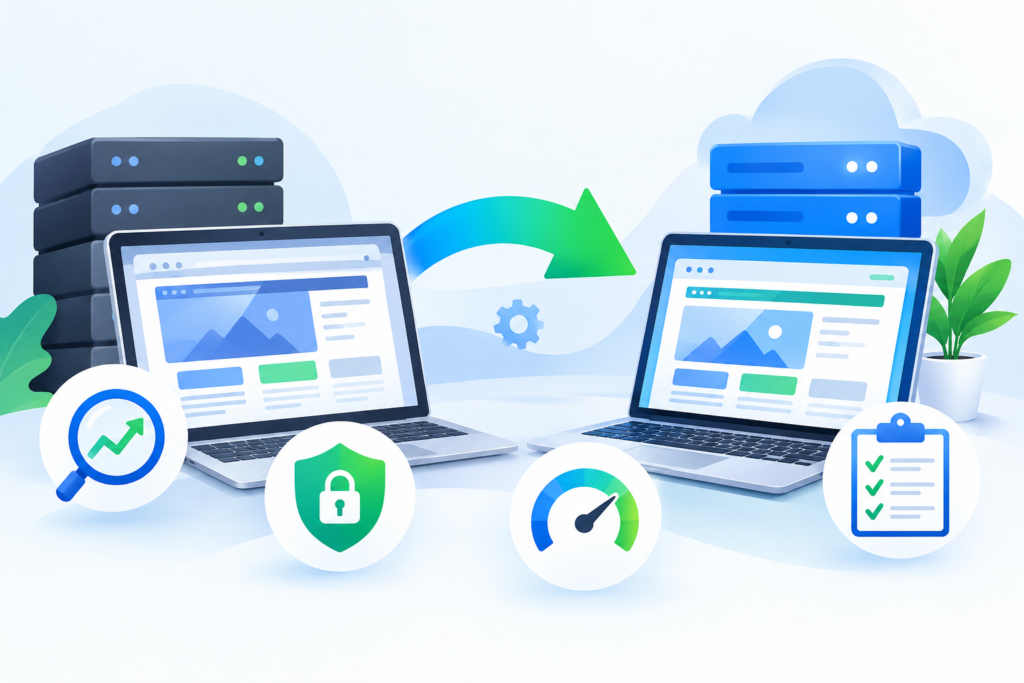
Learn how to perform a secure, SEO-friendly, and seamless website migration without losing rankings, traffic, or customer trust. Discover expert strategies, migration checklists, security best practices, and technical SEO tips for successful website migration projects.
Introduction
Website migration is one of the most critical processes a business can undertake online. Whether you are changing hosting providers, redesigning your site, moving to a new domain, upgrading your CMS, or transitioning from HTTP to HTTPS, every migration decision directly impacts search visibility, security, performance, user experience, and revenue. A poorly executed migration can lead to broken pages, ranking losses, security vulnerabilities, and long-term SEO damage. On the other hand, a properly planned migration can improve speed, strengthen security, enhance scalability, and create a better experience for visitors.
Businesses often underestimate how complex website migration can become. It is not simply about copying files from one server to another. Website migration involves technical SEO, server configuration, database management, content preservation, redirect implementation, performance optimization, and security validation. According to Google Search Central, proper planning and redirect management are essential during site moves to preserve search rankings and indexing integrity. You can review official guidance here: Google Search Central Site Move Documentation
At Fix Hacked Site, businesses frequently seek assistance after failed migrations that caused traffic loss, malware exposure, downtime, or indexing problems. Many of these issues are preventable with proper preparation and expert implementation. This comprehensive guide explains everything you need to know about website migration, including planning strategies, SEO preservation, security hardening, performance optimization, redirect management, testing procedures, and long-term monitoring.
Understanding Website Migration and Why It Matters
Website migration refers to substantial changes made to a website’s structure, platform, server environment, domain, design, or technology stack that can significantly affect search engine visibility and user experience. Migrations can include moving to a new hosting provider, switching CMS platforms, redesigning site architecture, changing domain names, implementing HTTPS, or consolidating multiple websites into one unified platform. Every type of migration introduces technical challenges that must be carefully managed.
Many organizations initiate migrations to improve scalability, strengthen cybersecurity, modernize outdated systems, or increase website performance. Businesses may also migrate websites to support mobile responsiveness, integrate advanced applications, or improve SEO structure. While these goals are valuable, migration errors can disrupt indexing, create crawl issues, and reduce domain authority if technical implementation is flawed.
Search engines rely on consistency, structured architecture, and accessible content to maintain rankings. During migration, URLs may change, server responses can fail, metadata may disappear, and redirects may break. <u>Google Search Essentials</u> emphasizes maintaining crawl accessibility and preserving page relevance during transitions. Official documentation can be found here: Google Search Essentials
Website migration also affects user trust. Slow-loading pages, broken forms, missing images, and downtime negatively impact customer confidence. Modern users expect fast, secure, and uninterrupted experiences across all devices. Migration planning must therefore include both technical optimization and user-focused quality assurance processes.
A successful migration balances SEO preservation, security protection, performance enhancement, and operational continuity. Businesses that approach migration strategically often emerge with stronger infrastructure, improved rankings, and enhanced conversion performance.
Types of Website Migration Businesses Commonly Perform
Website migration is not a single process. Different migration types require different planning methodologies, testing procedures, and SEO strategies. Understanding the specific migration category helps businesses identify potential risks and allocate resources appropriately.
One common migration type is domain migration, where a website moves from one domain name to another. This often occurs during rebranding initiatives, mergers, or international expansion projects. Domain migrations require extensive redirect mapping, backlink preservation, and search console updates to minimize ranking fluctuations.
Another major category is hosting migration. Businesses may change hosting providers to improve speed, scalability, uptime reliability, or security infrastructure. Hosting migrations involve transferring files, databases, DNS settings, SSL certificates, and server configurations while minimizing downtime. Hosting quality directly affects performance metrics such as Core Web Vitals and page speed.
CMS migration is also increasingly common. Businesses may move from platforms like Joomla or Drupal to WordPress, Shopify, Magento, or custom enterprise systems. CMS migrations often introduce structural URL changes, metadata inconsistencies, plugin conflicts, and database formatting issues. Proper data mapping and content validation are essential to avoid content loss.
Some migrations focus on site architecture and redesigns. Redesign migrations typically involve navigation restructuring, template changes, mobile optimization, and improved user interface elements. While visually beneficial, redesigns can unintentionally remove indexed content, alter internal linking structures, and impact crawlability.
HTTPS migrations remain another critical migration type. Websites transitioning from HTTP to HTTPS strengthen security and user trust while complying with modern browser expectations. <u>Google HTTPS recommendations</u> emphasize secure browsing as an important ranking consideration. Official guidance is available here: Google HTTPS Documentation
Each migration category requires customized implementation strategies, thorough testing, and post-launch monitoring to ensure stability and search performance continuity.
Planning a Website Migration the Right Way
The planning phase is the foundation of every successful website migration. Businesses that skip planning often encounter preventable technical issues, ranking drops, data corruption, and prolonged downtime. Effective planning creates a roadmap that minimizes risk while maintaining operational continuity throughout the migration process.
The first step involves conducting a complete website audit. This includes crawling all existing URLs, documenting metadata, exporting backlink profiles, identifying top-performing pages, and reviewing analytics data. Businesses should create a detailed inventory of content assets, redirects, forms, scripts, images, and databases. Tools like Google Analytics and Google Search Console help identify critical traffic-driving pages and indexing patterns. Official platforms can be accessed here:
Google Analytics
Google Search Console
Another essential planning component is creating a migration timeline. Teams should define milestones for backups, staging environment setup, QA testing, DNS updates, redirect implementation, and post-launch validation. Large websites often require phased deployment strategies to reduce risk.
Businesses must also establish measurable migration objectives. These may include improving performance scores, reducing server response times, strengthening security, increasing scalability, or modernizing SEO architecture. Clear goals help teams evaluate migration success more effectively.
Risk assessment is equally important. Migration teams should identify possible issues such as plugin incompatibility, database corruption, DNS propagation delays, redirect loops, and indexing disruptions. Preparing contingency plans reduces downtime if problems occur unexpectedly.
A staging environment is critical before deployment. Testing the migrated website in an isolated environment allows developers to identify technical issues without affecting live users. This process helps verify page rendering, mobile responsiveness, redirects, structured data, forms, and security configurations before launch.
Comprehensive planning transforms migration from a risky operation into a controlled and measurable technical process.
Pre-Migration Website Backup and Data Protection
Before making any migration changes, businesses must secure complete backups of their website assets. Backups act as recovery points if unexpected failures occur during migration. Without reliable backups, even minor technical issues can result in catastrophic data loss or extended downtime.
A complete website backup includes files, databases, media libraries, configuration settings, themes, plugins, applications, email configurations, and server-level settings. Many organizations mistakenly back up only website files while ignoring databases that contain user accounts, orders, content records, and application data.
Backup verification is equally important. Businesses should test backup restoration procedures before migration begins. An unusable backup provides no real protection during emergencies. Storing backups in multiple secure locations further strengthens disaster recovery readiness.
Security protection during migration is also essential because migrations can expose vulnerabilities if improperly managed. Temporary staging environments, unsecured database transfers, outdated plugins, or incorrect file permissions can create opportunities for attackers. Businesses should implement encrypted transfer protocols such as SFTP and SSH for secure data transmission.
OWASP security recommendations emphasize secure file handling, access control, and environment isolation during system changes. Official cybersecurity guidance is available here: OWASP Security Guidelines
Migration teams should also create rollback procedures. If the new environment experiences severe technical failures, rollback plans allow businesses to restore the previous stable version quickly. This minimizes downtime and preserves customer trust.
Additionally, website owners should temporarily freeze major content changes during migration preparation. Constant updates during migration increase synchronization complexity and may result in missing data after deployment.
Reliable backups and strong security preparation provide stability and confidence throughout the migration process while protecting critical business data.
SEO Risks Associated With Website Migration
Website migration can significantly impact search engine visibility if SEO considerations are ignored. Many businesses experience traffic declines after migration because search engines struggle to interpret new site structures, changed URLs, or altered content hierarchies.
One of the most common SEO risks involves missing or incorrect redirects. When old URLs no longer resolve properly, users encounter 404 errors and search engines lose page authority signals. Redirect mapping ensures legacy URLs transfer ranking value to their corresponding new pages. Permanent 301 redirects are critical for preserving SEO equity.
Another major risk is accidental deindexing. During development, staging environments may contain “noindex” directives that mistakenly remain active after launch. This can remove entire websites from search engine results. Careful post-launch audits help identify indexing issues quickly.
Metadata loss is another common migration problem. Title tags, meta descriptions, canonical tags, alt text, and structured data often disappear during CMS transitions or redesigns. These elements play a vital role in helping search engines understand page relevance and context.
Internal linking structure changes also affect crawl efficiency and authority distribution. Broken internal links reduce user experience while confusing search engine crawlers. Businesses should validate all internal navigation paths after migration.
Page speed issues can further impact rankings. Slow-loading websites negatively affect Core Web Vitals metrics, which influence user experience evaluations. Google Page Experience guidelines emphasize the importance of performance optimization for modern websites. Official documentation can be reviewed here: Google Page Experience Documentation
Structured data validation is equally important. Schema markup helps search engines understand products, services, reviews, and organization details. Migration errors can break schema formatting, reducing rich result visibility.
SEO-focused migration planning helps businesses preserve rankings, maintain organic visibility, and reduce long-term traffic volatility after deployment.
Creating a Proper URL Redirect Strategy

A redirect strategy is one of the most important technical components of website migration. Redirects ensure that visitors and search engines can access the correct content after URLs change. Without proper redirects, businesses risk traffic loss, broken pages, crawl errors, and damaged SEO authority.
The most effective migration strategy uses permanent 301 redirects. These redirects inform search engines that a page has permanently moved to a new location. Search engines then transfer most ranking signals and authority to the updated URL. Improper redirect implementation can create duplicate content issues, redirect chains, or indexing instability.
The redirect planning process begins with a full URL inventory. Migration teams should crawl the entire existing website and export all indexed URLs, including blog posts, product pages, landing pages, images, and category pages. Every important URL should map directly to the most relevant new destination.
Redirect relevance matters significantly. Sending all old URLs to the homepage creates poor user experience and weakens topical relevance signals. Each old page should redirect to a closely related replacement whenever possible.
Redirect testing is another essential step. Teams should validate HTTP response codes, identify redirect loops, and monitor chain depth. Long redirect chains slow page loading and reduce crawl efficiency. Google redirect best practices recommend minimizing unnecessary redirect hops. Official documentation is available here: Google Redirect Guidelines
Businesses should also update internal links to point directly to new URLs rather than relying on redirects internally. This improves crawl efficiency and user experience.
Monitoring redirects after launch is critical. Search console reports, crawl tools, and analytics platforms help identify broken URLs, soft 404 errors, and indexing anomalies. Continuous optimization ensures the redirect strategy remains effective long after migration completion.
A carefully structured redirect framework protects both users and search engines while preserving long-term SEO value.
Website Security Considerations During Migration
Website migration creates temporary windows of vulnerability that cybercriminals may attempt to exploit. Improperly secured migrations can expose sensitive data, introduce malware, weaken access controls, or create server misconfigurations. Security must therefore remain a top priority throughout every migration phase.
One critical step involves updating all software components before migration begins. Outdated plugins, themes, CMS installations, and server applications often contain exploitable vulnerabilities. Businesses should patch known security issues before transferring data to a new environment.
SSL certificate configuration is another essential requirement. Modern browsers warn users about insecure websites, and search engines prioritize secure HTTPS connections. Proper SSL implementation protects user data during transmission and improves trustworthiness.
Access control management is equally important during migration. Temporary admin accounts, staging credentials, and server access permissions should follow the principle of least privilege. Only authorized personnel should have migration access. Weak passwords and shared credentials significantly increase risk exposure.
File integrity monitoring also plays a vital role. Businesses should scan migrated files for malware, unauthorized scripts, and suspicious modifications before deployment. Security scanning tools help identify hidden threats that may have existed in legacy environments.
Firewall configuration and server hardening improve protection further. Cybersecurity Infrastructure Security Agency (CISA) guidelines emphasize secure configurations, patch management, and access monitoring as foundational security practices. Official guidance can be found here: CISA Cybersecurity Best Practices
Database security deserves special attention during migration. Sensitive customer information, payment data, and login credentials should remain encrypted and securely transferred. Publicly exposed database ports or backup files create major security risks.
Post-migration monitoring is equally necessary. Businesses should monitor server logs, unusual login attempts, malware alerts, and traffic anomalies after launch. Continuous security auditing helps identify threats before they escalate into major incidents.
A secure migration process protects customer trust, business reputation, and operational continuity.
Performance Optimization During Website Migration
Website migration presents an ideal opportunity to improve performance, loading speed, and infrastructure efficiency. Many organizations focus exclusively on transferring content and preserving rankings while overlooking the long-term benefits of technical optimization. A migration that improves performance can enhance user satisfaction, increase conversions, strengthen search visibility, and reduce server resource consumption.
One of the most important performance factors is hosting quality. Businesses migrating from low-performance shared hosting environments often experience dramatic speed improvements after upgrading to cloud hosting, VPS infrastructure, or managed hosting platforms. Faster server response times improve page rendering and reduce bounce rates. Google Core Web Vitals strongly emphasizes performance metrics as part of user experience evaluation. Official documentation can be reviewed here: Google Core Web Vitals Documentation
Image optimization is another critical area during migration. Legacy websites frequently contain oversized media files that slow down page loading. Businesses should compress images, implement next-generation formats such as WebP, and configure lazy loading where appropriate. Efficient media delivery improves mobile performance and reduces bandwidth consumption.
Caching configuration also plays a major role in optimization. Browser caching, object caching, server-side caching, and CDN integration help reduce page load times significantly. Content Delivery Networks distribute assets globally to reduce latency for international visitors. Proper caching implementation improves scalability during traffic spikes.
Code cleanup is equally beneficial during migration. Old themes, unused plugins, excessive scripts, and outdated CSS files often accumulate over time. Migration provides an opportunity to remove unnecessary assets and streamline codebases. Reducing JavaScript execution time and render-blocking resources enhances overall site responsiveness.
Database optimization should not be ignored either. Overloaded databases with fragmented tables and unnecessary revisions can slow down dynamic websites considerably. Cleaning and optimizing database structures during migration improves application performance and backend efficiency.
Performance optimization should be viewed as a strategic business investment rather than a secondary migration task. Faster websites create better user experiences, improve search performance, and strengthen customer trust.
Mobile Optimization and User Experience Considerations
Modern website migration strategies must prioritize mobile usability and user experience. Search engines increasingly evaluate websites based on mobile performance, responsive design quality, accessibility, and interaction stability. A migration that damages mobile usability can significantly reduce traffic and engagement.
Responsive design testing is one of the most important migration tasks. Businesses should verify that layouts, images, menus, forms, and interactive elements function properly across smartphones, tablets, and desktop devices. Responsive websites improve accessibility while reducing bounce rates from mobile users.
Navigation consistency also affects usability. Major redesign migrations sometimes introduce confusing navigation structures that make content harder to find. Clear menus, logical internal linking, and intuitive page layouts improve both user satisfaction and crawlability.
Page speed is especially important for mobile visitors because slower mobile connections amplify performance problems. Compressing assets, reducing script dependencies, and optimizing rendering paths help improve mobile responsiveness. Google Mobile-Friendly Testing principles highlight the importance of accessible and responsive web design. Official guidance is available here: Google Mobile-Friendly Best Practices
Accessibility considerations are equally important during migration. Businesses should ensure proper heading structures, keyboard navigation compatibility, alt text usage, and readable typography. Accessible websites provide better experiences for all users while supporting broader compliance requirements.
User trust indicators should also remain intact after migration. Secure HTTPS browsing, visible contact information, privacy policies, and professional design elements contribute to visitor confidence. Sudden design inconsistencies or missing trust signals may reduce conversions and increase abandonment rates.
Interactive functionality requires careful validation as well. Forms, checkout systems, chat widgets, booking systems, and login portals should undergo extensive testing before launch. Even small interaction failures can create major operational disruptions.
User experience optimization during migration improves engagement metrics, strengthens customer retention, and supports long-term digital growth objectives.
Testing and Quality Assurance Before Launch
Comprehensive testing is one of the most important stages of a successful website migration. Many migration failures occur because organizations launch websites without conducting proper validation procedures. Thorough testing identifies hidden technical issues before they affect users and search engines.
One essential testing category involves functionality validation. Teams should verify that forms, navigation menus, login systems, payment gateways, contact pages, search functionality, and integrations work correctly across devices and browsers. Broken functionality damages user trust and can interrupt business operations immediately after launch.
SEO testing is equally important. Businesses should crawl the staging environment to validate redirects, canonical tags, metadata, structured data, XML sitemaps, robots.txt configurations, and indexability settings. Missing SEO elements often go unnoticed without dedicated testing procedures.
Cross-browser testing ensures consistent rendering across platforms such as Chrome, Firefox, Safari, and Edge. Layout inconsistencies, JavaScript conflicts, or CSS rendering issues can negatively affect user experience if not identified beforehand.
Security testing should also be performed before deployment. Vulnerability scans, malware detection, SSL verification, and permission audits help identify weaknesses introduced during migration. National Institute of Standards and Technology (NIST) cybersecurity recommendations emphasize security validation during system transitions. Official resources can be found here: NIST Cybersecurity Framework
Performance testing is another critical component. Businesses should evaluate load times, server response performance, caching effectiveness, and scalability under traffic simulations. Performance bottlenecks often emerge only under realistic load conditions.
Quality assurance teams should also validate content accuracy. Missing images, formatting errors, duplicate pages, broken links, and outdated references can easily appear during migration. Careful manual review helps preserve professionalism and usability.
A structured QA process minimizes deployment risk, improves stability, and strengthens overall migration success.
Common Website Migration Mistakes Businesses Make
Website migration errors can cause severe operational, SEO, and security consequences. Understanding the most common migration mistakes helps businesses avoid preventable failures and maintain stability during transitions.
One of the biggest mistakes is launching without a full backup strategy. Businesses sometimes assume hosting providers automatically manage backups, only to discover incomplete recovery options after migration failures occur. Reliable backup verification is essential before making any changes.
Another major issue involves poor redirect planning. Missing redirects lead to broken pages, lost backlinks, and declining search visibility. Redirect chains and irrelevant redirects also create crawl inefficiencies and poor user experiences.
Businesses frequently overlook staging environment testing as well. Launching untested websites increases the likelihood of broken functionality, plugin conflicts, and database synchronization errors. Comprehensive staging validation significantly reduces deployment risk.
Improper DNS management is another common problem. DNS propagation delays or incorrect configurations can create downtime, email failures, and inconsistent website availability across regions. Businesses should plan DNS changes carefully and lower TTL values before migration when possible.
SEO-related oversights remain especially damaging. Accidentally blocking search engines, removing metadata, changing URL structures without redirects, or deleting indexed content can trigger ranking losses. Google Search documentation consistently emphasizes maintaining crawl consistency during site changes. Official guidance can be reviewed here: Google Crawling and Indexing Documentation
Security mistakes are also common during migration projects. Weak staging passwords, outdated plugins, unsecured backups, and publicly exposed development environments create opportunities for cyberattacks.
Finally, many organizations fail to monitor websites after launch. Migration is not complete immediately after deployment. Continuous monitoring helps identify crawl issues, traffic fluctuations, indexing problems, and server errors before they escalate.
Avoiding these common mistakes dramatically improves migration stability, preserves rankings, and protects customer trust.
Post-Migration Monitoring and Ongoing Maintenance
Website migration does not end after deployment. The post-migration period is critical for identifying issues, stabilizing performance, and ensuring search engines properly process the new environment. Continuous monitoring allows businesses to respond quickly to unexpected problems before they cause long-term damage.
One important task is monitoring crawl and indexing activity through Google Search Console. Businesses should review indexing reports, crawl statistics, mobile usability data, and coverage errors daily during the first few weeks after migration. Rapid detection of crawl anomalies helps prevent ranking declines. Official platform access is available here: Google Search Console
Traffic monitoring is equally important. Comparing pre-migration and post-migration analytics helps identify unusual traffic drops, conversion changes, or engagement issues. Minor fluctuations are normal, but severe declines may indicate redirect failures or indexing problems.
Businesses should also monitor server logs and uptime metrics closely. Hosting configuration errors, caching conflicts, or DNS inconsistencies can create intermittent availability issues that are difficult to detect without proactive monitoring.
Backlink preservation requires attention as well. Some external websites may continue linking to outdated URLs. Redirect validation ensures authority continues flowing correctly to migrated pages. Businesses should also update high-value backlinks manually whenever possible.
Security monitoring remains essential after launch. Cybercriminals sometimes target newly migrated websites because temporary vulnerabilities may exist. Ongoing malware scanning, firewall monitoring, and login auditing strengthen post-migration protection.
Performance optimization should continue after deployment too. Real-world traffic patterns often reveal bottlenecks not detected during testing. Monitoring Core Web Vitals, caching effectiveness, and server resource usage supports long-term optimization.
Consistent maintenance and monitoring transform migration from a one-time event into a stable long-term improvement strategy.
SEO Recovery Strategies After Migration

Even well-planned migrations may experience temporary ranking fluctuations. Search engines require time to process redirects, recrawl content, and evaluate new site structures. Businesses should focus on proactive SEO recovery strategies to stabilize visibility quickly.
One of the first steps involves submitting updated XML sitemaps through Google Search Console. Sitemaps help search engines discover migrated URLs efficiently and accelerate indexing processes. Updated sitemaps should contain only canonical, indexable URLs.
Redirect auditing should continue regularly after launch. Businesses should identify broken redirects, soft 404 pages, and redirect chains using crawling tools. Resolving these issues quickly helps preserve link equity and improve crawl efficiency.
Content consistency is another important recovery factor. Major changes to content, metadata, and site structure during migration can confuse search engines. Maintaining topical relevance and preserving high-performing content helps stabilize rankings faster.
Backlink outreach can further strengthen recovery efforts. Businesses should contact high-authority referring domains and request direct updates to new URLs when possible. Direct backlinks reduce dependency on redirects and improve long-term authority flow.
Internal linking optimization also plays a valuable role. Updated internal links improve crawlability and distribute authority efficiently across the migrated site. Businesses should prioritize links to high-value landing pages and important conversion-focused content.
Performance improvements can support recovery as well. Faster load times, improved mobile usability, and optimized Core Web Vitals enhance user experience signals that influence rankings over time.
<u>Google SEO Starter Guide</u> recommends focusing on usability, accessibility, and crawl consistency rather than attempting manipulative ranking tactics after migration. Official documentation is available here: Google SEO Starter Guide
SEO recovery requires patience, consistency, and ongoing technical refinement following deployment.
Choosing the Right Website Migration Experts
Website migration is a highly technical process that often requires specialized expertise across SEO, cybersecurity, server administration, web development, database management, and UX optimization. Choosing the right migration professionals significantly reduces risk while improving project outcomes.
One key factor to evaluate is migration experience. Businesses should look for providers with proven expertise handling complex migrations involving redirects, platform changes, security remediation, and SEO preservation. Experienced teams understand how to anticipate and resolve technical challenges before they escalate.
Technical transparency is equally important. Reliable migration specialists provide detailed migration plans, testing procedures, backup strategies, rollback protocols, and monitoring processes. Businesses should avoid providers that offer vague guarantees without explaining implementation methodologies.
Security expertise also matters greatly. Migration teams should understand secure file transfers, server hardening, malware prevention, SSL implementation, and vulnerability management. Security-focused migration practices help protect sensitive business data throughout the transition.
SEO knowledge is another critical requirement. Many developers can move files successfully but lack understanding of redirect strategy, crawlability, canonicalization, structured data, and indexing behavior. SEO-focused migrations preserve long-term search visibility and organic traffic stability.
Communication quality should not be overlooked either. Migration projects often involve coordination between developers, marketers, executives, and support teams. Clear communication helps manage expectations and reduces operational confusion during deployment.
Businesses should also evaluate ongoing support availability. Post-migration monitoring, troubleshooting, optimization, and maintenance are essential for long-term success. Reliable providers continue supporting websites after launch rather than disappearing once deployment is complete.
Choosing qualified migration experts improves operational continuity, protects digital assets, and strengthens long-term online performance.
FAQs
What is website migration?
Website migration refers to major changes made to a website’s infrastructure, platform, domain, design, hosting environment, or URL structure that can impact search visibility, performance, and user experience.
Does website migration affect SEO rankings?
Yes, website migration can affect rankings temporarily or permanently depending on implementation quality. Proper redirects, content preservation, crawl accessibility, and technical SEO management help minimize ranking fluctuations.
How long does website migration take?
Migration timelines vary based on website complexity, size, integrations, and infrastructure requirements. Small websites may migrate within hours, while enterprise-level migrations can require weeks or months of planning and testing.
What is the biggest risk during website migration?
The biggest risks include traffic loss, broken redirects, downtime, data corruption, security vulnerabilities, and search engine indexing issues caused by poor planning or improper technical execution.
Why are 301 redirects important during migration?
301 redirects permanently forward old URLs to new destinations while preserving SEO authority and helping users access updated content without encountering broken pages.
Should businesses use a staging environment before migration?
Yes. A staging environment allows teams to test functionality, redirects, performance, security, and design changes before deploying updates to the live website.
Can website migration improve performance?
Absolutely. Migration creates opportunities to upgrade hosting, optimize databases, compress assets, improve caching, streamline code, and enhance Core Web Vitals performance metrics.
How can businesses monitor migration success?
Businesses should monitor analytics, crawl reports, indexing data, uptime metrics, redirects, rankings, and security logs using platforms like Google Analytics and Google Search Console.
Best Practices Summary for Successful Website Migration
Successful website migration requires strategic planning, technical precision, and continuous monitoring. Businesses should begin with comprehensive audits, full backups, and clearly defined migration goals before making any infrastructure changes.
Using a staging environment is essential for validating functionality, redirects, mobile responsiveness, SEO configurations, and security settings. Testing before deployment dramatically reduces the likelihood of post-launch disruptions.
Redirect management remains one of the most important SEO preservation strategies. Every critical URL should map accurately to a relevant replacement page using permanent 301 redirects. Redirect chains and broken paths should be minimized.
Security must remain a priority throughout the migration lifecycle. Secure file transfers, SSL implementation, malware scanning, firewall protection, and restricted access controls help reduce cyber risk during transitions.
Performance optimization should also be integrated into migration planning. Businesses should improve hosting quality, optimize images, configure caching systems, streamline codebases, and monitor Core Web Vitals continuously.
Post-launch monitoring is equally important. Tracking indexing activity, traffic patterns, uptime, redirects, and server performance helps identify issues early before they affect long-term visibility or revenue.
Organizations that approach migration strategically often gain stronger performance, improved scalability, enhanced security, and better user experiences after deployment.
Conclusion
Website migration is far more than a technical transfer process. It is a strategic transformation that affects SEO visibility, cybersecurity, user trust, operational continuity, and long-term digital growth. Businesses that treat migration casually often experience avoidable traffic declines, downtime, and technical instability. In contrast, organizations that prioritize planning, testing, security, and SEO preservation can use migration as an opportunity to improve performance and strengthen their online presence.
Every successful migration depends on careful preparation, reliable backups, structured redirects, comprehensive quality assurance, and ongoing monitoring. From hosting upgrades to domain changes and platform transitions, every migration component must align with modern SEO standards, cybersecurity best practices, and user experience expectations.
At Fix Hacked Site, website migration projects are approached with a strong focus on security, SEO preservation, stability, and long-term performance optimization. Whether migrating a business website, eCommerce platform, enterprise application, or custom CMS environment, strategic implementation significantly reduces risk and supports sustainable online growth.
Want to Implement This Easily?
Prompt Text:
You are an expert consultant. Based on the blog post titled “Website Migration”, provide a step-by-step, practical implementation guide. Include tools, best practices, common mistakes to avoid, and advanced tips. Assume the reader wants to implement everything discussed in this article effectively.
Call to Action:
Want our help implementing this? Just reach out to us via our website contact form:
Fix Hacked Site Contact Form