
Website hardening helps protect your website against malware, unauthorized access, vulnerabilities, and cyberattacks through proven security practices, secure configurations, and continuous monitoring.
Introduction
Website security is an essential part of running a reliable online business. Every website, whether it is a small business website, an eCommerce store, a corporate platform, or a content management system, can face security risks if its software, configurations, user accounts, and hosting environment are not properly protected. Cybercriminals frequently target websites with outdated software, weak passwords, exposed administrative interfaces, vulnerable plugins, and incorrectly configured servers. A successful attack can result in stolen information, website downtime, damaged search visibility, financial losses, and a loss of customer confidence.
Website hardening is the process of strengthening a website’s security by reducing vulnerabilities, removing unnecessary features, restricting access, and configuring every component according to appropriate security standards. Rather than relying on a single security plugin or antivirus scan, effective hardening combines multiple protective measures across the website, hosting account, database, application code, and network infrastructure. These measures help reduce the number of opportunities an attacker can exploit and improve the website’s ability to withstand common cyber threats.
For businesses, website owners, developers, and administrators, website hardening should be an ongoing responsibility rather than a one-time technical task. New vulnerabilities emerge, software updates introduce changes, and websites often become more complex as new integrations and features are added. A structured security strategy helps identify weaknesses before attackers exploit them, supports reliable website performance, and protects valuable business information. At FixHackedSite, website protection is an important consideration for maintaining a secure and dependable online presence. This guide explains how to strengthen website security, reduce attack surfaces, secure administrative access, protect sensitive data, and establish practical procedures for long-term protection.
Understanding Website Hardening and Why It Matters
Website hardening refers to a systematic process of improving the security of a website and its supporting infrastructure. It involves reviewing existing configurations, identifying unnecessary exposure, correcting security weaknesses, and implementing controls that make unauthorized access more difficult. These controls can include disabling unused services, updating software, enforcing strong authentication, limiting administrative privileges, configuring secure communication, and monitoring suspicious activity. The objective is to reduce the website’s attack surface while preserving the functionality that legitimate users and business operations require.
A website consists of several interconnected components, including the content management system, themes, plugins, application code, database, hosting account, domain configuration, and external integrations. Each component introduces potential risks if it is poorly maintained or improperly configured. For example, an outdated plugin may contain a vulnerability that allows an attacker to execute unauthorized actions, while an administrator account protected by a weak password may be compromised through automated login attempts. Similarly, excessive file permissions can allow malicious code to modify files that should remain protected. Effective hardening addresses these interconnected risks instead of concentrating on only one security layer.
The importance of website hardening extends beyond preventing unauthorized access. A compromised website can expose customer information, distribute malicious downloads, redirect visitors to fraudulent pages, or become part of a larger attack against other systems. Security incidents may also interrupt sales, damage business relationships, and require expensive recovery work. Search engines can identify certain security problems and display warnings or other notices that affect the visitor experience. Following relevant Google Search Essentials helps website owners understand Google’s technical and content requirements, while proper security maintenance reduces avoidable risks to users. Website hardening does not guarantee that an attack will never succeed, but it makes common attack paths more difficult to exploit and improves the organization’s ability to detect and respond to problems.
Identifying Website Vulnerabilities Before Strengthening Security
Before making security changes, website owners should understand the weaknesses that currently exist. A vulnerability assessment examines the website’s software, configurations, permissions, authentication mechanisms, and externally accessible components to identify potential entry points for attackers. Common findings include outdated content management systems, unsupported plugins, weak administrator passwords, publicly accessible configuration files, insecure database permissions, missing security updates, and unnecessary services exposed to the internet. Identifying these issues provides a practical starting point for deciding which security improvements should be completed first.
A useful assessment begins with an inventory of the entire website environment. Record the content management system and version, installed themes, active and inactive plugins, server software, PHP or other runtime versions, database technology, hosting configuration, user accounts, and third-party integrations. Review which components are actively maintained and whether security patches are available. Next, examine the website’s externally visible behavior using reputable vulnerability scanners and security testing tools. Automated tools can help identify known weaknesses, missing security headers, outdated components, and potentially exposed resources, but their findings require careful interpretation. A scan may produce false positives, overlook application-specific weaknesses, or fail to recognize a vulnerability that requires authenticated testing.
Prioritize findings according to their potential impact, exploitability, exposure, and the importance of the affected asset. A remotely exploitable vulnerability affecting a publicly accessible application generally deserves more immediate attention than a minor configuration issue with limited exposure. However, the surrounding context matters: a seemingly low-priority weakness may become significant when combined with another vulnerability. The OWASP Web Security Testing Guide provides a structured reference for evaluating web application security, including authentication, authorization, input validation, and configuration management. Assessments should be authorized, appropriately scoped, and conducted with safeguards for production systems. Before testing or changing critical components, create a verified backup and establish a recovery plan. Document each finding, its severity, the remediation action, and the verification result so the assessment becomes a repeatable security process rather than an isolated scan.
Keeping the Content Management System, Themes, and Plugins Secure
Content management systems make website management easier, but they also introduce dependencies that require continuous maintenance. WordPress and similar platforms rely on core software, themes, plugins, and supporting libraries to deliver their functionality. Each component can contain coding errors, outdated dependencies, or security weaknesses. Attackers often search for websites running publicly known vulnerable versions because they can automate attempts against many targets simultaneously. Keeping software current is therefore one of the most important website hardening practices.
Establish a consistent update process for all software that supports the website. Monitor official security announcements, review available updates, and apply security patches promptly according to the risk involved. Test significant updates in a staging environment when possible, particularly when the website depends on custom functionality or complex integrations. Before updating, confirm that backups are available and that the recovery process has been tested. Remove abandoned plugins, unused themes, obsolete extensions, and components that are no longer supported. Deactivating a plugin does not always eliminate every associated risk, especially if its files remain accessible or the software has other exposed components. Removal is generally preferable when a component is no longer required.
Choose extensions based on maintenance quality, compatibility, security history, and genuine business requirements rather than popularity alone. Review the developer’s update activity, documented support policy, vulnerability disclosures, and permissions before installation. Avoid downloading premium themes or plugins from unauthorized sources because modified packages may contain malicious code. For WordPress websites, the official WordPress hardening guide explains important security considerations, including software maintenance, file permissions, and administrative protection. Maintain an inventory of installed components and assign responsibility for checking updates. When an important vulnerability is disclosed, assess whether the affected component is installed and exposed, then apply the vendor’s recommended mitigation. If an update is unavailable, consider disabling the affected feature, restricting access, or replacing the component. These practices help reduce exposure without introducing unnecessary changes that could disrupt legitimate website functionality.
Strengthening Login Security and Administrator Authentication
Administrative accounts provide access to some of a website’s most sensitive functions. Depending on the account’s privileges, an attacker who gains access may be able to publish malicious content, install unauthorized extensions, create additional users, alter website settings, or access customer information. For this reason, authentication controls should be a central part of every website hardening strategy. Protecting the login process requires more than choosing a password: it involves account management, multifactor authentication, access restrictions, monitoring, and secure recovery procedures.
Start by requiring long, unique passwords for all privileged accounts. Passwords should not be reused across websites or shared between team members. A reputable password manager can help users generate and store strong credentials securely. Enable multifactor authentication wherever supported, particularly for administrators, hosting accounts, domain registrars, and other services that could affect the website’s security. Multifactor authentication adds another verification requirement beyond the password and can reduce the impact of stolen credentials. Remove unused accounts, immediately revoke access when a team member leaves, and avoid shared administrator accounts because they make accountability and incident investigation more difficult. Give each person an individual account appropriate to their responsibilities.
Next, protect the login interface against automated attacks. Rate limiting, carefully configured login attempt controls, bot detection, and web application firewall rules can reduce repeated password-guessing attempts. Consider restricting administrative access by network or VPN where operationally appropriate, but ensure that legitimate administrators retain a secure recovery method. Login alerts and logs can help identify unusual access patterns, including unfamiliar locations, unexpected login times, and repeated failures. Avoid relying solely on changing the login URL or hiding the administrator page; these measures do not replace strong authentication. Review session management as well, including session expiration, secure cookies, and the ability to terminate active sessions after a suspected compromise. The OWASP Authentication Cheat Sheet offers practical guidance for designing and maintaining secure authentication controls. Regularly test these protections and document the steps administrators must follow if a password is stolen, a device is lost, or suspicious account activity appears.
Securing Website Hosting, Servers, and File Permissions

Website security depends on the hosting environment as much as the application itself. Even a well-maintained website can become vulnerable if the server exposes unnecessary services, uses unsupported software, or grants excessive permissions to application files. Hosting security includes operating system maintenance, web server configuration, runtime updates, database isolation, account access controls, and the management of secrets such as passwords and API keys. Website owners should understand which responsibilities belong to the hosting provider and which remain under their own control.
Begin by reviewing the hosting account’s security settings and available administrative features. Use a supported operating system and runtime, apply security patches, and disable services that the website does not require. Restrict remote administrative access to authorized users and secure it with strong authentication. Where possible, isolate separate websites and applications so that a compromise in one environment does not automatically provide access to others. Shared hosting customers should confirm how the provider handles account isolation, backups, server updates, malware detection, and incident response. Virtual private servers and dedicated environments offer more control but also place greater responsibility on the administrator to maintain and configure the underlying system securely.
File and directory permissions must follow the principle of least privilege. Website processes should have only the access necessary to perform their intended functions. Files containing application code should generally not be writable by ordinary visitors or unnecessary processes, while directories that legitimately store uploads or generated content require carefully controlled write access. Exact permissions depend on the operating system, web server, application architecture, and hosting model, so applying one fixed permission setting to every installation is not a reliable security strategy. Protect configuration files, environment variables, private keys, and backup archives from public access. Keep secrets outside publicly served directories when the application supports this arrangement, and never publish database credentials in source repositories or public error messages.
Server configuration should also reduce unnecessary information disclosure. Avoid exposing directory listings, detailed debugging output, development tools, and administrative interfaces to the public internet. Disable production debugging features and ensure that error logs are stored securely. Review scheduled tasks, startup scripts, and system accounts for unexpected entries that could indicate persistence after a compromise. The OWASP Configuration Cheat Sheet provides useful principles for secure configuration management. Finally, verify that the hosting provider maintains documented recovery procedures and offers appropriate isolation, logging, and security support. A secure hosting environment combines technical controls with routine maintenance, documented ownership, and the ability to restore services when something goes wrong.
Implementing HTTPS and Protecting Data in Transit
HTTPS protects information exchanged between a visitor’s browser and a website by using Transport Layer Security (TLS). When correctly configured, it helps prevent unauthorized parties on the network from reading or modifying traffic in transit and allows browsers to verify that the connection is associated with the certificate presented by the website. HTTPS is essential for login forms, payment pages, customer portals, administrative interfaces, and any website that processes personal or confidential information. However, it is important to understand that HTTPS protects the communication channel; it does not, by itself, prevent malware, application vulnerabilities, account compromise, or insecure server configurations.
Begin by installing a valid TLS certificate from a trusted certificate authority and configuring the server to use modern, supported TLS settings. Confirm that the certificate covers every hostname the website needs, including relevant subdomains, and establish automatic renewal where supported. Test the configuration after installation and whenever server settings change. Redirect HTTP requests to the intended HTTPS destination using an appropriate server-side configuration, then update internal links, canonical references, sitemap URLs, and application settings to use the secure version. Ensure that cookies used for authentication are configured with appropriate security attributes, including Secure, HttpOnly, and suitable SameSite settings according to the application’s requirements.
After enabling HTTPS, inspect the entire website for mixed content. Mixed content occurs when an HTTPS page loads certain resources, such as scripts, stylesheets, images, or other assets, through insecure HTTP connections. These resources can undermine the protection users expect from a secure page, particularly when active content can be intercepted or modified. Update resource URLs, fix hardcoded references, and verify third-party integrations. Consider HTTP Strict Transport Security (HSTS) only after confirming that HTTPS works reliably across all intended hostnames; incorrect policies can make a website difficult to access until the policy expires. The web.dev HTTPS guidance explains why secure connections matter for modern websites. After implementation, verify redirects, certificate validity, resource loading, and critical user journeys. HTTPS should be treated as a foundational security layer within a broader hardening strategy, not as evidence that the entire website is secure.
Protecting Databases and Sensitive Website Information
A website database may contain account details, order records, contact information, business data, content, and other information that must be protected from unauthorized access. If an attacker obtains excessive database privileges or exploits an application vulnerability, the consequences can extend far beyond website defacement. Data theft can create legal, operational, financial, and reputational problems. Database hardening therefore focuses on limiting access, protecting credentials, reducing exposure, validating application inputs, and ensuring that sensitive information is handled according to its purpose and risk.
First, restrict database access to the systems and application processes that genuinely require it. When possible, avoid exposing the database service directly to the public internet. Use network controls, private connections, or local access arrangements appropriate to the hosting architecture. Create separate database accounts for different applications and assign only the permissions they need. A website that only needs to read and update specific records should not use an unrestricted administrative database account for routine operations. Store database credentials securely, rotate them when compromise is suspected, and ensure that credentials are not included in public code repositories, diagnostic output, or client-side scripts. Database administrators should also apply supported updates and review configuration settings regularly.
Application-level protections are equally important. Use parameterized queries or prepared statements to prevent untrusted input from being interpreted as executable SQL. Validate inputs according to the expected format and business rules, and apply authorization checks before allowing users to access or modify records. Avoid assuming that a hidden button or an unpredictable record identifier is sufficient to protect sensitive information. Encrypt data in transit and consider encryption at rest when appropriate to the sensitivity of the information and the capabilities of the environment. Collect only the personal information the business actually needs, define retention periods, and remove data that no longer has a legitimate purpose. Backups should be protected from unauthorized access and should not be stored in publicly accessible directories.
Database monitoring and recovery planning complete the protection process. Log relevant administrative actions, review unusual access patterns, and alert on unexpected changes to critical tables or accounts where practical. Keep backups separate from the production environment, restrict access to them, and periodically test restoration. A backup is useful only if it can be recovered successfully and does not reproduce the same compromised state without detection. The OWASP SQL Injection Prevention Cheat Sheet provides established guidance for reducing injection risks. By combining least-privilege permissions, secure queries, credential protection, careful data handling, and tested recovery procedures, website owners can significantly improve the security and resilience of their databases.
Configuring a Web Application Firewall and Reducing the Attack Surface
A web application firewall (WAF) helps protect websites by inspecting incoming HTTP and HTTPS requests and applying rules to identify or block potentially malicious traffic. Depending on its configuration and capabilities, a WAF can help mitigate common attack patterns, including suspicious requests associated with SQL injection, cross-site scripting, automated exploitation, and certain types of malicious bot activity. It can operate at the network edge, through a cloud security provider, or within an application environment. Although a WAF is a valuable security layer, it should complement secure coding, software updates, authentication controls, and server hardening rather than replace them.
Start by identifying the services and website components that are publicly accessible. These may include the main website, administrative login pages, APIs, file uploads, search functions, contact forms, and third-party integrations. Every exposed component should have a clear business purpose and appropriate protection. Remove unused endpoints, disable unnecessary services, restrict access to development tools, and ensure that staging environments do not expose confidential data or administrative functionality. Review the website’s network configuration to ensure that only required ports and protocols are available. Administrative interfaces should be accessible only through suitable authentication and access restrictions, where practical.
When implementing a WAF, begin with rules appropriate to the website’s application and traffic patterns. Monitor its activity in a testing or observation mode when available, investigate false positives, and gradually enforce rules after confirming that legitimate functions continue to work. Pay particular attention to checkout processes, login workflows, API requests, and file uploads because overly aggressive rules may disrupt these operations. Configure rate limits for sensitive endpoints to reduce automated abuse, credential attacks, and excessive requests. Use bot controls carefully because legitimate search engine crawlers, monitoring systems, and accessibility tools should not be blocked indiscriminately. Review security events regularly and update rules as application features change.
The OWASP Web Application Firewall guidance provides background on the role and limitations of WAF technology. Website owners should understand that a firewall cannot reliably identify every malicious request, especially when attacks exploit application-specific business logic or compromised credentials. Combine WAF protection with secure application design, vulnerability testing, and incident monitoring. A layered approach makes it harder for an attacker to move from discovering a publicly exposed component to compromising the wider website environment.
Creating Secure Backups and Reliable Website Recovery Procedures
Backups are a fundamental part of website hardening because security incidents, hardware failures, accidental deletions, and unsuccessful updates can make a website unavailable or corrupt important information. A reliable backup strategy allows administrators to restore website files, databases, configuration settings, and essential business data after a disruption. However, creating backups alone is not enough. Backups must be complete, protected from unauthorized changes, retained for an appropriate period, and tested to confirm that recovery is possible when needed.
Develop a backup schedule based on how frequently website data changes and how much information the business can afford to lose. An online store processing orders continuously may require more frequent database backups than a static informational website. Identify the recovery point objective (RPO), which describes the acceptable amount of data loss measured in time, and the recovery time objective (RTO), which describes the target time for restoring operations. These objectives help determine backup frequency, storage requirements, and recovery priorities. Include website files, databases, important configuration settings, and other assets required to rebuild the environment. Store a documented inventory of what is included and what must be restored separately.
Keep backup copies separate from the production environment whenever possible. Use access controls, encryption where appropriate, and separate credentials so that an attacker who compromises the website cannot automatically delete every recovery copy. Consider maintaining multiple backup versions and an offline or immutable copy that cannot be easily modified or removed. Retention policies should balance recovery needs, storage costs, and applicable privacy obligations. Avoid leaving backup archives in publicly accessible website directories, because these files may contain database exports, configuration details, or personal information.
Most importantly, test restoration regularly. A successful backup job does not prove that its files are complete, uncorrupted, or compatible with the recovery environment. Restore representative backups into an isolated staging environment, check database integrity, verify critical website features, and confirm that access credentials and configuration settings work as expected. Document recovery steps so that another authorized team member can perform them during an emergency. After a malware incident, do not simply restore an old backup without investigating how the compromise occurred. The restored version may contain the same vulnerability or infected files. Combine recovery with root-cause analysis, credential rotation, security updates, and verification. Reliable backups transform recovery from an uncertain emergency activity into a controlled and repeatable process.
Monitoring Website Activity and Detecting Security Incidents
Website hardening does not end after security controls have been installed. Attackers may continue probing the website, compromised credentials may be used days after theft, and newly disclosed vulnerabilities may affect previously secure software. Continuous monitoring helps website owners identify unusual behavior, investigate potential compromise, and respond before an incident causes extensive damage. Monitoring should cover the website application, authentication systems, server environment, database activity, security tools, and critical third-party services.
Begin by identifying which events are important enough to record and review. Useful signals include repeated failed logins, unexpected administrator account creation, privilege changes, suspicious file modifications, unusual outbound connections, changes to important configuration files, and unexpected increases in server resource consumption. Application logs can reveal errors and suspicious requests, while hosting and firewall logs may show scanning activity or access attempts from unfamiliar sources. File integrity monitoring can help detect unauthorized changes to critical website files. However, an unfamiliar IP address or an isolated failed login does not automatically indicate a successful attack. Effective monitoring requires context, sensible thresholds, and investigation procedures that distinguish normal activity from meaningful threats.
Centralize important logs where practical and protect them against unauthorized modification or deletion. Limit access to personnel who need the information, define appropriate retention periods, and avoid recording passwords, session tokens, payment information, or other sensitive values unnecessarily. Configure alerts for events that require prompt investigation, but avoid creating so many notifications that serious warnings are overlooked. For example, a successful login followed by the creation of a new administrator account and changes to security settings may deserve more urgent attention than a single failed request blocked by a firewall. Correlating several related events often provides a clearer understanding of what is happening.
Create a documented incident response process that identifies who should investigate alerts, who has authority to isolate the website, and how affected systems can be restored. The NIST Cybersecurity Framework offers a structured approach to managing cybersecurity risk through governance, identification, protection, detection, response, and recovery. Adapt these principles to the size and complexity of the website. Smaller organizations can begin with a practical checklist, centralized logs, reliable alerts, and clearly assigned responsibilities. Larger organizations may need dedicated security information and event management tools. Review monitoring results periodically, investigate recurring issues, and update detection rules when new attack patterns or application changes emerge.
Applying Security Headers and Safe Browser Policies
Security headers allow a website to communicate important security instructions to compatible browsers. When correctly configured, they can reduce certain classes of client-side attacks, restrict unsafe resource loading, and control how the website is embedded or accessed in different contexts. These controls are particularly useful for websites that handle account sessions, display user-generated content, or depend on several external scripts and services. However, security headers must be selected according to the application’s actual requirements. Copying a configuration from another website without testing can break essential features or create a false sense of protection.
One important control is the Content Security Policy (CSP). A CSP defines which sources a browser may use for scripts, styles, images, fonts, and other resources. A carefully designed policy can make some cross-site scripting attacks more difficult to execute, especially when it avoids unsafe inline script execution and uses appropriate nonces or hashes. Begin by reviewing which resources the website legitimately requires. Where supported, deploy the policy in report-only mode before enforcing it. Review violations, distinguish genuine attacks from legitimate integrations, and gradually develop a restrictive policy. Avoid automatically allowing every source reported by the browser because this may undermine the policy’s purpose.
The Strict-Transport-Security header instructs browsers to use HTTPS for future connections after the policy has been received. As discussed earlier, it should be introduced only after the HTTPS configuration is reliable. The X-Content-Type-Options: nosniff header helps prevent browsers from interpreting certain responses as a different content type from the one declared. The Referrer-Policy header controls how much referrer information is shared when navigating to other destinations. The frame-ancestors directive in CSP, or the older X-Frame-Options header where appropriate, can help restrict framing and reduce clickjacking risks.
Choose headers based on the website’s architecture and compatibility requirements. An online store using a payment provider, for example, may require specific external resources that a simple informational website does not. Test login, checkout, embedded content, analytics, media, and other important features after making changes. Use browser developer tools and suitable security testing tools to confirm that the headers are actually being delivered. The OWASP Secure Headers Project provides additional guidance on browser security headers and their implementation. Remember that headers cannot compensate for insecure server-side authorization, vulnerable application code, or stolen credentials. They are most effective when included as one component of a broader website security strategy.
Protecting Search Visibility and Recovering from Website Security Problems
Website security and search visibility are closely connected because a compromised website can expose visitors to malicious downloads, unwanted redirects, injected spam pages, or deceptive content. These problems may harm customer confidence and can lead to browser warnings or security-related notices in search tools. Even after the technical vulnerability has been fixed, unauthorized pages and harmful code may remain in the website’s files, database, cache, or search index. Website owners should therefore include search visibility and visitor safety in their security monitoring and recovery procedures.
Start by monitoring the website through Google Search Console and relevant hosting or security tools. Review notifications, indexing changes, suspicious URL patterns, and security-related reports. If a security incident occurs, investigate whether attackers have created unauthorized pages, modified existing content, inserted hidden links, or redirected visitors. Search results alone cannot reveal every compromise, so inspect the website’s files, database records, administrator accounts, scheduled tasks, and server logs as appropriate. Check whether the website is distributing harmful content or exposing users to malicious behavior. Preserve relevant logs and evidence before making major changes when doing so is safe and practical.
Remediation should address the underlying cause rather than merely removing visible symptoms. Delete unauthorized accounts, remove malicious code, patch the exploited vulnerability, rotate affected credentials, and review access permissions. Examine whether the attacker established persistence through modified application files, compromised plugins, hidden administrative accounts, or scheduled tasks. Restore clean content from a trusted backup when necessary, but verify the restored environment before returning it to production. After the website is clean and properly secured, review applicable security notices and follow the official process for requesting a review when one is available.
Google provides specific guidance for handling compromised websites and related security issues. Its Security Issues report in Search Console helps website owners review certain detected problems, while its hacked content documentation explains how to identify and address hacked content affecting search. Follow the instructions relevant to the actual incident rather than assuming every security event produces the same warning. Do not use removal requests to hide unresolved problems; clean the website first and verify that the harmful content is no longer accessible. Once recovery is complete, continue monitoring indexing, user reports, server activity, and website functionality. Security recovery should conclude with a documented review of what happened, how it was corrected, and which preventive measures will reduce the chance of recurrence.
Common Website Hardening Mistakes to Avoid
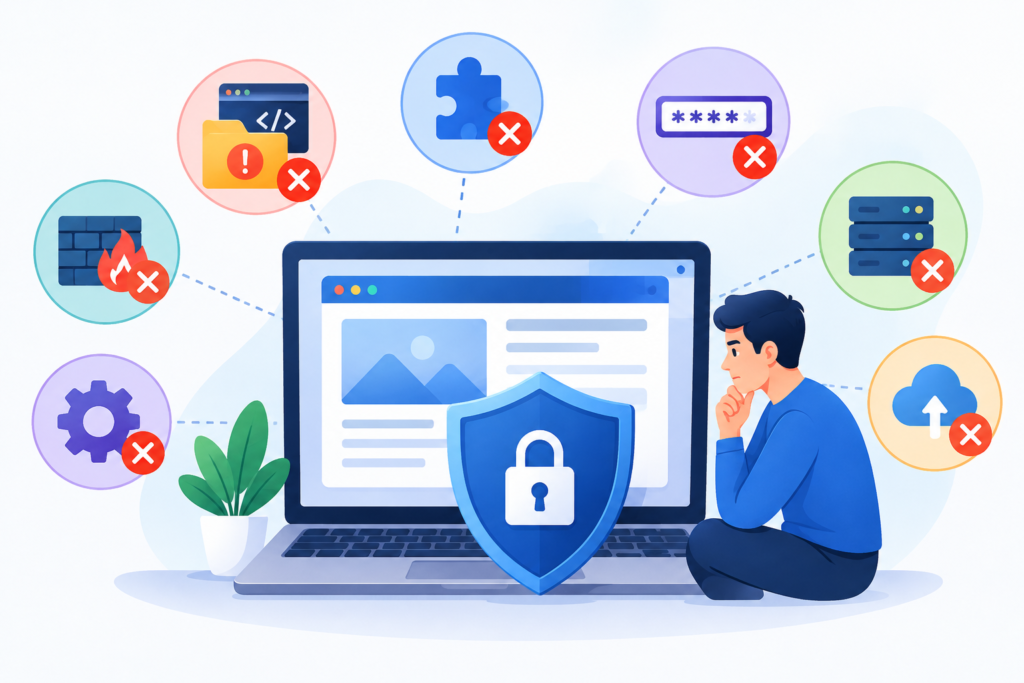
Website owners can introduce security weaknesses even when they are actively trying to protect their sites. One frequent mistake is relying on a single security plugin, antivirus scan, or firewall as the complete security solution. These tools can provide useful detection and prevention capabilities, but they cannot reliably eliminate every application vulnerability, insecure permission, stolen credential, or server configuration problem. Effective hardening requires multiple complementary controls and a process for reviewing whether those controls continue to work as the website changes.
Another common mistake is delaying security updates because administrators are worried about compatibility. Although production changes should be tested appropriately, leaving known vulnerabilities unpatched can expose the website to preventable attacks. A better approach is to establish a clear update schedule, prioritize critical security patches, maintain reliable backups, and use a staging environment for changes that may affect important functionality. Equally risky is installing unmaintained plugins, downloading software from unauthorized sources, or retaining unused extensions simply because they might be useful later. Each unnecessary component increases maintenance overhead and may create additional exposure.
Poor access management is another major problem. Shared administrator accounts, reused passwords, excessive privileges, and forgotten accounts make unauthorized access more likely and complicate incident investigations. Some website owners attempt to compensate by changing the login URL while leaving passwords weak and multifactor authentication disabled. Others block all unfamiliar traffic without considering legitimate users, search crawlers, application integrations, or accessibility requirements. Security controls should be based on risk and tested against normal website behavior rather than applied blindly.
Backup and monitoring mistakes can also undermine otherwise good security practices. Backups stored in the same accessible account may be deleted during an attack, while untested backup archives may fail when restoration is urgently needed. Similarly, enabling logging without reviewing alerts provides limited practical value. Website owners should periodically test recovery, examine suspicious activity, and confirm that security controls remain effective.
Finally, avoid assuming that HTTPS, a successful malware scan, or the absence of browser warnings proves that a website is completely secure. Each provides only limited evidence about a specific aspect of security. A stronger approach combines vulnerability assessments, secure authentication, software maintenance, restricted permissions, monitoring, and documented incident response. Review the website after significant changes, investigate unexpected behavior promptly, and treat security improvements as an ongoing responsibility. These habits help prevent common operational errors from weakening the entire protection strategy.
Frequently Asked Questions
What is website hardening?
Website hardening is the process of strengthening a website’s security by reducing vulnerabilities, removing unnecessary functionality, restricting access, and applying safer configurations. It covers the application, hosting environment, database, user accounts, network exposure, and supporting software. Typical measures include installing security updates, enforcing multifactor authentication, restricting file permissions, protecting databases, enabling HTTPS, configuring security headers, and monitoring suspicious activity. The objective is to reduce the website’s attack surface and make unauthorized access more difficult. Hardening should be reviewed regularly because software, threats, and business requirements change over time.
Why is website hardening important for small businesses?
Small businesses depend on their websites for customer communication, lead generation, online sales, and business credibility. A security incident can interrupt these activities, expose confidential information, create recovery expenses, and damage customer trust. Smaller organizations may also have limited technical resources, making preventive controls particularly valuable. A practical hardening plan can begin with strong passwords, multifactor authentication, regular updates, secure backups, HTTPS, limited user privileges, and basic security monitoring. Businesses that process payments or sensitive customer information should also evaluate their additional legal, contractual, and industry-specific obligations.
How often should a website undergo security hardening?
Website hardening is an ongoing process rather than an activity performed at a fixed interval. Core security configurations should be reviewed regularly, while critical vulnerabilities should be addressed as soon as a safe and appropriate remediation is available. Website owners should monitor updates, review accounts, test backups, and investigate security alerts continuously or according to a documented schedule. A more comprehensive assessment is advisable after major website changes, hosting migrations, significant plugin installations, security incidents, or changes to authentication and payment systems. The appropriate frequency depends on the website’s exposure, complexity, business importance, and risk profile.
Can a security plugin fully protect a website?
No single plugin can guarantee complete website protection. A security plugin may provide malware scanning, login protection, firewall rules, file integrity checks, or security notifications, but its capabilities depend on the product, configuration, and hosting environment. It may not prevent attacks involving unsupported server software, insecure database access, compromised hosting credentials, or application-specific authorization errors. Website owners should combine suitable security tools with software updates, secure server configuration, least-privilege access, protected backups, and monitoring. Tools should be selected according to actual requirements, maintained properly, and tested to ensure they do not interfere with legitimate website functionality.
Does website hardening improve SEO?
Website hardening can support SEO by helping protect visitors from compromised pages, malicious redirects, injected spam, and other problems that undermine trust and accessibility. HTTPS is also an established component of Google’s page experience considerations. However, hardening does not guarantee higher rankings, and Google does not award automatic ranking improvements simply because a website uses a particular security plugin or implements every available header. SEO outcomes depend on many factors, including content quality, relevance, technical accessibility, and user needs. Security should be treated as an essential website quality requirement rather than a shortcut to ranking improvements.
What should I do if my website has already been hacked?
If a website has been compromised, begin by assessing the severity and protecting visitors and critical business systems. Depending on the incident, this may require isolating affected systems, temporarily restricting access, contacting the hosting provider, and preserving relevant evidence. Use a trusted device to secure affected accounts, revoke unauthorized sessions, and rotate compromised credentials. Investigate the initial entry point, remove malicious code, patch vulnerabilities, and review accounts, permissions, scheduled tasks, and configuration files for signs of persistence. Restore clean backups only after evaluating their integrity and addressing the underlying weakness. Verify the recovered website, check for security notices, and establish monitoring to detect renewed activity.
What are the most important website hardening measures to implement first?
Start with measures that reduce common and consequential risks. Apply critical security updates, remove unsupported software, secure administrator accounts with unique passwords and multifactor authentication, and verify that reliable backups can be restored. Ensure that HTTPS is correctly configured, restrict administrative access, and review hosting and database permissions. Next, assess vulnerabilities, introduce appropriate firewall protections, improve logging, and check for unnecessary exposed services. Prioritize measures according to the website’s architecture and actual risk. A website handling online payments or confidential records may require additional controls and professional security testing beyond the foundational measures appropriate for a simple informational site.
How can I verify that website hardening has been successful?
Verification requires testing the security controls that were implemented rather than assuming that completing a checklist proves success. Confirm that software is supported and current, privileged accounts use strong authentication, unauthorized access attempts are appropriately restricted, and file permissions follow the application’s requirements. Test HTTPS redirects, certificate validity, security headers, database access restrictions, and backup restoration. Run reputable vulnerability assessments and investigate significant findings. Review logs for unexpected account changes, file modifications, or suspicious traffic. Document unresolved risks and establish a schedule for reassessment. No test can prove that a website is entirely secure, but repeatable verification provides evidence that important controls are operating as intended.
Best Practices Summary for Website Hardening
Effective website hardening depends on consistent security practices that work together across the application, hosting environment, and business operations. The following checklist provides a practical reference for reviewing and improving a website’s security posture.
- Maintain updated software: Install security patches for the content management system, themes, plugins, server software, and supporting dependencies. Remove unsupported components and unnecessary extensions.
- Strengthen authentication: Use unique passwords, multifactor authentication, individual user accounts, and appropriate controls against automated login attacks.
- Apply least-privilege access: Give administrators, editors, applications, and database accounts only the permissions required for their responsibilities.
- Secure hosting configurations: Disable unnecessary services, restrict exposed ports, protect configuration files, and keep server software supported.
- Implement HTTPS correctly: Use a valid TLS certificate, redirect HTTP traffic appropriately, remove mixed content, and test secure connections across the website.
- Protect the database: Restrict database exposure, use parameterized queries, secure credentials, and limit the collection and retention of sensitive information.
- Use layered protection: Consider a properly configured WAF, rate limiting, security headers, file integrity monitoring, and suitable malware detection.
- Maintain reliable backups: Store protected backup copies, separate recovery data from production where possible, and test restoration regularly.
- Monitor suspicious activity: Review important logs, configure meaningful alerts, investigate unexpected changes, and protect log information.
- Assess vulnerabilities regularly: Use reputable scanning tools, investigate findings, prioritize risks, and verify remediation.
- Prepare for incidents: Document response procedures, assign responsibilities, preserve evidence when appropriate, and establish a tested recovery process.
- Protect search visitors: Monitor security reports, investigate hacked content, remove harmful pages and redirects, and follow applicable official recovery guidance.
- Review security after changes: Reassess configurations after migrations, major software updates, new integrations, and changes to administrative access.
- Document the security baseline: Record important settings, approved components, account ownership, backup procedures, and unresolved risks.
- Keep improving: Review incidents, emerging vulnerabilities, and operational lessons to strengthen the website’s defenses over time.
The most effective approach is to prioritize high-impact risks, implement changes carefully, and verify the results. Security measures should be proportionate to the website’s size, complexity, and data sensitivity. A small business website may begin with a focused hardening checklist, while a large eCommerce platform may require formal vulnerability management, security testing, centralized monitoring, and dedicated incident response. Both benefit from clear ownership, documented procedures, and regular reassessment.
Website owners should also avoid treating compliance with a checklist as proof of complete security. New vulnerabilities can emerge, configurations can drift, and legitimate business changes can introduce unexpected exposure. By combining preventive controls, continuous monitoring, reliable recovery, and ongoing maintenance, organizations can reduce avoidable risks and maintain a more resilient online presence.
Conclusion
Website hardening is a foundational part of protecting a website against unauthorized access, malware, data exposure, and operational disruption. It requires more than installing a security plugin or enabling HTTPS. A reliable strategy combines vulnerability assessment, secure software maintenance, strong authentication, controlled permissions, hardened hosting, protected databases, browser security policies, continuous monitoring, and tested recovery procedures. Each layer addresses a different category of risk, and together they help reduce the opportunities available to attackers.
The implementation process should begin with a clear understanding of the existing environment. Identify exposed components, prioritize significant vulnerabilities, and make security improvements in a controlled order. Verify each change, maintain trustworthy backups, and document the steps required to investigate and recover from incidents. Regular assessments are especially important after software updates, website migrations, new integrations, and changes to administrative access. Where the website handles sensitive information or supports critical business operations, independent security testing and specialist assistance may be appropriate.
For businesses that need expert support with website protection, FixHackedSite can be a starting point for exploring security assistance and website recovery options. The right approach depends on the website’s platform, hosting arrangement, technical complexity, and current risk level. Regardless of the environment, security should remain an ongoing operational priority. By following established guidance, maintaining effective controls, and responding quickly to new vulnerabilities, website owners can create a stronger foundation for protecting visitors, maintaining availability, and preserving long-term business trust.
Want to Implement This Easily?
Prompt Text:
You are an expert consultant. Based on the blog post titled “(Website Hardening)”, provide a step-by-step, practical implementation guide. Include tools, best practices, common mistakes to avoid, and advanced tips. Assume the reader wants to implement everything discussed in this article effectively.
Call to Action:
Want our help implementing this? Just reach out to us via our website contact form: Contact Us