Learn how to identify, assess, fix, and prevent website vulnerability issues with practical security strategies, vulnerability assessments, monitoring, and proven website protection best practices.
Introduction
A website can look professional, load quickly, rank well in search results, and still contain security weaknesses that attackers can exploit. A website vulnerability is a weakness in software, configuration, architecture, authentication, access control, or implementation that can create an opportunity for unauthorized access, data exposure, malicious code injection, service disruption, or other forms of abuse. For businesses that depend on their websites for leads, sales, customer communication, or online reputation, ignoring these weaknesses can create consequences that extend far beyond a technical problem.
Website security is also not limited to installing a security plugin or purchasing an SSL certificate. Effective protection requires understanding how vulnerabilities arise, identifying weaknesses before attackers discover them, prioritizing risks according to their potential impact, and continuously monitoring the environment. The OWASP Top 10 is widely used as an awareness resource for critical web application security risks and its current 2025 edition includes categories such as Broken Access Control, Security Misconfiguration, Software Supply Chain Failures, Injection, Authentication Failures, and Mishandling of Exceptional Conditions. OWASP Top 10
For website owners, administrators, developers, and marketing teams, security should also be considered alongside usability, performance, reliability, and search visibility. Google provides dedicated guidance around security issues, search visibility, helpful content, and website quality. Its Google Search Essentials explains fundamental requirements and recommendations for websites appearing in Google Search. In this guide, we will explore website vulnerabilities from identification through long-term prevention so that security becomes a continuous part of website management rather than an emergency response.
What Is a Website Vulnerability?
A website vulnerability is a weakness that could allow an unauthorized person, malicious program, or other threat actor to interfere with a website or its underlying systems. The weakness may exist in application code, third-party software, server configuration, authentication mechanisms, database handling, permissions, APIs, plugins, themes, libraries, or operational processes. According to OWASP, vulnerabilities can result from flaws in application design or implementation that provide an opportunity for an attacker to cause harm. OWASP vulnerabilities
Not every vulnerability immediately means that a website has been hacked. This distinction is important. A vulnerability represents a weakness or exposure, while a security incident may occur when that weakness is actually exploited. For example, an outdated plugin with a publicly documented security issue can represent a vulnerability even when there is currently no evidence that the website has been compromised. The correct response is therefore not to wait until suspicious activity appears. A responsible security process identifies weaknesses proactively and addresses them according to their likelihood and potential impact.
Website vulnerabilities can also vary significantly in severity. A minor configuration problem may have limited consequences, while a broken access-control mechanism could potentially expose sensitive customer information or administrative functionality. Similarly, an outdated component may appear harmless until an attacker combines it with another weakness. This is why website vulnerability assessment should examine the entire environment rather than focusing on a single security feature. A strong assessment considers technology, configuration, permissions, application behavior, dependencies, data flows, and operational controls together.
Why Website Vulnerabilities Are a Serious Business Risk
Security weaknesses can create risks for far more than the website itself. A compromised website may be used to distribute malware, host unwanted pages, redirect visitors, steal information, manipulate content, send spam, or damage the credibility of a brand. If the website supports ecommerce, customer accounts, forms, subscriptions, or internal workflows, the consequences can become even more significant because the system may process sensitive or commercially valuable information.
There is also a direct relationship between website security and customer trust. Visitors expect businesses to protect the information they provide and to maintain a reliable online experience. A browser warning, unexpected redirect, suspicious popup, or compromised page can immediately make a visitor question whether the organization is trustworthy. Even after a technical issue has been resolved, rebuilding confidence may take substantially longer. Security therefore belongs within broader business risk management rather than being treated solely as an IT concern.
Search visibility can also be affected when a website becomes compromised. Google provides dedicated documentation about hacked websites, malware, social engineering, and security issues because compromised sites can create harmful experiences for users. Website owners can use Google Search Console to monitor certain security-related issues and investigate search visibility problems. Preventing vulnerabilities is therefore valuable not only for protecting infrastructure and data but also for protecting reputation, customer confidence, business continuity, and the long-term value of organic traffic.
Common Types of Website Vulnerabilities
Website vulnerabilities exist in many forms, and their characteristics depend heavily on the technology behind the website. One common category involves broken access control, where users can access functions or information beyond what their permissions should allow. Another involves authentication weaknesses, where account protections are insufficient to prevent unauthorized access. Injection vulnerabilities can occur when untrusted input is handled unsafely by an application or backend system. Security misconfiguration is another major area and can involve unnecessary services, insecure defaults, exposed administrative functionality, excessive permissions, or improperly configured servers.
Third-party components create another important category of risk. Websites frequently depend on plugins, themes, frameworks, libraries, APIs, content management systems, payment integrations, analytics tools, and other external technologies. If one of these components contains a security weakness, the website may inherit some of that risk. This is why software inventory and update management are essential parts of vulnerability management. The current OWASP Top 10 specifically recognizes Software Supply Chain Failures as one of its 2025 categories. OWASP Top 10
Configuration and data-protection weaknesses are equally important. Examples can include exposed configuration files, unnecessarily permissive file permissions, weak administrative settings, missing security headers, poorly protected backups, inadequate encryption, and inappropriate error messages. Some vulnerabilities are highly technical, while others result from simple operational oversights. The key lesson is that website security cannot be reduced to a single scanner or plugin. A comprehensive assessment needs to consider the application, server, infrastructure, dependencies, users, credentials, and administrative processes that collectively make up the website environment.
How Website Vulnerabilities Develop
Vulnerabilities often develop gradually rather than appearing as one obvious mistake. A website may begin with a secure configuration but become more exposed after multiple plugins are installed, custom code is added, old components remain active, permissions are changed, or new integrations are introduced. Over time, the difference between the original security assumptions and the current environment can become substantial. Without regular reviews, website owners may not realize how much the attack surface has expanded.
Human and operational factors can also contribute. Weak passwords, reused credentials, excessive administrator accounts, forgotten test environments, outdated software, insecure development practices, and poorly managed third-party access can all increase risk. A technically secure application can still be exposed if an administrative account is compromised or if an abandoned component remains accessible. Security therefore depends on both technology and the processes used to manage that technology.
Another common cause is the pressure to deploy quickly. Developers and website owners may prioritize new features, marketing campaigns, integrations, or design changes while security testing receives less attention. This can create weaknesses that remain unnoticed until they are discovered by a scanner, security researcher, or attacker. A mature approach integrates security into normal development and maintenance activities rather than treating it as an optional final step. The objective is not to eliminate every possible risk—which is unrealistic—but to systematically reduce important weaknesses before they become incidents.
Warning Signs That Your Website May Have a Vulnerability
Some vulnerabilities produce no visible symptoms at all. This makes proactive assessment particularly important. A website can operate normally while containing outdated software, excessive permissions, insecure configurations, or vulnerable dependencies. Nevertheless, certain warning signs deserve immediate investigation. Unexpected administrator accounts, unfamiliar files, suspicious redirects, unexplained content changes, unusual login activity, unexpected outbound emails, unknown plugins, and unexplained traffic patterns can all justify a security review.
Performance changes can also sometimes accompany malicious activity, although performance problems have many legitimate causes. A sudden increase in server resource usage, unexplained database activity, repeated requests to unusual URLs, or unexpected processes may indicate that something deserves investigation. Website owners should avoid assuming that every technical problem represents an attack, but they should also avoid dismissing unusual behavior without checking the underlying environment.
Google recommends several practical steps for website owners dealing with potential malware or compromise. Its guidance on Preventing malware infection includes keeping software updated, using strong passwords, reviewing server configuration, avoiding unnecessarily open permissions, maintaining secure workstations, and paying attention to common web application weaknesses. If suspicious behavior appears, the safest approach is to preserve evidence where possible, restrict unnecessary access, review logs and recent changes, and perform a structured investigation rather than randomly deleting files or reinstalling software.
Website Vulnerability Assessment: What It Involves
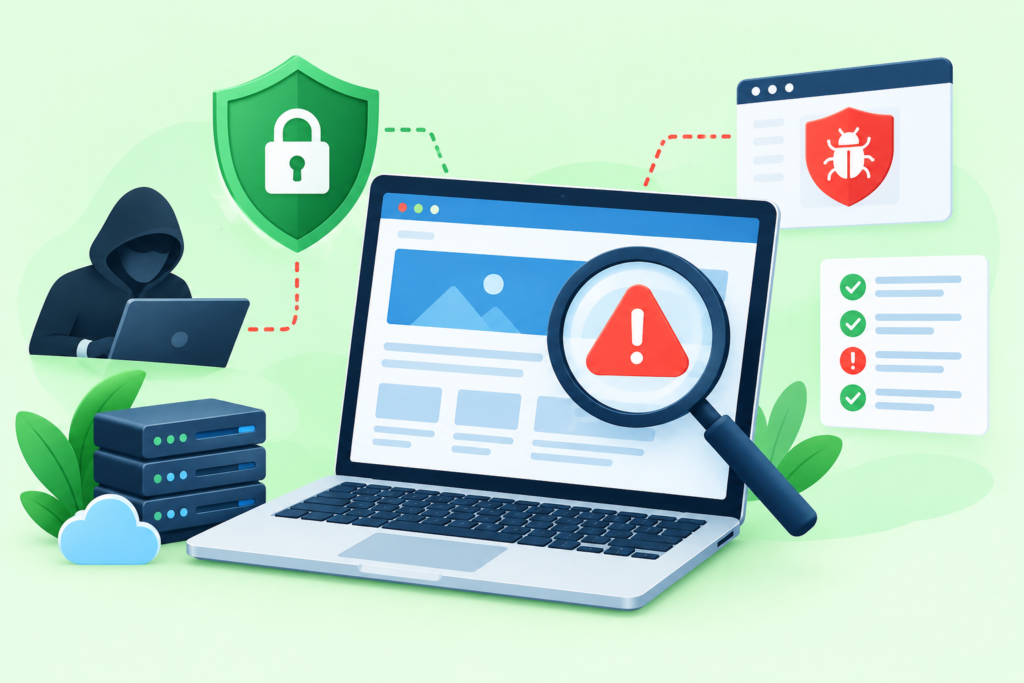
A website vulnerability assessment is a structured process for identifying and evaluating weaknesses across a website and its supporting environment. The assessment typically begins with discovery. This means understanding what technology is being used, what domains and subdomains exist, which applications are exposed, which third-party components are installed, what administrative interfaces exist, and what types of information the website processes. Without an accurate inventory, security testing can overlook important assets.
The next stage involves vulnerability identification. Automated scanners can help identify known weaknesses, outdated software, insecure configurations, exposed services, and other common issues. However, automated tools have limitations. They can generate false positives, miss business-logic problems, misunderstand application behavior, or fail to recognize vulnerabilities that require contextual judgment. A strong assessment therefore combines automated analysis with appropriate manual review, especially for authentication, authorization, application workflows, sensitive data handling, and custom functionality.
The final stage is risk evaluation and remediation planning. A vulnerability should not be judged solely by the scanner’s numerical severity. Its real importance depends on factors such as exploitability, exposure, affected assets, data sensitivity, business impact, existing controls, and whether compensating protections are available. OWASP provides the OWASP Web Security Testing Guide as a comprehensive resource for web application security testing. OWASP Web Security Testing Guide The goal of an assessment is therefore not simply to produce a list of technical findings but to create an actionable roadmap for reducing meaningful risk.
Automated Vulnerability Scanning vs. Manual Security Testing
Automated vulnerability scanning is valuable because it can evaluate large numbers of common security conditions quickly and consistently. A scanner may identify outdated components, known vulnerabilities, configuration problems, exposed services, weak security settings, or other recognizable issues. Automation can also support recurring checks, helping teams identify changes between assessment periods. For websites with many components or frequent deployments, automated testing can provide useful visibility that would be difficult to achieve manually.
However, automated scanning should not be treated as proof that a website is secure. Security tools operate according to detection logic and available information. A scanner may flag something that is not actually exploitable in the specific environment, or it may miss a vulnerability that depends on application logic. Business-logic weaknesses, authorization flaws, insecure workflows, unusual application behavior, and certain authentication problems may require human analysis. A clean scan therefore means that the tool did not detect certain known conditions—not that every possible vulnerability has been eliminated.
Manual security testing complements automation by examining how the application behaves in real-world workflows. A qualified tester can evaluate whether permissions are consistently enforced, whether sensitive functions are properly protected, whether application states can be manipulated unexpectedly, and whether security controls behave correctly across different user roles. The most effective approach is usually layered: automated scanning for breadth, manual testing for depth, configuration review for environmental weaknesses, and ongoing monitoring for changes. Combining these approaches creates much stronger visibility than relying on any one technique.
The Most Important Areas to Check During a Website Security Assessment
A comprehensive assessment should begin with authentication and access control. Review administrator accounts, user roles, password policies, session management, multi-factor authentication where appropriate, account recovery processes, and permissions. Determine whether users can access only the functions and information intended for their roles. Administrative interfaces should receive particular attention because compromise of a privileged account can have significantly greater consequences than compromise of a low-privilege account.
The second major area is software and configuration. Identify the content management system, themes, plugins, frameworks, libraries, server software, runtime versions, APIs, and other dependencies. Check whether components are supported and maintained, whether unnecessary components can be removed, and whether security updates are being applied consistently. Review server configuration, file permissions, security headers, backups, logging, database access, exposed services, and environment-specific settings. Configuration management is particularly important because a secure application can become vulnerable when deployed into an insecure environment.
The third area is data and application behavior. Determine what information is collected, where it is stored, how it moves between systems, who can access it, and how long it is retained. Review forms, uploads, APIs, integrations, administrative actions, error handling, and input processing. Sensitive information should receive appropriate protection throughout its lifecycle. Security testing should also consider third-party services because the website may depend on external systems for payments, authentication, analytics, communications, or content delivery. The objective is to understand the entire security boundary rather than focusing only on visible website pages.
How to Prioritize and Fix Website Vulnerabilities
Finding vulnerabilities is only the beginning of effective security management. The next challenge is deciding which weaknesses should be addressed first. A practical prioritization process considers severity, likelihood, exposure, exploitability, affected assets, business impact, and the sensitivity of the information involved. A vulnerability affecting a publicly accessible administrative function should generally receive more attention than a low-impact issue isolated to a non-sensitive area. Risk-based prioritization helps teams use limited time and resources where they can provide the greatest reduction in exposure.
Remediation should begin with understanding the root cause. Simply hiding a scanner warning or deleting one suspicious file does not necessarily resolve the underlying weakness. If an outdated component created the problem, update or replace the component and verify compatibility. If excessive permissions caused the issue, correct the permission model. If insecure application logic created the weakness, modify the relevant workflow and test it again. When a vulnerability cannot immediately be eliminated, compensating controls such as access restrictions, network controls, monitoring, or additional authentication may reduce exposure temporarily.
After remediation, verification is essential. A security issue should be retested to confirm that the corrective action actually worked and did not introduce another problem. Teams should document the original finding, affected component, risk assessment, remediation performed, verification result, and any remaining limitations. This creates an audit trail and makes future assessments more efficient. Security should be treated as a continuous improvement process rather than a one-time cleanup exercise.
How WordPress Websites Can Develop Security Vulnerabilities
WordPress websites can become vulnerable for many of the same reasons as other web applications, but their extensive ecosystem creates additional management considerations. A typical WordPress installation may include the core platform, themes, plugins, custom code, hosting configuration, databases, administrative accounts, APIs, and external integrations. Each additional component can introduce functionality as well as potential security dependencies. This does not mean WordPress is inherently insecure; rather, it means responsible component management is essential.
Plugins and themes deserve particular attention because they may be developed and maintained by different organizations. Before installing a component, administrators should consider whether it is actively maintained, whether updates are provided, whether its developer has a credible security process, and whether the functionality is genuinely necessary. Unused plugins and themes should generally be removed rather than simply left inactive. Keeping fewer components reduces unnecessary complexity and can reduce the number of potential attack surfaces that require monitoring.
WordPress security also depends heavily on account and hosting practices. Administrator accounts should be limited to people who genuinely need administrative privileges, credentials should be strong and unique, and unnecessary access should be removed promptly. Backups should be maintained separately enough that a compromise does not automatically destroy the recovery path. Security updates should be tested appropriately and deployed without unnecessary delay. Most importantly, WordPress security should be managed as part of a complete website security strategy rather than assuming that one security plugin can compensate for insecure hosting, weak credentials, outdated software, or poor operational practices.
How to Prevent Website Vulnerabilities Before They Become Security Incidents
Prevention begins with reducing unnecessary complexity. Every plugin, integration, API, user account, server service, and custom feature should have a clear purpose. Removing unused components and unnecessary access can reduce the number of places where weaknesses may develop. This principle is especially useful for smaller organizations because it turns security into a manageable process: maintain only what is needed, keep it updated, protect access, and regularly review whether each component still has a legitimate purpose.
Secure development practices should also be integrated into the website lifecycle. Developers should validate and safely handle input, enforce authorization consistently, protect sensitive information, manage secrets securely, and avoid exposing unnecessary implementation details. Security requirements should be considered during architecture and feature planning instead of being added only after development is complete. Where appropriate, code review, dependency monitoring, automated testing, and security testing should become routine parts of deployment.
Operational controls complete the prevention strategy. Maintain reliable backups, monitor important events, protect administrator accounts, restrict access according to least privilege, and establish a documented incident-response process. Google recommends keeping website software updated and taking practical measures to reduce malware risk. Its security guidance also encourages website owners to investigate suspicious content and use available Search Console security information when appropriate. Prevention works best when these controls are maintained continuously rather than introduced only after a security incident.
Website Security, SEO, and Search Visibility
Website security and SEO are different disciplines, but they can influence the overall health of a website. Search engines aim to provide useful and safe experiences to users, and compromised websites can create serious quality and security problems. Malware, deceptive pages, unauthorized redirects, injected content, or social-engineering behavior can undermine user trust and potentially lead to search-related warnings or visibility problems.
Google provides guidance for website owners dealing with hacked websites and security issues. Its documentation explains how website owners can use tools such as Search Console to identify security-related problems and investigate unexpected changes. Website owners should therefore treat unexpected search behavior, strange indexed pages, unexplained redirects, or security warnings as reasons to investigate rather than assuming that an SEO algorithm change is responsible.
Security should also be integrated with broader SEO quality practices. Google emphasizes helpful, reliable, people-first content in its guidance Creating Helpful, Reliable, People-First Content. While security is not simply an SEO tactic, a trustworthy website experience supports the broader goal of serving users effectively. Website owners should focus on protecting visitors, maintaining accurate content, avoiding deceptive behavior, and keeping the technical environment reliable rather than attempting to manipulate search systems through security-related shortcuts.
Security Monitoring and Ongoing Vulnerability Management
A website can be secure today and vulnerable tomorrow. New software releases, newly discovered vulnerabilities, configuration changes, compromised credentials, and new integrations can change the risk profile of an environment. This is why vulnerability management should be continuous. A recurring security process can include asset inventory reviews, software updates, vulnerability scans, access reviews, log monitoring, backup verification, configuration checks, and periodic manual assessments.
Monitoring should focus on meaningful signals rather than generating large volumes of alerts that nobody reviews. Important events may include unexpected administrator account changes, repeated failed authentication attempts, unusual permission changes, suspicious file modifications, unexpected configuration changes, and significant deviations from normal application behavior. Logs should be protected against unauthorized modification and retained long enough to support investigation and troubleshooting.
A mature vulnerability management program also tracks findings over time. Teams should know which issues remain open, who owns remediation, what deadline applies, and whether a fix has been verified. Repeated findings can reveal systemic problems. For example, if every assessment identifies outdated components, the organization may need a better update process rather than repeatedly fixing the same issue manually. This transforms security from reactive troubleshooting into an operational discipline that continuously improves the website’s security posture.
What to Do When a Vulnerability Is Discovered
The first priority after discovering a significant vulnerability is to understand the situation without making it worse. Avoid unnecessary changes that could destroy useful evidence or obscure the timeline of events. Determine what component is affected, whether the vulnerable functionality is publicly accessible, what privileges are involved, what data may be exposed, and whether there is evidence of exploitation. If compromise is suspected, access should be controlled carefully while investigation begins.
The next step is containment and remediation. Depending on the circumstances, this may involve restricting access to an affected function, disabling a vulnerable component, applying a security update, rotating credentials, blocking suspicious activity, or temporarily isolating an affected system. The correct action depends on the vulnerability and business environment. Organizations should avoid blindly deleting files or reinstalling applications without understanding the underlying situation because this can remove evidence while leaving the original weakness unresolved.
After remediation, conduct verification and document what happened. Confirm that the vulnerability has been addressed, check for related weaknesses, review relevant logs, and determine whether additional credentials or systems could have been affected. If the incident involved customer information or other regulated data, appropriate legal, regulatory, contractual, or organizational notification processes may apply. A post-incident review should identify what allowed the vulnerability to exist and what process changes can reduce the chance of recurrence.
Building a Long-Term Website Vulnerability Management Strategy

A long-term strategy begins with visibility. Maintain an inventory of websites, domains, subdomains, applications, plugins, themes, frameworks, APIs, servers, third-party services, and administrative accounts. Without knowing what exists, it is difficult to determine what needs to be protected. Asset inventories should be reviewed whenever major website changes occur and periodically even when no changes are expected.
The next layer is governance and prioritization. Define who is responsible for software updates, access management, backups, vulnerability remediation, security monitoring, and incident response. Establish practical timeframes for addressing vulnerabilities according to risk. High-risk issues should not remain indefinitely in an unmanaged backlog, while lower-risk findings can be scheduled according to available resources. Clear ownership prevents security findings from becoming nobody’s responsibility.
Finally, measure improvement. Track recurring vulnerabilities, average remediation time, failed updates, security incidents, backup recovery results, and assessment coverage. Review whether the same problems continue to appear. The purpose of measurement is not to create impressive security statistics; it is to determine whether the organization is actually becoming more resilient. A strong vulnerability management program evolves with the website, the technology stack, and the threat environment.
FAQs
What is a website vulnerability?
A website vulnerability is a weakness in an application’s code, configuration, architecture, dependency, authentication process, access-control mechanism, or supporting infrastructure that could potentially be abused. A vulnerability does not automatically mean that the website has already been hacked. It means there is a condition that could create security risk if left unresolved.
How often should a website vulnerability assessment be performed?
The appropriate frequency depends on the website’s complexity, technology stack, business importance, rate of change, and risk profile. A website with frequent deployments or many third-party components may benefit from continuous automated monitoring combined with periodic manual testing. Major changes such as migrations, new applications, authentication changes, or significant integrations should also trigger additional security review.
Can a security plugin prevent every website vulnerability?
No. Security plugins can provide valuable protections and monitoring, but they cannot replace secure development, proper configuration, strong access controls, software updates, secure hosting, backups, and professional assessment. Security is a layered process. Relying on a single tool can create a false sense of protection.
Does a website vulnerability always affect SEO?
Not necessarily. A vulnerability may exist without causing any immediate search impact. However, if a weakness is exploited and results in malware, deceptive pages, spam, unauthorized redirects, or other harmful behavior, the website can experience serious search and reputation consequences. Security and SEO should therefore be managed as complementary aspects of website quality.
What is the difference between vulnerability scanning and penetration testing?
Vulnerability scanning generally uses automated tools to identify known weaknesses and potentially risky conditions. Penetration testing involves more extensive security testing and human analysis designed to determine whether vulnerabilities can be meaningfully exploited within an authorized scope. Both approaches can be valuable, but they serve different purposes.
Are outdated plugins a website vulnerability?
An outdated plugin is not automatically vulnerable, but outdated software can become a security risk when it contains known weaknesses or no longer receives security maintenance. Website owners should track component versions, monitor security advisories, remove unnecessary software, and update supported components responsibly.
What should I do if I discover a critical vulnerability?
First, assess whether the issue is actively being exploited or exposes sensitive functionality. Restrict unnecessary exposure where appropriate, preserve useful evidence, apply a verified fix or mitigating control, review related systems, and retest the affected area. If compromise is suspected, use a structured incident-response process rather than simply deleting suspicious files.
Common Mistakes When Managing Website Vulnerabilities
One of the most common mistakes is treating website security as a one-time project. A website is a changing environment. New plugins, code changes, integrations, user accounts, and server updates can introduce new risks. Completing one vulnerability scan does not guarantee that the same security posture will exist months later.
Another mistake is relying exclusively on automated scanners. Scanners are valuable, but they cannot understand every business workflow or authorization requirement. Human review remains important for complex applications and custom functionality. Organizations should also avoid blindly trusting every scanner result. Findings should be validated and prioritized according to actual business and technical context.
A third mistake is delaying updates because maintenance feels inconvenient. Unsupported software can remain exposed for long periods when organizations postpone patching. Equally problematic is installing unnecessary plugins, themes, scripts, and integrations simply because they provide attractive features. Every additional component creates another dependency that must be maintained and assessed.
Another frequent problem is weak access management. Too many administrators, reused passwords, inactive accounts, and shared credentials can create unnecessary exposure. Access should be reviewed regularly, privileges should follow actual responsibilities, and former users should lose access promptly.
Finally, organizations often fail to test their backups. Having a backup is not the same as having a reliable recovery capability. Backups should be protected from unauthorized modification and periodically tested so that the organization understands whether restoration actually works.
Best Practices Summary
A strong website vulnerability management strategy can be summarized through several practical principles:
- Maintain an accurate asset inventory. Know what websites, applications, domains, plugins, themes, APIs, and services you operate.
- Keep software supported and updated. Monitor security updates for core platforms, libraries, plugins, themes, frameworks, and server software.
- Use layered security controls. Combine secure development, access control, monitoring, backups, configuration management, and vulnerability assessment.
- Review authentication and permissions regularly. Minimize administrator accounts and apply least-privilege principles.
- Remove unnecessary components. Unused plugins, themes, accounts, services, and integrations increase complexity and potential exposure.
- Perform vulnerability assessments regularly. Use automated scanning for breadth and manual assessment where deeper analysis is required.
- Verify every important remediation. Do not assume that applying a patch or changing a configuration automatically resolves the underlying issue.
- Monitor for unexpected changes. Suspicious accounts, files, redirects, content, authentication activity, and configuration changes deserve investigation.
- Maintain and test backups. Recovery planning is an essential part of website resilience.
- Follow authoritative security guidance. The OWASP Top 10 provides a useful framework for understanding major web application security risks. OWASP Top 10
- Protect the user experience. Security should support trustworthy, reliable, and useful websites rather than becoming an isolated technical exercise.
- Treat vulnerability management as continuous. Security improves when assessment, remediation, verification, and monitoring become routine processes.
Conclusion
A website vulnerability can begin as a small technical weakness and eventually become a major business problem if it is ignored. The most effective strategy is therefore proactive: understand the website’s technology, identify weaknesses, prioritize meaningful risks, remediate root causes, verify fixes, and continuously monitor the environment. Security should be integrated into website development, maintenance, hosting, access management, and content operations rather than treated as an emergency response after an attack.
For organizations that depend on their websites, FixHackedSite, the goal should not simply be to react after something goes wrong. A stronger approach is to build a repeatable security process that identifies vulnerabilities before they become incidents. Combining responsible maintenance with vulnerability assessment, secure configuration, reliable backups, access control, monitoring, and appropriate testing can significantly improve resilience while protecting customers and business operations.
Google’s broader search guidance emphasizes helpful, reliable, people-first experiences, while security organizations such as OWASP provide structured resources for understanding and testing application security. Together, these principles support a simple objective: build and maintain websites that are useful, trustworthy, technically responsible, and resilient against changing security threats.
Want to Implement This Easily?
Prompt Text: You are an expert consultant. Based on the blog post titled “(Website Vulnerability)”, provide a step-by-step, practical implementation guide. Include tools, best practices, common mistakes to avoid, and advanced tips. Assume the reader wants to implement everything discussed in this article effectively.
Call to Action: Want our help implementing this? Just reach out to us via our website contact form: contact form